

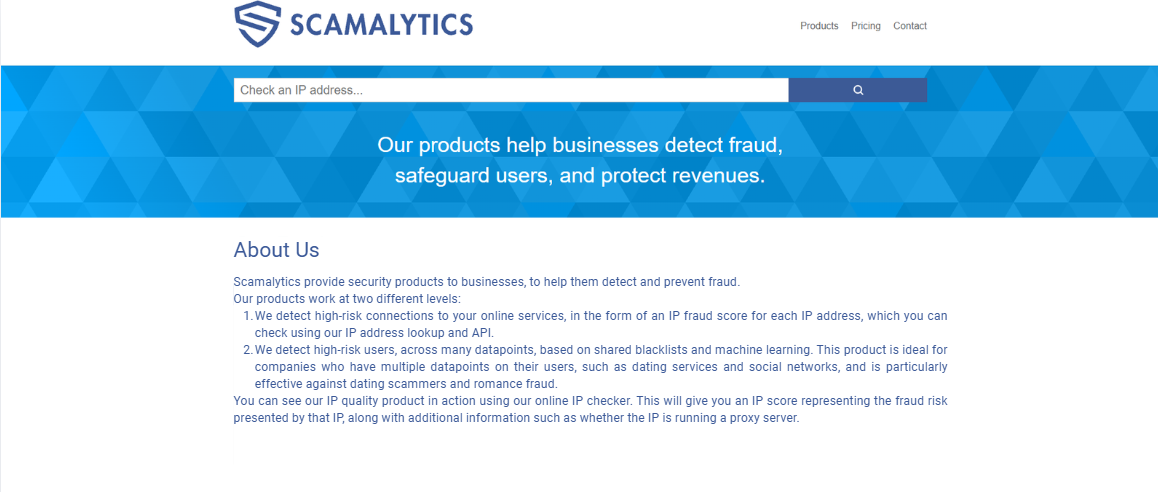
Scamalytics is an IP fraud risk assessment service that assigns Fraud Scores ranging from 0 to 100, divided into four risk levels from low to very high. According to Scamalytics, these scores are calculated based on confirmed fraud reports collected through its partner network. This means an IP can receive a high score even if it has never been directly reported, for example, when it belongs to the same network as IPs with a history of fraudulent activity.
In this article, IPFighter will explain what Scamalytics is, how its system evaluates IP addresses, what each Fraud Score level means, and how to check an IP on the website. You'll also learn how to identify the reasons behind a high score, choose appropriate solutions, and understand the limitations of using Scamalytics.
1. What is Scamalytics? An overview of the platform
Scamalytics develops solutions for various needs, ranging from IP address checks to user risk assessment.
1.1. What is Scamalytics?
Scamalytics is a company specializing in security solutions that help businesses detect and prevent online fraud. Its solutions focus on two main areas:
-
Connection risk assessment: Analyzes the risk level of an IP address when accessing online services. Results are presented as a Fraud Score, which can be checked directly on the website or retrieved through an API.
-
User risk assessment: Combines shared blacklist data with machine learning technology to identify potentially risky users. This solution is suitable for online platforms such as dating websites and social networks.
Overall, Scamalytics provides risk assessment solutions at both the connection and user levels, helping businesses identify potential fraud early and strengthen their systems against suspicious activities.

Scamalytics – UK-based IP fraud analysis platform.
1.2. What products does Scamalytics offer?
To meet different IP risk assessment needs, Scamalytics offers three main products. Each has its own deployment method and target audience:
|
Product |
Target users |
Key features |
|
IP Fraud Risk API |
Developers and businesses that need to integrate IP checks into their systems |
Returns results in 50 ms or less, using servers in Europe and the US |
|
Bulk IP Lookup |
Analysts and users who need to check multiple IPs without coding |
Upload CSV/TXT files and receive CSV reports containing risk scores, proxy status, ISP, and IP location information |
|
MMDB (on-premises) |
Large enterprises with specific data security and storage requirements |
Deploys the database on internal infrastructure, allowing unlimited lookups for a fixed fee, with daily data updates |
In addition to these three products, Scamalytics also provides an IP lookup tool directly on its website. Simply enter an IP address to view its fraud risk score and additional information, such as whether the IP is using a proxy.
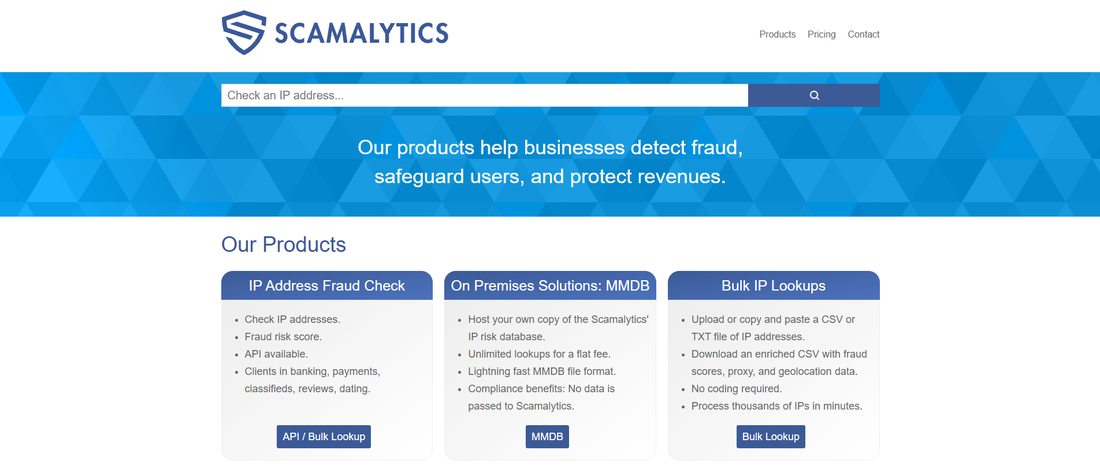
Scamalytics services
Read more:
-
What is IP trust score? How to know if an IP is safe
-
What is IP reputation? How IP purity shapes trust
2. How to check an IP on Scamalytics
Scamalytics allows users to look up IP addresses directly on its website without installing software or creating an account. In addition to the Fraud Score, the results provide information about the ISP, location, proxy status, and blacklists. Below are the steps for checking an IP and understanding the results.
2.1. Steps to check an IP on Scamalytics
You can check any IP address in just three steps:
Step 1: Visit the Scamalytics website at scamalytics.com.
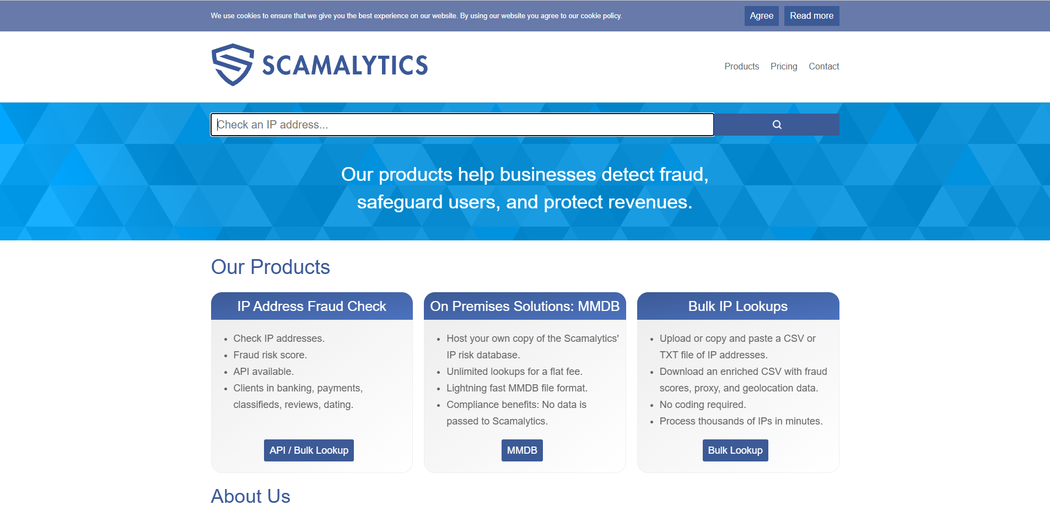
Scamalytics homepage
Step 2: Enter the IP address you want to check in the lookup field, then click Check IP to view the results.
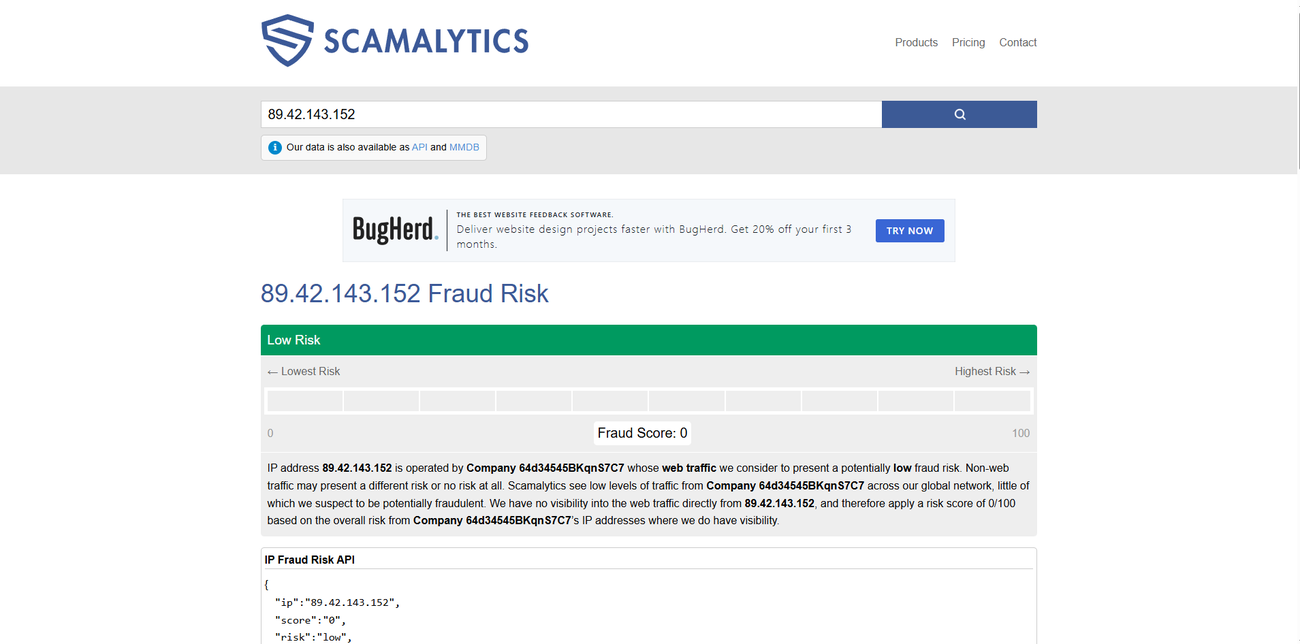
The results appear immediately after you submit the lookup.
Step 3: Once the lookup is complete, detailed results will appear below the search field.
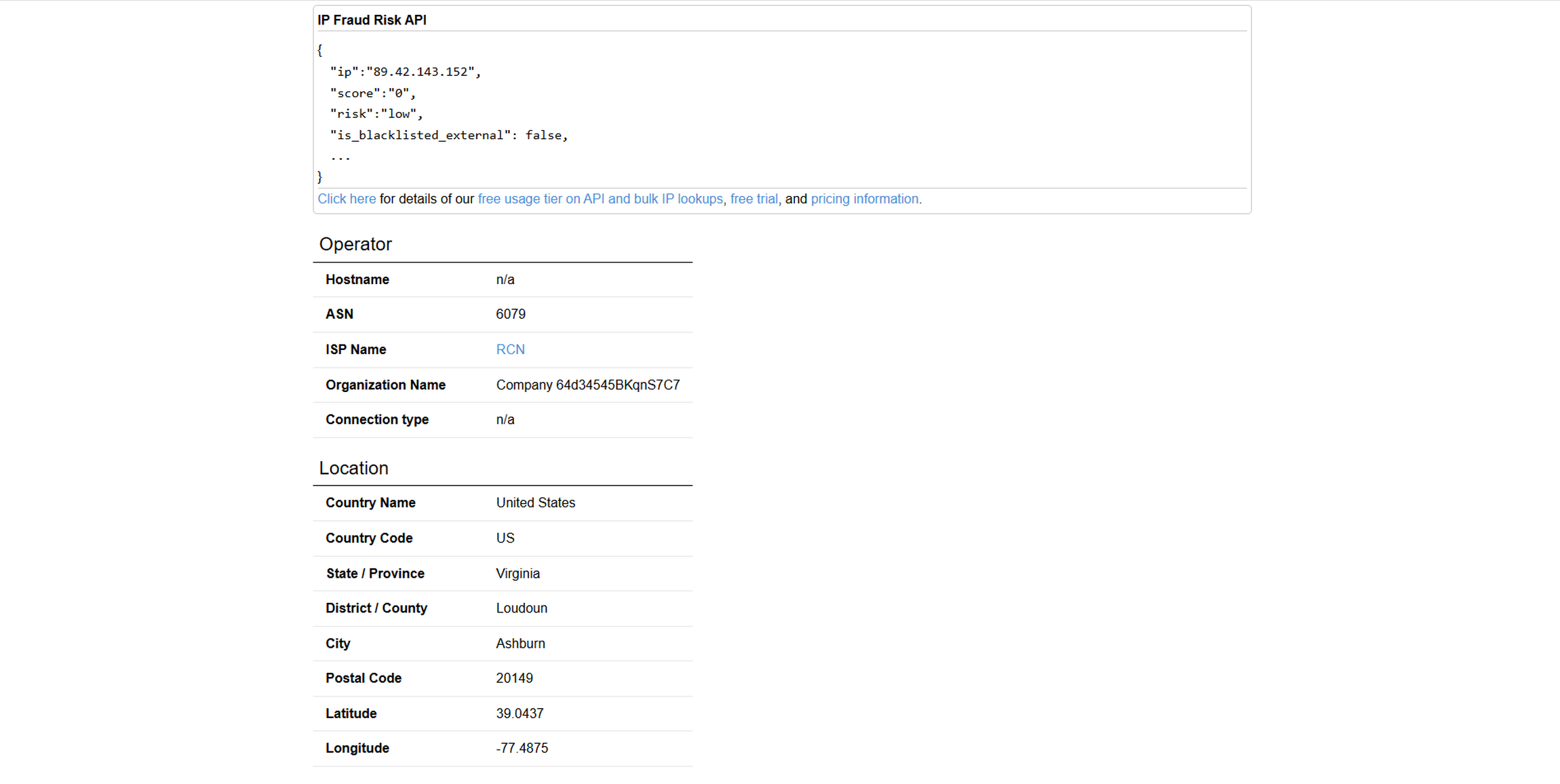
Detailed results displayed on the page.
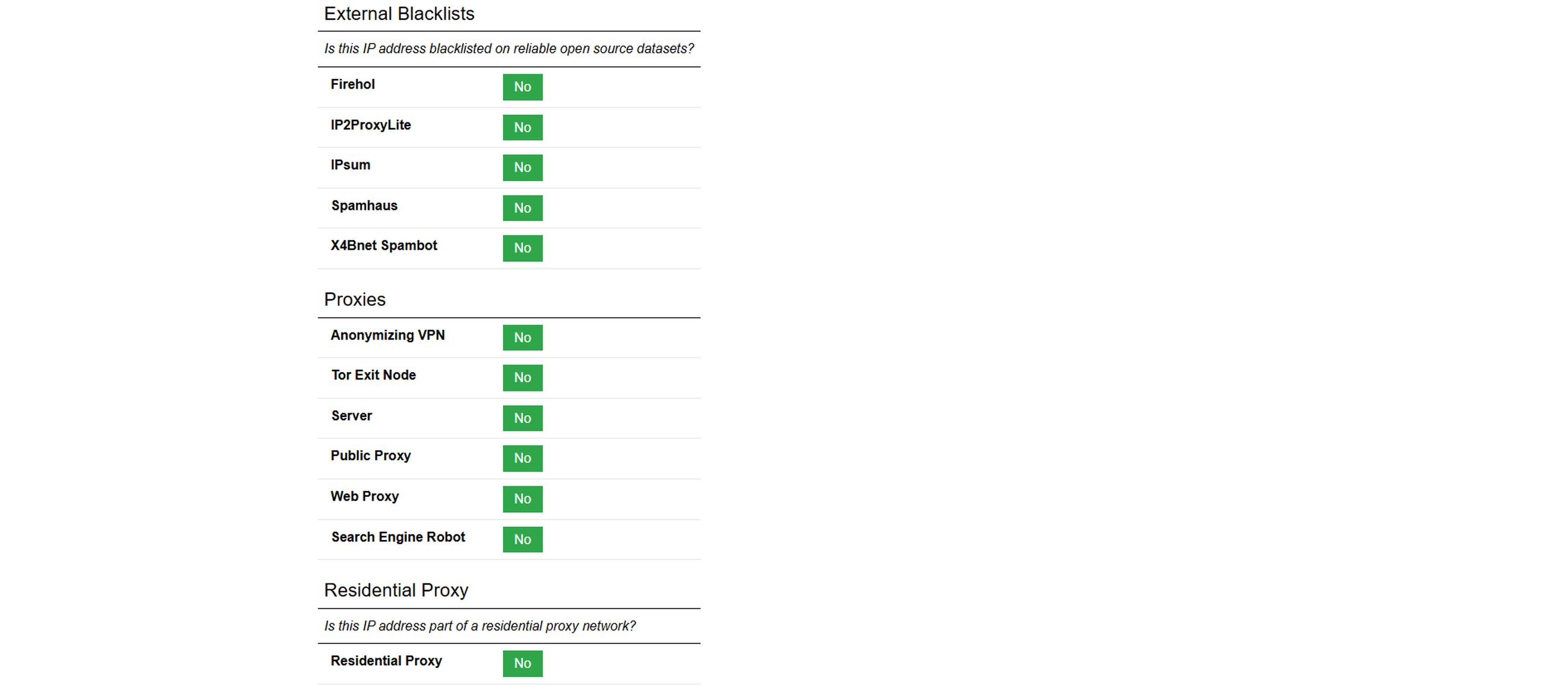
Detailed lookup results
With just a few steps, you can view the Fraud Score and other information associated with an IP address.
2.2. Key information to look for
Besides the Fraud Score displayed at the top of the page, Scamalytics provides several other details to help you better understand the IP address being checked. Rather than focusing on the score alone, review the following sections:
-
Fraud Score and risk label: Displays the overall risk score and its corresponding risk level. The description below provides additional information about the IP, its operator, and its owner.
-
Operator: Shows the hostname, ASN, ISP name, managing organization, and connection type, such as wired or wireless.
-
Location: Displays the country, state, city, and coordinates associated with the IP. However, this location may not match the actual location of the person using the IP.
-
Datacenter: Indicates whether the IP address belongs to a data center.
-
External blacklists: Shows whether the IP appears on public blacklists such as FireHOL, IP2ProxyLite, IPsum, Spamhaus, and X4Bnet Spambot.
-
Proxies: Indicates whether the IP is associated with an anonymizing VPN, Tor exit node, server, public proxy, web proxy, or search engine bot.
-
Residential proxy: Checks whether the IP belongs to a residential proxy network. If so, the results may display the closest matching provider, detection time, and a separate risk score.
Scamalytics also highlights an important limitation: its system can only observe part of internet activity. Its assessments primarily cover web connections between users and websites or applications, excluding connections between servers.
Therefore, Scamalytics results reflect only the data its system can collect and analyze, rather than the full range of activity associated with an IP address.
3. The 4 Scamalytics risk levels
After understanding how the system calculates Fraud Scores, you need to know how to interpret them to determine the risk level of an IP address. Scamalytics divides its 0-100 scoring scale into four levels, each associated with different recommended actions.
The following classification is published on Scamalytics' Products page:
|
Risk level |
Score range |
Recommended action from Scamalytics |
|
Low |
0–19 |
Allow access without additional verification |
|
Medium |
20–59 |
Display a CAPTCHA or perform an additional check |
|
High |
60–89 |
Require enhanced authentication or SMS verification |
|
Very high |
90–100 |
Block the request or send it for manual review |
Scamalytics also notes that these thresholds are intended as starting points. Businesses should use their own fraud data to adjust them, balancing fraud prevention with customer experience.
4. How is the Scamalytics Fraud Score calculated?
A Fraud Score estimates the likelihood that an IP address is associated with fraudulent activity. To learn more about this concept and how to interpret the 0-100 scale, you can read our article on what an IP fraud score is. In this section, IPFighter focuses specifically on how Scamalytics calculates its Fraud Score.
4.1. What data does Scamalytics use to assign scores?
Scamalytics calculates Fraud Scores based on data about confirmed fraudulent activities reported by its global partner network. When evaluating an IP address, the system considers not only reports directly associated with that IP but also data from neighboring IPs within the same subnet, ASN, or hosting network range.
As a result, an IP address can receive a high score even if it has never been directly reported, provided it belongs to a network containing multiple addresses associated with fraudulent activity.
According to Scamalytics, a Fraud Score of 70 means that approximately 7 out of 10 users observed from that IP address are associated with fraudulent behavior. Conversely, a score of 0 indicates that the system has not recorded any known fraud signals associated with the IP at the time of the check.
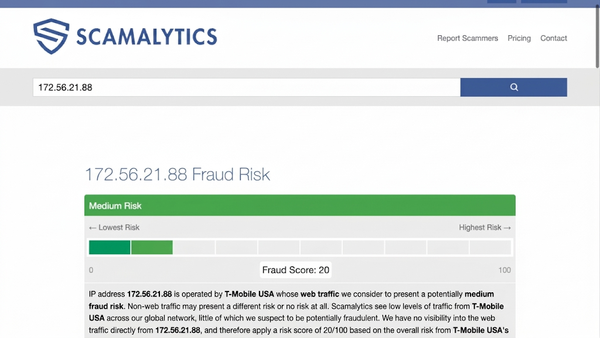
Fraud Score
4.2. How are Scamalytics Fraud Score and IPFighter Trust Score different?
Both Scamalytics Fraud Score and IPFighter Trust Score are used to assess the trustworthiness of an IP address. However, the two tools use opposite scoring approaches: a higher Fraud Score indicates more potential risk, while a higher Trust Score indicates a more trustworthy IP.
Here is an example of checking the same IP address with both tools:
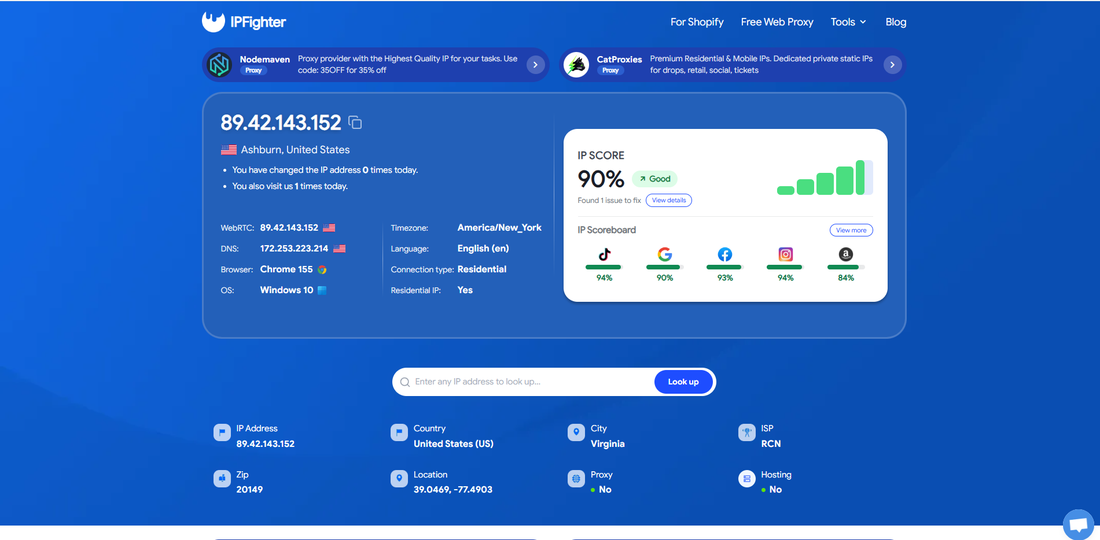
Results from an IP lookup on IPFighter.
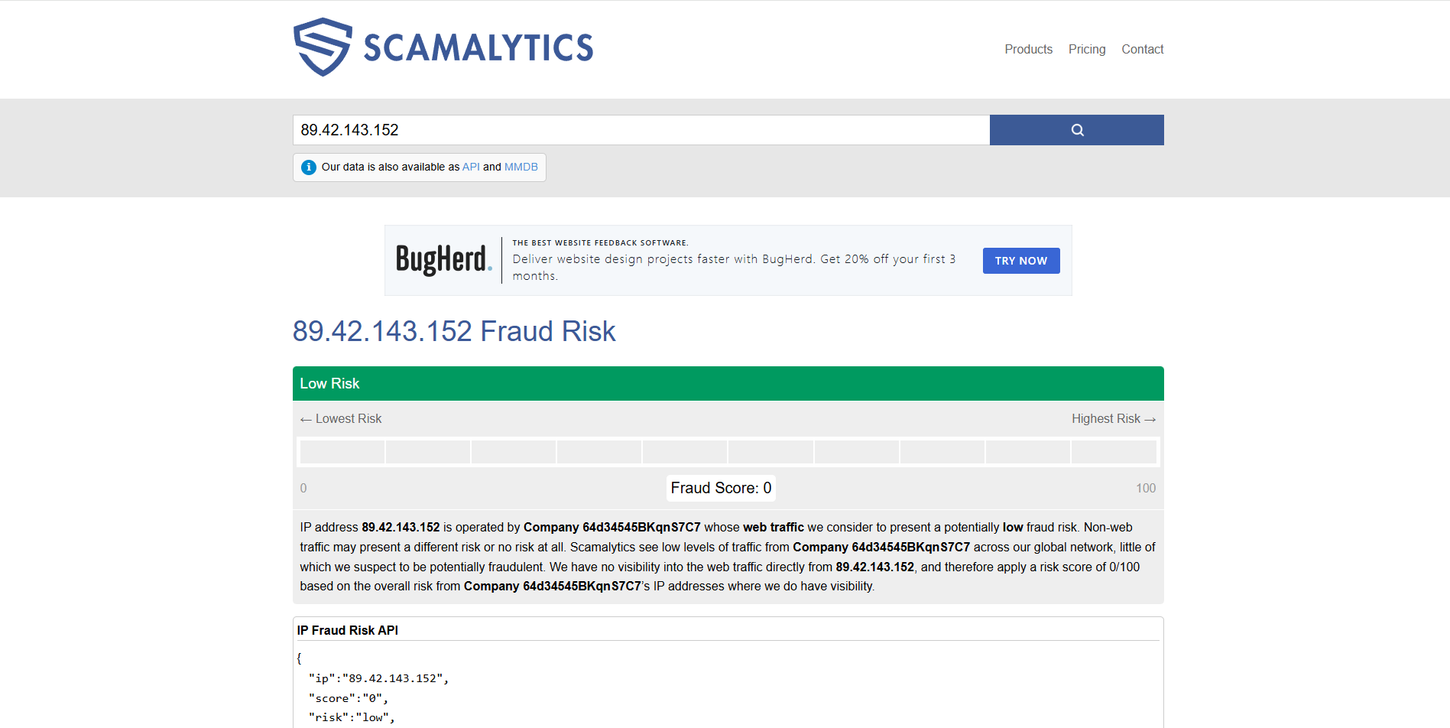
Results from an IP lookup on Scamalytics.
Scamalytics - Fraud Score 0/100 (Low Risk): The system has not identified any known fraud signals associated with this IP at the time of the check.
IPFighter - IP Trust Score 90% (Good): The IP receives a good score, but it is still listed on two DNSBL blacklists, resulting in a 10-point deduction.
Overall, both tools rate this IP positively, indicating a relatively low risk level. However, this does not mean the IP is completely clean. Scamalytics and IPFighter use different data sources, blacklists, and assessment criteria.
Therefore, an IP may not trigger any warnings on Scamalytics but may still appear on DNSBL blacklists when checked with IPFighter. In addition, a good score does not guarantee that every website will accept the IP, as each platform has its own security criteria.
5. What should you do when your Fraud Score is high?
A high Fraud Score does not necessarily mean you need to change your IP immediately. First, identify why Scamalytics considers your connection risky. Depending on the IP's characteristics and your intended use, you may need to perform additional checks, wait for the data to be updated, or switch to another IP.
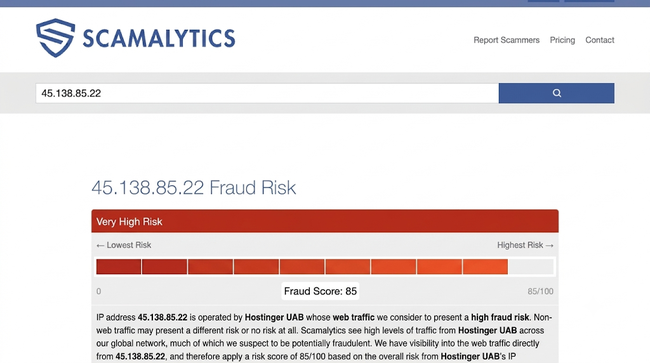
5.1. Why does an IP receive a high Fraud Score?
Before changing your IP or contacting your service provider, review the information on the Scamalytics results page to identify factors that may affect the Fraud Score.
|
Possible cause |
Indicators on the results page |
Recommended action |
|
The IP belongs to a network range with a history of fraud |
The ISP has a high score, or the IP belongs to a subnet or ASN with a notable risk level |
Check other IPs within the same network range. If multiple addresses receive high scores, consider switching to an IP from a different network range. |
|
The IP belongs to a residential proxy network |
The Residential Proxy section displays "Yes", along with the provider name and detection information |
Verify the IP's origin and proxy provider. If you are not intentionally using a residential proxy, contact your ISP for clarification. |
|
The ISP or ASN has a high risk level |
Click the ISP name to view its network-level assessment information |
Check the ISP's risk level and consider switching to another provider or IP range if this affects your intended use. |
|
The IP is identified as a VPN, proxy, Tor, or datacenter address |
The Proxies and Datacenter fields display the corresponding identification information |
Check your current connection type. If the identification is incorrect, contact your service provider for verification. |
|
The IP appears on external blacklists |
One or more public blacklists report the IP address |
Identify which blacklist has listed the IP, investigate the reason, and submit a delisting request if the IP meets the relevant requirements. |
Note: The Fraud Score reflects the risk level Scamalytics assigns based on the data it collects about web traffic. These indicators can help you identify factors that may affect the score, but they do not prove that the IP has engaged in fraudulent activity.
High Fraud Score
5.2. When should you change your IP, and when should you wait?
Scamalytics does not specify how long it takes for a Fraud Score to decrease after an IP has been flagged as high risk. Therefore, you should not assume that waiting a few days will automatically bring the score back to normal.
Instead, use the identified cause to determine the appropriate next step:
-
The IP belongs to a VPN, proxy, or high-risk provider: Consider switching to another IP or choosing a provider with a better reputation. Before using the new address, check its status to reduce the risk of encountering the same issue.
-
The IP comes from a regular ISP with no unusual indicators: A high score may be caused by other IPs within the same network range. You can check again after some time or contact your ISP to ask whether you can switch to another IP, including a static IP if appropriate.
-
You manage a website and users are being incorrectly blocked: As of November 2026, Scamalytics has not published a public appeal procedure. You can contact the company through its Contact page.
5.3. What to consider when choosing a trustworthy IP
If you need an IP address for accessing websites, managing accounts, or operating online services, you should not rely on a single metric. Instead, assess the IP using multiple indicators, including its Fraud Score, ISP risk level, and connection type classifications such as VPN, proxy, Tor, datacenter, or residential proxy.
You should also check whether the IP appears on public blacklists and whether its connection type matches your actual needs. For example, if you need a regular internet connection, prioritize IPs that are not flagged as VPNs or proxies. For IPs used over an extended period, regular checks are also important because data and assessment scores can change over time.
These criteria provide a better basis for choosing a trustworthy IP, but they do not guarantee that every website will consider the address safe. Each platform may use its own databases and verification policies.
Read more:
-
How to improve IP score: A complete guide
-
What is an IP fraud score? Reading the 0-100 scale
6. Is Scamalytics reliable?
Scamalytics has several advantages, including its long operating history, IP assessment data, and ability to integrate with business systems. However, like other IP assessment services, the platform also has certain limitations.
Scamalytics offers several notable advantages, particularly for businesses that need to assess IP risks at scale.
-
Long operating history: Scamalytics has been in operation since 2011 and has been featured in content from several major media organizations.
-
Transparent risk classification: The provider explains its scoring principles at a conceptual level and publishes four Fraud Score risk levels.
-
API privacy commitment: According to its Products page, the API does not log or store IP addresses submitted by customers.
However, these advantages do not mean that Scamalytics results are always accurate in every situation. Users should also consider the following limitations:
-
Does not cover the entire internet: Scamalytics acknowledges that its system can only observe part of online activity, and its scores primarily reflect web traffic.
-
Scores do not represent individuals: A Fraud Score is assigned to an IP address and does not prove that the person using it has engaged in fraudulent activity. Legitimate users may still receive high scores because they use VPNs or proxies or belong to a network range with a history of risk.
-
Each website has its own policies: Given the same Fraud Score, one website may allow access while another may require a CAPTCHA or additional verification.
-
A low score does not guarantee complete safety: A new IP or an IP without a sufficient history of suspicious activity may receive a low score. However, this does not guarantee that the address is free from potential risks.
Overall, Scamalytics is useful as an additional source of information when assessing IP addresses. However, you should combine its Fraud Score with other signals rather than relying on it as the sole basis for allowing or denying access.
Scamalytics supports IP risk checking and fraud detection.
7. Scamalytics pricing
Scamalytics allows users to check IP addresses directly on its website without creating an account. However, to use the API and Bulk IP Lookup, you need an account, including for the free plan. Pricing depends on the number of monthly lookups, and this quota is shared between the API and Bulk Lookup services.
|
Monthly lookups |
Monthly billing |
Annual billing |
|
5,000 |
Free |
Free |
|
25,000 |
$25 |
$250 |
|
100,000 |
$100 |
$1,000 |
|
1,000,000 |
$200 |
$2,000 |
|
100,000,000 |
$5,500 |
$55,000 |
The table above lists only selected pricing tiers. Scamalytics also offers additional intermediate tiers. You can view the complete pricing structure on its official pricing page.
In addition, paid plans allow you to purchase extra data add-ons:
|
Add-on |
Monthly billing |
Annual billing |
Description |
|
Premium Proxy |
$80 |
$800 |
Detects proxies, VPNs, and anonymization services using commercial datasets. |
|
Premium Geolocation |
$60 |
$600 |
Provides more accurate IP geolocation data. |
|
Premium ISP/Org |
$20 |
$200 |
Provides more accurate ISP and organization identification. |
|
Residential Proxy Data |
$100 |
$1,000 |
Provides the provider name, most recent detection, number of days recorded, and a separate residential proxy score. |
Add-ons come with a 15-day trial. For MMDB (an on-premises database that supports unlimited lookups for a fixed fee), you need to contact Scamalytics directly to request a quote.
Service prices and usage policies may change over time. Check the pricing information on Scamalytics' official website before subscribing.
8. Conclusion
Scamalytics is an IP fraud risk assessment tool that helps you understand how anti-fraud systems perceive your connection. However, a Fraud Score is only an indicator, not a definitive judgment about the person using the IP address.
If your IP receives a high-risk rating, investigate the underlying cause before deciding whether to change your IP or contact your ISP. Consider the results in the context of your actual usage and combine them with other information to gain a more complete assessment.
9. FAQ
What Scamalytics score should you be concerned about?
According to Scamalytics' scoring system, Fraud Scores range from 0 to 100 and are divided into different risk levels. When a score reaches 20, the IP may require additional verification. From 60 points upward, stricter verification measures may be necessary. The higher the score, the more indicators of potentially fraudulent activity are associated with the IP address.
Does a score of 0 mean an IP is completely safe?
No. A Fraud Score of 0 only indicates that Scamalytics has not recorded any known fraud signals associated with the IP at the time of the check. This does not mean the IP is completely safe or guaranteed to be accepted by every website, as each platform has its own assessment criteria.
Does using a VPN always result in a high score?
VPN detection and Fraud Score are two separate indicators. An IP can be flagged as an Anonymizing VPN while receiving a Fraud Score of just 14 (Low Risk). However, websites may still require additional verification when they detect VPN usage, even if the fraud score is low. Therefore, you should consider both the Fraud Score and the IP's connection type.
How long does it take for a high Fraud Score to decrease?
Scamalytics does not specify a fixed timeframe for Fraud Scores to decrease. Scores may change as IP data is updated. If your IP receives a high score, check its connection type, usage history, and any unusual indicators before considering a change of IP or contacting your service provider.
Is Scamalytics free to use?
Yes. Users can check Fraud Scores and IP information through Scamalytics' IP Lookup tool. For bulk lookups or system integration, Scamalytics offers API and Bulk Lookup services with a free allowance of up to 5,000 lookups per month. Paid plans are available for users who need higher limits.
Read more

What is a clean IP address and how does it work?

What is Scamalytics? 4 Fraud Score risk levels
DNS blacklist: How to check and remove your IP

Why Google says "Unusual traffic from your computer network"

Anonymous proxy detected: Causes and how to fix it

"Before we continue… Press & Hold": Why you see this check