

Getting a percentage back from an IP reputation check doesn't tell you much on its own. This guide walks you through how to check IP reputation properly, using IPFighter's IP Lookup tool, and how to read every part of the result, from the score itself to the ASN, connection type, and blacklist status behind it.
1. How to check IP reputation?
Use IPFighter's IP Lookup tool: enter the IP you want to check, or leave it on your own IP by default, and review the reputation score alongside the ASN/ISP, connection type, and threat blacklist status to understand exactly why that IP received the score it did.
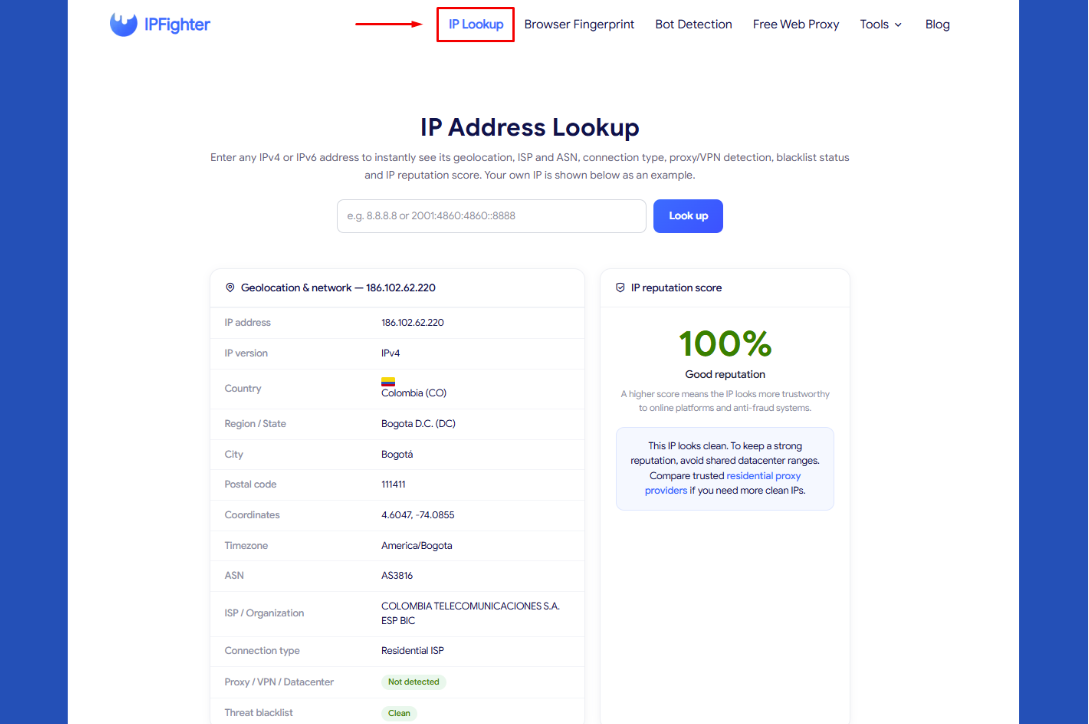
IP Lookup tool on IPFighter
2. Why checking IP reputation is important
Not all IP addresses are treated the same. Some IPs can access websites smoothly without any interruptions, while others constantly trigger CAPTCHAs, verification steps, or even get blocked completely. In most cases, the difference doesn’t come from speed or location, it comes from IP reputation.
If you’re not familiar with this concept, you can first explore IP reputation to understand how platforms evaluate the trust level of an IP address.
Checking IP reputation before using it can help you:
-
Avoid CAPTCHA and blocks: Low-quality or flagged IPs are more likely to trigger security systems on platforms like Google or Facebook.
-
Protect your accounts: Using a bad IP for login, ads, or account management can lead to verification loops or even account restrictions.
-
Improve automation and scraping performance: For tasks like scraping or running automated workflows, IP reputation directly affects success rates and stability.
In short, skipping this step can lead to wasted time, unstable performance, and unnecessary risks especially if you rely on proxies for your work.
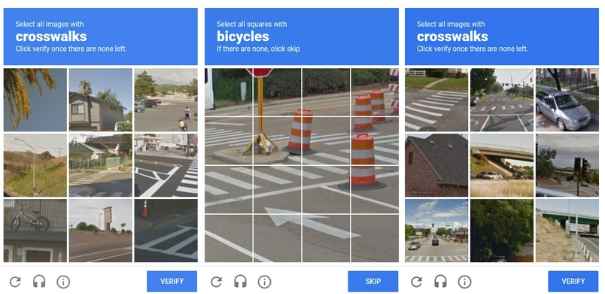
A low IP reputation is one of the reasons you might encounter captcha issues
3. When should you check IP reputation?
There are a few moments when this check is especially worth running:
-
Sensitive work: Ahead of using an IP for logins, ads, or account management.
-
New IP acquisition: Right after purchasing or renting a new IP or proxy.
-
Unexpected issues: As soon as you run into CAPTCHAs, blocks, or unexpected account flags.
-
Regular maintenance: For IPs you rely on long term, so you can catch a blacklist listing early.
Running the check at any of these moments gives you a clear read before an issue becomes a bigger problem, rather than discovering it only after something's already gone wrong.
When should you check IP reputation
4. How to check your IP reputation
Whether you're checking your own connection or verifying an address before you rely on it, getting a result only takes a few seconds once you're on the page. No account or extra setup is needed to see a full breakdown.
Step 1: Visit the IP Lookup page
Go to IP Lookup. The tool automatically displays your current IP as an example.
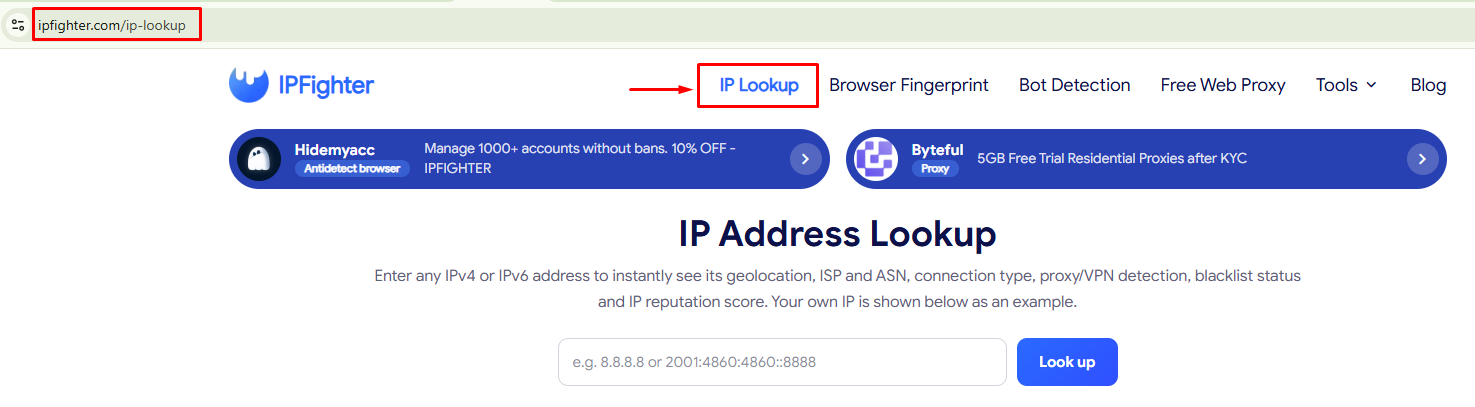
Visit the IP Lookup page
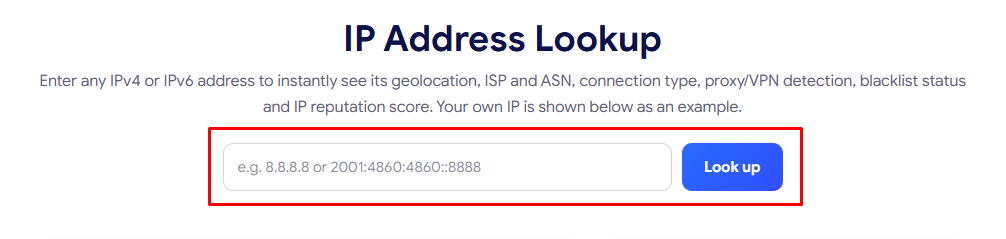
Step 2: Enter a specific IP if needed
To check a different address, enter it in the Look up field. Both IPv4 and IPv6 are supported.
Enter a specific IP if needed
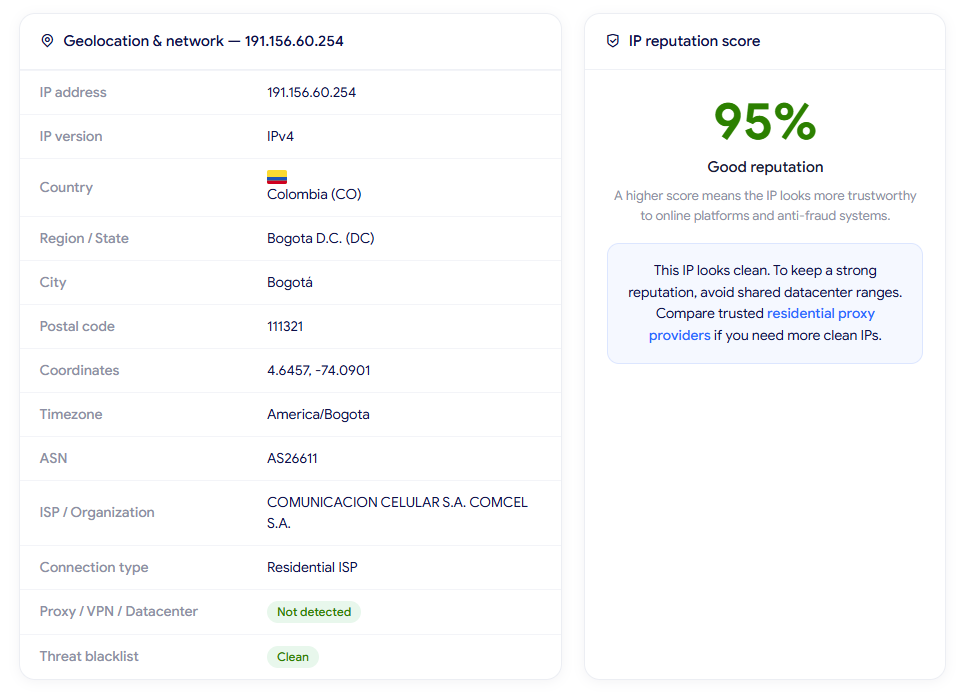
Step 3: Review the results
You'll see the Geolocation & network table alongside the IP reputation score. The tool page already explains what each field means individually, so the next section focuses on how to actually interpret and act on what you're seeing.
Review the results
5. Understanding your IP reputation results
This is where the real value is: once you have a score and a full data table in front of you, here's how each part actually informs what you should do.
5.1. Reading the reputation score
Rather than repeating the general scale, here's what each range actually means for you in practice:
-
80 to 100%: Behaves like a clean residential connection, meaning you can generally use it for sensitive work without expecting extra friction.
-
40 to 79%: May get challenged on stricter platforms, so it's worth identifying the specific cause before relying on it for anything important.
-
Below 40%: Likely to be blocked or captcha gated outright, which means it needs attention now rather than being used as is.
Knowing which range your IP falls into is only the first step; the fields below explain what's actually driving that number.
5.2. Reading ASN, ISP, and organization
The organization field tells you who actually operates the network behind the IP, and this is the single biggest factor behind the score:
-
A real consumer ISP name (a telecom or broadband provider): Points to a residential connection.
-
A name tied to a cloud platform or hosting company: Signals a datacenter IP instead.
Checking this field first often explains a low score faster than anything else on the page, since it tells you immediately whether you're dealing with a structural connection type issue or something else entirely, like a blacklist listing on an otherwise normal residential IP.
5.3. Reading connection type and the Proxy/VPN/Datacenter flag
When this shows Detected (non-residential), it means the ASN behind the IP belongs to a hosting or cloud network rather than a home internet provider. In practice, this is treated far more cautiously by fraud detection systems than a residential or mobile connection, regardless of whether the IP has ever actually been misused.
5.4. Reading threat blacklist status
A status of Listed means the IP has been reported for activity like spam, port scanning, or brute force attempts, and it's a heavier factor than connection type alone. Unlike a datacenter IP, which is a structural trait you can't really change, a blacklist listing is at least something that can potentially be resolved through delisting, so it's worth treating these two causes differently even when they produce a similarly low score.
5.5. Cross checking geolocation and timezone
Comparing the country, region, and timezone fields against where you (or your proxy) are supposed to be is a quick way to catch inconsistencies. A mismatch here doesn't always mean something is wrong, since ISPs sometimes route through gateways in other cities, but a large or unexpected gap is worth investigating alongside the other signals on this page.
A real example of how these fields interact
One real lookup result shows exactly why reading every field matters more than looking at any single one. The IP in question came back with a Connection type of Datacenter/hosting and a Proxy/VPN/Datacenter flag of Detected (non-residential), two signals that, on their own, might suggest a rough score. Yet the Threat blacklist status came back Clean, and the overall Reputation score landed at 80%, labeled Good reputation.
A datacenter IP with no blacklist history still scored well here, which shows that connection type alone doesn't automatically push a score into the low range the way a blacklist listing does. The tool's own guidance reflects that same nuance: it notes the IP looks clean for now, but still recommends a residential proxy if the goal is to avoid shared datacenter ranges going forward.
In other words, a good score today doesn't mean the connection type stopped mattering. It simply means the more serious factor, the blacklist, wasn't present in this particular case.
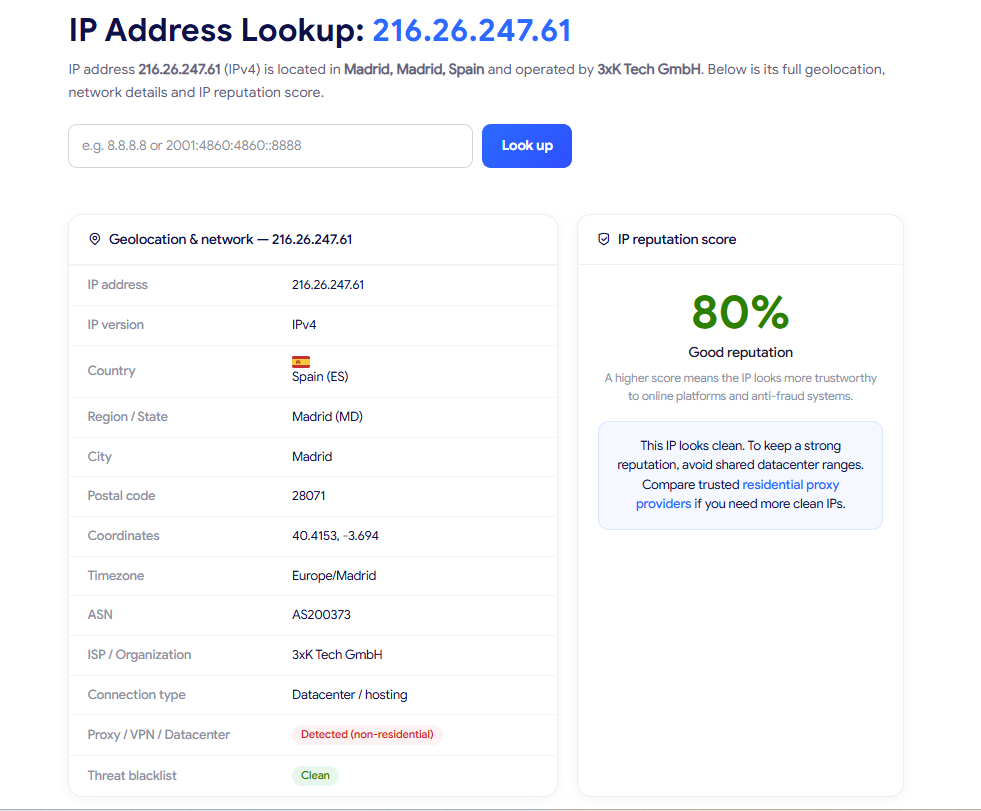
IP reputation score example
6. Common IP reputation results and what they mean
A single reputation score rarely tells the full story on its own, since two IPs can land on a similar number for very different reasons. A few patterns come up often enough among IPFighter users to be worth recognizing on their own:
-
Platform specific blocking: The overall score looks fine, yet one particular site or service still blocks or challenges you.
-
Score drift on the same IP range: The same general IP block returns a different score depending on when you check it.
-
Mixed causes within the same range: Two IPs can land in the 40 to 79 percent range for very different reasons, one because of its connection type, another because of a geolocation or timezone mismatch.
-
Single versus stacked issues: One IP might score below 40 percent purely from a blacklist listing, while another is low from a blacklist listing combined with a datacenter connection type.
Each of these calls for a different response, which the next section walks through in the same order.
7. What should you do next?
Each pattern above has a different underlying cause, so the fix that works for one won't necessarily help with another. Here's how to respond to each one, matched in the same order:
-
Platform specific blocking: That platform likely runs its own scoring system beyond general IP reputation. Check the IP Scoreboard on the IPFighter homepage to see your score broken down per platform instead of relying on the general score alone.
-
Score drift on the same IP range: Treat any single result as a snapshot rather than a permanent status, and re-check periodically, especially if your IP comes from a provider known to reassign addresses.
-
Mixed causes within the same range: Use the ASN/Organization and Connection type fields to tell the two causes apart. A datacenter connection type is structural, so consider a residential proxy if you need a better score; a geolocation or timezone mismatch is often correctable by adjusting your proxy or browser settings to match.
-
A single blacklist issue: Look into requesting delisting from the relevant blocklist provider, since this cause can potentially be resolved without changing IPs.
-
Stacked blacklist and datacenter issues: Attempting to fix both at once is usually slower and less reliable than simply switching to a clean residential IP.
Beyond fixing the specific issue, keep in mind that a good IP reputation score alone doesn't guarantee full anonymity. Pair this check with WebRTC Leak Test and DNS Leak Test to confirm your real IP isn't exposed through either channel, since a clean reputation score means little if your actual IP leaks around it.
Ready to check another address? Head back to IP Lookup and run a new check now.
8. FAQ
Does my IP reputation score change automatically over time?
Yes. Blacklist status can update as new activity gets reported, and if your IP is reassigned by your provider, the new IP can have a completely different history and score.
Can I improve my reputation without changing IPs?
Sometimes. If the issue is a blacklist listing, requesting delisting can raise your score on the same IP. If the issue is the connection type itself (datacenter), that's structural and won't change without switching IPs.
Does IP reputation affect every website the same way?
No. General reputation is a useful baseline, but individual platforms weigh signals differently, which is why a good overall score can still get blocked on a specific site.
How long does delisting take after I fix the underlying issue?
It depends on the blocklist provider, but it's rarely instant. Expect anywhere from a day to a couple of weeks, depending on their own update cycle.
Is a low score always something I caused?
Not necessarily. A previous user of the same IP, especially with datacenter or shared IPs, can leave behind a blacklist listing or reputation history that has nothing to do with your own activity.
Read more

How to use web proxy safely: A practical guide

Explaining how to know if you have a DNS leak
How to know if you have a WebRTC leak: Reading your results

How to check browser fingerprint for spoofing signs with IPFighter

How to check if a proxy is working and read your results

How to pass bot detection test and avoid getting flagged