

Running a WebRTC leak test and seeing a wall of server names and IP addresses can be confusing if you don't know what you're looking at. This guide walks you through exactly how to know if you have a WebRTC leak by reading IPFighter's test results in detail, and what to do depending on what you find.
1. How to know if you have a WebRTC leak?
Using IPFighter's WebRTC Leak Test it opens WebRTC connections through several STUN servers at once and shows the local IP and public IP each one returns. If every server reports the same public IP as your VPN or proxy, you're clear. If even one server returns your real, unmasked IP, you have a leak.
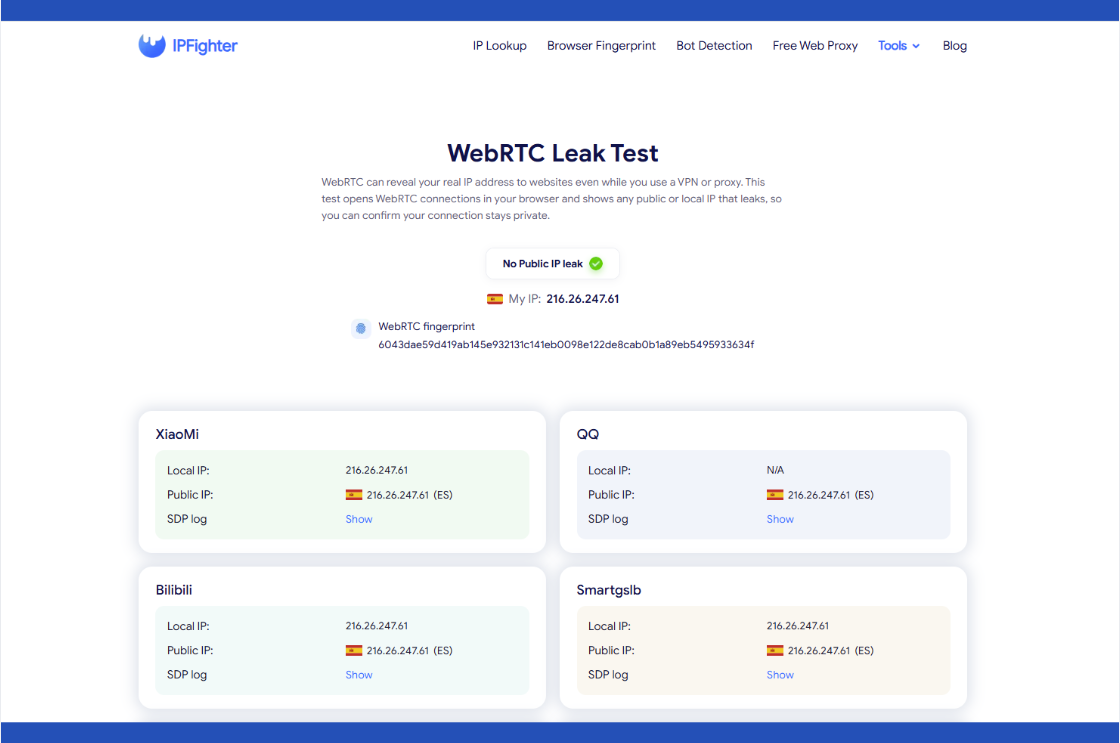
WebRTC leak test tool on IPFighter
Discover more:
-
How to disable WebRTC for online privacy without leaks
-
Mastering WebRTC control to prevent browser privacy leaks
-
What is DNS? How the DNS system works on the internet
2. When should you check for a WebRTC leak?
A WebRTC leak can sit unnoticed for a long time if you only check it once and never again. There are a few moments when running this check is especially worth doing:
-
New connection: Right after connecting to a VPN or proxy, before doing anything sensitive.
-
New provider: After installing or switching to a new VPN or proxy service.
-
Unexpected detection: When an account or session gets flagged despite using a VPN or proxy.
-
Regular maintenance: Periodically, especially after a browser update that could reset WebRTC settings.
Running the check at any of these moments catches a leak before it actually costs you something.
3. How to run the WebRTC leak test
Getting a result takes no setup on your end, since the test starts the moment the page loads and runs entirely in your browser. Within a few seconds, you'll have a full set of server results to work through.
Step 1: Visit the WebRTC leak test page
Go to WebRTC leak test. The test opens WebRTC connections in your browser automatically.
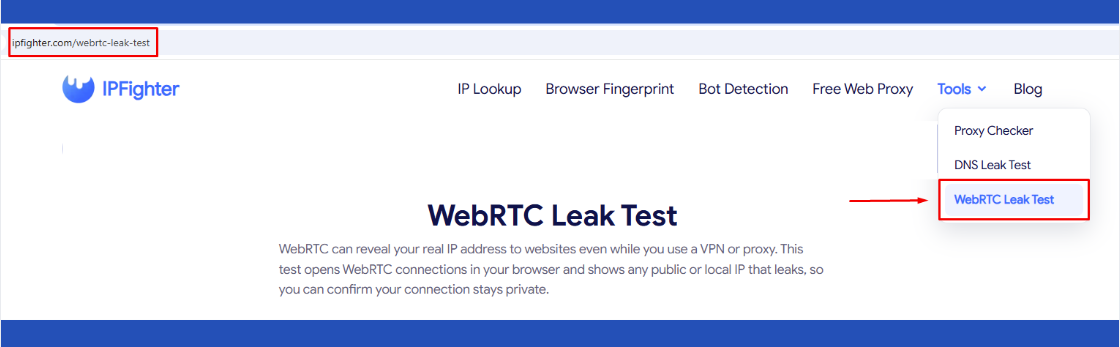
Visit the WebRTC leak test page
Step 2: Review the overview badge
At the top, you'll see either "No Public IP leak" or a leak warning, along with your detected My IP and a WebRTC fingerprint hash.
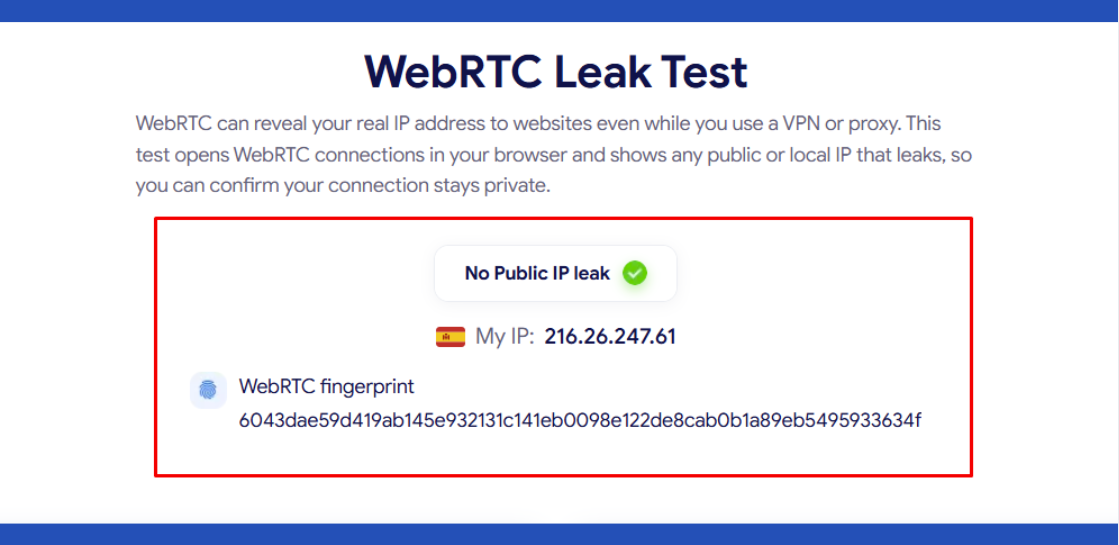
Review the overview badge
Step 3: Scroll through the individual server results
Below the overview, each STUN server used for the test shows its own local IP and public IP result.
The tool page already explains “what is WebRTC” and why leaks happen, so the next section focuses entirely on how to read the results you're actually looking at.
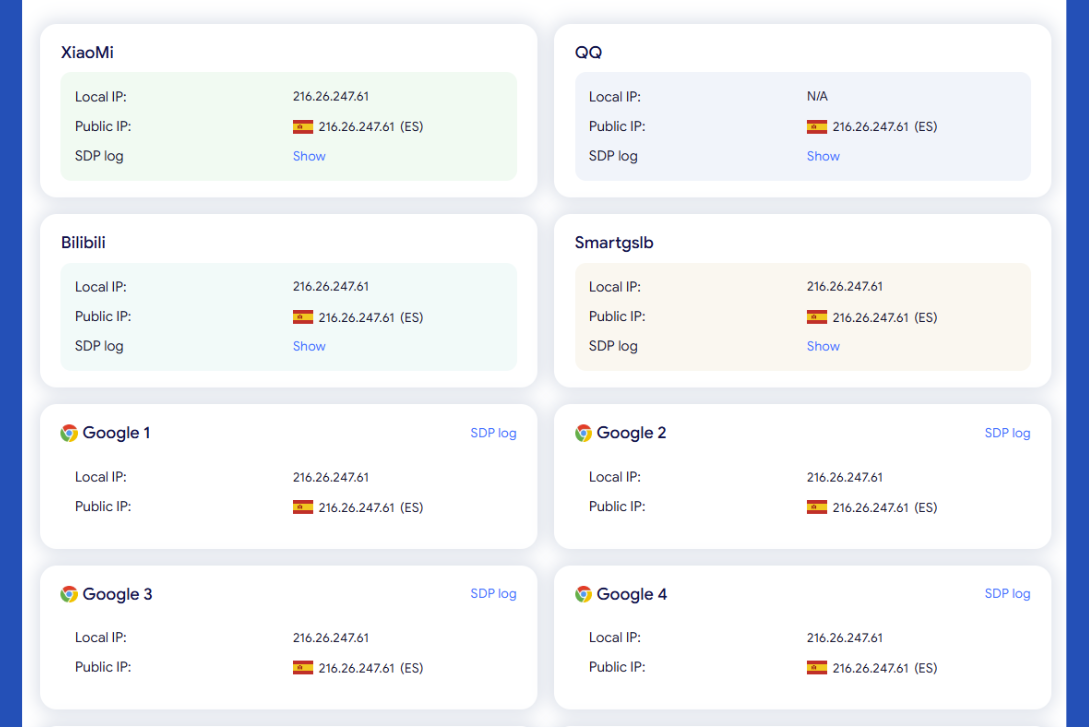
Scroll through the individual server results
4. Understanding your WebRTC leak test results
This is where the real value is once you have a full set of server results in front of you, here's how to read every part of it.
4.1. Reading the overview badge
The badge at the top gives you the fastest read: No Public IP leak means none of the tested servers exposed an IP other than the one you expect. My IP shows the specific address the test is comparing everything against, and the WebRTC fingerprint is a hash generated from your WebRTC configuration, which stays stable for the same setup and shifts if something about your connection changes.
4.2. Reading each STUN server result
Rather than testing through a single connection, the tool checks several STUN servers (labeled by provider, such as Google, Cloudflare, along with others) and lists a local IP and public IP for each one, so you get several independent readings instead of relying on just one:
-
Local IP: The private network address the server was able to detect during the connection attempt.
-
Public IP: The externally visible address that server discovered, shown with its country flag.
-
SDP log: A link to the raw session description data behind that particular result.
Testing across multiple servers matters because a leak doesn't always show up consistently. A VPN or proxy might successfully mask your IP through most connections but fail on one specific server, and that single inconsistency is exactly what you'd miss by only checking one connection.
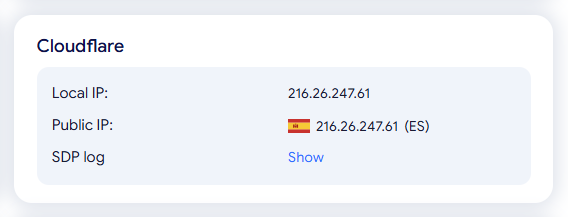
Example of results from a Cloudflare server
4.3. Why local IP sometimes matches public IP or shows N/A
It's common to see the local IP field either equal your public IP or show as N/A, and neither one is automatically a red flag. A matching value usually means the connection isn't going through a typical home router setup with private addressing, which is normal for many cloud, VPS, or datacenter connections. An N/A simply means that particular STUN server wasn't able to retrieve a local address during the test, which can happen for reasons unrelated to any actual leak.
4.4. Reading the SDP log
Each result includes a Show link to its SDP log, the underlying session description data exchanged during that WebRTC connection attempt. Most people won't need to open this, but it's useful if you want to verify exactly what was exchanged for a specific server, particularly when troubleshooting a result that looks inconsistent with the rest.
4.5. Comparing results across servers to spot inconsistencies
The real value of checking multiple servers is comparison. If every server reports the same public IP, that consistency is itself the sign of a clean result. If one or two servers report a different public IP than the rest, that's the inconsistency worth investigating, since it points to a leak that only shows up under specific conditions rather than every time.
Here's what a clean result looks like in practice: an overview badge reading No Public IP leak, with a single public IP appearing consistently across every server tested (XiaoMi, QQ, Bilibili, Smartgslb, and Google 1 through, etc.), each matching the same country. One server (QQ) showed its local IP as N/A while the rest returned a value, which on its own didn't affect the outcome, since every server still agreed on the same public IP. That agreement across the board, not any single result, is what confirms the connection is behaving as expected.
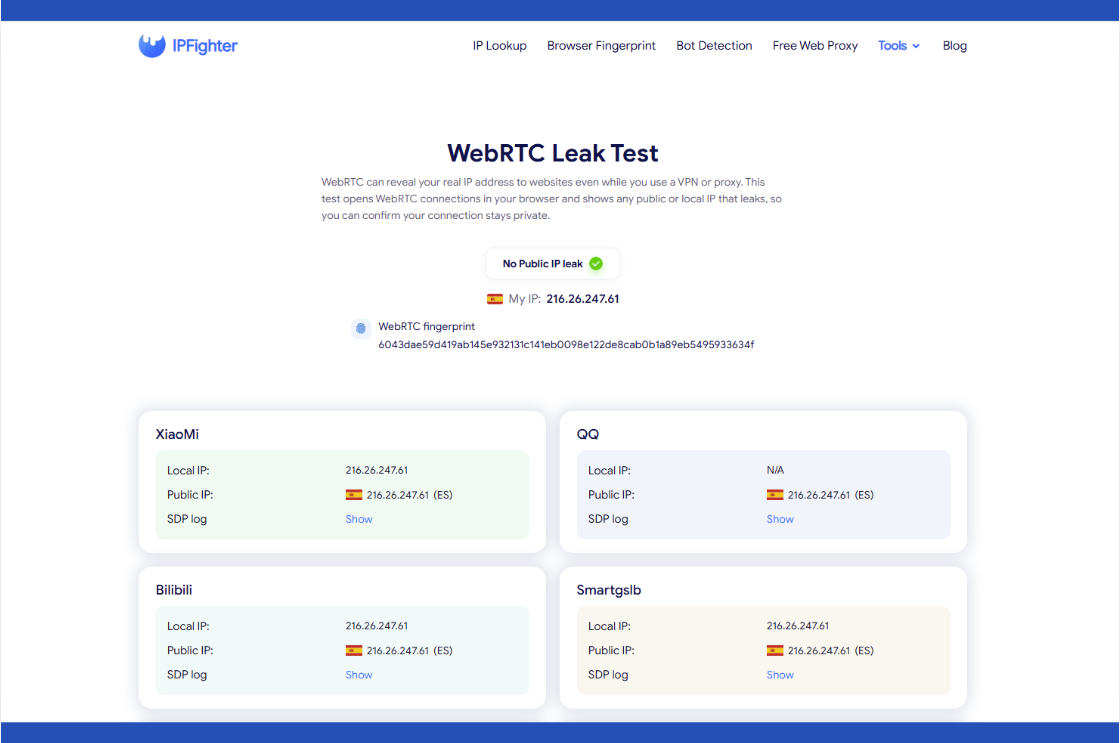
WebRTC Leak Test result example
5. Common WebRTC leak test results and what they mean
A single overview badge doesn't always capture what's happening across every server tested, since a leak can show up in just one connection while the rest look perfectly clean. A few patterns come up often enough to be worth recognizing on their own:
-
Full agreement across servers: Every server returns the same public IP, matching your VPN or proxy.
-
Disagreement between servers: Most servers return your expected IP, but one or more return something different.
-
Scattered N/A values: A local IP shows as N/A on some servers but not others.
-
Clean badge, detected elsewhere: The overview shows No Public IP leak, but you're still getting flagged as using a VPN or proxy through another channel entirely.
Each of these points to a different response, which the next section covers in the same order.
6. How to fix a WebRTC leak
Each pattern points to a different underlying situation, so the right response depends on which one matches your result rather than treating every case the same way. Here's how to respond to each pattern above, matched in the same order:
-
Full agreement across servers: No fix needed for WebRTC itself. If you're still getting flagged despite this clean result, the exposure isn't coming from WebRTC, so check DNS Leak Test and IP Lookup next, since those cover the other common causes.
-
Disagreement between servers: This is a real leak and needs attention. At a high level, switching to a VPN or proxy with dedicated WebRTC leak protection, or disabling WebRTC in your browser if you don't need it, are the two most common fixes. For a full walkthrough of each option, see WebRTC leak.
-
Scattered N/A values: No action needed, since this reflects what a specific server could detect, not a leak.
Ready to check your own connection? Head back to WebRTC Leak Test and run a fresh check now.

How to fix a WebRTC leak
A clean WebRTC result is only one part of the full picture, so it's worth exploring the guides for IPFighter's other tools as well:
-
How to improve IP score: A complete guide
-
How to pass bot detection test and avoid getting flagged
-
How to check browser fingerprint for spoofing signs
-
How to check if a proxy is working and read your results
7. FAQ
Why do different STUN servers (XiaoMi, QQ, Google, and others) return different local IP results?
Each server has its own network path and capability for detecting local addresses, so it's normal for results to vary slightly between them even when there's no leak.
Do I need to look at the SDP log?
Not usually. It's mainly useful if you want to verify the exact data exchanged for a specific server, which is more relevant for troubleshooting than everyday checks.
Does a "No Public IP leak" result guarantee I'm fully anonymous?
No. It only confirms WebRTC isn't exposing your IP. Other factors, like DNS leaks or your browser fingerprint, are separate checks worth running as well.
Why does my IP show correctly but I still get blocked on a site?
A clean WebRTC result doesn't rule out other detection methods, such as IP reputation or fingerprinting, that a site might use independently of WebRTC.
Does this test require me to disconnect my VPN first?
No. Run it exactly as you normally browse, with your VPN or proxy active, since the point is to confirm it's working under real conditions.
Which browsers are least prone to WebRTC leaks by default?
It varies by version and update, so rather than relying on a browser's reputation, it's more reliable to test your actual setup directly with this tool.
Read more

What is an IP2 network? How it works, uses, and benefits


How to use web proxy safely: A practical guide

Explaining how to know if you have a DNS leak
How to know if you have a WebRTC leak: Reading your results

How to check browser fingerprint for spoofing signs with IPFighter

How to check if a proxy is working and read your results