

Pixelscan enables quick checks of browser fingerprints, IP addresses, proxies, VPNs, DNS, and WebRTC, helping to detect inconsistencies that could expose your environment. But is this tool sufficient for a comprehensive browser and proxy testing workflow?
In this review, we analyze Pixelscan and its key features, and compare it with IPFighter to help you choose the right solution for your testing needs.
1. What is Pixelscan?
Pixelscan is an online browser environment testing platform that checks browser fingerprint signals, IP information, proxy and VPN detection, DNS leaks, WebRTC leaks, and other indicators that may affect how a website evaluates your connection.
Pixelscan is free to access and can be used directly in a browser. You do not need to install a separate application or create an account to start a basic scan. However, Pixelscan is a testing tool, not a proxy provider or an antidetect browser. It does not automatically give you a new IP address, create browser profiles, or guarantee that your setup will pass every website’s detection system.
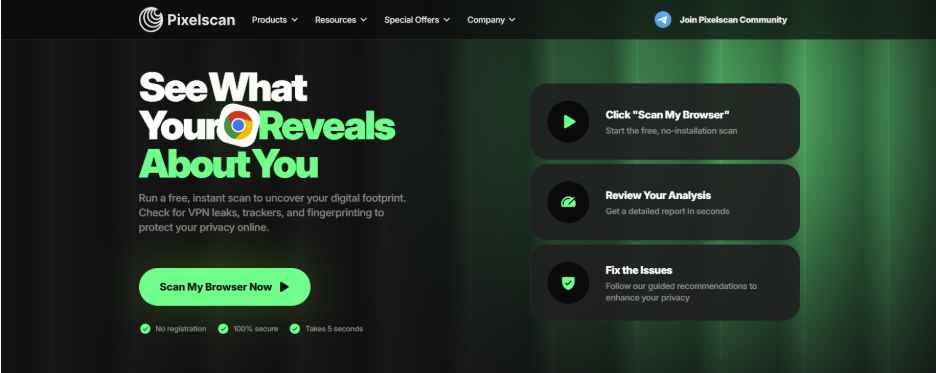
Pixelscan homepage
2. How does Pixelscan work?
Pixelscan is designed to make browser environment testing relatively straightforward. The general process involves opening the website, running a scan, reviewing the results, and making adjustments if necessary.
-
Open Pixelscan: Visit Pixelscan directly in your browser; no installation or account is required. Use the same browser profile, proxy, or VPN configuration as in your actual workflow.
-
Run a scan: Start the browser or fingerprint check. Pixelscan analyzes browser settings, device signals, IP data, and other detectable characteristics.
-
Review the results: Check browser and operating system details, hardware, IP location, proxy/VPN status, DNS and WebRTC leaks, fingerprint inconsistencies, and bot-related indicators.
-
Fix and retest: Adjust your browser, proxy, VPN, or fingerprint settings if needed, then run the scan again. Remember that a positive result is only a diagnostic signal, not a guarantee that every website will accept your browser.
Following these steps helps you identify potential issues and verify whether your browser environment is configured consistently.
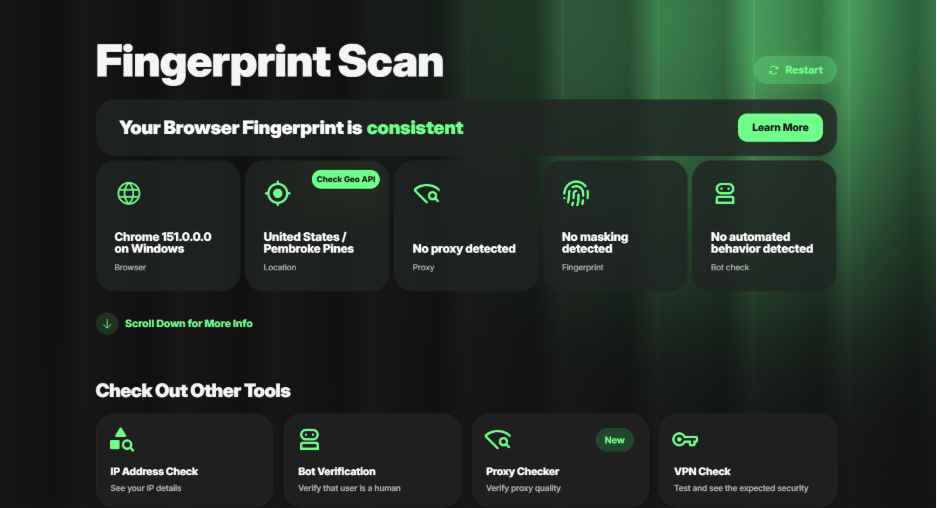
Check browser fingerprint on Pixxelscan
Discover more:
-
What is a browser fingerprint? How websites identify you online
-
Mastering Selenium browser fingerprints to avoid anti-bot detection
3. What are the main features of Pixelscan?
Pixelscan combines several browser and network checks in one place. Its main value is that users can review multiple aspects of their setup without opening a separate website for every test.
3.1. All-in-one browser environment check
Pixelscan brings together browser fingerprint, IP, proxy, VPN, leak, and bot-related checks. This is useful for users who want a quick overview of their current environment. Instead of checking only the IP address or only the browser fingerprint, they can review several categories in one session.
The main limitation is that an all-in-one overview does not necessarily mean every individual test is equally detailed. Users who need a deeper diagnosis may still need a dedicated tool for a specific issue.
3.2. Fingerprint consistency analysis
Browser fingerprinting involves collecting different browser and device signals, such as: User-Agent, operating system, screen resolution, hardware information, etc.
Pixelscan can help identify inconsistencies between these signals. This is particularly useful when testing an antidetect browser profile or a browser environment with spoofed values.
For example, changing the User-Agent alone may not be enough if other browser or hardware signals still contradict the selected operating system. A fingerprint check can help reveal these inconsistencies.
3.3. Proxy, VPN, and IP checks
Pixelscan also provides checks related to the current IP address, proxy, and VPN connection. These checks can help users understand:
-
Whether a proxy or VPN is detected.
-
What location is associated with the current IP.
-
Whether the IP has blacklist-related indicators.
-
Whether the browser and network environment appear consistent.
However, proxy detection and IP reputation are not exactly the same thing. An IP may be correctly located but still have a poor reputation, while another IP may not be detected as a proxy but may still be unsuitable for a particular website.
3.4. DNS and WebRTC leak tests
DNS and WebRTC leaks can expose network information that users may not expect to reveal. Pixelscan’s leak checks are useful after:
-
Connecting to a new proxy.
-
Switching VPN servers.
-
Creating a new browser profile.
-
Changing browser privacy settings.
-
Adjusting WebRTC-related configuration.
These checks help users identify whether their connection is revealing information outside the intended network setup.
3.5. Bot and automation detection
Pixelscan also examines signals that may be associated with automated browsing. This can be relevant to users working with tools such as Selenium, Puppeteer, Playwright, or other automation workflows. A browser may have a consistent fingerprint but still expose automation-related signals.
That said, no browser scanner can guarantee that a profile will remain undetected across every website. Bot detection systems may also analyze behavior, interaction patterns, account activity, and other signals beyond the browser environment.
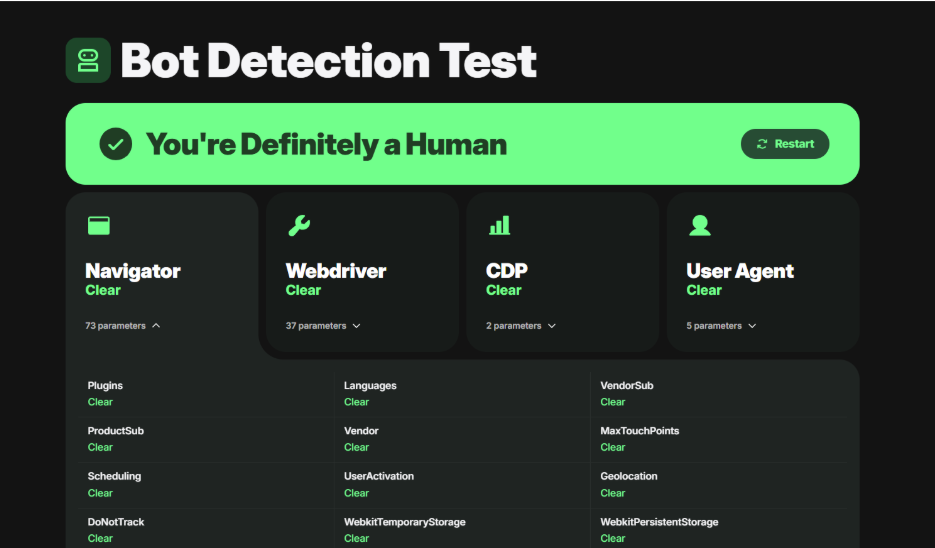
Check bot detection on Pixelscan
4. What are the pros and cons of Pixelscan?
Pixelscan is useful for quick browser environment checks, but it also has limitations that are worth understanding before relying on it as your only diagnostic tool.
4.1. What are the pros of Pixelscan?
Before evaluating Pixelscan in detail, it is helpful to look at the main advantages that make the platform convenient for browser, proxy, and fingerprint testing:
-
Free and easy to access: Users can run checks directly in a browser without installing a separate application or creating an account.
-
All-in-one checks: Fingerprint, IP, proxy, VPN, leak, and bot-related checks are available from one platform.
-
Additional utilities: Android Checker and Cookie Converter provide functions that are not commonly found together in browser testing tools.
-
Antidetect-oriented: The platform is relevant to users who work with browser profiles, proxies, and automation.
-
Readable overview: Results are presented in a way that helps users review several aspects of their environment without manually collecting every signal.
Overall, these advantages make Pixelscan a practical starting point for users who want to review their browser and network environment quickly before moving on to more detailed testing.
4.2. What are the cons of Pixelscan?
Before deciding whether Pixelscan is suitable for your workflow, it is important to consider not only its convenient features but also its limitations:
-
Limited interpretation: Beginners may need additional knowledge of browser fingerprinting, IP reputation, and automation signals to understand what a result actually means.
-
Some checks take longer: Certain tests may need several seconds to load or require users to click a “Start check” button before the result appears.
Overall, Pixelscan is useful for identifying potential issues, but users should combine its results with their own technical knowledge and additional testing when necessary.
5. Pixelscan vs IPFighter: Side-by-side comparison
Pixelscan and IPFighter overlap in several areas, especially browser fingerprint, IP, proxy, DNS, and WebRTC checks. Their main difference is how they organize these functions and what kind of testing workflow they are designed to support.
5.1. What is IPFighter?
IPFighter is a platform for checking IP addresses, proxies, browser fingerprints, and connection leaks. It includes dedicated tools such as: IP lookup, IP trust and reputation checks, browser fingerprint test, etc.
Its Browser Fingerprint tool runs directly in the browser and provides a fingerprint score, general indicators, and more detailed signal groups. These groups can include browser, operating system, hardware, rendering, language, timezone, permissions, storage, and connection-related information.
IPFighter is designed to help users understand not only what their browser reveals, but also how their IP and proxy affect the overall setup.
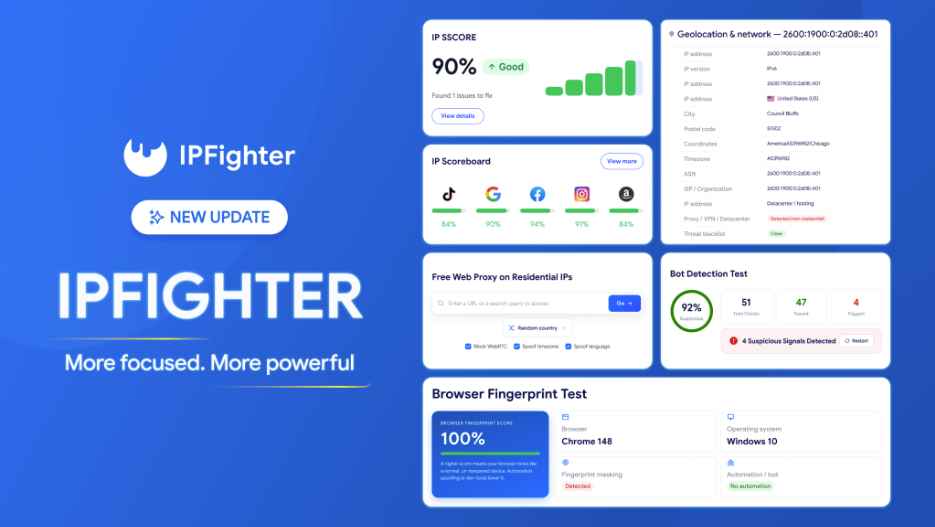
IPFighter with a fresh new look
You can learn more about the following articles about IPFighter:
-
IP reputation check: How IPFighter scores your IP
-
How to check browser fingerprint for spoofing signs with IPFighter
-
How to pass bot detection test and avoid getting flagged
5.2. Quick comparison table: Pixelscan vs. IPFighter
For a side-by-side evaluation of both diagnostic tools, the table below breaks down their key features, capabilities, and primary use cases.
|
Criteria |
Pixelscan |
IPFighter |
|
Main focus |
Browser environment and detection analysis |
IP, proxy, fingerprint and leak diagnostics |
|
Paid or free |
Free; some tools may require additional downloads |
Free |
|
Browser fingerprint |
Yes |
Yes |
|
IP and proxy checks |
Yes |
Yes |
|
DNS leak test |
Yes |
Yes |
|
WebRTC leak test |
Yes |
Yes |
|
Bot or automation signals |
Yes |
Yes |
|
IP score, IP reputation score, browser fingerprint score |
No |
Yes |
|
Free web proxy |
No |
Yes |
|
Check speed |
Depends on the selected check; some results appear immediately, while others require an additional action or several seconds to load |
Generally quick; users can open the required tool and receive results shortly afterward |
|
IP reputation and trust checks |
Available through IP-related checks |
Dedicated IP reputation and trust tools |
|
Fingerprint report |
Combined, readable overview |
Score, overview indicators and detailed signal groups |
|
Proxy testing workflow |
General browser/network check |
Dedicated proxy checking and validation tools |
|
Best suited for |
Quick all-in-one environment checks |
More comprehensive IP and browser setup validation |
5.3. Which one is better for browser fingerprint checks?
Pixelscan is suitable when you want to run a quick check of browser consistency, uniqueness, and detection-related signals. Its combined report can help you identify whether something in the browser environment appears unusual.
IPFighter is more suitable when you want to inspect fingerprint information alongside IP and proxy data. Its fingerprint score and detailed signal groups can make it easier to investigate a specific issue instead of relying only on a general result.
Neither platform should be treated as a definitive authority on whether a browser will be detected. Fingerprint detection depends on the signals collected, the scoring method, and the website’s own detection system.
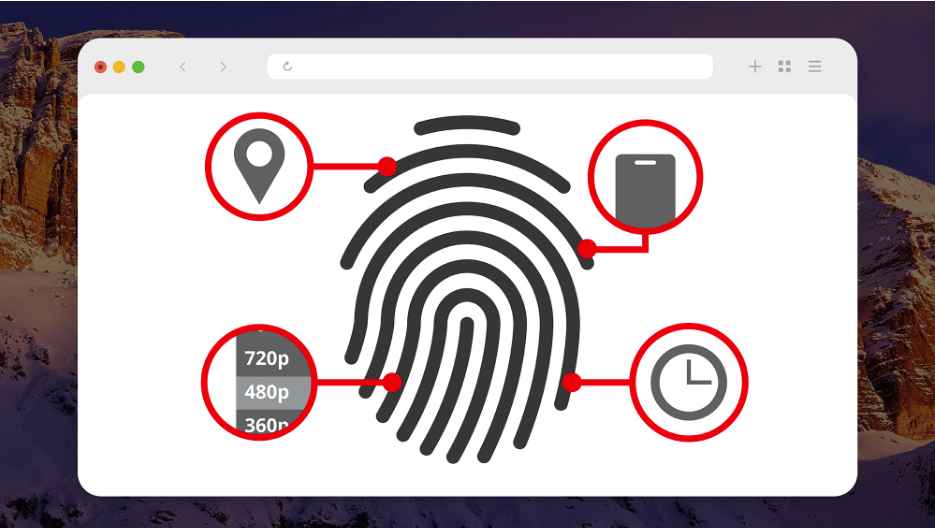
Which one is better for browser fingerprint checks
5.4. Which one is better for proxy and IP checks?
Pixelscan is useful for checking whether a proxy or VPN creates noticeable inconsistencies in your browser environment. It can help you review the detected IP, location, proxy status, and related indicators.
IPFighter is more suitable for a dedicated proxy and IP validation workflow. Users can check IP information, proxy status, trust and reputation indicators, geolocation, DNS leaks, and WebRTC leaks through separate tools.
If you need to verify a proxy before assigning it to a browser profile or using it in an automation workflow, IPFighter may be the more practical choice because it separates the different checks and provides more specific information about the connection.
In addition, IPfighter offers a completely free web proxy tool that utilizes residential IPs - unlike other free web proxies that rely on data centers. You can try it out here: IPfighter's Free Web Proxy.
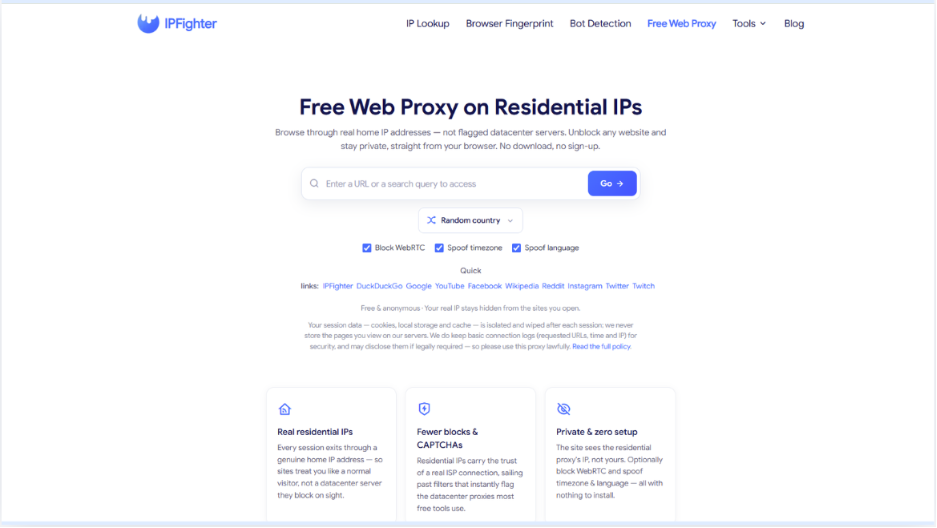
Free web proxy tool on IPFighter
Read more:
-
How to use web proxy safely: A practical guide
-
Best free antidetect browsers: Are they worth using?
-
What is a spoofer? How identity masking actually works
6. How should you interpret Pixelscan and IPFighter results?
When reviewing results from Pixelscan or IPFighter, do not focus only on the final score. A more reliable assessment comes from examining the individual signals, identifying inconsistencies, and checking whether your browser and network settings work together logically.
-
Do not rely on one score: Review flagged signals, inconsistent fields, IP–browser compatibility, DNS/WebRTC leaks, and changes after configuration updates.
-
Check IP and browser consistency: Ensure the operating system, User-Agent, hardware, language, timezone, proxy status, and IP location are aligned.
-
Retest after major changes: Run the checks again after switching proxies, editing browser profiles, changing fingerprint settings, timezone, language, VPN, or WebRTC configuration.
-
Use multiple diagnostic sources when needed: Pixelscan and IPFighter may produce different results because they use different checks and scoring methods; use Pixelscan for an overview and IPFighter for deeper validation.
By combining these steps, you can better understand what your browser environment reveals, identify potential configuration issues, and make more informed adjustments before using the setup in your workflow.
7. Conclusion
Pixelscan is a convenient tool for checking browser fingerprints, IPs, proxies, VPNs, leaks, and bot-related signals in one place. IPFighter provides more detailed tools for analyzing fingerprints, IPs, proxies, reputation, DNS, and WebRTC. Choose Pixelscan for quick checks or IPFighter for deeper troubleshooting.
Neither tool can guarantee anonymity or ensure that every website will accept a particular browser or proxy setup. The most reliable approach is to use their results as a guide, fix clear inconsistencies, and retest your configuration before starting your workflow.
8. FAQ
What is Pixelscan used for?
Pixelscan is used to check browser fingerprints, IP and proxy information, VPN detection, DNS and WebRTC leaks, bot-related signals, and other browser environment inconsistencies.
Is IPFighter free?
Yes. IPFighter provides free tools for checking IP addresses, proxies, browser fingerprints, DNS leaks, WebRTC leaks, and other connection-related information. It also offers a free web proxy.
Is Pixelscan better than IPFighter?
Neither platform is universally better. Pixelscan is suitable for quick browser environment checks, while IPFighter is more suitable for users who need detailed IP, proxy, fingerprint, reputation, and leak diagnostics.
Can Pixelscan detect an antidetect browser?
Pixelscan can identify inconsistencies or signals associated with an altered browser environment. However, no fingerprint checker can guarantee detection results across every website or anti-fraud system.
Does IPFighter check browser fingerprints?
Yes. IPFighter provides a dedicated Browser Fingerprint tool that analyzes browser, operating system, hardware, rendering, language, timezone, and other environment-related signals.
Can Pixelscan or IPFighter guarantee anonymity?
No. These platforms help users understand what their browser and network environment may reveal. They do not guarantee complete anonymity or ensure that every website will accept a particular browser or proxy configuration.
Read more
Vision Browser review: A clear view of its fingerprint quality

Hidemyacc review 2026: Features, pricing and real fingerprint test results
What is anonymous browsing and how does it work?
Is Pixelscan any good? A full review and alternative

How to check browser fingerprint for spoofing signs with IPFighter

How to pass bot detection test and avoid getting flagged