

Are you wondering what a spoofer is and how it changes the identifier parameter? In this guide, IPFighter explains what a spoofer is, how spoofing works, the most common types of spoofers, and the differences between spoofers, VPNs, and proxies. You'll also learn when spoofing is legitimate, what risks to be aware of, and how to verify that your spoofed environment appears consistent.
1. What is a spoofer?
A spoofer is any specialized software, hardware device, or program configuration designed to fake, alter, or hide digital identification data. In cybersecurity, spoofing refers to the act of masquerading as another device, user, or location to bypass security filters, hide your digital footprint, or access restricted environments. On the modern web, spoofers work by altering critical parameters like IP addresses, email headers, phone numbers, browser fingerprint values, and hardware serial numbers.
By replacing these real identifiers with realistic, fake data, spoofers prevent tracking systems from linking your online activities back to your actual device or physical location.
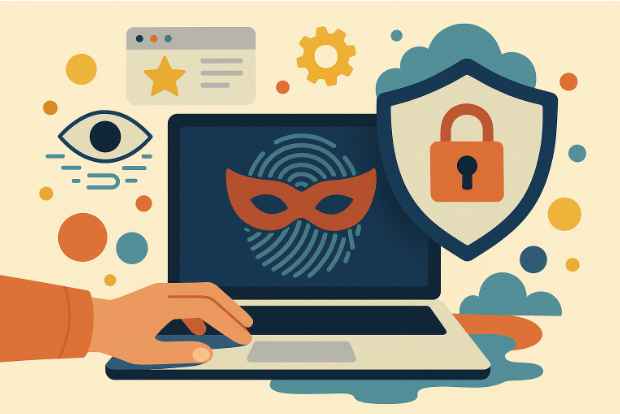
Denfinition of spoofer
Discover more:
-
What is a browser fingerprint? How websites identify you online
-
Is Tor browser safe? The biggest myths about Tor privacy
2. How does a spoofer work?
To understand how a spoofer works, it's helpful to first understand spoofing. Spoofing is the process of disguising or modifying digital identifiers so that a device, browser, or network appears to be something other than its real identity.
A spoofer doesn't usually modify the physical device itself. Instead, it changes the information that websites or applications receive when they request identifying data. The process typically works as follows:
-
Identity information is requested: Whenever you visit a website or open an application, it collects information such as your browser fingerprint, hardware ID, GPS location, IP address, or other identifiers that help recognize your device.
-
The request is intercepted: Instead of allowing the browser or operating system to return the original values, the spoofer intercepts these requests before the information reaches the website or application.
-
Spoofed values are returned: Depending on the type of spoofer, it replaces the original identifiers with preconfigured ones. For example, a browser fingerprint spoofer may report a different User-Agent, Canvas fingerprint, or timezone, while a GPS spoofer returns virtual coordinates instead of your real location.
-
The spoofed identity is presented: Since the modified values are returned instead of the original ones, the website or application treats the device as if it belongs to a different browser, hardware configuration, or geographic location.
For spoofing to be effective, all spoofed values must remain internally consistent. If your IP address, browser fingerprint, timezone, language, and other identifiers don't logically match each other, modern anti-fraud systems may still detect the spoofed environment and flag it as suspicious.
3. Common types of spoofers
Not all spoofers modify the same type of information. Some focus on browser characteristics, while others change hardware identifiers or location data. Below are the most common types of spoofers and their typical use cases.
3.1. Browser fingerprint spoofers (Antidetect browsers)
Browser fingerprint spoofers are designed to modify the software and hardware characteristics that websites use to identify browsers. Instea d of changing only your IP address, they can spoof values such as the User-Agent, Canvas, WebGL, installed fonts, screen resolution, timezone, language, AudioContext, and WebRTC information to create a more consistent browser identity.
These tools are widely used for multi-account management, browser automation, affiliate marketing, and e-commerce operations where keeping browser profiles isolated is essential. Many modern antidetect browsers include built-in browser fingerprint spoofing as one of their core features.
3.2. HWID spoofers (Hardware ID spoofers)
HWID spoofers modify unique hardware identifiers that are assigned to physical computer components, such as the motherboard, storage drives, or network adapter. They typically operate at the driver level, allowing the operating system and installed software to detect temporary or modified hardware serial numbers instead of the originals.
HWID spoofers are most commonly associated with bypassing hardware-based bans in online games, although they may also be used for hardware testing or software development in controlled environments.
3.3. GPS & Geolocation spoofers
GPS spoofers allow users to simulate a different geographic location without physically moving their device. By replacing the device's real GPS coordinates with virtual ones, applications receive the spoofed location instead of the actual position.
They are commonly used for testing location-based applications, verifying geo-targeted services, or developing mobile software. GPS spoofers are also popular in games that rely on location data, such as Pokémon GO, although using them may violate the terms of service of certain applications.
4. Common uses of spoofers
Spoofers are used for much more than bypassing restrictions. Today, they play an important role in privacy protection, software development, browser testing, and multi-account management. Some of the most common use cases include:
-
Privacy protection: Spoofers help reduce the amount of identifying information exposed to websites by modifying attributes such as browser fingerprints or device identifiers. This makes it more difficult for advertisers and tracking systems to build long-term profiles based on your device.
-
Software testing and quality assurance: Developers and QA teams use spoofers to simulate different browsers, operating systems, hardware configurations, or locations without requiring multiple physical devices. This allows them to verify application behavior under various environments before deployment.
-
Multi-account management: Browser fingerprint spoofers are commonly combined with proxies to create unique browser identities for each profile. This approach helps isolate accounts used for e-commerce, affiliate marketing, social media management, and digital advertising while reducing the risk of account linking.
-
Location-based application testing: GPS spoofers enable developers and testers to simulate different geographic locations when testing navigation apps, delivery services, or other location-dependent applications without physically traveling to each region.
-
Security research: Cybersecurity professionals may use spoofing techniques in controlled environments to evaluate how applications detect modified devices, verify security controls, or identify weaknesses in authentication systems.
While spoofers support many legitimate workflows, they should always be used responsibly. Regardless of the use case, maintaining a realistic and internally consistent environment is essential, as modern websites often analyze multiple identity signals rather than relying on a single identifier.

Common uses of spoofers
5. Spoofer vs. VPN vs. Proxy: What's the difference?
Although spoofers, VPNs, and proxies are all used to improve privacy or hide certain aspects of your online identity, they solve different problems. Understanding the differences can help you choose the right tool or combination of tools for your specific use case.
|
Feature |
Spoofer |
VPN |
Proxy |
|
Primary purpose |
Changes device or browser identifiers |
Encrypts traffic and hides your IP address |
Routes traffic through another IP address |
|
Data encryption |
None |
Full military-grade encryption tunnel |
None |
|
Hardware serial masking |
Yes (Changes component IDs) |
No |
No |
|
Browser fingerprint protection |
Yes (Spoofs WebGL, Canvas, User-Agent) |
No |
No |
|
Primary use case |
Bypassing advanced device and account tracking |
Securing web traffic |
Bypassing IP-based bans |
Read more:
-
Best free antidetect browsers: Are they worth using?
-
Mastering Selenium browser fingerprints to avoid anti-bot detection
-
Browser fingerprint testing tools: Which one should you use?
-
What is a Proxy? Benefits, usage, and everything you need to know about proxies
6. Is using a spoofer legal and safe?
Using a spoofer isn't inherently illegal or unsafe. Whether it's allowed depends on how you use it and which type of spoofer you're using. While spoofing technologies are widely used for legitimate privacy and testing purposes, they can also be abused for malicious activities.
6.1. Is using a spoofer legal?
In many countries, using a spoofer for legitimate purposes such as protecting your privacy, testing software, or simulating different environments is generally legal. For example, developers often use browser or GPS spoofers to test applications under different conditions without changing physical devices.
However, using spoofers to commit fraud, impersonate others, bypass security measures, or violate a platform's terms of service may result in account suspension or legal consequences. The legality ultimately depends on your local laws and how the technology is used.
6.2. Are spoofers safe?
The safety of a spoofer largely depends on its source and implementation. Reputable browser spoofing tools are generally designed to modify browser identifiers without compromising your system. In contrast, downloading unknown HWID spoofers or unofficial spoofing software can expose your device to malware, spyware, or system instability.
It's also important to remember that poorly configured spoofers can still be detected. If spoofed values are inconsistent. For example, your browser language, timezone, and hardware information don't match your IP location; modern anti-fraud systems may recognize the spoofed environment as suspicious. Testing your browser fingerprint and overall browser consistency before use can help reduce this risk.
7. Conclusion
Spoofers are useful tools for protecting privacy, testing applications, and modifying digital identifiers such as browser fingerprints, hardware IDs, or GPS locations. The right type of spoofer depends on what you need to change and how you intend to use it.
However, spoofing alone doesn't guarantee anonymity. Before using a spoofed environment, it's always a good idea to verify that your browser fingerprint, IP address, and network information appear consistent. You can quickly check them with IPFighter to ensure your setup looks as expected before browsing or automating online tasks.
8. FAQ
What is a spoofer?
A spoofer is a tool that modifies identifying information, such as your browser fingerprint, hardware ID, GPS location, or IP address, to make your device appear different.
What does spoofing mean?
Spoofing is the process of disguising or altering identifying information so that a device, browser, or network appears to be something other than its real identity.
Is spoofing illegal?
Not necessarily. Using spoofing tools for privacy protection, software testing, or research is generally legitimate, while using them for fraud or other illegal activities is not.
Can websites detect spoofers?
Yes. Modern websites analyze multiple signals, including browser fingerprints, IP reputation, and network information, to identify spoofed or inconsistent environments.
Does spoofing hide your browser fingerprint?
It depends on the type of spoofer. Browser fingerprint spoofers can modify fingerprint attributes, while other spoofers, such as GPS or HWID spoofers, do not affect browser fingerprints.
Can spoofers change your IP address?
Only certain types of spoofers can. In most cases, changing your IP address requires a VPN or proxy rather than a browser or hardware spoofer.
Read more
What is anonymous browsing and how does it work?

Is Pixelscan any good? A full review and alternative
How to check browser fingerprint for spoofing signs with IPFighter


How to pass bot detection test and avoid getting flagged
What is a virtual machine? How it works and when to use one
What is a spoofer? How identity masking actually works