

Looking for a free antidetect browser before investing in a paid solution? While several reputable providers offer free plans or trials, others advertise 100% free software that may come with hidden risks.
In this guide, IPFighter reviews the best free antidetect browsers, compares their features, explains their limitations, and shows you how to choose a secure option for managing multiple accounts.
1. Can you really get a free antidetect browser?
The short answer is yes, you can. Many reputable companies in the privacy and cybersecurity space offer fully functional free versions of their software. However, it is vital to understand that free does not mean unlimited. In the antidetect industry, software developers generally adopt a freemium model. This model offers two paths to use their tools for zero cost: Free plan, free trial.
While these options are highly effective for starting out, developers intentionally restrict advanced capabilities on free tiers. You will almost always face strict limitations on the total number of browser profiles you can save, team collaboration options, API access, and advanced automated tasks (RPA). Understanding these baseline boundaries helps you align your specific multi-accounting strategy with the reality of what a free tier can deliver.
Free antidetect browser
Discover more:
-
What is a browser fingerprint? How websites identify you online
-
How to change the display language in Windows 10 and Google Chrome browser
2. What should a good free antidetect browser offer?
Not all free antidetect browsers provide the same level of protection. While premium plans naturally include more advanced functionality, a quality free plan should still include the core features needed to create realistic browser identities.
Some of the most important capabilities include:
-
Browser fingerprint customization: The browser should modify fingerprint parameters such as Canvas, WebGL, AudioContext, fonts, time zone, language, screen resolution, and other attributes that websites commonly analyze.
-
Proxy integration: Support for HTTP, HTTPS, and SOCKS5 proxies allows every browser profile to use a separate IP address, improving account isolation.
-
Multiple browser profiles: Even free plans should allow users to create several isolated browser profiles for testing or managing multiple accounts.
-
Ease of use: A beginner-friendly interface with simple setup makes it much easier to start using the browser without extensive technical knowledge.
-
Upgrade path: As projects grow, users should be able to upgrade to higher plans without rebuilding their existing browser profiles from scratch.
Choosing a free plan that includes these core features provides a much better starting point than downloading unknown software that simply advertises itself as completely free.
3. The hidden risks of completely free antidetect browsers
Although free plans from reputable providers are generally safe, users should be cautious of software advertised as "100% free forever" with no limitations. Developing and maintaining an antidetect browser requires continuous browser updates, fingerprint research, infrastructure maintenance, and security improvements. If a provider charges nothing while offering unlimited features, it must recover those costs somewhere else.
Potential risks include:
-
Data collection and privacy concerns: Some unknown applications may collect browsing activity, browser fingerprints, or personal information.
-
Malware and viruses: Unverified software can contain malicious code that compromises your device or steals sensitive data.
-
Poor fingerprint quality: Low-quality fingerprint generation may be easily detected by anti-fraud systems, increasing the likelihood of account bans.
-
Resource abuse: Some free software secretly consumes system resources for cryptocurrency mining or other background activities.
Rather than searching for completely unrestricted software, it is generally much safer to choose the free plan or trial offered by an established antidetect browser provider. These versions provide a legitimate way to evaluate the software before deciding whether a paid upgrade is necessary.
4. Best free antidetect browsers reviewed
Several well-known antidetect browser providers offer free plans or free trials that allow users to test their platforms before purchasing. While each product has different limitations, all of the following are suitable starting points for beginners.
4.1. Hidemyacc
Hidemyacc is widely recognized as one of the most reliable and technologically advanced antidetect options available today. Built with a deeply optimized proprietary browser core for global multi-accounting workflows while remaining accessible for beginners.
-
Free availability: Free for 7 days plan starter
-
Browser profiles: 30 profiles
-
Proxy support: HTTP/SOCKS4/SOCKS5
-
Fingerprint protection: Advanced
-
Automation: Free system's script, create new script, synchronization, window custom layout
-
Support: 24/7 community and documentation support
If you decide to continue after the 7-day free trial, Hidemyacc is running a limited-time renewal offer for just $1 instead of the regular $29. The promotion is valid from June 24 through July 31, 2026. You can also find the latest Hidemyacc promo codes on IPFighter to maximize your savings.
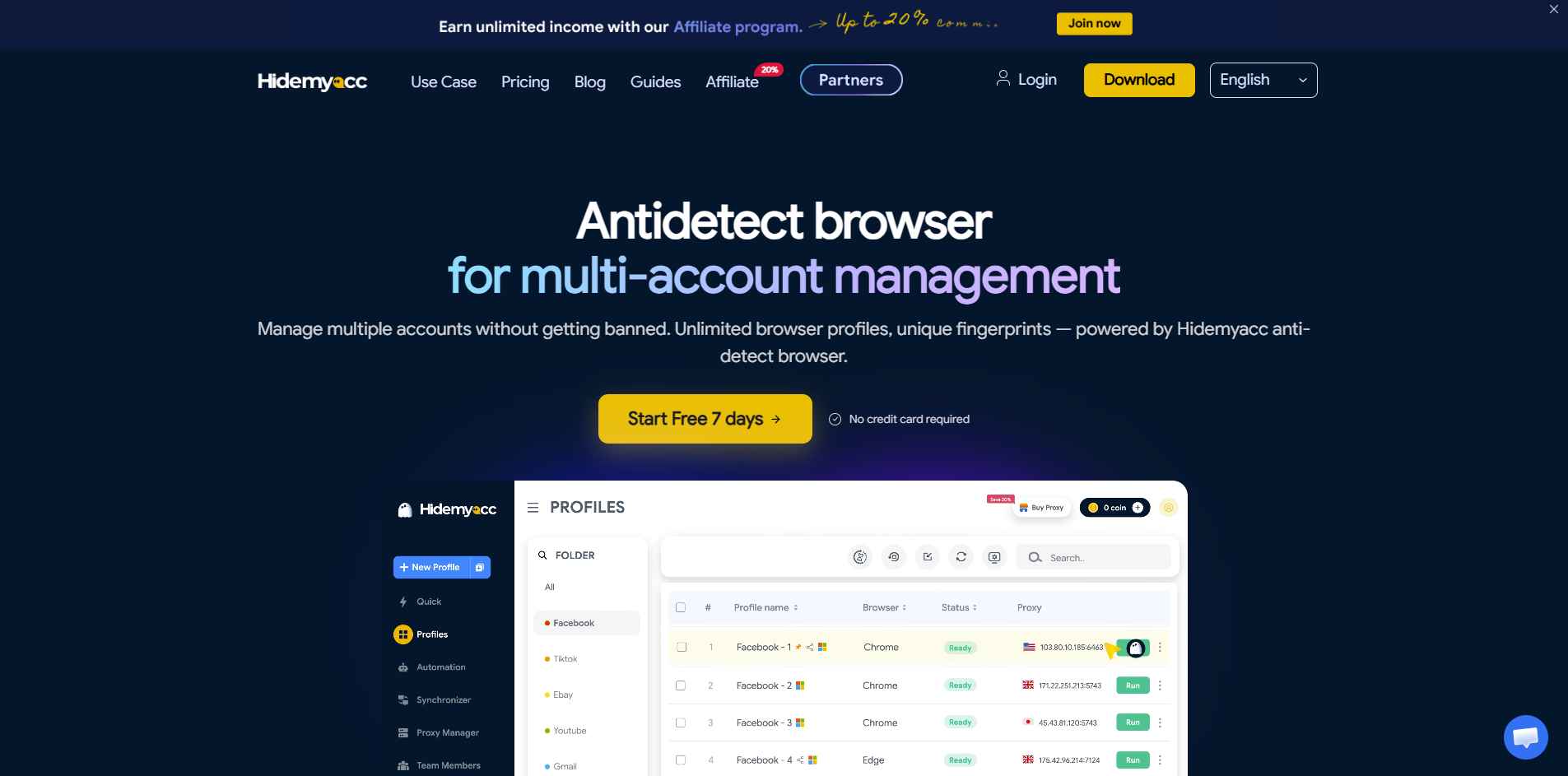
Hidemyacc homepage
4.2. AdsPower
AdsPower is widely used by affiliate marketers and e-commerce sellers because of its balance between usability and collaboration features.
-
Browser profiles: 2 profiles free - the basic plan allows you to create only two working profiles.
-
Proxy support: connecting individual proxies to each profile.
-
Automation: Synchronizer, RPA robot, local API 120 request/minute
-
Support: Online customer support
The free plan works well for users learning how antidetect browsers operate before expanding to larger projects.
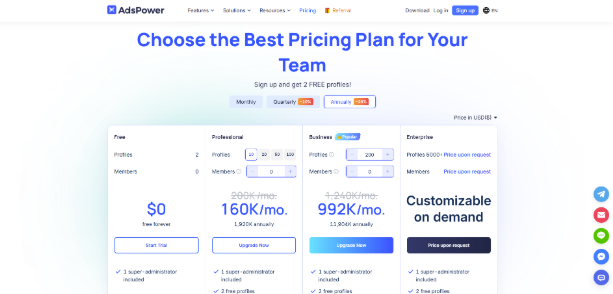
AdsPower homepage
4.3. Linken Sphere
Linken Sphere is known for its advanced fingerprint simulation and focus on users who require stronger anti-detection capabilities.
-
Browser profiles: 5 profiles free and without time limit
-
Proxy support: The ability to connect a separate proxy to each profile with full session isolation
-
Automation: Tools for integration with external services and automation of workflows.
-
Support: Live chat, email, and documentation support
If you later purchase a subscription, IPFighter also offers updated Linken Sphere promo codes.
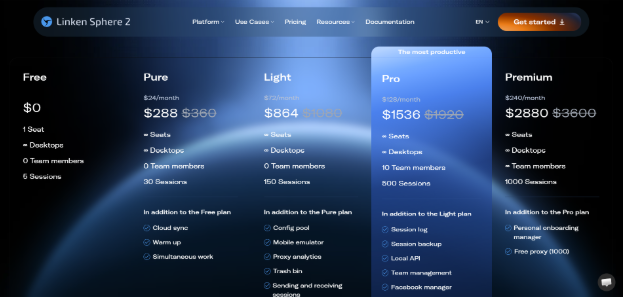
Linken Sphere homepage
4.4. Dolphin Anty
Dolphin Anty has become especially popular among affiliate marketers thanks to its clean interface and integrated automation tools.
-
Browser profiles: 5 profiles for testing / month
-
Proxy support: HTTP, SOCKS5, SOCKS4, SSH
-
Automation: Remote API limitations
-
Support: Support from 10:00 to 22:00
Its free tier is often sufficient for individuals managing a small number of accounts.
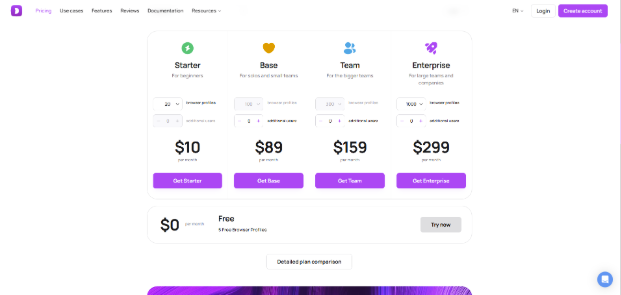
Dolphin Anty homepage
4.5. Incogniton
Incogniton focuses on providing isolated browser environments for account management while remaining approachable for beginners.
-
Browser profiles: 10 profiles free at the start / 2 months
-
Proxy support: HTTP / SOCKS5
-
Support: Email support
For users testing browser isolation for the first time, Incogniton provides a straightforward learning experience.
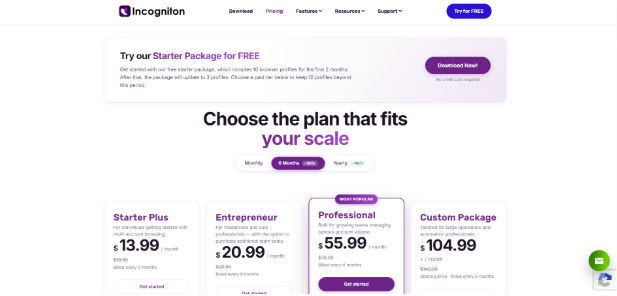
Incogniton homepage
5. Free antidetect browsers comparison table
The following matrix provides a direct side-by-side technical breakdown of how these top options structure their free offerings:
|
Hidemyacc |
AdsPower |
Linken Sphere |
Dolphin Anty |
Incogniton |
|
|
Free trial |
✓ |
✓ |
✓ |
✓ |
✓ |
|
Profiles |
30 profiles/7days |
2 profiles free |
5 profiles free and without time limit |
5 profiles / month |
10 profiles / 2 months |
|
Proxy support |
✓ |
✓ |
✓ |
✓ |
✓ |
|
Fingerprint protection |
Advanced |
Basic |
Basic |
Advanced |
Advanced |
|
Automation |
Advanced |
Basic |
Basic |
Basic |
NA |
|
Support |
24/7 community and documentation support |
Online customer support |
Live chat, email, and documentation support |
Support from 10:00 to 22:00 |
Liva chat, email support |
6. Limitations of free antidetect browsers
Free plans are excellent for learning the software, but they are rarely suitable for long-term, large-scale projects. Common limitations include:
-
Limited browser profiles: Most free plans only allow a small number of active browser profiles.
-
Basic fingerprint customization: Some advanced fingerprint parameters may only be available on paid plans.
-
No automation features: API access, scripting, and workflow automation are often restricted.
-
Limited cloud synchronization: Sharing browser profiles across multiple devices or team members may require a paid subscription.
-
Lower-priority customer support: Free users usually rely on documentation or community forums instead of priority technical support.
Understanding these limitations helps set realistic expectations and prevents unexpected workflow interruptions later.
7. When should you upgrade to a paid antidetect browser?
A free plan is often enough for learning, testing, or managing a few accounts. However, upgrading becomes worthwhile when you need:
-
The trial version is suitable for your needs
-
More browser profiles
-
Stable long-term fingerprint consistency
-
Team collaboration
-
Automation and API access
-
Better security features
-
Priority customer support
If the free version already meets your workflow and the browser performs reliably, moving to a paid plan is usually the most efficient way to scale larger projects.
8. Get the best results by combining an antidetect browser with a proxy
An antidetect browser protects your browser fingerprint, but it does not automatically replace your network identity. Without a separate proxy, multiple browser profiles may still connect using the same public IP address, making account separation much less effective. For the best results:
-
Use a high-quality residential or ISP proxy.
-
Assign a different proxy to each browser profile.
-
Avoid free proxies whenever possible, as they often suffer from poor reputation, instability, and blacklisting.
Combining a reputable antidetect browser with a reliable proxy provides a much stronger foundation for managing multiple accounts safely while keeping overall costs under control.
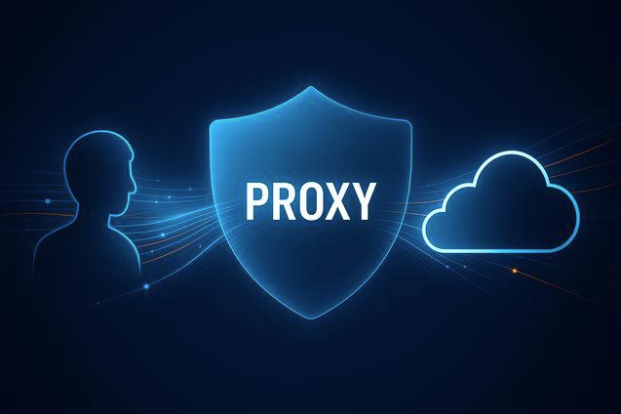
An antidetect browser with a proxy
Read more:
-
What is a Proxy? Benefits, usage, and everything you need to know about proxies
-
Is Tor browser safe? The biggest myths about Tor privacy
9. Test your browser fingerprint with IPFighter
Creating browser profiles is only the first step. It's equally important to verify that your browser fingerprint appears realistic before using it for important accounts. IPFighter helps you evaluate your browser environment by allowing you to:
-
Analyze browser fingerprint: Review key fingerprint attributes such as your browser, operating system, Canvas, WebGL, fonts, time zone, language, and other identifying signals. This helps you determine whether your browser profile appears consistent and realistic.
-
WebRTC leak test: Check whether your browser is exposing your real IP address through WebRTC, even when you're connected to a proxy or VPN. Detecting these leaks early can help prevent accidental identity exposure.
-
DNS leak check: Verify that your DNS requests are being routed through the intended proxy or VPN instead of your ISP's DNS servers. This helps ensure your browsing activity remains private.
-
IP reputation & trust scores: Instantly see how platforms perceive the IP. This includes a breakdown of its trust level and fingerprint score to determine if it’s flagged as risky or secure.
-
Verify proxy information: Confirm that your proxy is working correctly by checking details such as its IP address, geolocation, ISP, ASN, and anonymity level. This ensures your browser profile matches the network identity you intend to present.
Running these checks before deploying new browser profiles can help identify configuration issues that might otherwise increase detection risk.
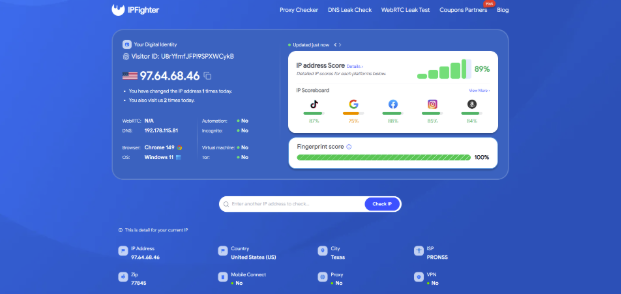
Test your browser fingerprint with IPFighter
10. Conclusion
Free antidetect browsers can be an excellent starting point for beginners, provided they come from reputable providers that offer legitimate free plans or trials. While these versions include certain limitations, they allow users to experience browser fingerprint protection without an upfront investment.
As your projects grow, combining a trusted antidetect browser with high-quality proxies and regularly testing your browser fingerprint through IPFighter will provide a much stronger and more reliable foundation for long-term account management.
11.FAQ
Can I manage multiple accounts with a free antidetect browser?
Yes. Most free plans allow users to manage several browser profiles, although the total number is usually limited.
What's the difference between a free and paid antidetect browser?
Paid plans generally offer more browser profiles, advanced fingerprint customization, automation, API access, cloud synchronization, and priority support.
Do free antidetect browsers support proxies?
Most reputable providers support HTTP, HTTPS, and SOCKS5 proxies even on their free plans.
Can websites still detect a free antidetect browser?
Yes. Detection depends more on fingerprint quality, browser configuration, user behavior, and proxy reputation than on whether the software itself is free or paid.
How many browser profiles do free plans usually allow?
Most providers allow anywhere from a few profiles to several dozen, depending on their licensing model.
Should I choose an antidetect browser or a VPN?
They serve different purposes. VPNs hide your IP address, while antidetect browsers modify browser fingerprints. Many users combine both with high-quality proxies.
How can I test whether my browser fingerprint is working correctly?
You can use IPFighter to analyze your browser fingerprint, detect DNS or WebRTC leaks, review IP reputation, and verify whether your browser appears consistent before using it for important accounts.
Read more
What is anonymous browsing and how does it work?

Is Pixelscan any good? A full review and alternative
How to check browser fingerprint for spoofing signs with IPFighter

How to pass bot detection test and avoid getting flagged
What is a virtual machine? How it works and when to use one
What is a spoofer? How identity masking actually works