

If you manage social media accounts, research audiences, test content from different locations, or work with several platforms, a social media proxy can route your connection through a different IP address. The right proxy gives you more flexibility over the network identity and location that a social platform sees.
In this guide, IPFighter explains what a social media proxy is, how it works, what it is used for, which proxy types and providers to consider, how to unblock Facebook, and what to know about risks and rules.
1. What is a social media proxy?
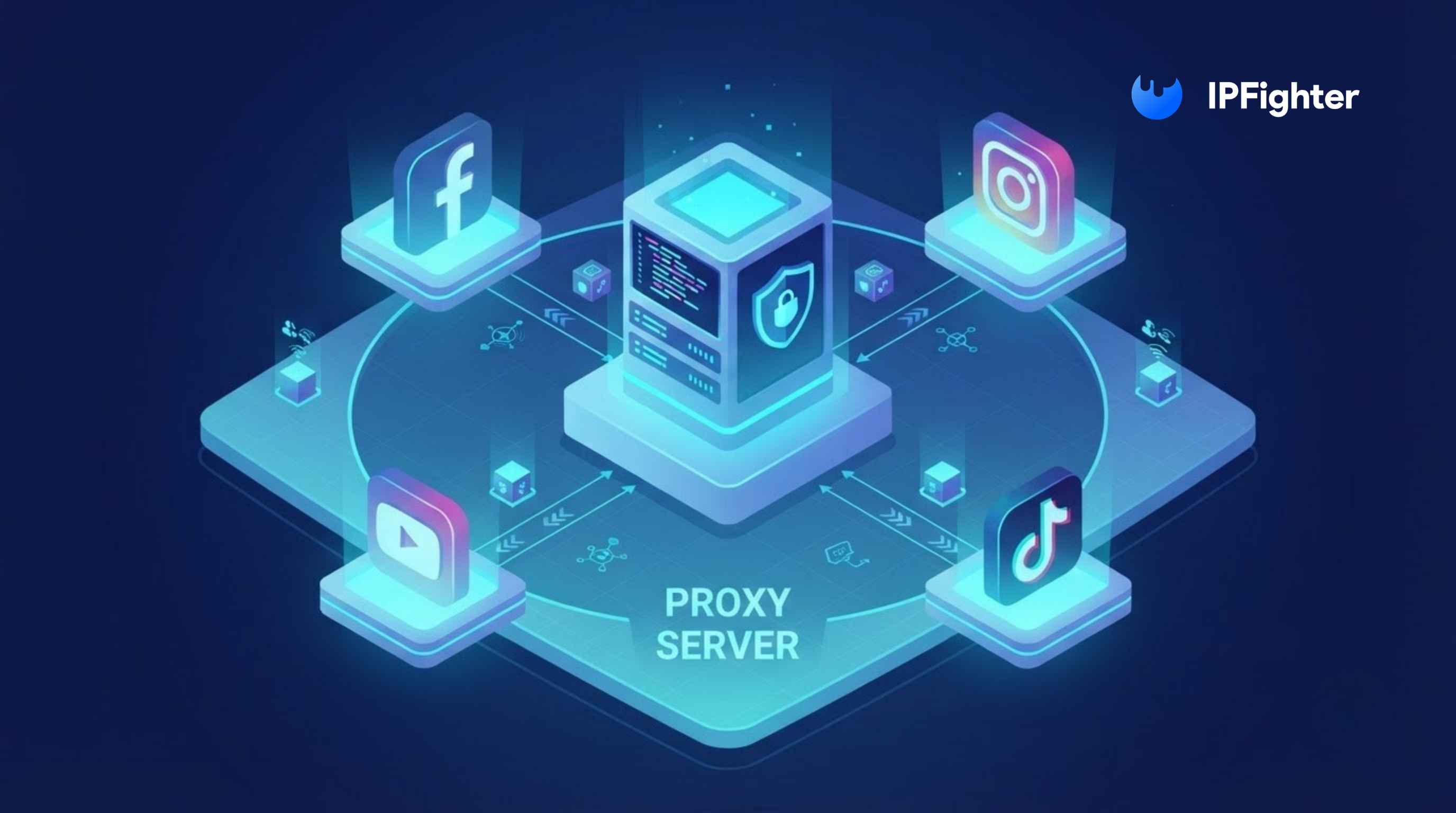
A social media proxy is a proxy server used to route traffic from a device, browser, or tool through another IP address before the request reaches a social platform. Instead of your original public IP, the platform generally sees the IP address of the proxy server.
The basic flow looks like this: Your device or tool → Social media proxy → Social media platform
Your request goes to the proxy first. The proxy forwards it to the platform and sends the response back to your device. If you connect through a proxy in the United States while your normal connection is elsewhere, the platform may see the proxy's U.S. IP, which can be useful when you test how content appears from a particular location.
Definition of social media proxy
A social media proxy is not a separate technical category. Residential, ISP, mobile, and datacenter proxies can all be used for social media, depending on the workflow. What changes is how the proxy is used: it is selected or configured for platforms such as Facebook, Instagram, TikTok, X, or LinkedIn. For a broader introduction, see our guide on what is a proxy.
It is also important to understand what a proxy does not do. It changes the network path and the IP the platform sees, but it does not decide whether an account, action, automation tool, or request is allowed. The platform can still apply its own verification, security systems, and usage policies. Unlike a VPN, a standard proxy does not necessarily encrypt all traffic between your device and the proxy, and different proxy protocols offer different capabilities.
Discover more:
-
What is a Proxy? Benefits, usage, and everything you need to know about proxies
-
What is an ISP proxy? How it works and where to buy
2. What are social media proxies used for?
Social media proxies can support several legitimate workflows, particularly when users need separate IP addresses or different locations. The right use depends on the platform's rules and your goals.
-
Account management: Different accounts or workflows can use separate IP addresses when this is compatible with the platform's rules and security requirements.
-
Location testing: Marketers and businesses can check how websites, campaigns, or public content appear from different locations.
-
Campaign management: Agencies working for different clients may use separate network environments for each workflow.
-
Market research: Researchers can collect public information and study how content or search results vary across locations.
-
Permitted automation: Proxies can support automation tools when the platform and the specific workflow allow automated activity.
-
Data collection: Proxies can help distribute requests when gathering public data at scale, subject to the website's terms and applicable rules.
These uses depend heavily on proxy quality. A proxy with a poor IP reputation, unstable connectivity, or inaccurate geolocation can create more problems than it solves. A proxy also does not guarantee that an account will avoid verification, CAPTCHA challenges, or restrictions, and creating accounts, automating actions, or collecting data may be subject to platform specific policies.
Social media proxies are used for
3. Which proxy type is best for social media?
No single proxy type is best for every social media task. The right choice depends on whether you need a consistent IP, a mobile identity, many locations, or high volume. The table below compares the main types, and these are general tendencies that vary by provider.
|
Proxy type |
Typical characteristics |
Fits best |
|
ISP (static) |
Fixed IP registered to an ISP and hosted on server infrastructure, usually fast and stable |
Workflows that need one consistent IP, such as long term account access |
|
Residential |
IP associated with residential networks, either static or rotating |
Location testing, research, and account related workflows |
|
Mobile |
IP associated with mobile carrier networks, usually more expensive |
Mobile first testing and workflows tied to mobile networks |
|
Datacenter |
Hosted in data centers, fast and low cost, easier for platforms to identify |
High volume, speed sensitive tasks and general automation |
These categories can overlap. A residential proxy can also be a rotating proxy, and an ISP proxy may be offered as static or rotating depending on the provider. Whether the connection is static or rotating, how the IPs are sourced, and how stable the connection is matter as much as the label.
For most account related workflows, a static ISP or static residential proxy is a practical starting point because it keeps one consistent IP. Mobile proxies fit mobile first work, and rotating residential proxies fit research and data collection. How a platform treats any of these still depends on account behavior and the platform's policies, so none of them guarantees you avoid verification. See our guides on mobile proxies and what is a residential proxy for more detail.
4. How to choose a social media proxy
Start with what the workflow actually needs. A proxy that works well for browsing or location testing may not suit long running sessions or large scale data collection. Check these factors before you choose:
-
IP type: Residential, ISP, mobile, and datacenter proxies have different characteristics and uses.
-
IP consistency: Choose a static or sticky IP when keeping the same network identity matters.
-
Rotation: Use rotating IPs only when the workflow genuinely needs IP changes.
-
Location coverage: Check that the provider offers the countries, cities, or regions you need.
-
IP reputation: Look for signs that an IP is blacklisted, heavily abused, or identified as a proxy.
-
Connection stability: Uptime, response time, and consistent connectivity often matter more than headline bandwidth.
-
Authentication: Check whether the provider supports username and password login, IP whitelisting, or the method your tool requires.
-
Provider transparency: For residential proxies in particular, look for clear information about IP sourcing and user consent.
Before you put a proxy into a regular workflow, verify its status, exit IP, location, and reputation. IPFighter's IP Lookup shows this in seconds. Treat the proxy as part of your network setup, not as a way around platform controls, and avoid sending sensitive credentials through a proxy you do not know.
For simple browsing or basic location testing, you may not need to configure a dedicated proxy at all. IPFighter's Free Web Proxy lets you browse through a residential proxy directly from your browser without setting up proxy details. It suits quick browsing and testing better than workflows that need stable, dedicated proxy connections for several accounts or large scale automation.
How to choose a social media proxy
5. Best social media proxy providers
The table below summarizes test results that you can use for reference, not as a final ranking. If you want the full details and screenshots, read our guides to the best ISP proxy providers, the best residential proxy providers, and the best mobile proxy providers. The providers are IPFighter partners, and each was tested with a single IP, so results can differ for the IP you receive.
The table focuses on IP quality and on the trust scores that IPFighter reports for TikTok, Facebook, and Instagram, because these matter most for social media workflows.
|
Provider |
Type tested |
IP score (IPFighter) |
Trust score: TikTok / Facebook / Instagram |
Starting price |
Watch out for |
|
HydraProxy |
ISP |
90/100 |
94% / 93% / 94% |
$4 per IP |
Google placed the IP in Kansas, not New York |
|
Proxys.io |
ISP |
90/100 |
94% / 93% / 94% |
$3 per IP |
Location is accurate at country level only, and upload speed is very low |
|
NiuProxy |
Residential |
89/100 |
87% / 87% / 88% |
$2.00 per GB |
Billed per GB, so traffic heavy workflows cost more |
|
Evomi |
Residential |
85/100 |
91% / 90% / 92% |
$0.99 per GB |
Proxy detection can vary between sessions |
|
Coronium |
Mobile |
90/100 |
94% / 93% / 94% |
$11 for a 1 day plan |
Priced by the day, with modest speed (28.04 Mbps download |
|
Byteful |
Mobile |
86/100 |
87% / 86% / 86% |
$4.25 per GB |
Trust scores are lower than Coronium on all three platforms |
Use the table to match a provider to your workflow. These quick picks summarize the results:
-
Best for consistent access: HydraProxy and Proxys.io pair a 90/100 score with a fixed ISP IP, which suits workflows that need the same IP between sessions.
-
Best for budget residential: Evomi starts at $0.99 per GB and delivered 83 Mbps download, though proxy detection can vary.
-
Best for mobile first workflows: Coronium combined a 90/100 score with accurate location, while Byteful reached 189.36 Mbps download with a lower score.
These options are merely a starting point for your reference, as the right provider depends on your platform, workflow, and budget.
6. How can you unblock Facebook with a proxy?
A proxy can help when Facebook is blocked by your network or region, because the site then sees the proxy's IP instead of yours. It does not help if the restriction is on your account, such as a ban or a security check, because changing your IP does not solve that. Follow these steps to try it:
-
Check the network rules: If the block comes from a school or workplace network, check its policy first, because bypassing it may not be allowed.
-
Open a proxy: Use a proxy or IPFighter's Free Web Proxy to open Facebook from your browser without configuring anything.
-
Be careful with logins: Avoid entering your password on a proxy you do not trust, because the proxy operator may be able to see what you type.
-
Try another location: If the page does not load, the proxy site may itself be blocked, or Facebook may be unavailable in that region, so try a different proxy or location.
-
Check the local rules: Some countries restrict access to social media by law, so make sure you understand the rules that apply to you.
A proxy cannot fix a banned account, and Facebook can still ask for verification when your IP or location changes. For safer browsing habits, read how to use web proxy safely.
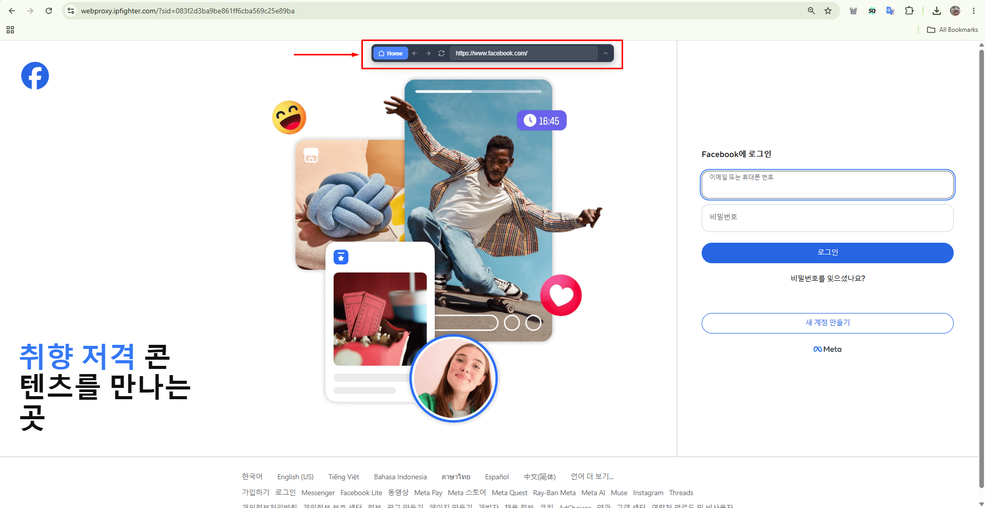
Access Facebook using IPfighter's free web proxy
Read more:
-
How to use web proxy safely: A practical guide
-
Proxy for trading: Can it improve your connection and privacy?
-
Web scraping proxy: How to collect web data more efficiently
7. What are the risks of using a social media proxy?
Using a proxy adds another layer between your device and the platform, so its quality and reliability matter. Poorly chosen proxies can create technical and privacy problems. Keep these risks in mind:
-
Poor IP reputation: An IP previously linked to suspicious activity may trigger CAPTCHA challenges or extra verification.
-
Account security issues: Frequent or unusual changes in IP address or location can lead a platform to ask for verification.
-
Unstable connections: Low quality proxies can cause timeouts, disconnects, or inconsistent performance.
-
Privacy risks: The provider runs the infrastructure your traffic passes through, so its logging and data handling practices matter.
-
Platform restrictions: Platforms may restrict some automation, scraping, or account activity whether or not a proxy is used.
-
Residential proxy abuse: A residential IP does not automatically mean the network behind it is legitimate or safe.
The last point is especially important. In a March 2026 public service announcement, the FBI warned that residential proxy networks can be abused for phishing, identity theft, fake account creation, brute force attacks, and account takeovers. The agency also warned that some residential IPs may be obtained without the device owner's knowledge or consent. For this reason, consider not only a proxy's location and performance but also how the provider obtains and operates its IP network.

How to use social media proxies responsibly
8. Is a proxy server illegal for social media?
Using a proxy server is not automatically illegal. The legal position depends on the jurisdiction, the purpose of the activity, and what you actually do through the proxy. This is general information, not legal advice.
Using a proxy for privacy, location testing, market research, or permitted business activity is not unlawful by itself. However, using a proxy to carry out fraud, phishing, credential theft, unauthorized access, or other illegal activity can create legal problems. There is also an important difference between legality and platform rules. An activity may not be illegal but can still break a platform's Terms of Service, so automation, scraping, and account management should be checked against both the law and the platform's policies.
9. Conclusion
A social media proxy routes traffic through another IP address, which gives you more flexibility over the network identity and location a platform sees. Depending on the workflow, it can support location testing, research, campaign management, account separation, and permitted automation or data collection.
However, a proxy does not guarantee that a platform will skip verification, restrictions, or its own policies. The IP's quality and reputation, connection stability, provider transparency, and the platform's rules all matter. Choose the proxy type that fits the task, compare providers by tested IP quality, and test the IP before you rely on it.
Check a proxy's IP and proxy characteristics with IPFighter before using it. If you plan to buy proxies for social media or other workflows, visit IPFighter's Coupons Partner page for provider deals and discount codes.
10. FAQ
How do I know if someone is using a proxy?
Websites detect proxies by analyzing technical signals such as IP reputation, ISP data, hosting center origins, and connection fingerprints. Detection systems usually score several signals together instead of relying on a single indicator.
Can a social media proxy hide my real IP address?
Yes. A proxy replaces your public IP with its own. It does not guarantee complete anonymity, though, because browser fingerprints, cookies, and device signals can still reveal your identity.
Is a social media proxy the same as a VPN?
No. A VPN usually encrypts traffic across your entire device, while a proxy works at the application level and routes traffic only for a specific browser or app. This gives more targeted control with lower overhead, but usually without encryption by default.
What are the best proxy websites for social media?
It depends on your workflow, so compare providers by IP quality, proxy type, location coverage, and price. The table in section 5 summarizes IPFighter's test results. If you only need a quick look at a page from another location, see our list of the best free proxy sites.
Can a social media proxy get my account restricted?
It can, if you use it in ways the platform does not allow, such as prohibited automation, or if the IP has a poor reputation or changes often. A proxy does not override a platform's rules, so read the Terms of Service before you connect an account through one.
Read more
ProxyCove review: How its traffic-based proxy service works

Best Chinese proxy providers: Compare China proxies
Social media proxy: What it is and how to choose one
Proxy for trading: Can it improve your connection and privacy?
Anonymous Proxies review: What its proxy network offers
Web scraping proxy: How to collect web data more efficiently