

AstroProxy stands out in the market by offering a diverse proxy ecosystem-from residential and mobile to datacenter proxies-within a single management platform. In this IPFighter review, we take an in-depth look at its network size, features, pricing, and real-world test results to help you make an informed decision.
1. General information
Before diving into the details, here is a quick overview of AstroProxy and its key specifications.
|
Website |
|
|
Founded |
N/A |
|
Proxy types |
Residential, Mobile, Datacenter |
|
IP pool |
50M+ residential IPs |
|
Geographic coverage |
100+ countries |
|
Protocols |
HTTP(S), SOCKS5 |
|
Pricing model |
Prepaid traffic or pay as you go |
|
Trial |
Free options / support credit |
|
Payment methods |
Paddle (international cards), Severpay, ERIP |
|
Refunds |
Available according to the provider's policy |
|
Best for |
Web scraping, automation, multi-account management |
Discover more:
-
What is a mobile proxy? Why users choose mobile IPs
-
What is a residential proxy? Why websites trust these IPs
-
Datacenter proxy: Best solutions for scaling operations
2. Proxy types available at AstroProxy
AstroProxy offers three main types of proxies. Each has different infrastructure characteristics and pricing, so you should choose based on your intended use rather than looking at IP pool size alone.
2.1. Residential proxy
Residential proxies use IP addresses assigned to residential networks or access sources identified as regular internet users. Astro says this proxy type can be targeted by country, city, and certain internet service provider options.
-
Advertised proxy pool: 50M+ residential IPs
-
Coverage: 100+ countries
-
Targeting: Supports targeting by country and region.
-
Rotation & sessions: IPs can rotate on a schedule, per connection, or manually / via API.
-
Protocols: HTTP(S), SOCKS5
-
Traffic: Available in flexible data-usage plans.
Residential proxies are well suited to tasks such as web scraping, search engine optimization and SERP tracking, as well as social media account management. However, using residential IPs does not guarantee that you will bypass all CAPTCHAs or avoid blocks; a suitable IP rotation strategy is still important.
2.2. Mobile proxy
AstroProxy uses real mobile network IP addresses from major 4G/5G carriers around the world. These solutions are particularly optimized for activities that require a high level of trust, such as social media management, ad verification, and application testing.
-
Infrastructure/IP type: A network of real mobile IP addresses from 4G/5G and major carriers worldwide, advertised as having the highest trust score for large-scale operations.
-
Coverage: Broad global coverage, with grouping by country, city, and carrier (ISP grouping and geo-targeting).
-
Targeting: Supports detailed targeting by geographic area and internet service provider (ISP).
-
Best use cases: Social media, ad verification, and mobile app testing.
The combination of trusted mobile IPs, flexible rotation, and precise location targeting makes this solution well suited to account management and tasks that require strict anonymity.
2.3. Datacenter proxy
AstroProxy offers flexible proxy solutions from VDS/VPS providers and reputable legal entities. These proxies deliver very high transfer speeds and a high level of reliability, and are designed for business tasks that demand strong performance.
-
Infrastructure/IP type: Dedicated IP addresses from datacenters and VDS/VPS providers, designed to deliver stable performance.
-
Coverage: Datacenters located in more than 100 countries.
-
Targeting: Targeting by country and city.
-
Rotation & sessions: All IPs rotate and can be changed via API, on a schedule, or on demand. A Sticky Session option is also available to keep an IP fixed for a short period.
-
Protocol: Each port supports either HTTP(S) or SOCKS5. Only one protocol can be selected at a time, but it can be changed whenever needed.
-
Best use cases: Business tasks that require server-based simulation, high-volume scraping, and high-speed automation.
Thanks to their speed and cost efficiency, datacenter proxies are ideal for systems that need to send many simultaneous requests without requiring the same level of anonymity as residential IPs.
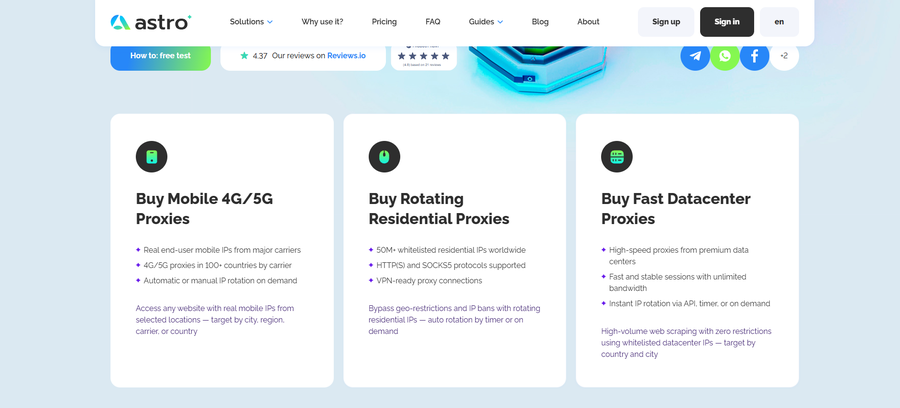
Proxy types available at AstroProxy
3. Key features of Astro proxies
Astro combines traffic-based billing with flexible IP rotation, geo-targeting, and several integration options. Some of the main features include:
-
Geo-targeting: Country- and city-level targeting are available across 100+ countries. Residential and mobile proxies can also be grouped by ISP or carrier, while datacenter proxies are limited to country and city targeting. State-level targeting in the US is not supported.
-
Flexible IP rotation: Users can rotate IPs by timer (starting at 1 minute), on demand via a button or link, through the API, or request a new IP for every request. A Sticky Session option keeps the same IP for a short period.
-
Two billing plans: Prepaid traffic is valid for one month. Topping up extends the period and adds to the remaining balance. Pay as you go charges a $0.10 port fee plus usage fees for every 10 MB. The minimum order is 100 MB.
-
Per-port access control: Each port has its own username and password, or can be restricted to whitelisted IPs. It works over either HTTP(S) or SOCKS5, one protocol at a time.
-
API integration: An API key is available in the dashboard, and IP rotation can be triggered through GET/POST requests. The provider says its proxies work with antidetect browsers, headless browsers, and custom scripts.
-
Dashboard management: Users can add ports, check how prices are calculated, group proxies into custom lists, and export them as .txt files.
-
Multi-channel support: Support is available through Telegram, WhatsApp, Facebook, email, and live chat. A free trial with $3 in credit is available on request.
Rotation can be controlled with standard HTTP requests, making Astro straightforward to connect to third-party tools. However, there are some limitations to consider: only IPv4 is supported, each port handles up to 250 concurrent connections, and unlike providers with non-expiring traffic, Astro's prepaid traffic is tied to a one-month port period.
4. AstroProxy pricing overview
Astro's pricing consists of two parts: a port fee (a small fee for creating a new port) and a traffic fee (the main part of the cost). The final price depends on the proxy type, plan (Prepaid or Pay as you go), and other settings. To see the exact price, open the dashboard, select “+ Add port,” configure the settings, and hover over “How the price is formed.”
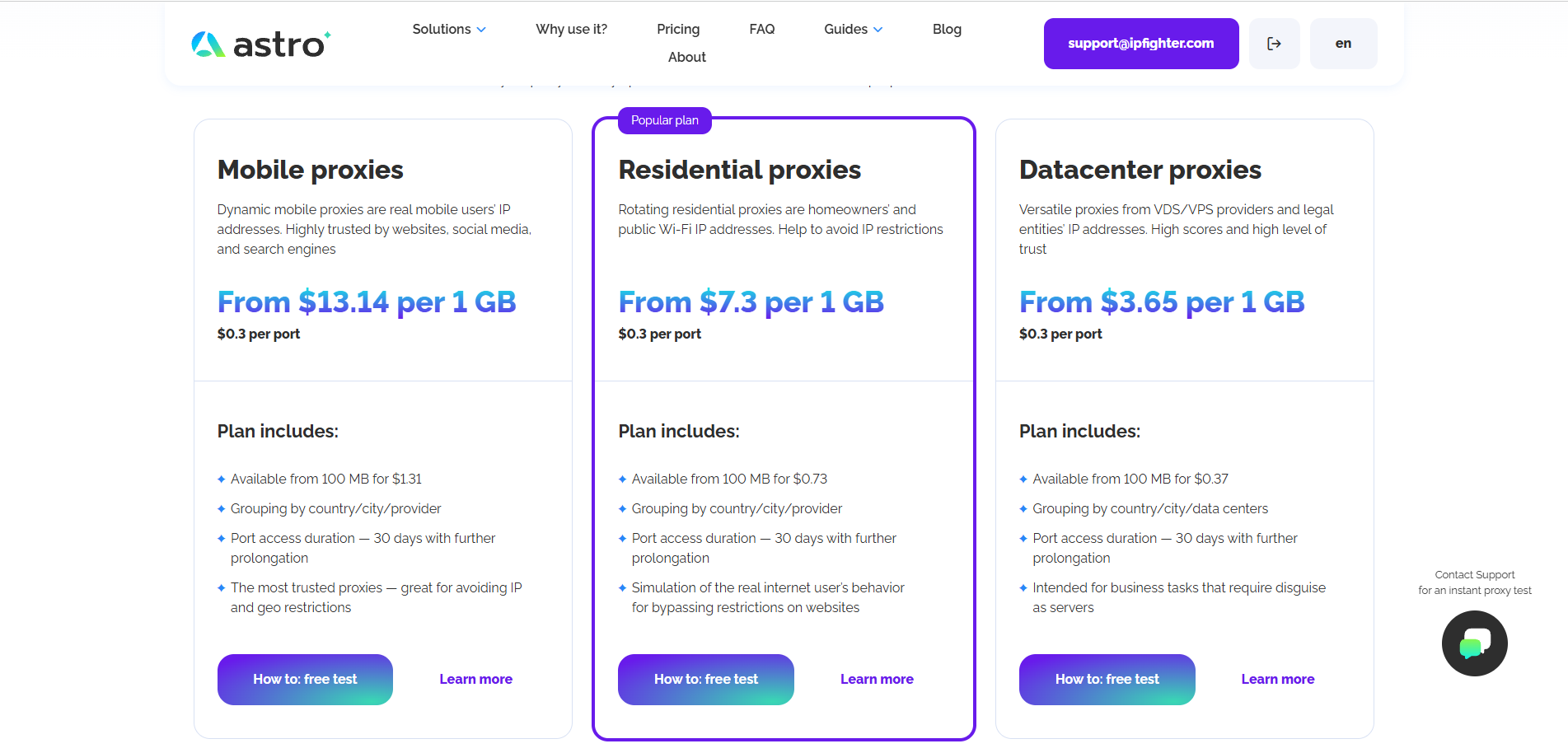
AstroProxy prepaid traffic pricing plans on the official website
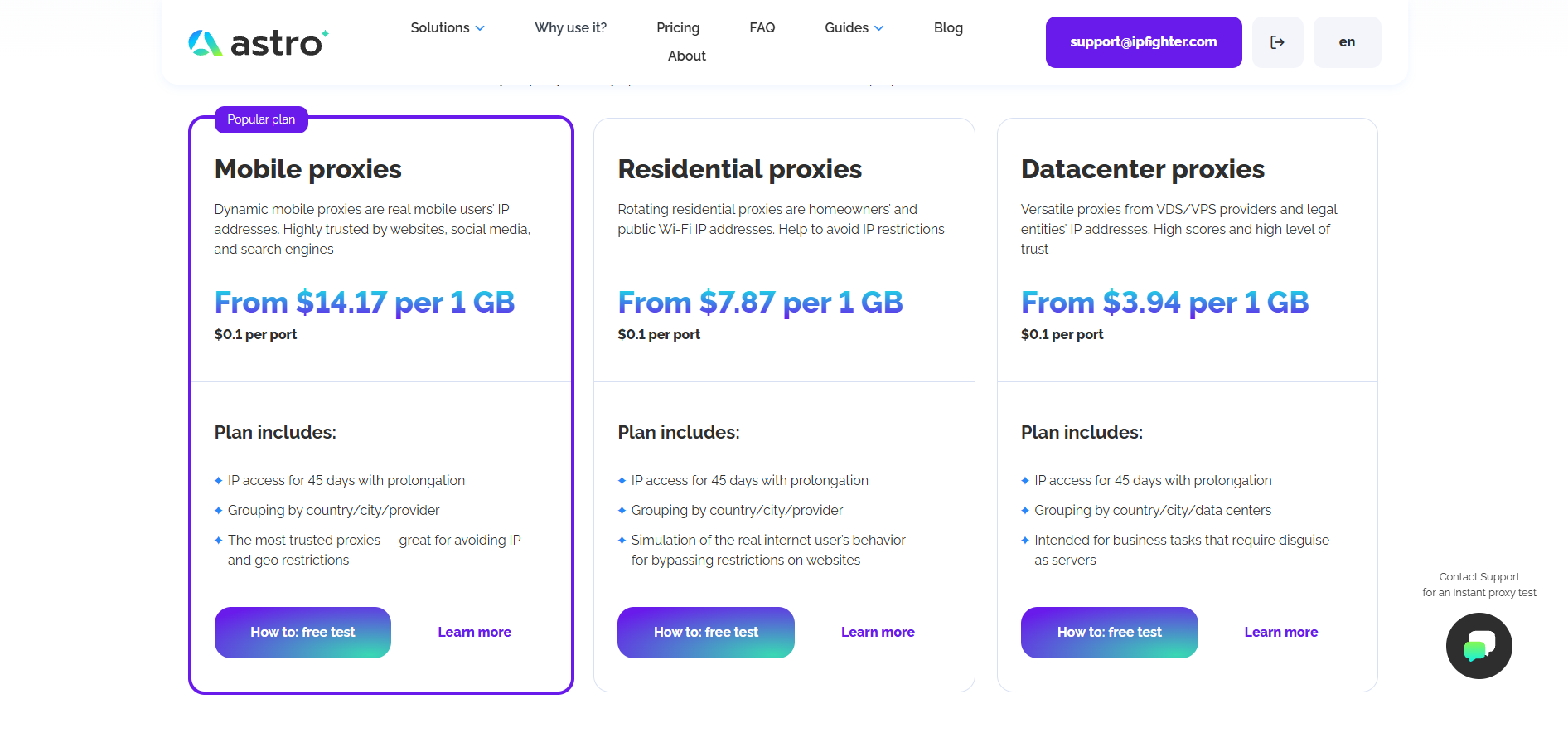
AstroProxy pay as you go pricing plans on the official website
AstroProxy has a minimum purchase of 100 MB and offers two payment options:
-
Prepaid traffic: Users pay in advance for a set amount of traffic. The port remains active until the traffic runs out or the one-month period expires. Adding more funds extends the period by another month and adds traffic to the remaining balance.
-
Pay as you go: Charges are based on usage. According to the FAQ, creating a port costs $0.10, after which traffic is charged in 10 MB increments. The minimum balance is $0.13 per port. Ports with no traffic for more than 45 days are moved to an archived state.
-
Note on total costs: The advertised price may not be the final amount you pay.
For example, if residential proxies start at $7.30/GB and the port fee is $0.30, the basic cost for 1 GB would be around $7.60, before discounts or additional conditions.
In short, Astro's pricing combines a small port fee and traffic fees (min. 100 MB) across Prepaid or Pay-as-you-go plans. Since final costs can exceed advertised base rates due to extra fees, it's best to check the exact total directly in your dashboard before purchasing.
5. Performance test
To evaluate the overall quality of AstroProxy's network, IPFighter checked proxy quality on IPFighter, connection speed on Speedtest, and IP location accuracy through Google Search.
To assess real-world performance, IPFighter tested two residential proxies located in Russia and Thailand. The results below are based on the team's tests. This is a small sample collected at the time of testing, not a benchmark representative of AstroProxy's entire network.
5.1. Preparation
Before evaluating the proxies, we added them to our browser using the IPFighter Proxy Manager extension. This extension makes it easy to import, manage, and switch between multiple proxies directly within your browser, eliminating the need for manual proxy configuration.
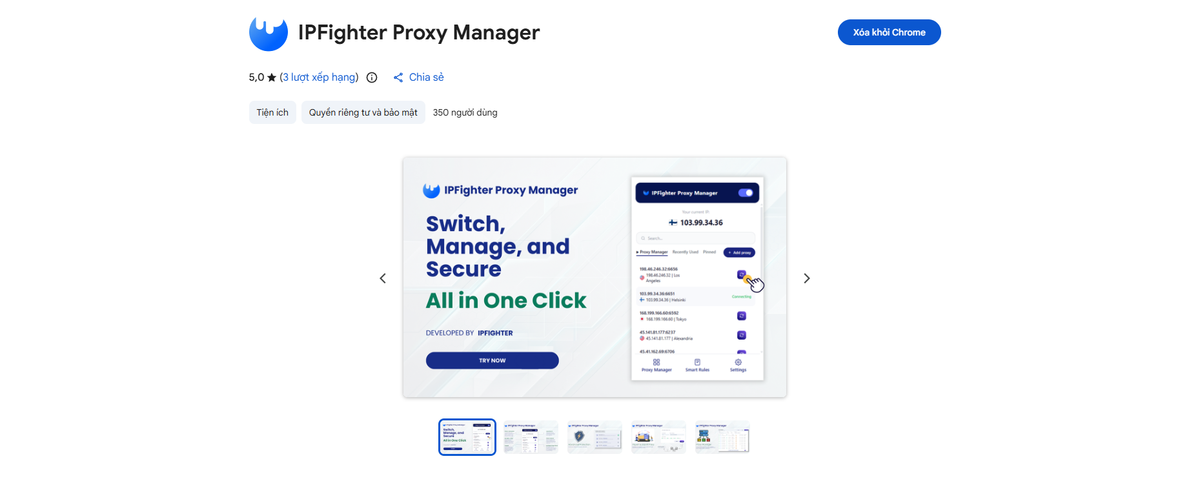
IPFighter Proxy Manager extension on Chrome
If you'd like to learn how to set it up, check out our detailed guide: A complete guide to the IPFighter Proxy Manager extension.
5.2. Test results
We tested two randomly selected residential IP addresses in two countries: Russia and Thailand. The results are shown in the table below.
|
IP location |
Score |
Download |
Upload |
Ping |
Location note |
|
Russia |
90% |
4.08 Mbps |
858 kbps |
293 ms |
Moscow, Russia |
|
Thailand |
90% |
3.51 Mbps |
2.84 Mbps |
217 ms |
Thailand |
Both IPs scored 90 on IPFighter, were not identified as proxies by the tool, and were not found on the checked blacklist at the time of testing. Notably, the location information for both IPs also matched the target location.
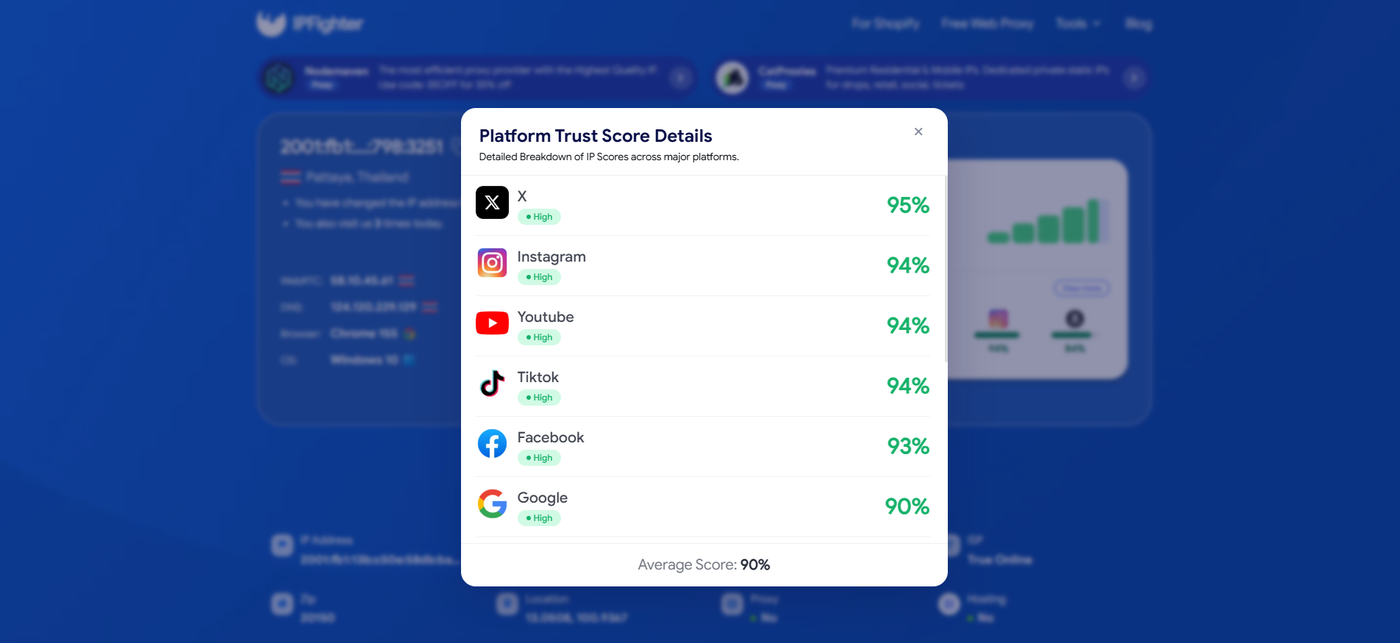
IP scores on major platforms
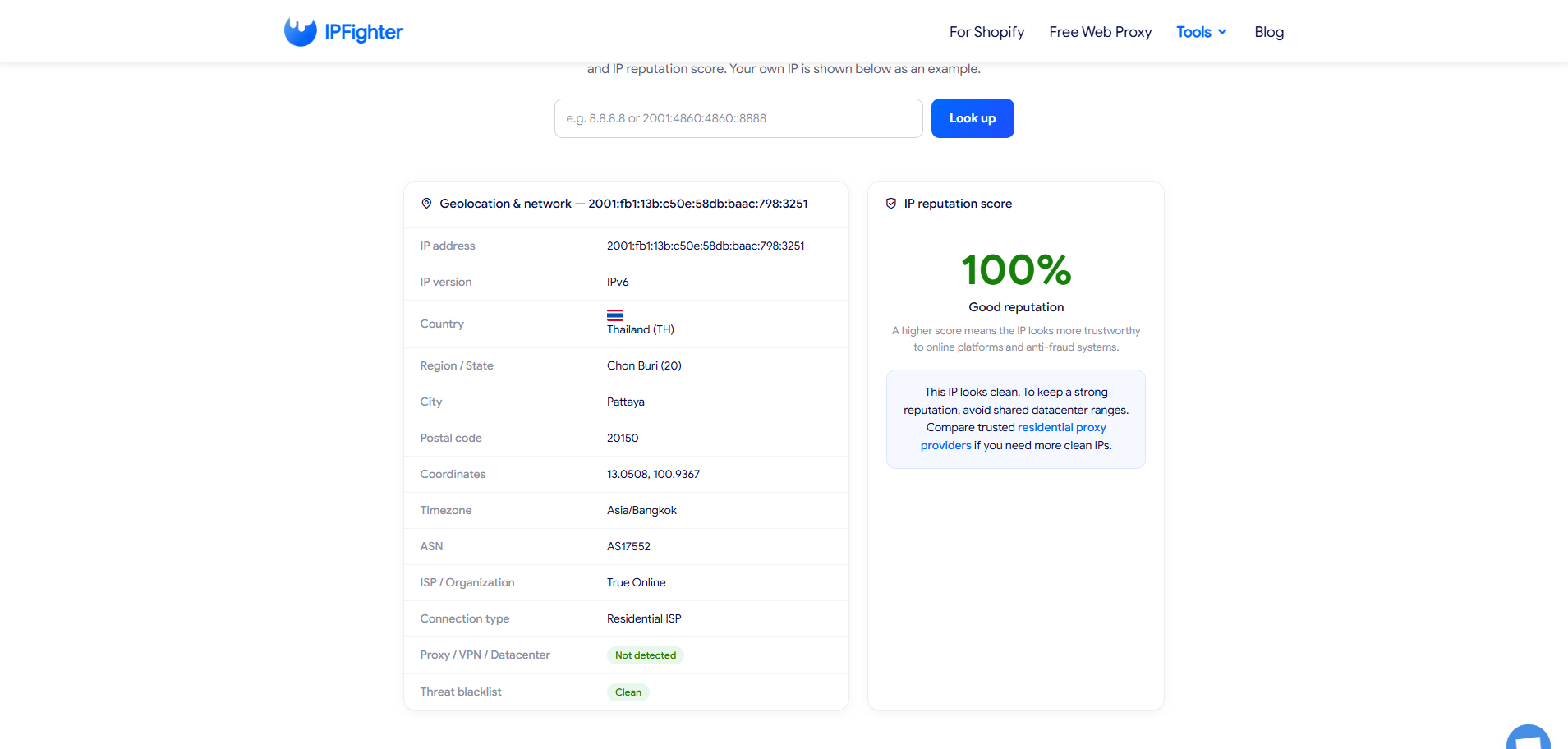
IP Lookup results on IPFighter
However, speeds were relatively modest. Download speeds ranged from 3.51 to 4.08 Mbps, while ping was 293 ms for the Russian IP and 217 ms for the Thai IP.
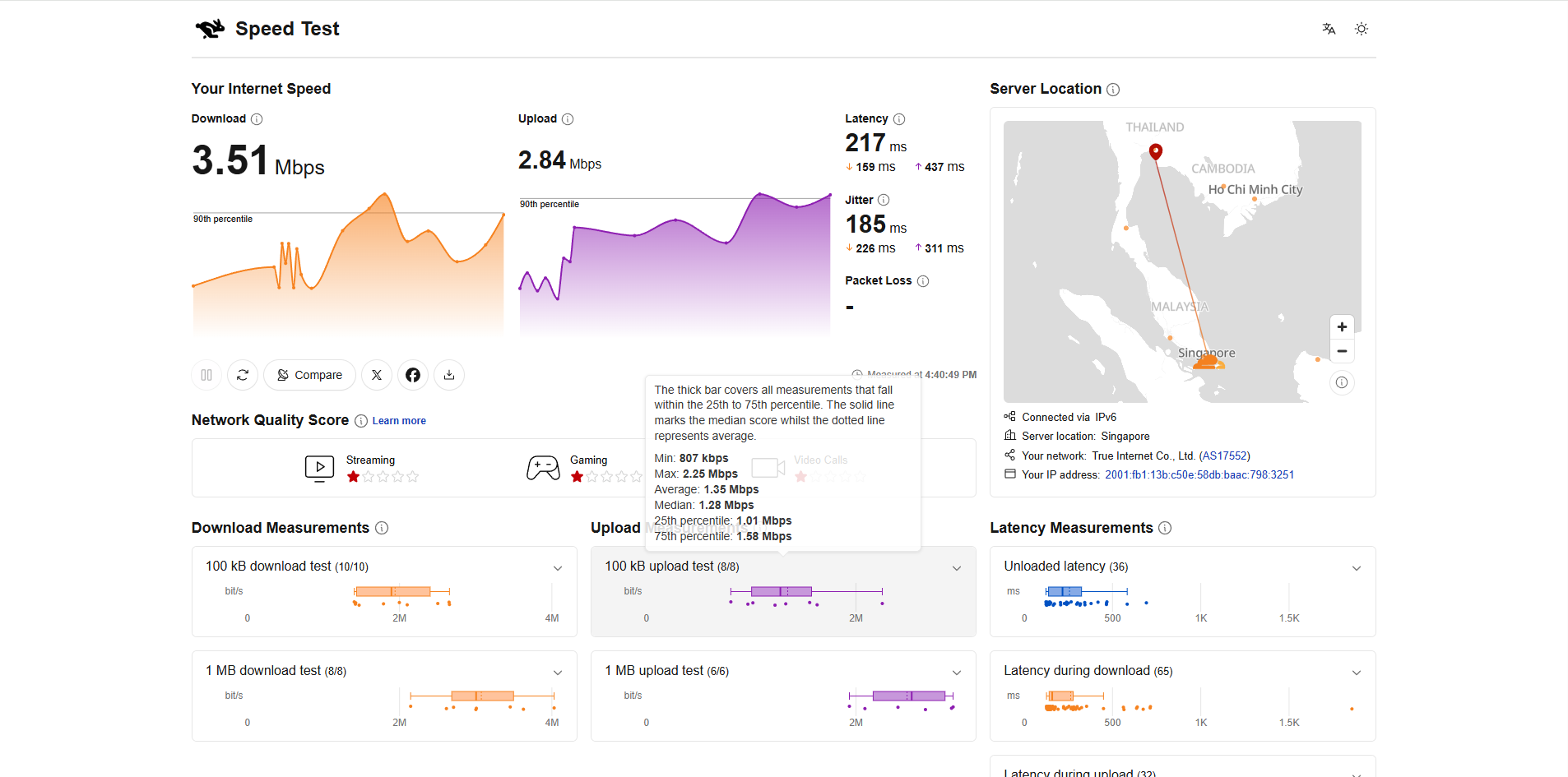
Check proxy on Speedtest
In addition to testing IP scores and connection speeds, IPFighter also tried accessing YouTube and TikTok to assess the real-world browsing experience.
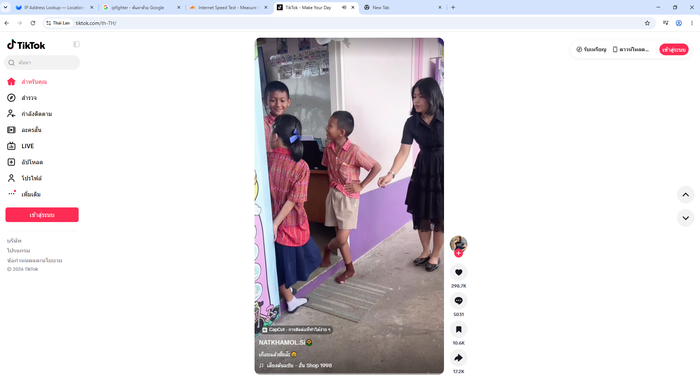
Check proxy on TikTok
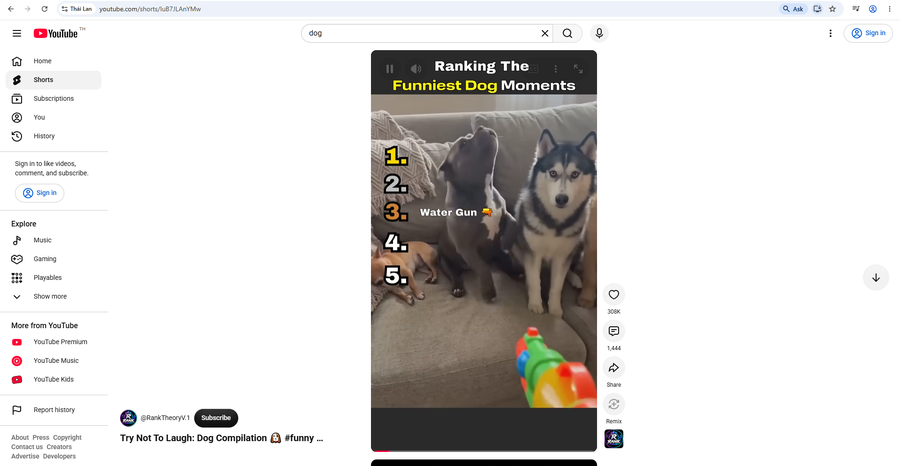
Check proxy on YouTube
The results were positive: both platforms were accessible, browsing content was smooth, and no CAPTCHAs appeared during testing.
Overall, the two tested IPs performed well in terms of scores and location accuracy, but speed and latency are still worth considering if you need a responsive connection.
Please note that these results cover only two IPs at the time of testing and do not represent AstroProxy's entire network.
6. How to get a proxy from AstroProxy
AstroProxy displays detailed connection information in the user dashboard once port configuration is complete. Users can choose the proxy type, geographic location, traffic volume, and IP rotation settings before retrieving their credentials.
Step 1. Create or log in to your account
Visit the AstroProxy homepage and register a new account or log in to your existing account. Once your account is activated, you can access the available proxy plans and trial options.
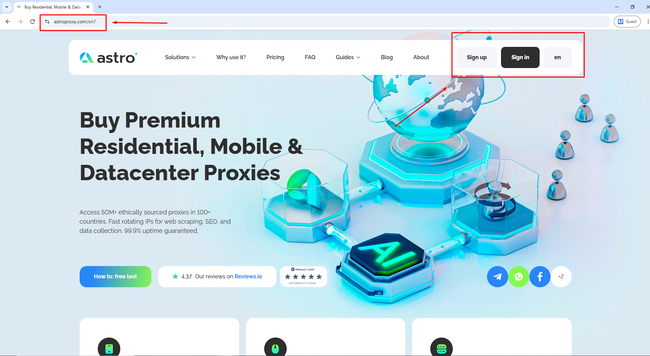
Create or log in to your account
Step 2. Purchase a proxy plan and configure the settings
After logging in to the dashboard, select “+ Add port” to begin setup. Choose the proxy type, country, city, carrier (ISP), traffic volume, and IP rotation mode that best suit your needs.
Before completing your payment, remember to visit the coupon section on IPFighter to get an AstroProxy promo code and reduce your operating costs.
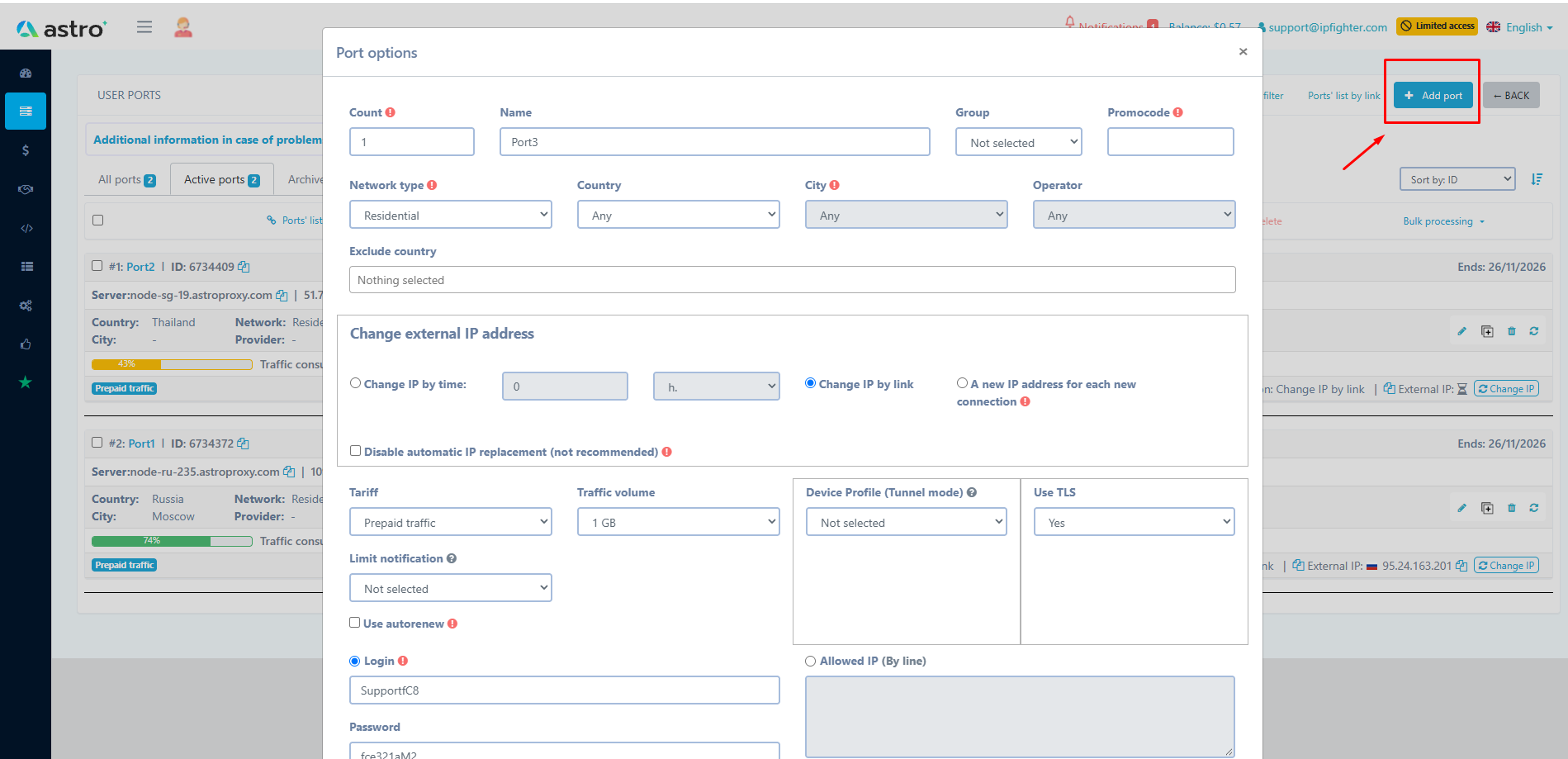
Purchase a proxy plan
Step 3. Get your proxy credentials
Once the port has been saved and activated successfully, the proxy credentials will appear directly in the management interface. You can copy the connection string using either HTTP(S) or SOCKS5.
7. Alternatives
Besides Astro Proxies you can also consider other providers offering similar residential proxy services.
-
AnyIP: Offers residential proxies with broad geo-targeting options, making it suitable for web scraping, market research, and other location-based workflows.
-
NovProxy: Provides residential proxies with flexible targeting options, suitable for web scraping, automation, and other location-sensitive workflows.
-
Novada: Offers residential and other proxy solutions with flexible targeting, suitable for web scraping, automation, and location-based workflows.
You can also check out reviews of our other partners here:
-
Rapidproxy review: A closer look at its residential proxy network
-
711Proxy review: Is it the right proxy provider for your needs?
-
Byteful review: An AI-driven proxy network powered by Smartpath technology
-
Sx.org review: A closer look at its global proxy network
8. Conclusion
Overall, AstroProxy offers a network of more than 50 million IP profiles, with geographic targeting across its mobile, residential, and datacenter proxy options. While speeds and latency may vary depending on location and routing conditions, flexible traffic plans, automatic IP rotation, and 30-day port durations make it a practical choice for web scraping, social media management, and automation workflows.
Before using a proxy, you can check its IP quality, reputation, proxy detection status, and potential leaks with IPFighter's proxy and IP checking tools. If you want to compare providers or reduce proxy costs, visit Coupons Partners to find promo codes and offers from IPFighter's partner proxy providers.
If you're planning to try AstroProxy, check the AstroProxy promo code on the IPFighter page to get the best available discount on your purchase.
9. FAQ
What proxy types does Astro offer?
Astro provides a range of proxy solutions, including mobile 4G/5G proxies, rotating residential proxies, and high-performance datacenter proxies sourced ethically and securely.
Do you provide IPv4 or IPv6 proxies?
At the moment, Astro exclusively provides IPv4 proxies. IPv6 support is not yet available, so users who require IPv6 should check their project requirements beforehand.
What IP rotation modes do you support?
Astro supports several rotation options, including timer-based rotation starting at 1 minute, manual rotation via a link or API, a “New IP for every request” mode, and “Sticky Sessions” to maintain a fixed IP.
What protocols do Astro proxies support?
Each proxy server supports both SOCKS5 and HTTP(S) protocols. Users can use one protocol at a time and switch between them whenever necessary through the dashboard.
How many simultaneous connections can a single proxy port handle?
A single proxy port can handle up to 250 concurrent TCP connections, supporting stable performance for multithreading and automation tasks.
Read more
AstroProxy review: Uncovering real speeds & IP quality

FlashProxy review: Is this proxy network worth it?

PrivateProxy review: Is it worth your investment?

IPFoxy review: Are its pure rotating residential proxies worth it?

CatProxies review: What do its five proxy types offer?

Whitecloakproxy review: What to know before you buy