

If you work in the field of making money online, you are likely familiar with the concept of proxies. However, newcomers often have many questions surrounding this topic. IPFighter will provide a detailed introduction to answer the question, “What is a Proxy?” This guide will cover the concept, operating mechanisms, and classifications of proxies, giving you a comprehensive overview to help you choose the most suitable proxy type.
What is a Proxy?
A proxy is a tool that provides a solution for frequently changing IP addresses. Similar to VPNs, proxies help users conceal their real IP addresses, enabling anonymous browsing on the internet.
Changing your IP address is essential for managing large numbers of accounts across platforms or accessing websites restricted by region or network. For those in the MMO (make money online) space, proxies have become an invaluable resource.
To gain a deeper understanding of “What is a Proxy” and how it masks and changes IP addresses, let’s explore how proxies work in more detail.
Mechanism of operation of proxies
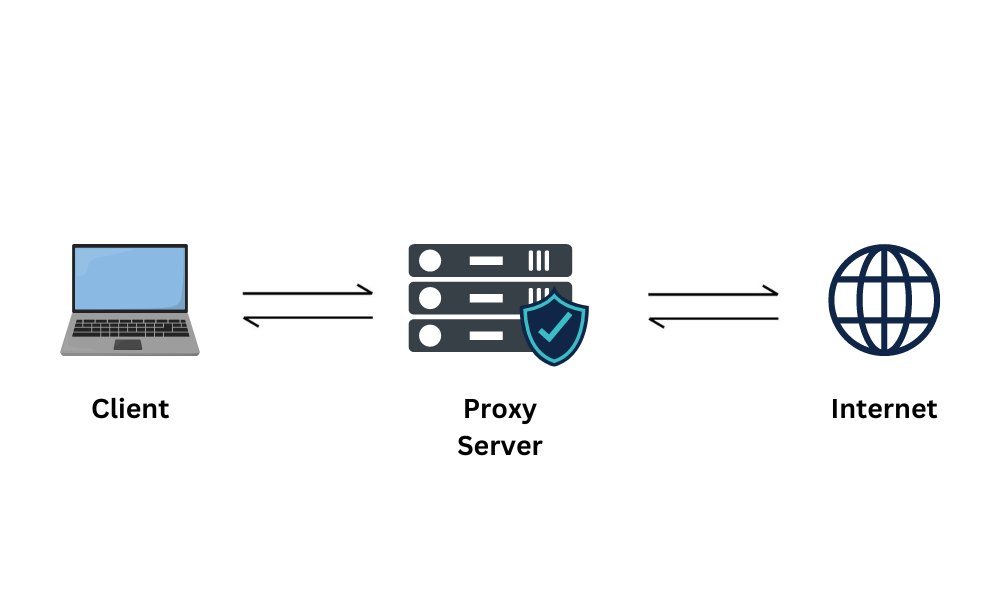
Proxies operate through a straightforward mechanism. When you attempt to access a website, your request is typically sent directly to the server of the target website, which collects information related to your device, browser, and IP address.
However, when you use a proxy, your data is first routed through the proxy server before reaching the destination server. In this transition, the proxy server masks your device’s IP address and instead presents a different IP address to the web server.
This process, illustrated below, allows you to effectively hide your real IP address and simulate web traffic from a different IP, potentially one located in another city or country.
Why should you use proxies?
There are various solutions for changing your IP address, such as using VPNs or SSH. So, why should you prioritize using proxies?
The answer lies in the unique advantages that proxies offer:
- Variety of Options: Proxies come with a wide range of choices. You can select proxies by country or even narrow it down by city. Additionally, proxies are available in different rental forms, such as daily or monthly options, and in various quality levels, suited to different types of tasks.
- Ease of Use: Compared to VPNs, proxies are more flexible. Proxies allow you to change the IP address for each app or browser profile separately. In contrast, VPNs typically change the IP address for the entire network each time they connect, which can be inconvenient for users who need to manage multiple accounts.
- Extensive IP Pool: Proxies often have a large IP pool, meaning they can offer many more IP addresses by region than VPNs. While a VPN might be limited to 30,000-50,000 IPs, some proxy providers can offer up to 90 million IPs, reducing the likelihood of IP blacklisting.
- Diverse Providers: The proxy market is highly competitive, encouraging providers to continually enhance their proxy quality and offer attractive incentives. As competition increases, customers benefit from improved options and services.
Thanks to these advantages, proxies are growing in popularity, driving a thriving market with increasing trading activity. Buyers have more choices than ever, and sellers, agents, and intermediaries can find potential customers more easily.
The most common proxy classifications
Whether you’re a buyer for personal use or a seller, it’s essential to understand the different types of proxies available. Often, people simply ask for a “clean proxy” without fully understanding what it means. To help you make an informed choice, IPFighter introduces the most popular proxy classifications below.
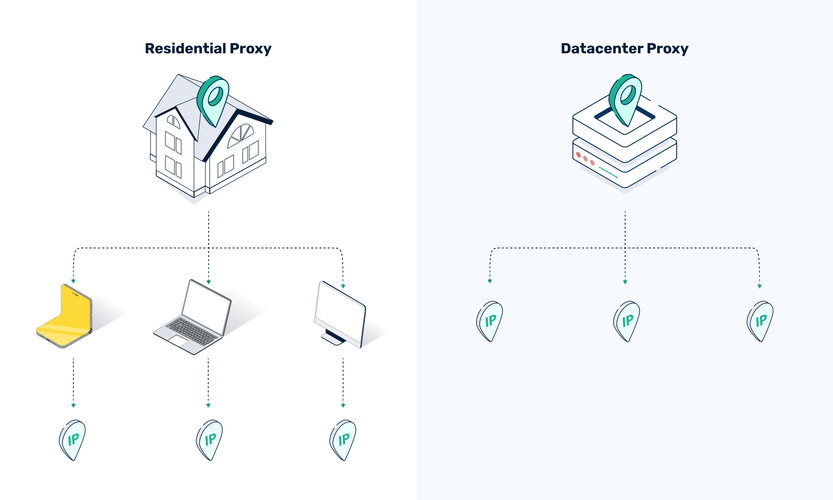
1. Residential proxies and Data Center proxies
- Residential Proxy: A residential proxy is provided by network operators to individual households. These proxies offer cleaner, more trustworthy IPs, making them ideal for account registration and maintenance. Providers often allow you to select proxies by country, state, city, zip code, and even ISP, mimicking a real user and making them harder to detect. However, they tend to have slower loading speeds and are more expensive, with clean IP ranges becoming harder to find.
- Data Center Proxy: A data center proxy, or server proxy, is generated from data centers and often shares the same IP range when viewed on location maps. These proxies are fast, capable of handling high loads, and are ideal for tasks requiring quick response times. However, they are less secure and more easily detected by websites, which is why they are generally cheaper.
You can verify if a proxy is residential or data center-based by visiting ipx.ac and checking the IP type.
2. IPv4 and IPv6 Proxies
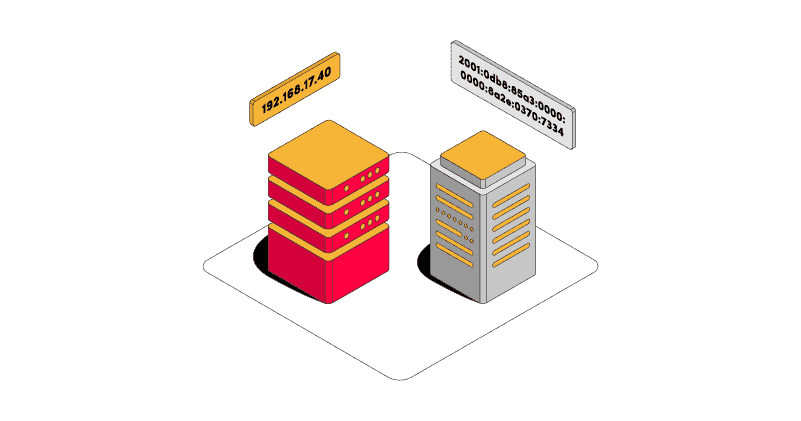
- IPv4 Proxy: IPv4, the original IP version, is still widely used and supported by most websites and applications. However, IPv4 proxies are limited in supply, making it challenging to obtain clean IPs. Since IPv4 lacks built-in security features, it can be harder to secure connections between devices.
- IPv6 Proxy: IPv6 was developed to address the scarcity of IPv4 addresses and comes with enhanced security features. While IPv6 is abundant, some websites and applications, like Gleam, Etsy, and eBay, do not support it, limiting its applicability.
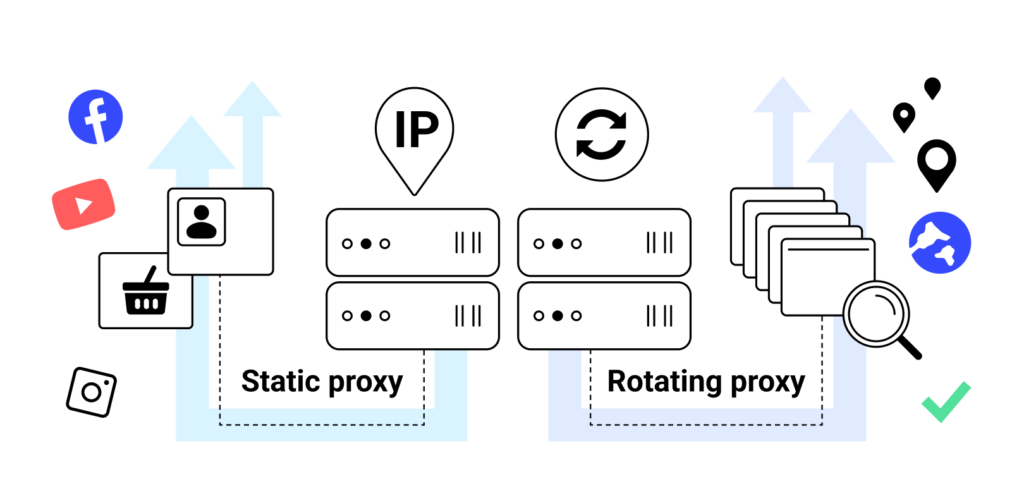
3. Rotating Proxies and Static Proxies
- Static Proxy: This type of proxy has a fixed IP address that remains the same throughout usage. Static proxies are typically data center or ISP-based and are suited for tasks that don’t require frequent IP changes.
- Rotating Proxy: A rotating proxy changes its IP address with each new request or after a set time interval. Users can also reset the IP manually. Rotating proxies are usually residential or mobile-based and have slower loading speeds compared to static proxies.
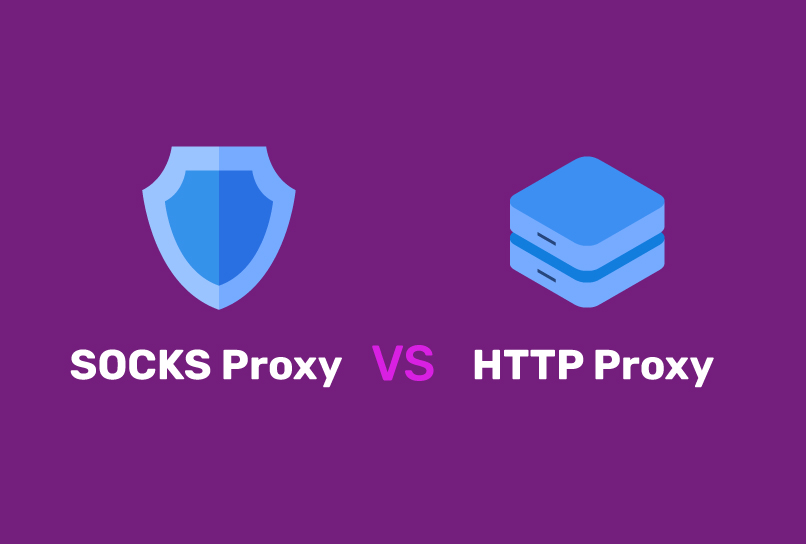
4. HTTP Proxies and SOCKS Proxies
- HTTP Proxy: HTTP proxies are the most common proxy type but offer limited data protection as they transmit traffic in plain text. An HTTPS version is available, adding SSL security for enhanced data protection.
- SOCKS5 Proxy: SOCKS5 is a lower-level proxy that forwards data between the client and server with minimal additional processing. Although SOCKS5 can encrypt the connection between the client and the proxy, it does not encrypt data sent between the proxy and the final destination. Many users combine SOCKS5 with other security protocols, like TLS, or pair it with a VPN for added security.
Instructions for checking proxy quality
Understanding proxy classifications and selecting the right type is essential, but how do you check the quality of a proxy and ensure it hasn’t been blacklisted? IPFighter recommends the following checklist to verify proxy quality:
- Correct Proxy Type
- No Captchas from Google or Cloudflare
- No WebRTC IP Leaks
- No DNS Leaks
- Accurate Timezone
- Guaranteed Speed on Speedtest
Instructions for using proxies effectively
Proxies can be installed on various devices, either directly on your device or through third-party applications for easier management. In this guide, IPFighter will walk you through setting up a proxy on a Chrome browser profile, a Windows 11 computer, and an iPhone. For other devices, you can find detailed installation instructions in our blog articles (link will be added later).
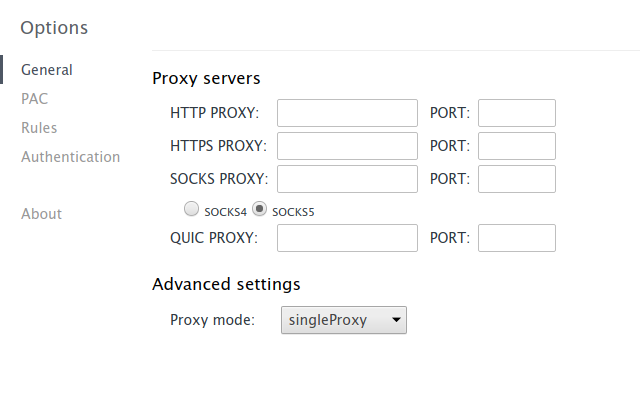
1. Instructions for installing proxy on Chrome using Proxy Helper extension
Step 1: Install extension Proxy Helper into the browser
Step 2: Pin Proxy Helper to the toolbar
Step 3: Right-click and select Options to add proxy
Step 4: Fill in IP:port in the boxes in the General section
Step 5: Add username & password in the Authen section
2. Instructions for installing proxy on Windows 11 computer
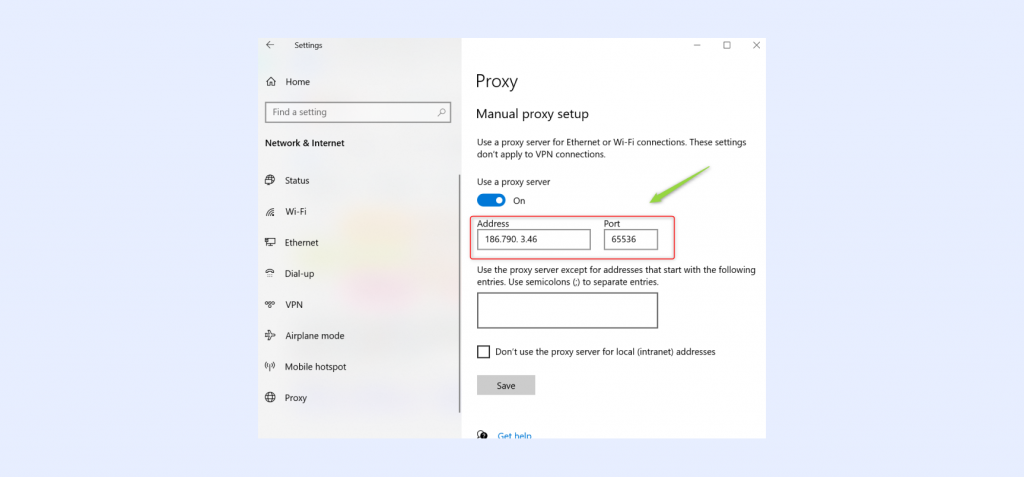
If you assign a proxy to a specific browser profile, only that profile will use the proxy’s IP address. However, changing the proxy on your computer will apply the proxy settings to the entire system.
Netword and Internet -> Proxy -> Use a proxy server -> Set up -> On -> Fill -> Save
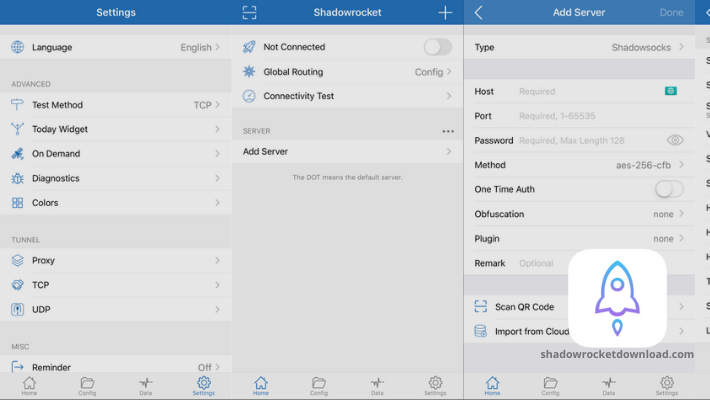
3. Instructions for installing proxy on iPhone using Shadowrocket app
Method 1: Install Directly in the Wi-Fi Settings
- Open Settings on your iPhone.
- Go to Wi-Fi and tap on the currently connected network.
- Scroll down to Configure Proxy and select Manual.
- Enter the Server address, Port, Username, and Password in the respective fields.
- Save the settings to activate the proxy for this Wi-Fi network.
Method 2: Install Through the Shadowrocket Application
- Download and install the Shadowrocket app from the App Store.
- Open Shadowrocket and tap Add Server.
- Select the Connection Protocol you want to use.
- Enter the Address, Port, Username, and Password.
- Save the configuration and toggle the connection On to enable the proxy.
Frequently asked questions about proxies
1. Why is my real IP address still exposed after using a proxy?
There are several reasons why your real IP address might still be revealed even when using a proxy. A common issue is IP address exposure through WebRTC, which can leak your actual IP. Disabling WebRTC in your browser can help prevent this.
2. Should I use a Proxy or VPN?
If you are browsing the web and need to access websites that restrict access based on location, a VPN is generally sufficient. However, if you need to create and manage accounts on different platforms, a proxy is more suitable. For enhanced security and speed, you can also combine both a proxy and a VPN.
This article offers a concise overview of proxies, providing essential information to help you get started with proxies. Advanced knowledge will come with experience as you continue to use proxies. For any assistance, don’t hesitate to reach out to IPFighter’s support team if you encounter issues.
Read more

IPFoxy review: Are its pure rotating residential proxies worth it?

CatProxies review: What do its five proxy types offer?
Hidemyacc review 2026: Features, pricing and real fingerprint test results

Whitecloakproxy review: What to know before you buy

Geonix review: What makes its proxy services stand out?
Floppydata review: A closer look at its proxy network