

Looking for a Cloudflare human verification bypass extension because you keep seeing the “Verify you are human” message? Before installing a tool that claims to skip the check, it is worth finding out why verification is failing in the first place.
A Cloudflare verify you are human loop can occur because of IP reputation, VPN or proxy connections, conflicting browser extensions, cookie settings, or unusual browser signals. In this guide, IPFighter explains how to troubleshoot these issues, what to know about bypass extensions, and why some of them may put your privacy or account access at risk.
1. What is Cloudflare human verification?
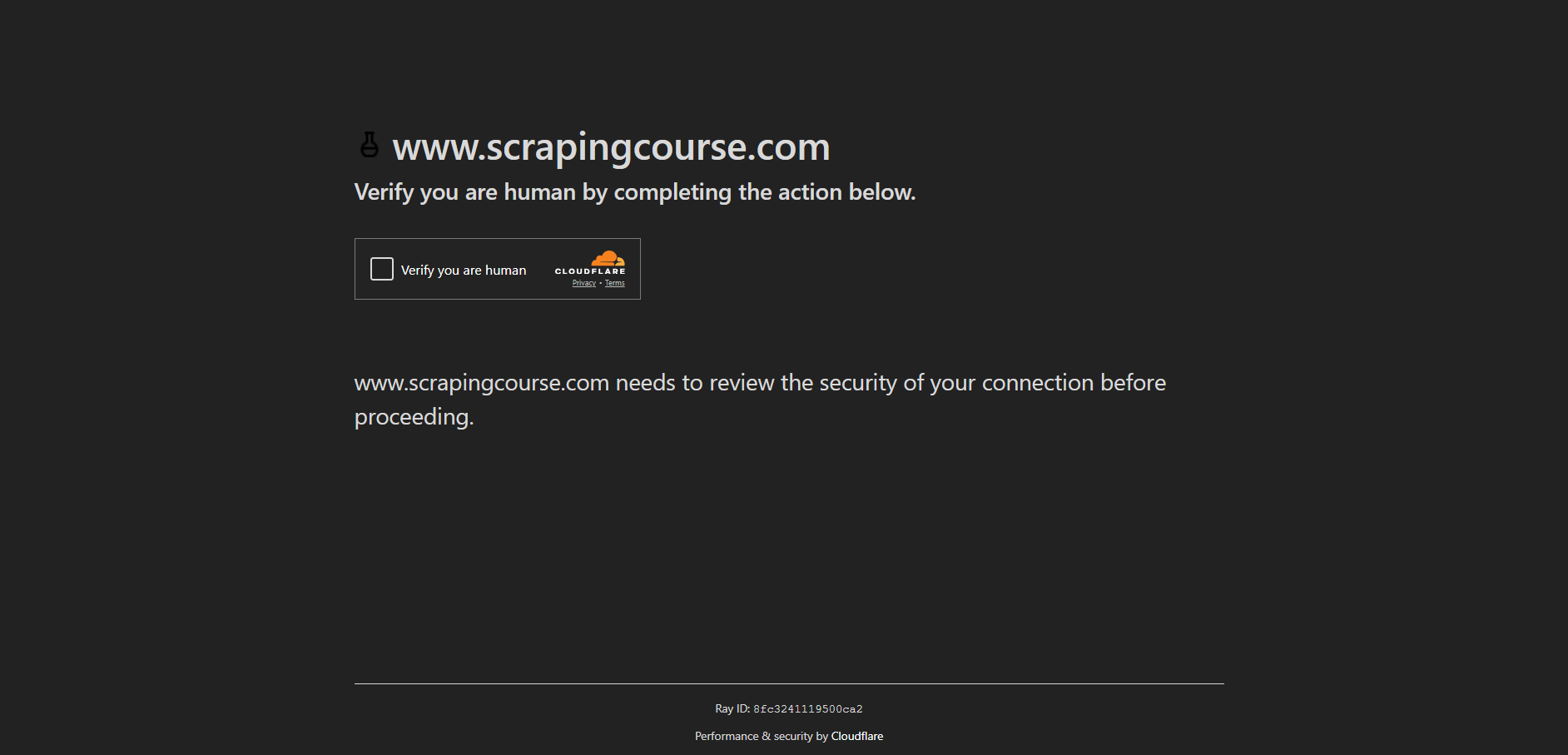
Cloudflare human verification is a security check designed to help websites distinguish legitimate visitors from automated or potentially harmful traffic. Depending on the website and its security configuration, you may see a checkbox, an interactive challenge, or a check that runs in the background.
The verification process considers signals from the browser and connection. A challenge does not automatically mean you have done something wrong; legitimate users can encounter one because of their network, browser configuration, or the website's security rules.
Problems arise when the check cannot complete successfully or the website keeps asking you to verify again. This is often described as a Cloudflare verification loop.
Definition of Cloudflare human verification
Discover more:
-
What is a CAPTCHA? The check that separates people from bots
-
CAPTCHA vs reCAPTCHA: What’s the difference?
-
What is an IP address, and how does it work?
2. Why is Cloudflare human verification not working?
There is no single cause for every verification failure. The following are common issues worth checking before changing your browser or network setup.
2.1. Your IP address has a poor reputation
Websites may apply additional checks to IP addresses associated with suspicious traffic, previous abuse, or shared network activity. This can affect users on public Wi-Fi, shared networks, VPNs, and some proxy services, even when their own browsing activity is legitimate.
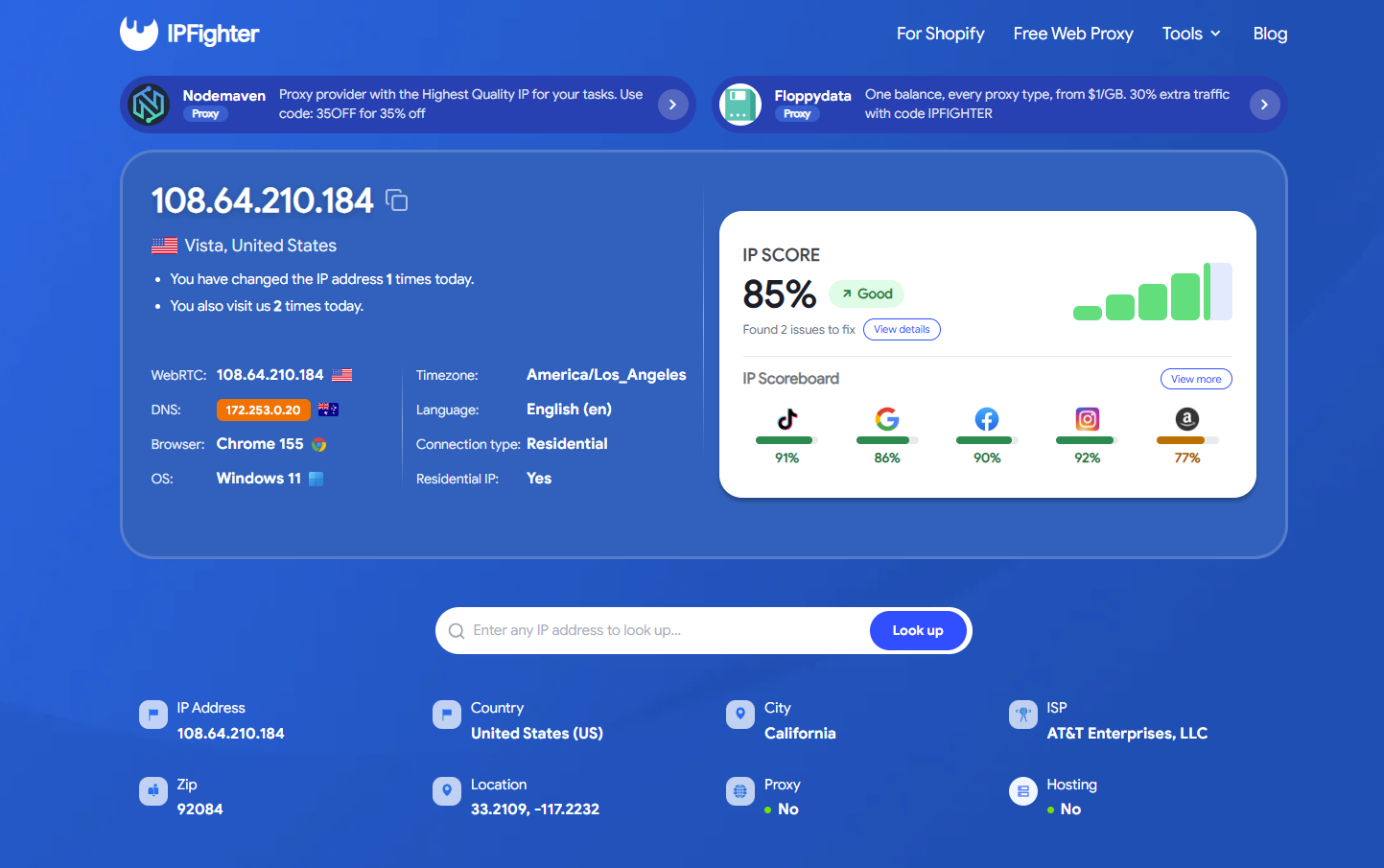
If you suspect an IP reputation issue, check your current IP and its available trust indicators with IPFighter's IP Score tool. The results can help you investigate blacklist or connection-related signals, but they cannot tell you exactly how Cloudflare or a particular website will rate your IP.
2.2. A VPN or proxy is affecting the connection
VPNs and proxies change how your traffic reaches a website. Some exit IPs are shared by many users, and unusual traffic patterns from a shared address may lead a website to request additional verification.
If you use a VPN or proxy, check whether the connection is stable and whether the problem occurs only while it is enabled. If it is safe to do so and you do not need the VPN for privacy or security, you can temporarily test your normal connection. Avoid switching IP addresses repeatedly in an attempt to force the challenge to disappear, as this may create further inconsistencies.
2.3. A browser extension is interfering with the challenge
Privacy tools, script blockers, content blockers, and extensions that modify browser behavior can prevent challenge scripts from loading or running correctly. Having several extensions active at once can also make it harder to identify the source of the problem.
Try temporarily disabling nonessential extensions and reloading the page. If verification works afterward, enable the extensions one at a time to identify the likely conflict. Only install extensions from sources you trust, and review their permissions before granting access to websites or browsing data.
2.4. Cookies or JavaScript are not working correctly
Cloudflare challenges may rely on JavaScript and browser state to complete verification. If JavaScript is disabled, site data is blocked, or cookies are being cleared before the process finishes, the website may keep asking you to verify.
Make sure JavaScript is enabled and that your browser allows the site to store the data it needs. If the problem persists, clear the affected website's cookies and site data, then reload the page. This may sign you out, so make sure you can sign in again before removing stored data.
2.5. Your browser environment looks inconsistent
Outdated browsers, unusual privacy settings, and extensions that modify browser signals can sometimes interfere with website security checks. A mismatch between expected and reported browser information may also be worth investigating, although a browser fingerprint test cannot reveal every signal Cloudflare uses.
Update your browser and test the page in a clean browser profile. If you want to inspect your environment, IPFighter's Bot Detection tool checks for browser signals associated with automation and unusual configurations. Its results are diagnostic only; passing the test does not guarantee that Cloudflare will accept your session.
3. How do you fix a Cloudflare verify you are human loop?
If Cloudflare keeps returning you to the verification page, work through these steps in order. Change one thing at a time so you can tell which action, if any, resolves the issue.
Step 1: Complete the challenge and wait
Follow the on-screen instructions and allow the page to finish processing before refreshing it. Repeatedly clicking the verification control or reloading the page while it is still processing may make troubleshooting more difficult.
If the challenge reports an error, note the message and any Cloudflare Ray ID shown on the page. The website's support team may need those details to investigate.
How do you fix a Cloudflare verify you are human
Step 2: Update your browser and enable JavaScript
Install the latest stable version of your browser, then confirm that JavaScript is enabled. If you use strict privacy settings, check whether they block scripts or site data required by the affected website.
Avoid changing unrelated security settings unnecessarily. The goal is to restore normal page functionality, not to disable browser protection across every site.
Step 3: Temporarily disable conflicting extensions
Turn off nonessential extensions, particularly script blockers or tools that modify page behavior. Reload the affected website and attempt verification again.
If this fixes the issue, re-enable extensions individually. This helps narrow down the conflict without requiring you to permanently remove every privacy or security tool you use.
Step 4: Clear the affected site's cookies and cache
Start with the site's own cookies and stored data rather than deleting all browser data immediately. Close the affected tab, clear the site's data, reopen the website, and complete the challenge again.
Remember that this may reset your session or sign you out. Clearing cookies is a troubleshooting step, not a guaranteed fix: if the underlying cause is your network or the website's security configuration, the loop may continue.
Step 5: Test a private window or another browser
Open the website in a private window, provided its settings allow the required scripts and cookies to work. Alternatively, try a different up-to-date browser.
If the page works in another browser, the original browser's extensions, stored site data, or settings may be involved. If the same issue appears across browsers, investigate the network or contact the website.
Step 6: Check your IP and connection
If the challenge fails across multiple browsers, examine your connection before making more changes.
-
Use IPFighter's IP Score checker to review available IP trust and blacklist indicators.
-
Use IPFighter's WebRTC Leak Test to check whether WebRTC exposes an unexpected public IP address.
-
If you use a VPN or proxy, confirm that it is connected correctly and that the reported IP matches what you expect.
A WebRTC leak does not necessarily cause a Cloudflare challenge, and a good IP Score does not guarantee access. These checks help investigate possible connection issues; they do not reproduce Cloudflare's complete decision process.
Check your IP and connection on IPFighter
Step 7: Try another network or contact the website
If possible, test a trusted alternative network. Avoid public or unfamiliar networks when handling sensitive information. If the challenge continues across different browsers and connections, the website may be applying a security rule that only its administrator can review.
Contact the website owner or support team and provide the page URL, approximate time of the issue, error message, and Ray ID if available. Do not share passwords, authentication codes, or session cookies.
4. Should you use a Cloudflare human verification bypass extension?
An extension advertised as a Cloudflare human verification bypass may sound convenient, especially when the same challenge appears repeatedly. However, there is no reliable, universal browser extension that guarantees access to every Cloudflare-protected website.
Some legitimate privacy technologies, such as Privacy Pass, can reduce repeated challenges on compatible services. They are not universal CAPTCHA bypass tools, and availability depends on the service and its implementation. They should not be treated as a substitute for troubleshooting a broken verification process.
Before installing any extension that promises to skip verification, consider the following risks:
-
Malware and data theft: A malicious extension may collect browsing activity, access page content, or misuse permissions to compromise sensitive information.
-
Account restrictions: Attempting to circumvent a site's security controls may trigger additional checks or violate the site's rules, potentially putting account access at risk.
-
Unreliable results: An extension may stop working after a browser or website update, or it may not address the actual cause of the verification loop.
-
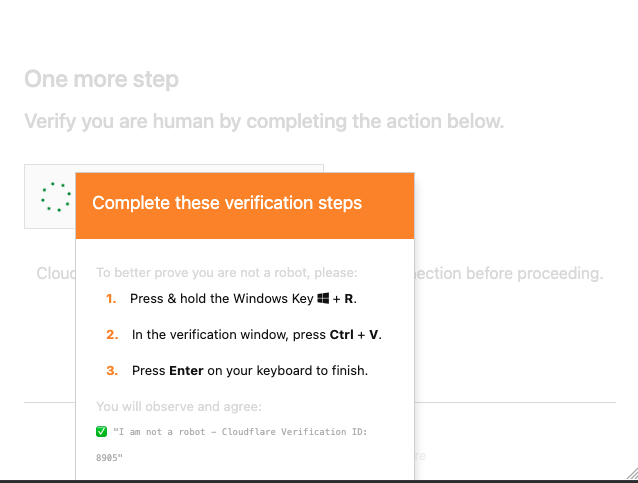
Fake verification instructions: Some malicious pages imitate Cloudflare checks and instruct visitors to press Win+R, open PowerShell or Terminal, or paste commands. These are red flags. Do not run commands or paste code into your system terminal to prove you are human.
If a verification page asks you to execute a command on your device, stop and verify that you are on the legitimate website. A normal human verification flow should not require you to run an unknown script manually.
For most legitimate visitors, fixing the browser or connection issue is safer than relying on an extension that claims to bypass security checks.
Should you use a Cloudflare human verification bypass extension
5. Can browser automation bypass Cloudflare verification?
Browser automation frameworks such as Selenium, Puppeteer, and Playwright are useful for testing websites and automating permitted workflows. However, they are not a dependable way to solve production Cloudflare challenges, and automation can expose browser signals that lead to additional checks.
If you are a developer testing a website you own, use Cloudflare Turnstile's official test keys and testing guidance to validate your integration. Test keys are intended for development and automated testing, not for bypassing verification on unrelated websites.
If you are an ordinary visitor, switching to automation software is unlikely to be the right fix for a verification loop. Start with the browser, cookies, extensions, and network troubleshooting steps above.

Can browser automation bypass Cloudflare verification
Read more:
-
IP blacklist check: Top 5 free tools you need for an accurate result
-
What is IP reputation? How IP purity shapes trust
6. Conclusion
A repeated “Verify you are human” challenge does not automatically mean your browser or IP is blocked permanently. The issue may come from conflicting extensions, browser settings, cookies, a VPN or proxy connection, or a website-specific security rule.
Start with basic browser troubleshooting, then inspect your connection if the problem persists. IPFighter can help you check your IP information, IP Score, proxy status, browser fingerprint, and DNS or WebRTC leak signals. These checks can help you understand aspects of your browsing environment, but they cannot identify the exact reason a particular website displays a Cloudflare challenge or guarantee that verification will disappear.
Avoid untrusted bypass extensions and never run commands requested by a suspicious verification page. If the loop continues across browsers and networks, contact the website owner so they can review the challenge on their side.
7. FAQ
I can't get past Cloudflare's human verification. What can I do?
Update your browser, enable JavaScript, disable nonessential extensions temporarily, and check the affected site's cookies. If the challenge still fails, test another browser or trusted network and contact the website with the error details or Ray ID.
How do I get rid of Cloudflare human verification?
You generally cannot turn off verification for a website you do not control. You can resolve browser or network issues that cause repeated checks, but the website may still require verification under its security rules.
Is there an extension that automatically bypasses Cloudflare verification?
There is no universal extension that reliably bypasses all Cloudflare challenges. Some privacy technologies work on compatible services, but extensions promising guaranteed bypasses may be ineffective or malicious.
Can Cloudflare access be bypassed?
Cloudflare protections are configured by each website, and there is no single method that guarantees access to every protected page. If you are a legitimate visitor who is blocked by mistake, troubleshoot your browser and connection or ask the website administrator to investigate.
Why can't I bypass Cloudflare?
The challenge may depend on network reputation, browser behavior, cookies, JavaScript, and the website's security configuration. A tool that changes one signal cannot guarantee that the other checks will pass, so identifying the cause is usually more effective than repeatedly attempting to bypass the challenge.
Read more
Cloudflare human verification bypass extension: What to know

CAPTCHA vs reCAPTCHA: What’s the difference?

Why do I keep getting CAPTCHA? Here's what may be triggering it

What is a CAPTCHA? The check that separates people from bots
What is a mesh network and when should you use one?

What is an IP2 network? How it works, uses, and benefits