

Stuck in an endless loop of clicking traffic lights and crosswalks just to access basic websites? Endless CAPTCHAs do not mean your device is infected - instead, security algorithms are flagging your connection parameters, shared network traffic, or proxy configuration as potentially suspicious.
In this article, IPFighter explores why websites repeatedly demand human verification and how your IP reputation, VPN settings, and browser cookies impact these security checks. More importantly, you will learn practical troubleshooting steps to prevent these triggers and restore a seamless browsing experience.
1. Why do I keep getting CAPTCHA challenges?
CAPTCHA challenges appear when a website wants additional confidence that a request is legitimate. If the system continues to detect signals that warrant verification, you may be asked to complete another challenge even after successfully solving the previous one.
The exact reason depends on the website and its security configuration. Here are five common factors that can contribute to repeated CAPTCHA prompts.
1.1. Your IP address or shared network may be flagged
Websites may evaluate traffic associated with an IP address when deciding whether to request additional verification. If an IP address has recently generated a high volume of requests or is associated with suspicious activity, the website may challenge subsequent visitors using that address.
Shared networks can make this more complicated. For example, people using the same office, school, public Wi-Fi network, or internet service may share a public IP address. Activity from one device could contribute to a website treating traffic from that network more cautiously.
This does not mean your IP address is necessarily blacklisted or permanently blocked. A CAPTCHA may simply be a temporary verification step triggered by the website's assessment of incoming requests.
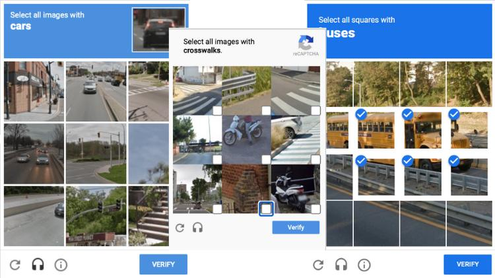
Why do I keep getting CAPTCHA challenges
1.2. You are using a VPN or Proxy
VPNs and proxies route traffic through intermediary servers, which can change the public IP address a website sees. Depending on the provider, multiple users may share the same exit IP, making it harder for a website to distinguish individual browsing sessions based on IP-related signals alone.
If many requests originate from the same shared IP address, some websites may require additional verification. This is one possible reason CAPTCHA challenges become more frequent when using certain VPN or proxy connections.
However, using a VPN or proxy does not automatically cause CAPTCHA. The effect depends on the IP address, the website's security rules, and other signals associated with the request. If the problem starts after connecting to a VPN or proxy, try disconnecting temporarily when it is safe and appropriate to do so. If CAPTCHA prompts become less frequent, your connection may be one factor worth investigating.
1.3. Your browser extensions or settings may interfere
Browser extensions and privacy settings can sometimes affect how websites load or complete verification challenges. Script blockers, aggressive content filtering, and other extensions may interfere with resources required by a particular CAPTCHA implementation.
Cookie restrictions or disabled JavaScript can also cause problems on websites that rely on them to maintain a verification session. In these cases, a challenge might fail to complete correctly or appear again when you navigate to another page.
To investigate, try opening the website in a private browsing window or temporarily disabling extensions that may be interfering with it. Keep in mind that private browsing does not necessarily bypass CAPTCHA, and some extensions may still operate in private mode if you have allowed them.
1.4. Your requests look automated
Websites may introduce CAPTCHA when traffic resembles automated activity rather than ordinary browsing. This can happen when a script, browser automation tool, or certain extensions send repeated requests in a short period.
For example, submitting many search queries rapidly, repeatedly refreshing pages, or running a tool that makes background requests may trigger additional verification. The website may respond this way even if you are not intentionally trying to abuse its services.
If you are simply browsing normally, check whether an extension or another application is generating requests in the background. On a shared network, activity from another device may also be relevant. Not every automated request is harmful, and not every CAPTCHA indicates that a bot has been detected with certainty. The website is making a security decision based on the signals available to it.
1.5. The CAPTCHA session is not completing properly
Sometimes, the problem is not that a website continually distrusts your traffic. Instead, the verification process may not be completing or being retained as expected.
For example, a connection interruption could prevent a challenge from submitting successfully. Browser settings, blocked scripts, or cookie-related issues may also interfere with the website's ability to maintain the verification state.
If you solve a CAPTCHA but immediately see the same challenge again, pay attention to whether the page reloads, displays an error, or returns to the original screen. These details can help distinguish a technical problem from repeated security checks.
2. How do I stop CAPTCHA from appearing when searching?
If CAPTCHA keeps interrupting your searches, start with simple troubleshooting steps before changing your network configuration. The goal is to identify whether the problem comes from repeated requests, your connection, your browser, or the website's own verification process. Work through the following steps in order. No single fix is guaranteed to eliminate CAPTCHA because each website uses its own rules.
2.1. Complete the CAPTCHA and pause repeated searches
First, complete the challenge according to the instructions on the screen. If it succeeds, continue browsing normally rather than repeatedly refreshing the page or submitting the same search query.
If CAPTCHA continues to appear, pause for a short while before trying again. Sending repeated requests while a website is already asking for verification may not resolve the underlying issue and could lead to further challenges.
If the website displays a specific error or provides instructions, follow those instructions rather than repeatedly attempting the same action.
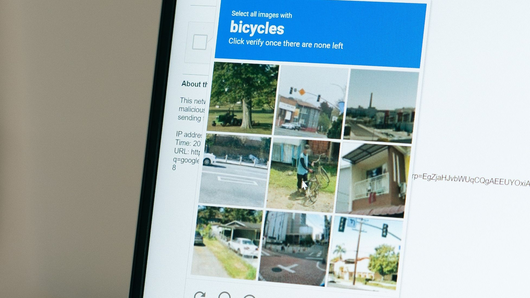
How do I stop CAPTCHA from appearing when searching
Discover more:
-
What is a CAPTCHA? The check that separates people from bots
-
What is an IP address, and how does it work?
-
What is a mesh network and when should you use one?
2.2. Check Your VPN, Proxy, or network connection
If you use a VPN or proxy, temporarily disconnect it to see whether the problem changes, provided doing so is appropriate for your privacy and security needs. If CAPTCHA becomes less frequent, the IP address or network route may be contributing to the issue.
You can also test the website using another trusted connection, such as a mobile network. If the problem occurs only on one network, that provides a useful clue about where to investigate next.
For workplace, school, or public networks, contact the network administrator if necessary. Other users may share the same public IP address, so the issue might not originate from your own device.
2.3. Review browser extensions, cookies, and JavaScript
Extensions can sometimes interfere with verification scripts or the resources a website needs to load. Temporarily disable suspected extensions one at a time, then revisit the affected website to see whether the problem changes.
Next, check that JavaScript is enabled and that the website is allowed to use the cookies it requires. If the issue persists, clearing the site's cache and cookies may help resolve a corrupted or outdated browser state.
Be aware that clearing cookies may sign you out of websites and remove saved preferences. It also may not help if CAPTCHA is being triggered by network-level signals rather than a browser issue.
2.4. Try another browser or device
Testing the same website in another browser can help determine whether the issue is specific to your current browser configuration. If CAPTCHA appears in one browser but not another, investigate extensions, privacy settings, and compatibility in the affected browser.
You can also try another device connected to the same network. If both devices encounter the same problem, the shared connection or the website itself may be more relevant than an individual browser setting.
These comparisons are useful for narrowing down the cause without assuming that your IP address or device is necessarily the problem.
Try another browser or device
2.5. Restart your router or contact your ISP
If CAPTCHA appears across several devices connected to your home network, restarting your router may help resolve certain connection issues. However, it does not guarantee that your public IP address will change, particularly if your internet service provider assigns a persistent address.
If the problem continues across multiple devices and websites, contact your internet service provider or network administrator. They may be able to help investigate network-related issues that you cannot diagnose through browser settings alone.
3. Why does Google keep saying it detects unusual traffic?
Google may display a message such as “Our systems have detected unusual traffic from your computer network” when its systems identify requests that appear to violate its automated traffic policies. The message can appear alongside a CAPTCHA asking you to verify that you are a human visitor.
This warning does not necessarily mean that you personally ran a bot or deliberately sent excessive requests. It indicates that Google has detected traffic patterns it considers unusual, and the source may not be immediately obvious to you.
Several factors can contribute to this situation, including rapid searches, automated tools, VPN or proxy connections, and activity from other devices sharing the same public IP address. Browser extensions or unwanted software may also be worth investigating if the problem occurs without an obvious explanation.
If you encounter this message, try the following:
-
Complete the CAPTCHA if Google provides one and follow any instructions shown on the page.
-
Pause repeated searches and avoid continuously refreshing the results page.
-
Temporarily test another trusted network or disconnect a VPN or proxy if appropriate.
-
Check browser extensions and applications that may be generating requests automatically.
-
If the warning continues, consult Google's official help page about unusual traffic for additional guidance.
The key is to identify whether the issue is associated with your browsing behavior, your connection, or another device on the network. Repeatedly changing settings without testing one factor at a time can make the cause harder to identify.
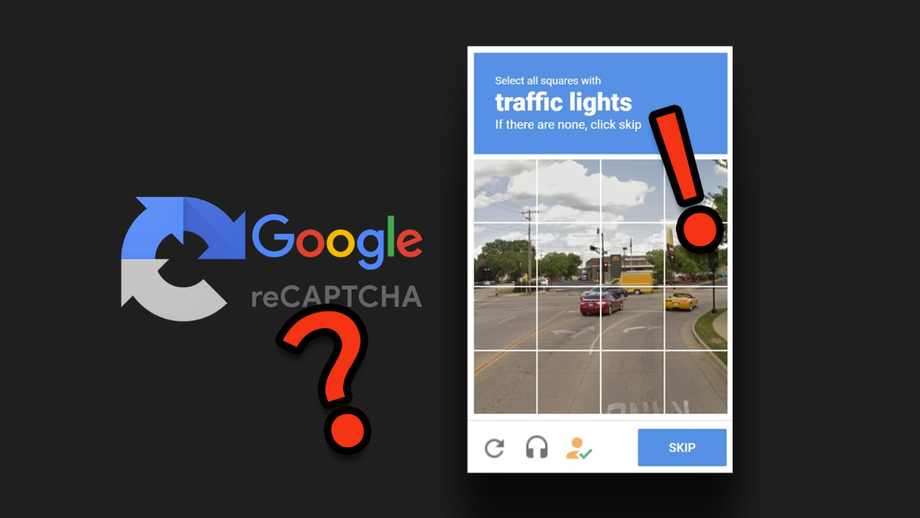
Google repeatedly reports that it has detected unusual traffic
4. Why am I stuck in an endless CAPTCHA loop?
An endless CAPTCHA loop occurs when a website keeps requesting verification even after you have completed a challenge. This can happen because the website continues to assess the traffic as requiring verification, but it can also result from a technical issue that prevents the challenge from completing properly.
The first thing to check is what happens immediately after you submit your response. If the page displays an error, reloads unexpectedly, or returns to the same challenge without acknowledging your answer, the verification process may not be working as intended.
Try refreshing the challenge once and ensuring that the page has fully loaded before responding. If the loop continues, review cookie permissions, JavaScript settings, browser extensions, and your network connection.
You can also open the website in another supported browser to see whether the behavior changes. If the problem occurs only on one website, consult that site's help center or contact its support team, as the issue may involve its verification system rather than your entire device.
Avoid assuming that an endless CAPTCHA loop means your IP address has been permanently blocked. It may be a temporary security measure, a browser compatibility issue, or a problem with the website's implementation.
5. Why am I suddenly getting CAPTCHA on every website?
If CAPTCHA starts appearing on multiple websites at around the same time, investigate factors that affect your broader browsing environment rather than focusing on one website alone. Several sites may independently request additional verification because they observe similar characteristics in your connection or browsing activity.
For example, your VPN or proxy may route traffic through a shared IP address, or your home or workplace network may be used by multiple devices. Browser extensions and applications that generate background requests are also worth checking.
Use the following approach to narrow down the problem:
-
Compare networks: Check whether CAPTCHA appears on both your usual connection and another trusted network.
-
Compare browsers: Test a different browser to see whether the issue is tied to one configuration.
-
Review recent changes: Consider whether the problem began after installing an extension, enabling a VPN, or changing network settings.
-
Check for unwanted software: If you also notice unfamiliar extensions, unexpected redirects, or unusual background activity, run a scan with a reputable security tool.
If CAPTCHA appears only on one website, the cause may be specific to that site's security rules. If it appears across many unrelated sites, your connection, browser environment, or device may deserve closer attention.
However, multiple CAPTCHA prompts do not automatically mean your IP address is blacklisted or your device is infected. Treat them as a reason to investigate, not as proof of a particular problem.
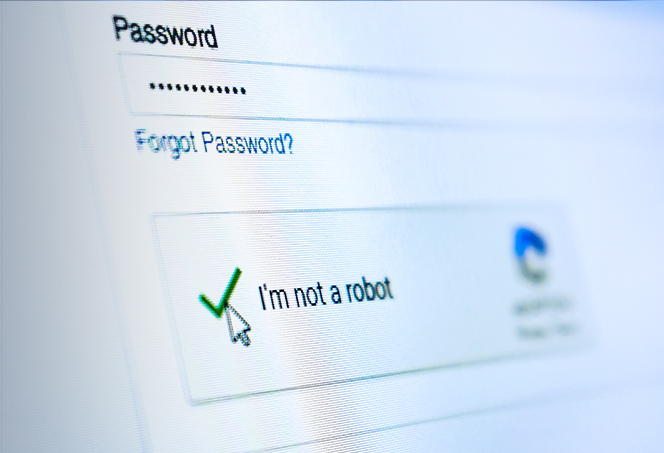
Why am I suddenly getting CAPTCHA on every website
6. Does getting CAPTCHA repeatedly mean you have a virus?
Repeated CAPTCHA challenges alone are not enough to conclude that your computer or phone has a virus. Websites may request verification because of network traffic, shared IP addresses, browser configuration, or their own security policies.
Malware or unwanted software can be a possible factor if it generates automated requests in the background. However, this explanation becomes more relevant when CAPTCHA appears alongside other warning signs, such as unfamiliar browser extensions, unexpected redirects, or applications you do not recognize.
If you notice these symptoms, review installed applications and browser extensions, update your operating system and browser, and run a security scan using a reputable tool. Avoid downloading software advertised as a “CAPTCHA virus remover” from unfamiliar websites simply because you encountered repeated challenges.
If there are no other signs of suspicious device activity, begin with the simpler network and browser checks described earlier. This helps you avoid treating an ordinary verification issue as a malware infection without sufficient evidence.
7. Check your IP and browser environment with IPFighter
If CAPTCHA keeps appearing, checking your browsing environment may help you investigate some possible contributing factors. IPFighter offers several tools you can use to review your IP address, proxy connection, and browser fingerprint:
-
IP Lookup: View public IP information, including location and ISP.
-
Proxy Checker: Check proxy status and view associated IP and location details.
-
IP score: Review your IP's trust-related signals to better understand its reputation.
-
Browser Fingerprint: Examine browser fingerprint signals that websites may use to distinguish devices and browsing environments.
-
DNS Leak Test and WebRTC Leak Test: Check whether DNS requests or WebRTC may expose network or IP information beyond what you expect.
Visit the IPFighter website to explore these tools and investigate your browsing environment. Keep in mind that the results cannot identify the exact reason a website displays CAPTCHA or guarantee that verification prompts will disappear. The final decision depends on the website's own security systems and other factors.
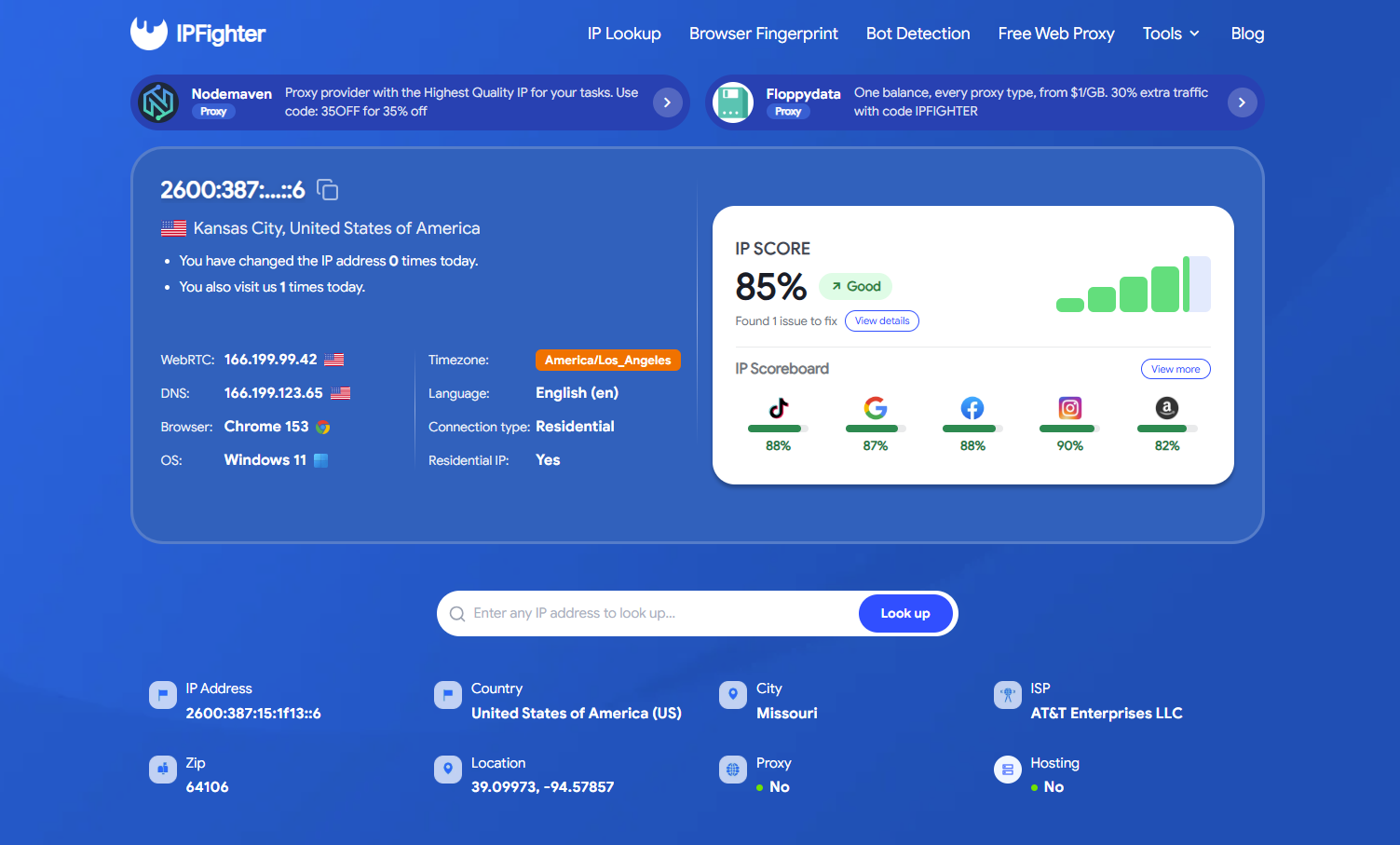
Check your IP & browser environment with IPFighter
Read more:
-
What is an IP2 network? How it works, uses, and benefits
-
Explaining how to know if you have a DNS leak
-
How to know if you have a WebRTC leak: Reading your results
8. Conclusion
Repeated CAPTCHA prompts are simply automated responses to suspicious network patterns, bad IP reputation, or aggressive browser signals. Rather than assuming the worst, start by completing the challenge, pausing high-frequency requests, and comparing performance across different browsers or trusted networks to isolate the root cause.
The key to eliminating verification loops lies in maintaining a clean, consistent connection environment. Methodically checking your IP status, VPN parameters, and device headers allows you to resolve persistent challenges efficiently and restore a seamless browsing experience.
9. FAQ
How do I remove the CAPTCHA virus?
CAPTCHA is a verification tool, not a virus. If you notice suspicious redirects or unfamiliar extensions, review your installed software and run a security scan with a reputable tool.
Can a VPN cause frequent CAPTCHA challenges?
Yes. Shared VPN IPs associated with unusual traffic may trigger CAPTCHA more often, but VPN use does not always cause verification challenges.
Why do I keep getting CAPTCHA even after solving it?
The website may still flag your traffic, or the challenge may not have completed correctly. Check your cookies, browser settings, scripts, and internet connection.
Will changing my IP address stop CAPTCHA?
Not always. CAPTCHA can depend on your IP address, browser signals, traffic patterns, and the website's security rules, so changing your IP does not guarantee fewer challenges.
Can I turn CAPTCHA off completely?
Usually not, because each website controls its own CAPTCHA settings. If challenges persist, try the site's troubleshooting steps or contact its support team.
Read more

Why do I keep getting CAPTCHA? Here's what may be triggering it


What is a CAPTCHA? The check that separates people from bots
What is a mesh network and when should you use one?

What is an IP2 network? How it works, uses, and benefits
Explaining how to know if you have a DNS leak


How to know if you have a WebRTC leak: Reading your results