

Staying off IP blacklists is essential for maintaining seamless online activities. From managing email campaigns to handling online business tasks and troubleshooting network issues, a reliable IP blacklist check is a must-have tool to keep everything running efficiently. In this article, we’ll dive into what IP blacklisting is, why it matters, and share five excellent free tools to help you easily monitor your IP status.
What is IP blacklisting?
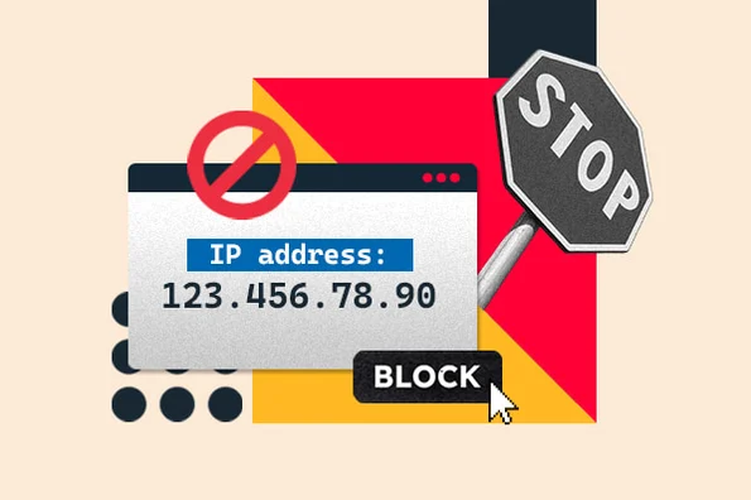
IP blacklisting occurs when an IP address is flagged as untrustworthy due to suspicious or harmful activities. Organizations like email providers, security networks, and anti-spam services maintain these blacklists to protect their systems from misuse. Once blacklisted, emails or requests from that IP are often blocked or flagged as suspicious.
Common reasons for IP blacklisting:
- Sending spam or bulk emails: A high volume of unsolicited emails can easily trigger spam filters.
- Security breaches: A compromised server may be exploited for malicious activities, such as spreading malware.
- Poor email hygiene: Using outdated or invalid email lists increases the risk of spam complaints.
Blacklisting can disrupt communications, harm your reputation, and even lead to loss of business opportunities. Regular IP blacklist checks are essential to stay ahead of potential issues. When a security breach is what triggered the listing, that same compromise can quietly push stolen credentials and company data onto criminal forums and marketplaces. This is where dark web monitoring adds another layer of defense, scanning deep and dark web sources for leaked logins and company mentions so your team can catch the exposure before it turns into account takeover or a follow-on attack.
Signs your IP might be blacklisted
If your IP is experiencing the following issues, it may have been blacklisted:
- Frequent CAPTCHA challenges: You’re constantly prompted to complete CAPTCHA verifications when browsing or accessing websites.
- Account registration failures: Attempts to register new accounts on platforms are repeatedly denied or flagged.
- Email delivery problems: Your emails are bouncing back or landing in recipients’ spam folders more often than usual.
- Blocked access to services: Certain websites or online services are inaccessible from your network.
- Reduced network performance: You notice slower connection speeds or interruptions in your online activities.
These symptoms suggest that your IP address may be listed in a blacklist database. To confirm and address the issue, let’s explore the tools in the section below.

Why regular IP blacklist checks are essential
Regularly monitoring your IP status is more than just a good practice-it’s a vital step in protecting your online presence and ensuring smooth operations. Here’s why IP blacklist checks should be a priority:
1. Protect your reputation
Your IP address serves as a digital representation of your organization or network. If it’s blacklisted, it can tarnish your credibility, especially if your IP is linked to spam or malicious activities.
2. Improve email deliverability
A blacklisted IP can block your emails from reaching recipients’ inboxes. Email servers often consult blacklist databases to determine whether to accept or reject incoming messages, making clean IP status critical for effective communication.
3. Detect issues early
Spotting blacklist issues early gives you the chance to fix problems before they snowball. By regularly checking your IP status, you can address potential risks swiftly and avoid prolonged disruptions.
4. Avoid downtime
Beyond email deliverability, blacklisting can restrict access to specific websites or services. Staying on top of your IP status helps you prevent these interruptions and maintain seamless operations.
Top 5 free tools for accurate IP blacklist checks
To simplify the process of monitoring your IP status, we’ve compiled a list of five powerful tools. These tools are free, easy to use, and highly reliable. Let’s dive in.
1. MxToolbox
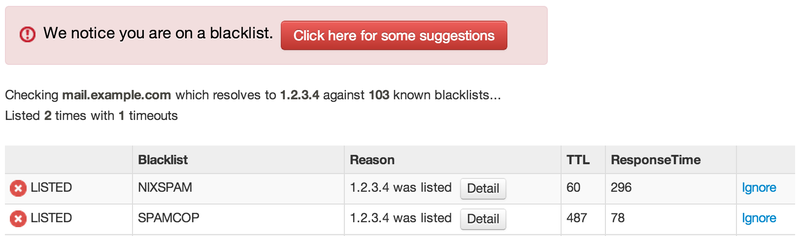
MxToolbox is a popular and trusted platform for checking email and network health. It’s widely known for its blacklist check tool, which scans over 100 databases.
Key features:
- Offers a comprehensive blacklist lookup.
- Provides diagnostic tools for email and DNS records.
- Includes monitoring options for ongoing alerts.
How to use:
- Visit the MxToolbox website.
- Input your IP address into the blacklist checker.
- Receive a detailed report of your IP status across various databases.
2. MultiRBL
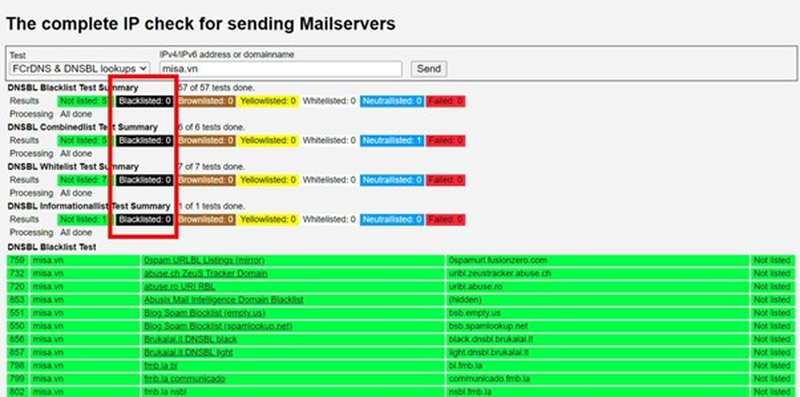
MultiRBL specializes in checking multiple DNS-based blacklists simultaneously. It’s a fast and effective tool for those needing a quick overview of their IP’s status.
Key features:
- Covers hundreds of blacklist databases.
- Provides results within seconds.
- Allows you to check domain or IP status.
How to use:
- Access the MultiRBL website.
- Enter your IP address or domain.
- Analyze the results to identify any blacklist listings.
3. Spamhaus
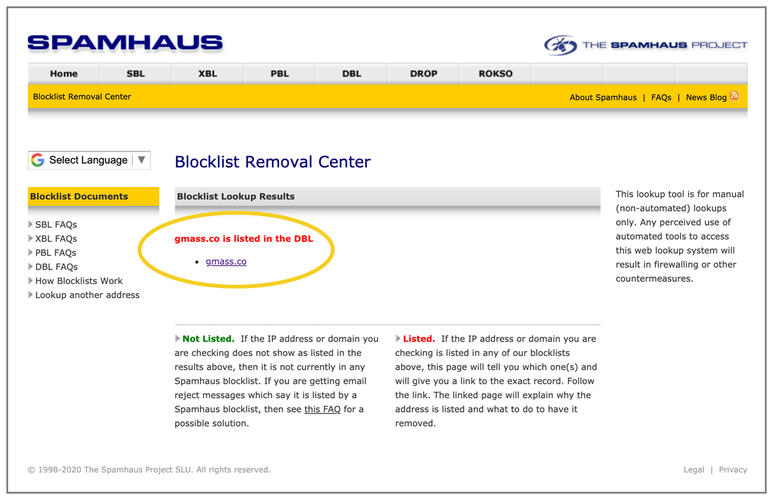
Spamhaus is one of the most trusted names in email security. Its blacklist check tool is specifically designed to identify email-related blacklists.
Key features:
- Focuses on high-quality blacklist databases.
- Offers detailed explanations of blacklist entries.
- Provides guidance for delisting requests.
How to use:
- Go to the Spamhaus website.
- Enter your IP address in the lookup tool.
- Review the results and follow any recommended actions.
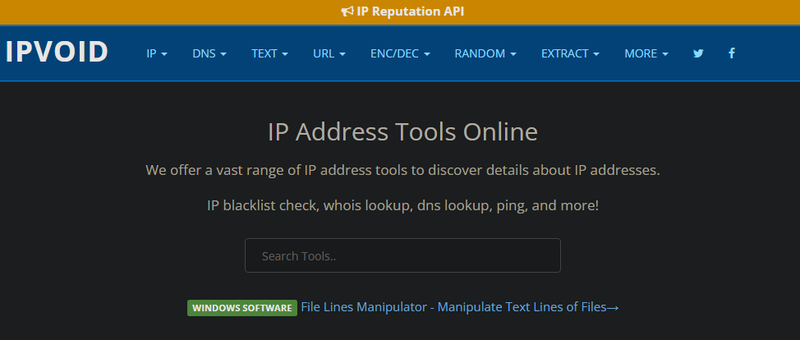
4. IPVoid
IPVoid is a versatile tool for identifying security risks and blacklist entries associated with an IP address. It’s a great option for general IP monitoring.
Key features:
- Scans multiple blacklist databases.
- Detects potential threats, such as open proxies or malicious activity.
- Offers additional security-related tools.
How to use:
- Open the IPVoid website.
- Input your IP address into the search bar.
- Review the findings for blacklist and security threats.
5. IPFighter
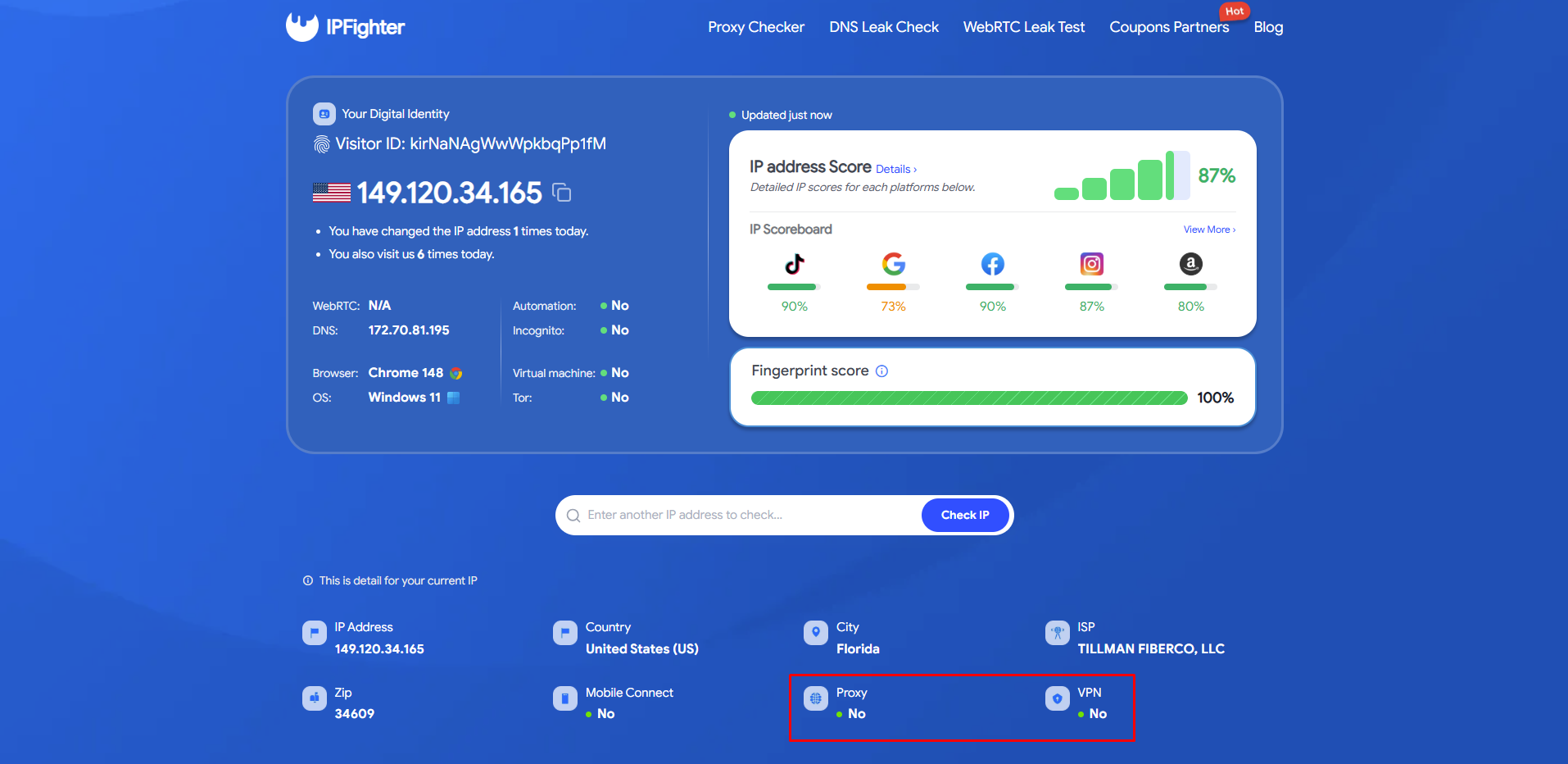
IPFighter is a practical tool for checking the blacklist status of your current device’s IP address. With a simple and intuitive interface, it’s particularly useful for quick, local IP checks.
Key features:
- Designed for local IP address monitoring.
- Provides fast and straightforward blacklist status checks.
- User-friendly interface for hassle-free use.
How to use:
- Open the IPFighter platform.
- Input your IP address into the checker tool.
- Review the results to monitor your IP status efficiently.
Steps to take if your IP is blacklisted
If your IP is blacklisted, don’t panic. Follow these actionable steps to identify and resolve the issue efficiently:
- Investigate the root cause: Review server activities to identify issues like spam emails, compromised servers, or misconfigurations. Use logs to confirm your findings.
- Verify the blacklist details: Check the blacklist’s website for explanations and guidance on resolving the issue.
- Request delisting: Submit a form or email to the blacklist, explaining how you resolved the problem. Include evidence if required.
- Strengthen security measures: Implement email authentication protocols such as SPF, DKIM, and DMARC, update email lists, and secure your server to prevent future blacklisting.
- Set up ongoing monitoring: Use blacklist monitoring tools to regularly check your IP’s status. Automation ensures you are alerted immediately if your IP is listed again, allowing swift action.
By following these steps and implementing preventive measures, you can reduce the likelihood of future blacklisting and maintain smoother online operations.
Conclusion
Regularly performing an IP blacklist check is essential for maintaining your online reputation and ensuring smooth communication. With the tools mentioned above, you can easily monitor your IP status and take proactive measures to address potential issues. Make it a routine part of your maintenance to ensure your communications remain uninterrupted and your reputation stays protected.
Read more

What is a CAPTCHA? The check that separates people from bots

What is a mesh network and when should you use one?

What is an IP2 network? How it works, uses, and benefits
Explaining how to know if you have a DNS leak

How to know if you have a WebRTC leak: Reading your results
How to improve IP score: A complete guide