

You have probably been asked to identify traffic lights, select images containing bicycles, or click a box labeled “I’m not a robot”. These familiar checks raise a common question: CAPTCHA vs reCAPTCHA - what’s the difference, and how does each help protect websites from automated traffic?
In this article, IPFighter compares CAPTCHA and Google reCAPTCHA, explaining how their verification methods, security approaches, and user experiences differ. You will also explore alternative anti-bot solutions and learn how to check your IP and browser environment when repeated verification prompts interrupt your browsing.
1. What role does CAPTCHA play in website security?
CAPTCHA acts as a checkpoint that helps websites assess whether a visitor’s activity comes from a person or an automated program. It can be used to protect forms, login pages, and other interactions from spam and unwanted bot activity. Understanding this basic purpose makes it easier to see how Google reCAPTCHA builds on the same goal with different verification methods.
For a broader explanation of how CAPTCHA works and its common types, read our guide to what is a CAPTCHA.
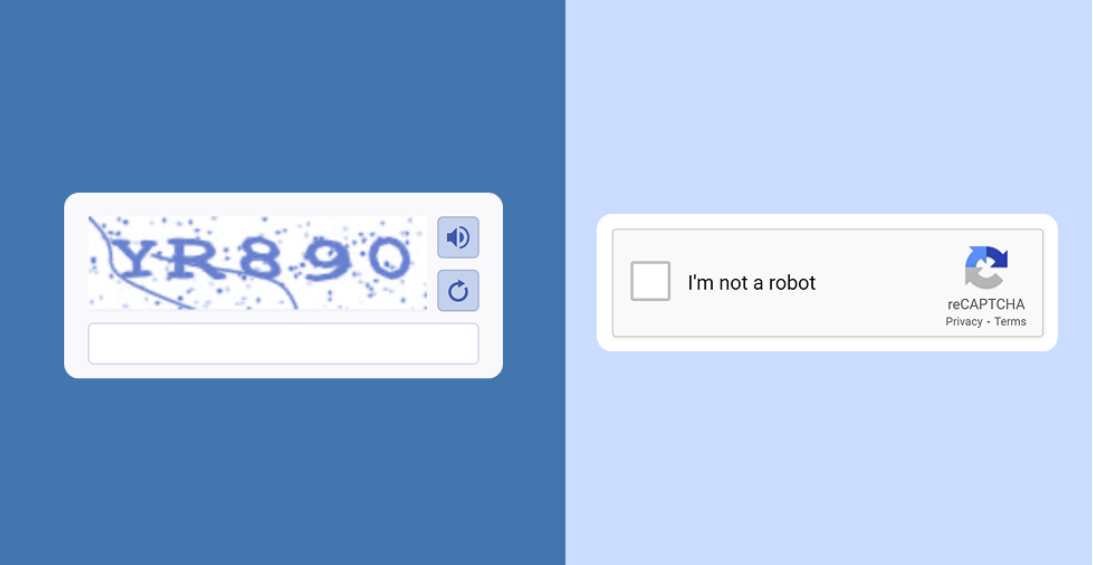
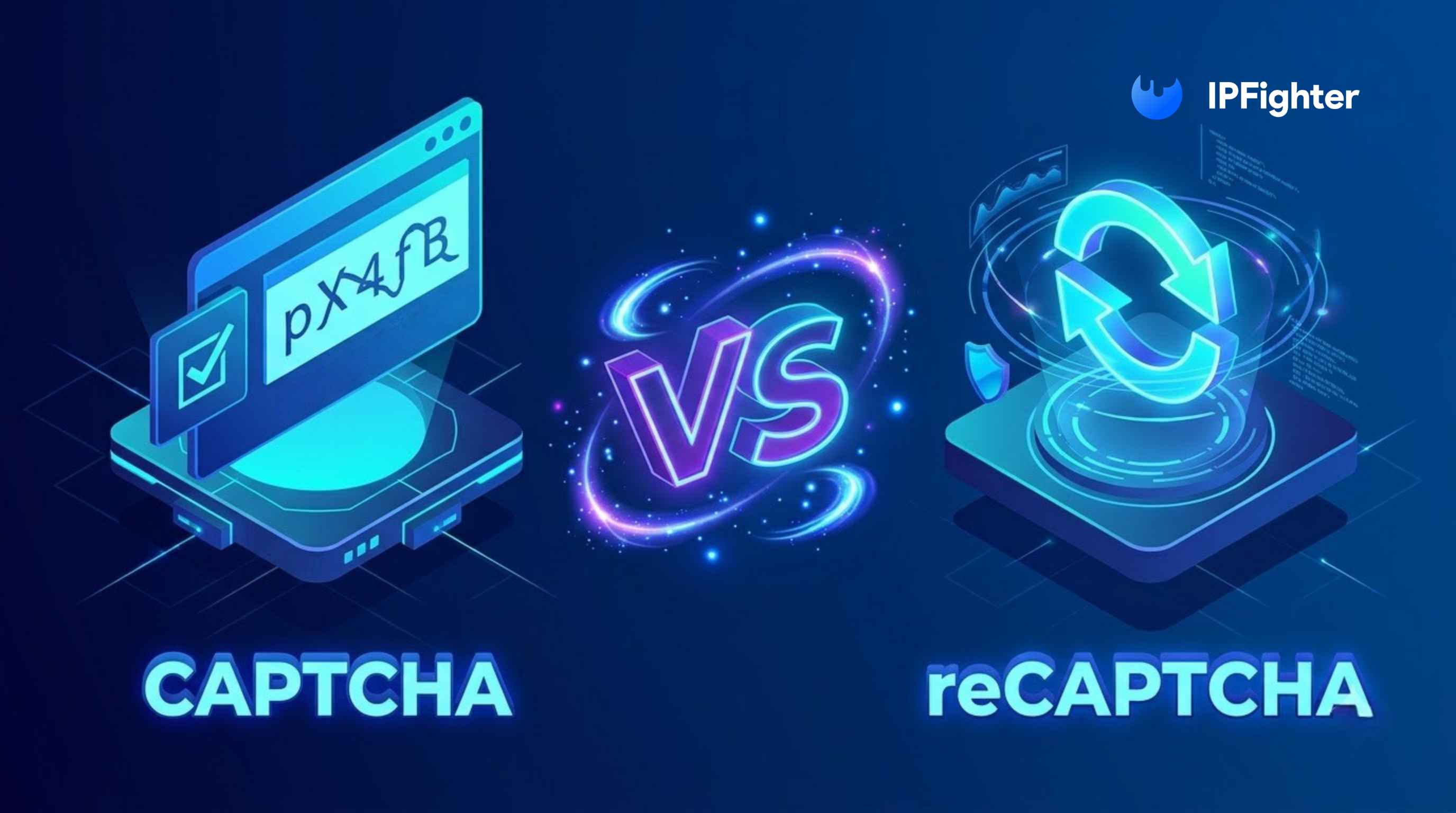
CAPTCHA vs reCAPTCHA
Discover more:
-
What is an IP address, and how does it work?
-
Why do I keep getting CAPTCHA? Here's what may be triggering it
-
How public IP addresses work on the internet
2. What is Google reCAPTCHA?
Google reCAPTCHA is a security service that helps websites protect against spam, automated abuse, and other suspicious activity. Rather than relying exclusively on a traditional puzzle, it can use risk analysis to assess interactions and determine whether additional verification may be necessary.
The experience depends on the version a website implements. Some visitors may see an “I’m not a robot” checkbox or an image challenge, while others may complete verification without an obvious interactive test. Google provides different integration options to accommodate different website security requirements. See the official reCAPTCHA developer guide for an overview.
2.1. How does reCAPTCHA work?
reCAPTCHA evaluates information associated with a website interaction to help assess whether it appears legitimate or potentially automated. The exact process depends on the version and the website’s implementation. In practical terms, the process can involve three stages:
-
Collecting signals: The system evaluates relevant interaction and browser signals to help assess the request.
-
Assessing risk: Depending on the version, reCAPTCHA may present a challenge or return a risk score for the website to evaluate.
-
Taking action: The website uses the verification result to decide whether to allow the action, request additional verification, or apply another security measure.
For example, a website might allow a low-risk form submission to proceed without an interactive challenge. If a request appears suspicious, it may require additional verification or apply other restrictions. With reCAPTCHA v3, website owners receive a score and decide how to respond based on their own risk tolerance and security requirements. Google’s reCAPTCHA v3 documentation explains this score-based approach.
This distinction matters because reCAPTCHA does not necessarily require every visitor to solve a puzzle. It can support different verification experiences depending on the implementation.
2.2. What are the main reCAPTCHA versions?
Google has introduced different reCAPTCHA versions over time, with different approaches to user interaction and risk assessment. Understanding the main versions helps explain why the reCAPTCHA experience can vary from one website to another.
-
reCAPTCHA v1: An older version that commonly used text-based challenges. Google shut it down in March 2018, so it is no longer a current implementation option.
-
reCAPTCHA v2: Includes the familiar “I’m not a robot” checkbox and image challenges. Its invisible option can initiate verification without displaying a checkbox, although a challenge may still be required.
-
reCAPTCHA v3: Evaluates interactions in the background and returns a score without interrupting the user with a challenge by default. The website owner determines what action to take based on that score.
These versions should not be treated as interchangeable. In particular, v3 does not automatically block every suspicious request; the website must interpret its score and implement an appropriate response.
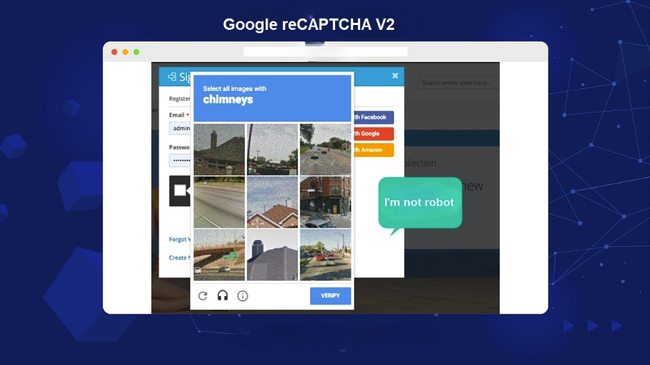
reCAPTCHA v2 is one of the versions from Google
3. reCAPTCHA vs CAPTCHA: What are the key differences?
The key difference between CAPTCHA and reCAPTCHA is that CAPTCHA describes a category of verification methods, whereas reCAPTCHA is a specific service developed by Google. In other words, they are related concepts rather than two entirely separate types of security technology.
The table below compares their main characteristics, including verification methods, risk assessment, and user experience.
|
Feature |
CAPTCHA (general category) |
Google reCAPTCHA |
|
Definition |
A category of tests used to distinguish people from bots |
A specific Google security service |
|
Provider |
Depends on the implementation |
|
|
Verification methods |
May use text, images, audio, or interactive tasks |
May use a checkbox, image challenges, invisible verification, or score-based assessment |
|
User interaction |
Depends on the type of CAPTCHA |
Depends on the version and risk assessment |
|
Risk analysis |
Varies by solution |
Includes risk-analysis capabilities, with v3 using scores |
|
Website integration |
Depends on the chosen provider or system |
Requires the appropriate reCAPTCHA integration |
|
User experience |
Can range from simple checks to challenging puzzles |
Can reduce visible challenges in some implementations |
|
Limitations |
May inconvenience users or fail to stop sophisticated automation |
Does not guarantee that every bot will be detected or every legitimate user will pass without friction |
The table highlights why the terms should not be treated as direct synonyms. A website can use CAPTCHA technology without using Google's reCAPTCHA, and reCAPTCHA itself can provide different verification experiences.
It is also important not to assume that every CAPTCHA relies on distorted text or that reCAPTCHA always works invisibly. Both the verification method and the user experience depend on the specific system being used.
4. Is reCAPTCHA better than traditional CAPTCHA?
reCAPTCHA can offer advantages over traditional challenge-based CAPTCHA, particularly when a website wants to assess risk without requiring every visitor to solve a puzzle. However, it is not automatically the best choice for every website.
The right option depends on the type of abuse a website needs to prevent, how much friction its users can tolerate, and the resources available for implementation and monitoring.
4.1. Advantages of reCAPTCHA
One potential advantage is its ability to support different verification experiences. Depending on the version, a website may use an interactive challenge or evaluate traffic without interrupting every visitor. Other benefits include:
-
Flexible verification: Website owners can choose between different reCAPTCHA approaches, including checkbox-based verification and score-based assessment.
-
Support for different workflows: reCAPTCHA can be integrated into actions such as login, registration, and form submissions.
-
Risk-based decisions: With v3, website owners can use scores as one input when deciding whether an interaction requires additional checks or restrictions.
These capabilities can help websites balance security and usability. However, the outcome depends on how the system is configured and how the website responds to its results.

Advantages of reCAPTCHA
4.2. Limitations to consider
reCAPTCHA also has limitations that website owners should consider before implementing it.
First, legitimate users may still encounter challenges or be incorrectly assessed as suspicious. A visitor using a restrictive browser configuration or experiencing technical problems may also have difficulty completing verification.
Second, integration requires technical work. Website owners must configure the service correctly and, where applicable, validate verification responses on the server. A widget alone should not be treated as complete protection.
Finally, privacy and accessibility matter. Website owners should review the provider's documentation and applicable requirements to understand the data processing involved and ensure the verification experience remains usable for their audience.
For these reasons, reCAPTCHA is best evaluated as one component of a broader security strategy, rather than a guarantee that automated abuse will disappear.
5. What are the alternatives to Google reCAPTCHA?
Google reCAPTCHA is not the only option available to websites that want to reduce spam and automated abuse. Other services provide different approaches to verification, integration, and visitor experience.
Three options worth comparing are Google reCAPTCHA, hCaptcha, and Cloudflare Turnstile. Their capabilities and requirements differ, so website owners should evaluate them against their own needs rather than assuming one is universally superior.
|
Solution |
Main approach |
What to consider |
|
Google reCAPTCHA |
Offers interactive and risk-based verification options |
Choose the version that fits your workflow and determine how your website will use verification results |
|
hCaptcha |
Provides CAPTCHA-based protection against bots, spam, and automated abuse |
Review available challenge options, integration requirements, accessibility, and service terms |
|
Cloudflare Turnstile |
A CAPTCHA alternative designed to verify visitors with minimal interruption in many cases |
Consider its widget integration, server-side token validation, and compatibility with your website |
These descriptions reflect the providers' documented approaches. Google's official reCAPTCHA guide, the hCaptcha developer documentation, and Cloudflare Turnstile documentation provide further details.
The best choice depends on the website's priorities. A site that already uses Google's services may prefer reCAPTCHA for its available integrations. Another site may evaluate hCaptcha or Turnstile based on its desired verification experience, technical setup, and operational requirements. Before choosing, consider the following factors:
-
Security needs: What types of abuse are you trying to reduce, such as spam submissions, automated registrations, or suspicious login attempts?
-
User experience: How often will legitimate visitors need to interact with a challenge, and how will verification failures be handled?
-
Integration effort: Does the solution work with your website platform and existing security tools?
-
Privacy and accessibility: What data is processed, what requirements apply, and can visitors with different needs complete verification?
-
Ongoing management: Can your team monitor results, adjust settings, and investigate false positives?
A useful comparison should look beyond the visible checkbox. A solution's effectiveness also depends on its configuration, server-side verification, and the additional protections used by the website.
6. Can CAPTCHA and reCAPTCHA stop all bots?
No. CAPTCHA and reCAPTCHA can help reduce automated abuse, but neither should be considered a complete defense against every bot. Automated systems continue to evolve, and some can solve certain challenges or imitate legitimate interactions.
A website should therefore treat verification as one layer of protection rather than its only security measure. For example, a website might combine CAPTCHA or reCAPTCHA with:
-
Rate limiting: Restricting excessive requests or repeated attempts within a given period.
-
Account security: Using appropriate authentication, suspicious-login checks, and additional verification when necessary.
-
Abuse monitoring: Reviewing unusual patterns in registrations, form submissions, or other sensitive actions.
-
Server-side validation: Confirming that verification responses are valid before allowing a protected action to proceed.
These controls address different risks and can complement each other. A CAPTCHA challenge may help identify suspicious activity, while rate limits and account protections can reduce the impact of repeated automated attempts.
Website owners should also monitor false positives. If legitimate visitors are repeatedly challenged or blocked, it may indicate that the verification settings or surrounding security controls need review.
Ultimately, the goal is not simply to display a CAPTCHA. It is to reduce abuse while allowing legitimate users to complete the actions they came to perform.
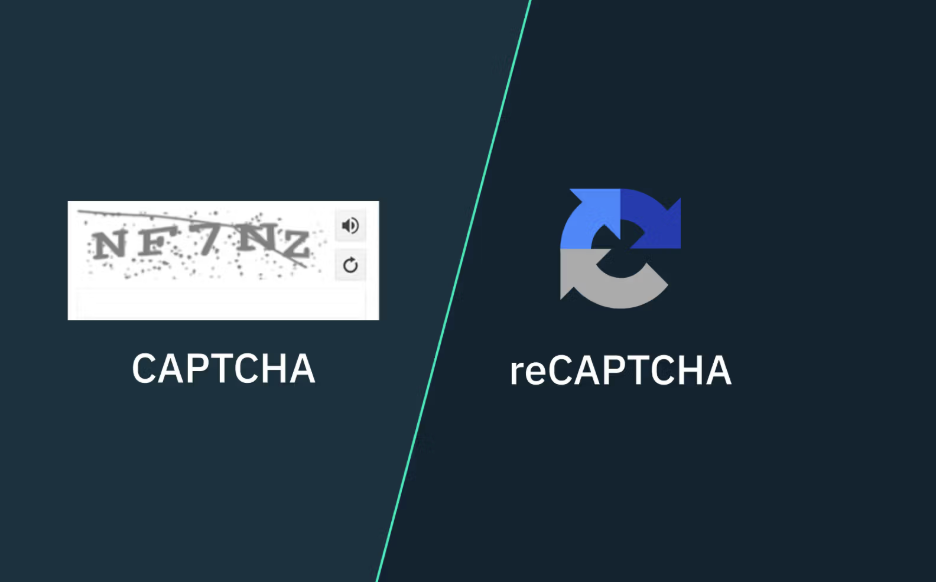
Can CAPTCHA and reCAPTCHA stop all bots
Read more:
-
How to improve IP score: A complete guide
-
WebRTC leak: Why your real IP address may still be exposed
-
DNS leak: The silent threat to your online privacy
7. Why do you keep seeing CAPTCHA or reCAPTCHA? The role of IP reputation
If CAPTCHA or reCAPTCHA appears repeatedly while you browse, it does not necessarily mean you have done something wrong. Websites use different security systems, and a verification prompt may appear when an interaction or connection is assessed as higher risk. Your IP address and browser environment are worth checking, although neither can explain every CAPTCHA challenge.
7.1. Can your IP reputation affect CAPTCHA checks?
An IP address is one part of your internet connection’s identity. Some security systems may consider IP-related information alongside request patterns, browser signals, account activity, and other indicators when assessing traffic.
If an IP address has a low trust or reputation score, it may be worth investigating. However, an IP score is an indicator, not a universal verdict: different websites use different detection systems, and a score alone cannot confirm whether a particular website will challenge or block that IP.
A shared IP address can also be relevant. When multiple people or services use the same public IP, their activity may contribute to a pattern that attracts additional scrutiny. This can happen with some VPNs, proxy services, corporate networks, and other shared connections. It does not mean that every shared IP is suspicious.
Datacenter IPs may also be treated differently from residential connections by some websites, depending on their security policies and use case. However, the type of IP alone does not prove that a connection is malicious or that a CAPTCHA will appear.
7.2. Can DNS or WebRTC leaks contribute to verification problems?
DNS and WebRTC leaks are primarily privacy and connection-consistency concerns, rather than confirmed direct causes of CAPTCHA prompts. They are still worth checking when investigating an unexpected browsing environment.
A DNS leak can occur when DNS requests are handled outside the network path you expected, potentially revealing information about your browsing activity or connection setup. A WebRTC leak may expose IP address information through browser features in certain configurations.
These issues do not automatically trigger CAPTCHA or reCAPTCHA. However, checking for leaks can help you understand whether your browser and network are exposing connection information in ways you did not expect. If verification problems persist, also consider browser extensions, disabled cookies or JavaScript, unusual request activity, and the website’s own security policies.
7.3. How can you check your IP and browser environment?
You can start by checking the connection information and browser signals available to you. IPFighter provides tools for inspecting aspects of your IP and browser environment, helping you investigate potential issues rather than guessing at the cause of repeated verification prompts. Here are a few checks worth making:
-
Check your IP information: Use an IP lookup tool to review your public IP address, reported location, and internet service provider.
-
Review your IP score: Check the available trust-related indicators to get more context about your IP. Treat the result as a signal, not a guarantee that the IP will be accepted by every website.
-
Check proxy detection: If you are using a proxy, inspect whether the connection is identified as a proxy by the checking service.
-
Test for DNS and WebRTC leaks: Review whether your connection exposes information that differs from your intended network setup.
-
Inspect your browser fingerprint: Check the browser and device signals visible to websites, especially if you are troubleshooting an unexpected or inconsistent browser configuration.
These checks can help narrow down possible issues, but they cannot identify the exact reason a particular website displays a CAPTCHA. The website may be responding to other factors that are not visible through a public IP or browser check.
Want to inspect your connection? Visit IPFighter to check your IP information and explore available IP, proxy, browser fingerprint, DNS leak, and WebRTC leak testing tools. Use the results as a starting point for troubleshooting, then follow the website’s own guidance if verification continues to fail.
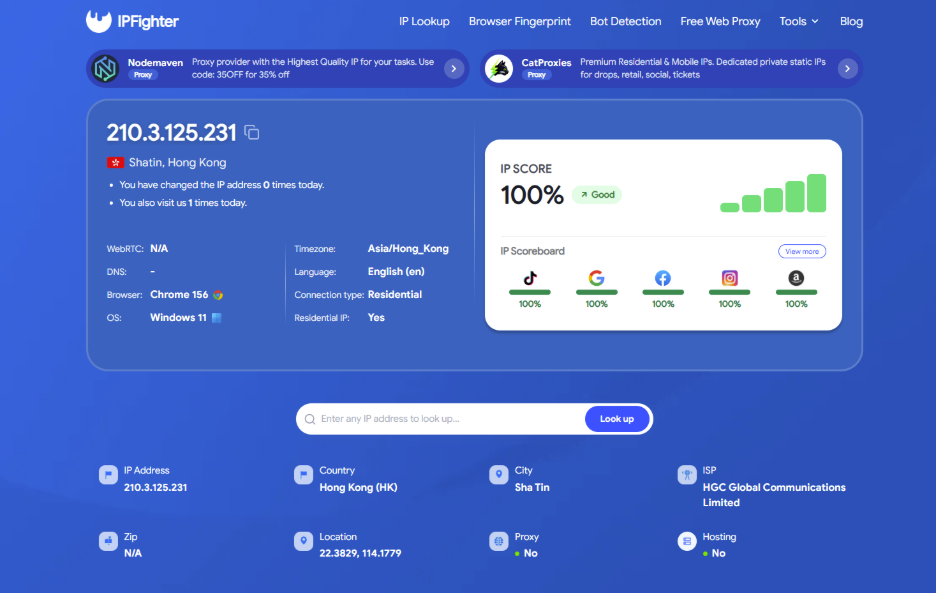
Check IP & browser fingerprint on IPFighter
8. Conclusion
Understanding the difference between CAPTCHA and reCAPTCHA starts with one key distinction: CAPTCHA is the general term for human-verification tests, while reCAPTCHA is Google's implementation of this approach. When comparing reCAPTCHA vs CAPTCHA, the main differences lie in how verification is delivered, how risk is assessed, and how much interaction is required from users.
Neither approach can eliminate every bot or guarantee a frictionless browsing experience. If you repeatedly encounter verification prompts, reviewing your IP information, proxy status, and browser environment with IPFighter can help you inspect relevant connection and privacy signals, although these checks cannot identify the exact reason a particular website presents a challenge.
9. FAQ
Is reCAPTCHA a CAPTCHA?
Yes. Google reCAPTCHA is a type of CAPTCHA-based security solution. CAPTCHA is the general term for methods used to distinguish human users from automated programs, while reCAPTCHA is Google's specific implementation, offering approaches such as checkbox challenges, image verification, and score-based risk assessment.
Is reCAPTCHA different from CAPTCHA?
Yes. CAPTCHA is a general category of tests designed to distinguish people from bots, while reCAPTCHA is a specific service developed by Google. It supports different verification approaches depending on the version.
How do I check my reCAPTCHA?
If you are a visitor, follow the verification instructions shown on the website. If you manage the website, review your reCAPTCHA configuration and test the integration using Google's official documentation and supported testing methods.
What is the most commonly used CAPTCHA?
There is no single answer that applies to every website or market without reliable, up-to-date usage data. Google's reCAPTCHA is a widely recognized service, but the most suitable option depends on a website's security needs, technical setup, and user experience requirements.
Can I bypass the “I’m not a robot” CAPTCHA?
You should not try to circumvent a website's security checks. If the CAPTCHA fails to load or keeps appearing, check your browser settings and connection, follow the website's troubleshooting guidance, or contact its support team.
Is CAPTCHA becoming obsolete?
Not entirely. Traditional challenges face limitations as automated systems improve, but CAPTCHA and related verification technologies can still help reduce abuse. Many modern approaches combine risk assessment with other security measures instead of relying on puzzles alone.
Read more
CAPTCHA vs reCAPTCHA: What’s the difference?


Why do I keep getting CAPTCHA? Here's what may be triggering it
What is a CAPTCHA? The check that separates people from bots

What is a mesh network and when should you use one?

What is an IP2 network? How it works, uses, and benefits

Explaining how to know if you have a DNS leak
