

Whether it is selecting traffic lights in an image grid or simply clicking "I'm not a robot", CAPTCHAs are the ultimate digital security checkpoints standing between users and automated bots. Designed to analyze browser signals and distinguish human behavior from scripts, these verification challenges help platforms block spam, protect login gateways, and mitigate automated abuse.
In this article, IPFighter explores the mechanics behind CAPTCHA technology, the primary reasons websites enforce extra verification steps, and how different CAPTCHA variants function. We also share actionable methods to complete challenges efficiently and troubleshoot persistent verification loops.
1. What is a CAPTCHA?
A CAPTCHA is a verification mechanism designed to help websites distinguish human users from automated programs, commonly called bots. It may ask visitors to identify objects in images, enter distorted characters, listen to an audio challenge, or complete a simple interaction.
CAPTCHA stands for Completely Automated Public Turing test to tell Computers and Humans Apart. The name describes its original goal: presenting a test that people can generally complete more easily than automated systems.
Websites use CAPTCHA at points where automated activity could cause problems. For example, a registration page might require verification to discourage bots from creating large numbers of fake accounts. A comment form might use CAPTCHA to reduce automated spam submissions.
However, CAPTCHA is not a password, an account verification method, or a complete security solution. It does not establish someone's identity or prove that a visitor has permission to access a particular account. Instead, it provides evidence that helps a website assess whether a request is likely to come from a human or an automated system.
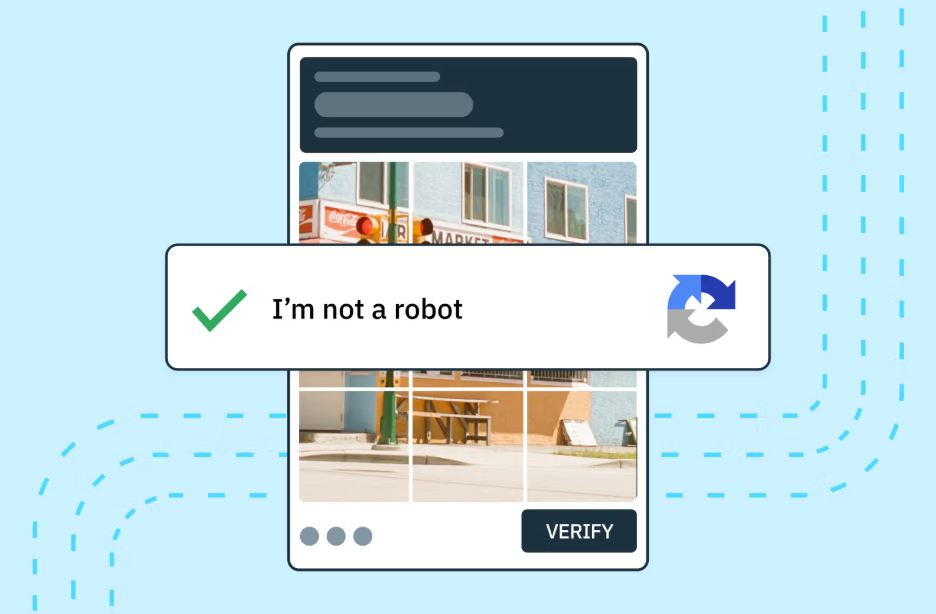
Definition of CAPTCHA
Discover more:
-
What is an IP address, and how does it work?
-
How to check if a proxy is working and read your results
-
How to improve IP score: A complete guide
2. How does a CAPTCHA work?
A CAPTCHA works by adding a verification step when a website needs more confidence that a request is legitimate. The exact process depends on the implementation: some systems require users to solve a visible puzzle, while others assess signals in the background and show a challenge only when necessary.
A typical verification process follows these steps:
-
A visitor accesses a website. The website or its security system evaluates the request and determines whether additional verification may be needed.
-
A verification step appears, if required. The visitor may need to enter characters, select images, click a checkbox, or complete another task.
-
The system evaluates the response. It checks whether the challenge was completed correctly and may consider additional signals, depending on the CAPTCHA implementation.
-
The website decides what happens next. The visitor may proceed, receive another challenge, or have the request rejected.
Traditional CAPTCHA tests often rely on tasks that people can solve through visual recognition or interpretation. More recent approaches can combine interactive challenges with automated risk assessment, reducing the need to interrupt every visitor.
The distinction matters because clicking “I'm not a robot” does not necessarily mean that the system has finished checking a request. Depending on the implementation, the interaction may be one part of a broader verification process.
CAPTCHA also has limitations. Automated systems can sometimes solve challenges, and legitimate visitors can sometimes fail them. For this reason, websites may combine CAPTCHA with other security controls rather than relying on it as their only defense against bots.
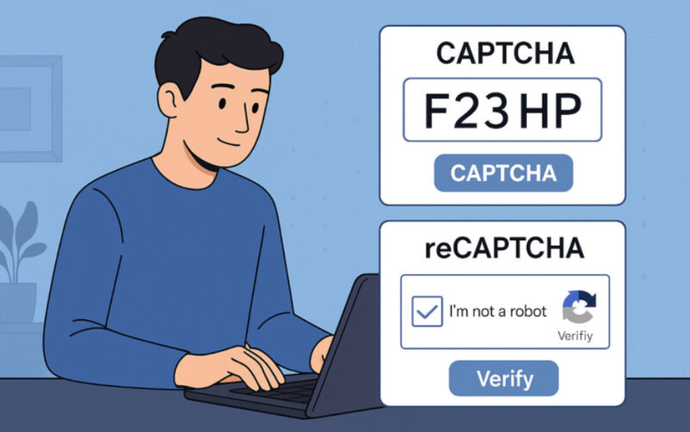
How does a CAPTCHA work
3. What are the different types of CAPTCHA?
CAPTCHA technology has developed from simple text puzzles into a range of verification methods. Each type offers a different balance between security, accessibility, and convenience. The following are some common approaches you may encounter online.
3.1. Text-based CAPTCHA
Text-based CAPTCHA presents a sequence of letters or numbers, often distorted or displayed against a noisy background. Users must read the characters and enter them into a field.
The distortion was intended to make automated text recognition more difficult while keeping the challenge manageable for people. However, it can also make the characters difficult to read, particularly for users with visual impairments or those viewing a small screen.
Although text-based CAPTCHA remains a recognizable example of the technology, it is less convenient than many modern alternatives and does not guarantee protection against advanced automated recognition.
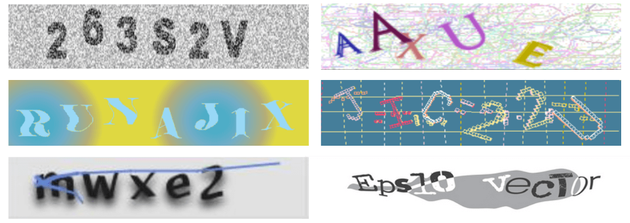
Text-based CAPTCHA
3.2. Image-based CAPTCHA
Image-based CAPTCHA asks users to identify objects or patterns in a group of images. A challenge might instruct visitors to select every square containing a bicycle, bus, or traffic light.
This approach relies on visual recognition rather than reading distorted characters. It is widely recognizable because image-selection challenges are used by several modern verification services.
However, image-based tests can still be confusing. Some images may contain only a small part of the requested object, and users may be unsure whether to select an entire square or only those with clearly visible examples.
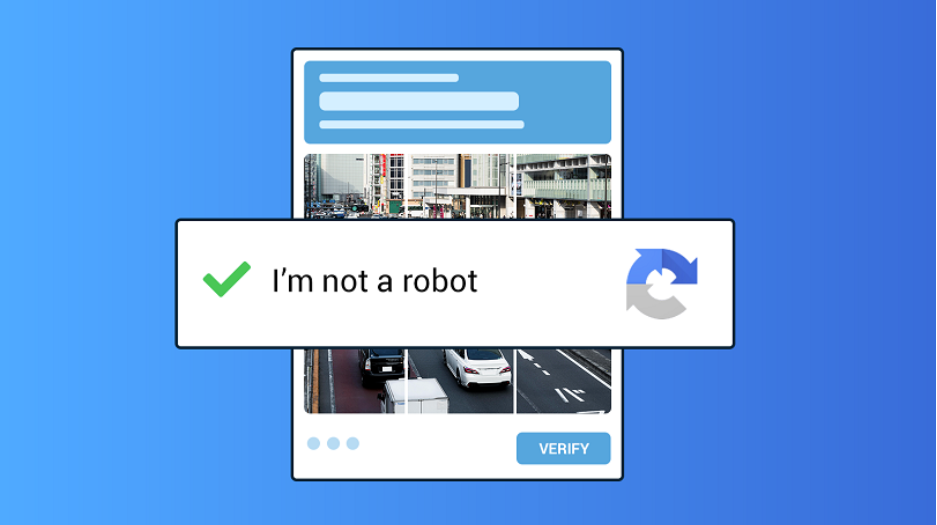
Image-based CAPTCHA
3.3. Audio CAPTCHA
Audio CAPTCHA provides a spoken or recorded challenge instead of relying exclusively on visual information. Users might hear a sequence of letters or numbers and enter what they hear.
This option can help some users who have difficulty with visual challenges. Nevertheless, it is not accessible to everyone: background noise, hearing impairments, unclear recordings, and unfamiliar accents can make audio challenges difficult.
Offering multiple verification methods is therefore important for websites that want to make their services accessible to a broader range of users.
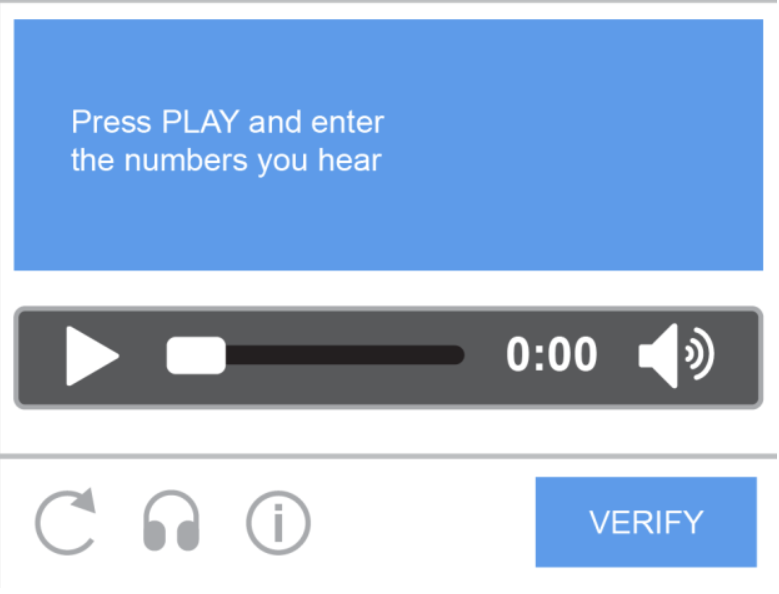
Audio CAPTCHA
3.4. Checkbox and invisible CAPTCHA
Checkbox CAPTCHA is associated with the familiar “I'm not a robot” prompt. A user clicks a checkbox to begin or complete a verification step.
Despite its simplicity, the checkbox is not necessarily the entire test. Depending on the system's assessment, the visitor may be allowed to continue immediately or asked to complete an additional image challenge.
Invisible CAPTCHA takes a less disruptive approach. It may assess a request without displaying a conventional puzzle to every visitor. If the system considers a request sufficiently low-risk, the user may not need to interact with a visible challenge at all.
These approaches aim to reduce friction while still helping websites identify suspicious automated activity. Their exact behavior depends on the provider and the website's configuration.
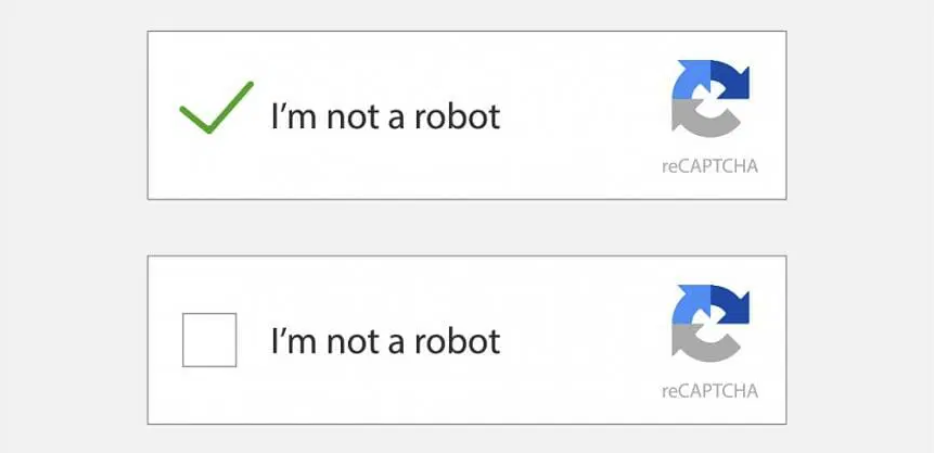
Checkbox and invisible CAPTCHA
3.5. Behavioral CAPTCHA
Behavioral CAPTCHA refers broadly to approaches that use interaction patterns or other signals to help assess whether a request is likely to be automated. Depending on the system, these signals may be evaluated alongside a visible challenge or used to decide whether one is necessary.
For example, a security system may assess the context of a request and its interaction signals rather than relying solely on whether a user can identify an object in an image.
This approach can make verification less disruptive, but it is not infallible. Human behavior varies, automated tools can imitate some interactions, and legitimate users may occasionally be flagged for additional checks.
4. What is an example of a CAPTCHA?
One of the easiest ways to understand CAPTCHA is to look at the types of challenges websites commonly display. Here are four practical examples:
-
Entering distorted text: A box displays a sequence of letters or numbers, and the visitor must type the characters into a field.
-
Selecting specific images: The challenge asks the visitor to select every image tile containing a particular object, such as a bicycle or traffic light.
-
Clicking “I'm not a robot”: The visitor clicks a checkbox and may be allowed to continue without any additional interaction.
-
Completing a follow-up challenge: If further verification is required, the visitor may need to solve an image puzzle or complete another task before proceeding.
These are all examples of CAPTCHA-style verification, but the experience can differ between websites and implementations.
You may also encounter Google reCAPTCHA, a service designed to help websites distinguish legitimate visitors from automated traffic. reCAPTCHA is not a synonym for every CAPTCHA system; it is one particular implementation of the broader concept.
Some reCAPTCHA configurations display a checkbox or challenge, while others can assess interactions in the background. The precise experience depends on the version and how the website has integrated the service.
5. Why do websites use CAPTCHA?
Websites use CAPTCHA to reduce unwanted automated activity and add a layer of protection to online interactions. Common use cases include:
-
Prevent spam and fake accounts: Discourage bots from submitting spam comments, filling out forms, or creating fake accounts in bulk.
-
Protect logins and online transactions: Add verification to suspicious login attempts or sensitive actions, complementing safeguards such as strong passwords and multifactor authentication.
-
Reduce automated abuse and suspicious traffic: Make activities such as poll manipulation, repetitive requests, and abusive data collection more difficult, while recognizing that some automated traffic is legitimate.
CAPTCHA is only one layer of website security. It cannot stop every bot and should be combined with other appropriate safeguards.
6. What are the advantages and disadvantages of CAPTCHA?
CAPTCHA can help protect websites, but adding verification also affects the people using them. Website owners need to weigh the security benefits against usability and accessibility concerns.
6.1. Advantages of CAPTCHA
CAPTCHA offers several practical benefits when implemented appropriately:
-
Reduces some automated spam: It can discourage bots from repeatedly submitting comments, forms, and registration requests.
-
Adds a verification layer: It gives websites another way to assess potentially suspicious activity during sensitive interactions.
-
Helps manage automated abuse: It can increase the effort required for certain unwanted activities, particularly when combined with other security measures.
-
Can reduce unnecessary interruptions: Risk-based implementations may allow many visitors to proceed without solving a visible challenge.
The effectiveness of these benefits depends on the type of CAPTCHA, the quality of its implementation, and the behavior of the automated traffic targeting the website.
6.2. Disadvantages of CAPTCHA
Despite its usefulness, CAPTCHA also has drawbacks:
-
Interrupts the user experience: Visitors must spend extra time completing a challenge before accessing the content or service they want.
-
Creates accessibility barriers: Image, text, or audio challenges may be difficult for people with visual, hearing, cognitive, or motor impairments.
-
Can inconvenience legitimate users: Poorly loaded images, confusing instructions, or repeated challenges can lead to frustration.
-
Does not stop every bot: Some automated systems can solve challenges or operate around particular verification methods.
-
May cause false positives: A legitimate visitor can be asked to verify repeatedly or be unable to proceed despite completing the task correctly.
For these reasons, CAPTCHA should be designed with usability in mind. Clear instructions, accessible alternatives, and sensible verification rules can help reduce unnecessary friction without abandoning protection against abuse.
7. How do you complete a CAPTCHA correctly?
Most CAPTCHA challenges are straightforward once you understand what the instructions require. If you are having trouble, the following steps can help you complete the verification accurately.
-
Read the instructions carefully: Check whether the task asks you to type characters, select particular objects, or complete another action.
-
Inspect the challenge before responding: For text-based CAPTCHA, distinguish similar-looking characters where possible. For image challenges, select the tiles that match the stated requirement.
-
Wait for the challenge to load: If images or instructions are incomplete, give the page a moment to finish loading before interacting.
-
Submit your response as instructed: Follow the on-screen steps and wait for the website to confirm whether verification succeeded.
-
Use an alternative if available: If you cannot read the challenge or access its controls, look for an audio option, a refresh button, or another supported verification method.
Do not assume that every challenge follows the same rules. For example, some image challenges update after you select a tile, while others require you to submit the entire selection. Following the specific instructions is more reliable than applying a fixed approach to every CAPTCHA.
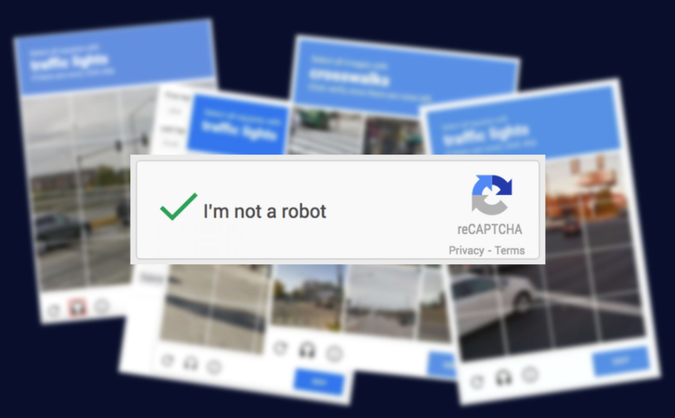
How do you complete a CAPTCHA correctly
Read more:
-
How to check browser fingerprint for spoofing signs with IPFighter
-
What is an IP fraud score? Reading the 0-100 scale
-
How to warm up IP address: Why new IPs need reputation building
8. What should you do if a CAPTCHA keeps failing?
Repeated CAPTCHA failures can happen even when you are a legitimate visitor. The challenge might not be loading correctly, your browser settings may interfere with the verification process, or the website may require additional checks.
Try the following troubleshooting steps before repeatedly submitting the same response.
-
Refresh the challenge: If the image or audio is unclear, use the available refresh option to request a new challenge.
-
Check your internet connection: An unstable connection may prevent verification resources from loading or the response from being submitted properly.
-
Review browser settings: Some CAPTCHA implementations rely on JavaScript or other browser functionality. Make sure required features are enabled.
-
Update or change your browser: An outdated or unsupported browser may cause compatibility issues. Try an up-to-date browser if the problem continues.
-
Check browser extensions: Privacy tools, script blockers, or other extensions may interfere with website functionality. If appropriate, temporarily disable the suspected extension for that site and test again.
-
Follow the website's support guidance: If verification keeps repeating, consult the site's help center or contact its support team rather than attempting endless retries.
If a CAPTCHA continues appearing, it does not automatically mean your IP address is blocked or that your device is infected. Websites can use different verification rules, and repeated prompts may result from several technical or security-related factors.
If you manage a website, review your CAPTCHA integration, error logs, accessibility options, and broader anti-abuse settings to identify whether legitimate visitors are being challenged unnecessarily.
9. Conclusion
CAPTCHAs play a vital role in modern web security by shielding platforms from automated bots, spam, and malicious traffic. While solving these challenges can occasionally interrupt your workflow, understanding how they analyze network signals, browser behavior, and IP reputation makes it easier to navigate them smoothly.
Ultimately, minimizing repetitive CAPTCHA triggers comes down to maintaining a clean digital footprint. By using reliable connections, managing browser fingerprints effectively, and regularly verifying your IP reputation with IPFighter, you can significantly reduce verification friction and enjoy a seamless browsing experience.
10. FAQ
Is CAPTCHA a password?
No. A CAPTCHA is a verification test intended to help distinguish humans from automated programs. A password is a secret credential used to authenticate access to an account. CAPTCHA may appear during login, but it does not replace a password.
How do I enter a CAPTCHA?
Follow the instructions shown on the screen. Enter the displayed characters, select the requested images, or complete the indicated interaction. If the challenge is unclear, refresh it or use an alternative verification option if one is available.
How do I get past the “I'm not a robot” CAPTCHA?
Click the checkbox if prompted and complete any additional challenge that appears. If verification keeps repeating, check your connection, browser settings, and extensions, then follow the website's support instructions. There is no universal method that guarantees immediate verification.
Is CAPTCHA enough to stop bots?
No. CAPTCHA can discourage certain types of automated activity, but it cannot identify or block every bot. Websites often combine it with measures such as rate limiting, authentication controls, traffic monitoring, and other security protections.
Should you use CAPTCHA-Solving Services?
CAPTCHA-solving services may be useful for authorized testing or legitimate automation workflows, but they also raise security, privacy, and compliance concerns. Before using one, check the website’s terms and ensure your intended use is permitted rather than relying on these services to bypass access restrictions or anti-bot protections.
Read more
What is a CAPTCHA? The check that separates people from bots

What is a mesh network and when should you use one?

What is an IP2 network? How it works, uses, and benefits

Explaining how to know if you have a DNS leak


How to know if you have a WebRTC leak: Reading your results

How to improve IP score: A complete guide