

Not every browser fingerprint testing tool looks at the same things or presents results the same way. This guide rounds up the top browser fingerprint testing tools available today so you can pick the one that actually fits your use case, whether that's a quick sanity check or a deep technical audit.
In this guide, IPFighter compares each tool's strengths and limitations so you can choose the right one for your workflow.
1. What are some examples of browser fingerprinting tests?
A browser fingerprint test analyzes the information your browser exposes to websites and evaluates whether that environment looks consistent and trustworthy. Instead of only checking your IP address, these tools examine dozens of browser and device characteristics, such as browser version, operating system, timezone, language, and screen resolution.
By combining these signals, a browser fingerprint test can estimate how unique your browser looks and flag inconsistencies that websites may use for tracking or fraud detection.
2. Where to find a full guide on reading your results?
Running a test is the easy part. Making sense of the score, the labels, and the long list of technical fields it returns is a different task entirely, and it deserves its own dedicated guide rather than a rushed summary here.
For a full breakdown of what each result actually means, including browser consistency, hardware signals, automation detection, and fingerprint uniqueness, see How to check browser fingerprint for spoofing signs. The rest of this guide focuses on comparing the tools themselves.
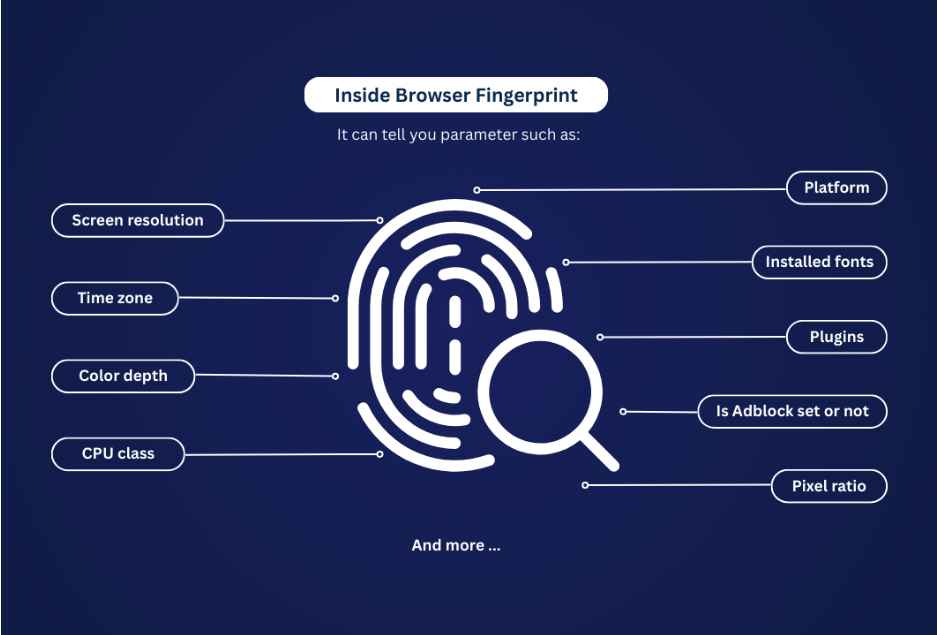
Things you should look for when checking your browser's fingerprint
Discover more:
-
What is a browser fingerprint? How websites identify you online
-
Best free antidetect browsers: Are they worth using?
-
Mastering Selenium browser fingerprints to avoid anti-bot detection
3. What website can I use to check my browser fingerprint?
There are many browser fingerprint testing tools available today, each offering a different level of analysis. Some focus on browser fingerprinting alone, while others also evaluate IP reputation, proxy information, and privacy leaks. Here are the top options worth trying.
3.1. IPFighter
IPFighter now runs its browser fingerprint check on a dedicated Browser Fingerprint tool, separate from the main IP and proxy checks on the homepage. The scan runs entirely client-side the moment the page loads, with no setup or pasting anything in. Here's what the results look like:
-
Score: A percentage that reflects how closely your setup matches a normal, unmodified browser.
-
Overview indicators: Four quick labels covering Browser, Operating system, Fingerprint masking status, and Automation/bot status.
-
Detailed signal groups: A full breakdown across eleven categories once you scroll down, including User-agent, screen, device & hardware, language & time, fingerprint signals (canvas, WebGL, audio), etc.
Together, the score gives you a fast read while the eleven signal groups let you trace exactly which part of your setup is causing any inconsistency.
- Advantages: Runs alongside IPFighter's other checks, including IP reputation, WebRTC leak test, and DNS leak test, so you can cross-reference fingerprint and network signals in one place, free with no signup required.
- Limitations: As with any single tool, one check is a snapshot, and it's worth pairing the score with the detailed field-by-field breakdown rather than reading the top-line number alone.
You can try the IPFighter Browser Fingerprint test to see how your browser environment appears across different fingerprint signals.
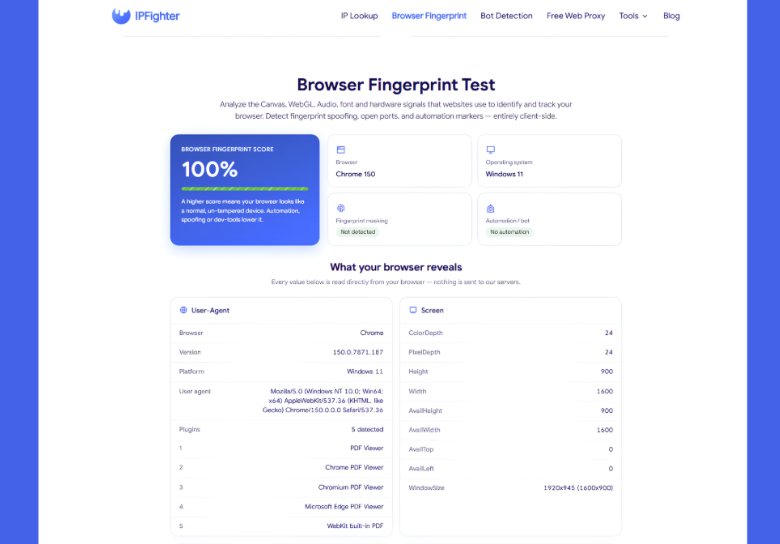
IPFighter checks browser fingerprint
3.2. Pixelscan
Pixelscan is a popular browser fingerprint testing tool that focuses on identifying browser inconsistencies, automation indicators, and fingerprint uniqueness.
- Advantages: Analyzes browser fingerprint, IP address, and proxy status together within a few seconds, results are summarized clearly under a "Your Browser Fingerprint" section.
- Limitations: Geared more toward antidetect browser users, so some of the technical framing assumes familiarity with multi-profile setups.
You can try Pixelscan (pixelscan.net) to check your browser fingerprint for inconsistencies, automation indicators, and fingerprint uniqueness.
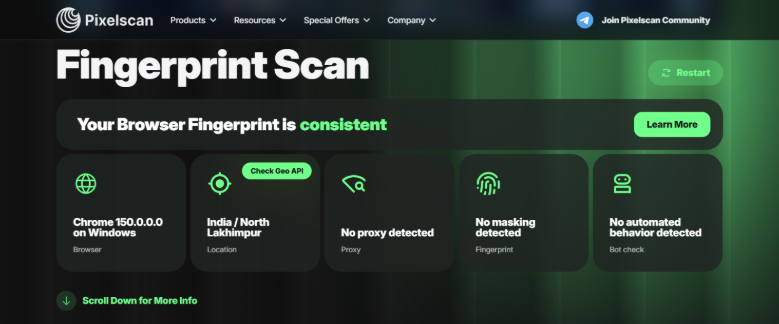
Pixelscan checks browser fingerprint
3.3. BrowserScan
BrowserScan is a browser fingerprint and trust score testing tool that analyzes browser, hardware, software, and network signals to assess how normal and consistent a browser environment appears. Its report combines fingerprint data with leak detection, automation detection, and consistency checks.
- Advantages: Provides an overall trust score alongside detailed results across network, hardware, software, and consistency categories, making it useful for quickly spotting potential fingerprint or configuration issues.
- Limitations: Its trust score combines multiple types of signals beyond browser fingerprinting, so it is less focused on individual fingerprint attributes than specialized tools such as CreepJS.
You can try BrowserScan (browserscan.net) to check your browser fingerprint and overall trust score.
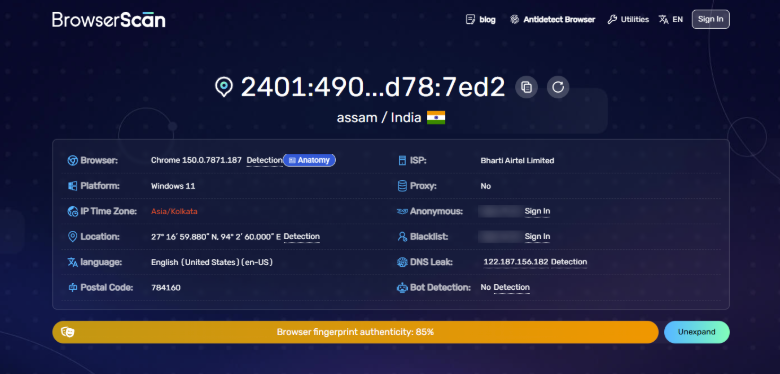
BrowserScan checks browser fingerprint
3.4. Fingerprint
Fingerprint is primarily a device intelligence platform used by businesses for fraud prevention and visitor identification, but it also offers a free online demo for checking your own browser.
- Advantages: Shows a visitor identifier, IP geolocation, bot detection, and VPN detection alongside core fingerprint data, backed by an enterprise-grade fingerprinting engine.
- Limitations: Some advanced device intelligence and Smart Signals are only available through paid access rather than the free demo.
If you want to see what the demo reports about your own browser, try the Fingerprint (fingerprint.com) browser demo.
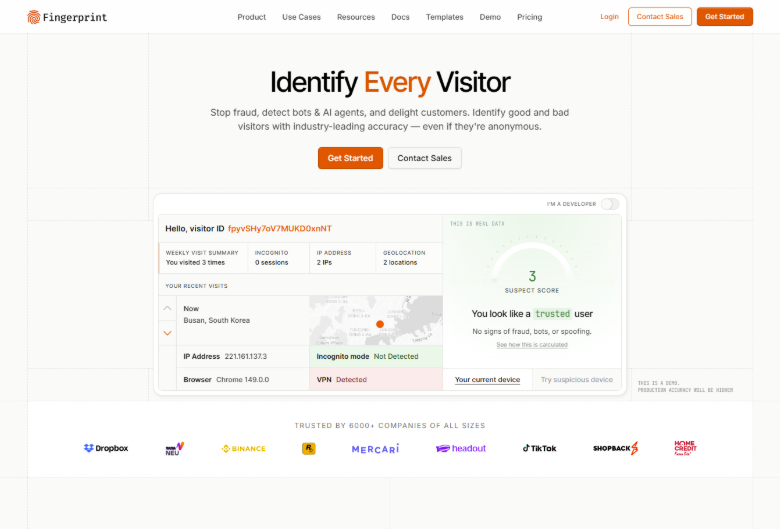
Fingerprint checks browser fingerprint
3.5. CreepJS
CreepJS is a highly detailed browser fingerprint testing tool that examines a wide range of browser attributes, including Canvas, WebGL, fonts, hardware information, and automation signals.
- Advantages: One of the most technically thorough free tools available, results are organized into multiple fingerprint categories for deep inspection.
- Limitations: The sheer amount of technical detail can be overwhelming if you just want a quick consistency check rather than a full audit.
For a detailed look at your browser’s fingerprint and detected signals, try CreepJS (abrahamjuliot.github.io/creepjs/).
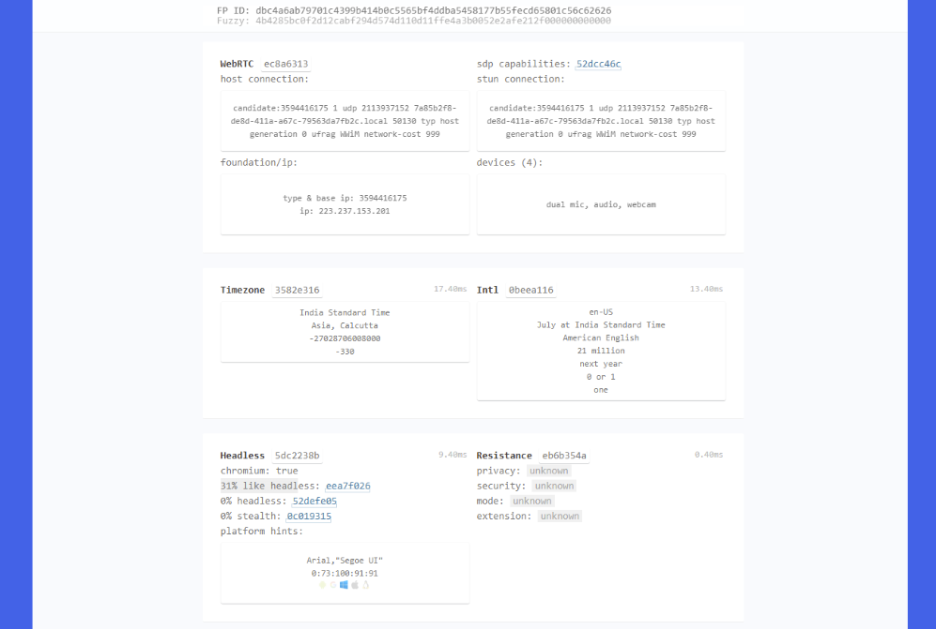
CreepJS checks browser fingerprint
3.6. BrowserLeaks
BrowserLeaks is a broad browser privacy testing platform that provides separate tests for fingerprinting, IP exposure, DNS, WebRTC, and other browser and network signals. Its fingerprint-related tools cover areas such as Canvas, WebGL, fonts, audio, hardware, and browser features.
- Advantages: Offers one of the broadest collections of browser and privacy tests, allowing you to inspect individual fingerprinting surfaces instead of relying on a single overall score.
- Limitations: Results are spread across many specialized tests, so it can feel fragmented and more technical compared with tools that provide a single summarized fingerprint report.
You can use BrowserLeaks (browserleaks.com) to explore your browser fingerprint and other privacy-related signals.
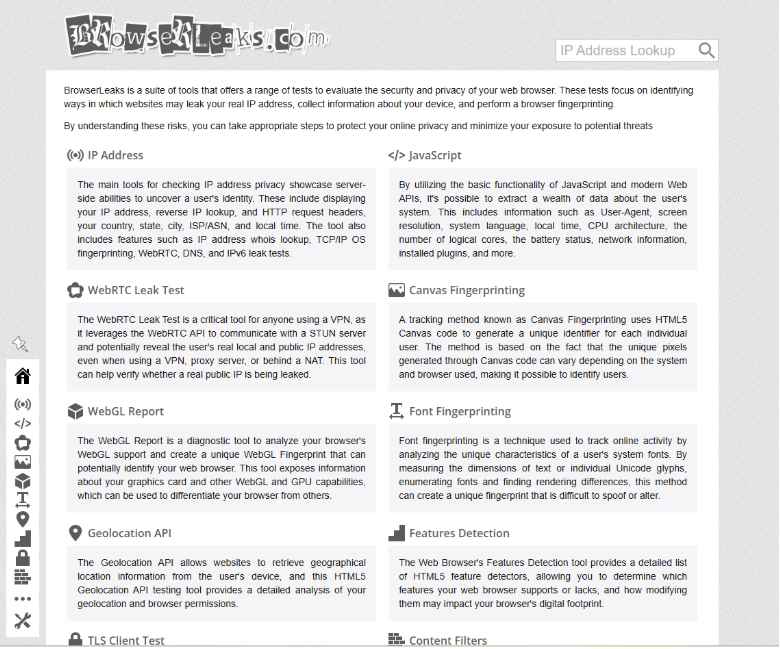
BrowserLeaks checks browser fingerprint and privacy signals
3.7. Whoer
Whoer is best known as an online privacy testing platform that includes tools for checking your IP address, anonymity level, and browser fingerprint. It offers a quick way to see how your browser appears to websites.
- Advantages: Simple one-click "Check Fingerprint" flow, results are summarized alongside your broader anonymity profile.
- Limitations: Less depth on individual fingerprint signals compared to more specialized tools like CreepJS.
You can run a quick browser fingerprint check with Whoer (whoer.net).
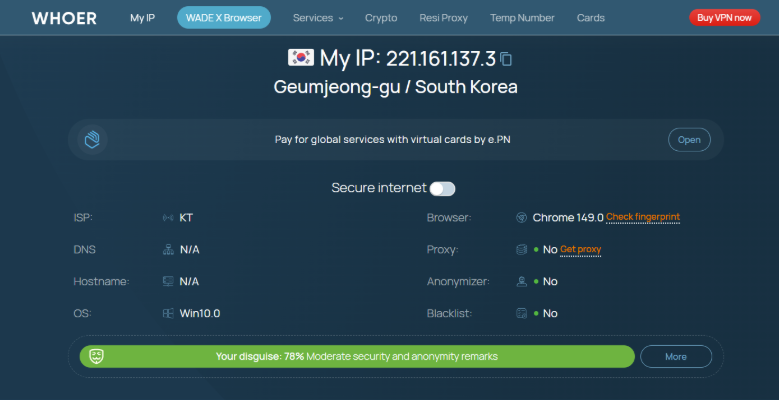
Whoer checks browser fingerprint
3.8. Cover Your Tracks
Cover Your Tracks is a browser privacy testing tool from the Electronic Frontier Foundation (EFF) that focuses on showing how trackers see your browser and how uniquely identifiable its configuration is. It combines fingerprint uniqueness analysis with tests of browser and add-on protection against tracking.
- Advantages: Provides an easy-to-understand uniqueness assessment and compares your browser characteristics against a large pool of recently tested browsers, while also checking tracker-blocking protection.
- Limitations: Its analysis is primarily focused on tracking and privacy rather than the broader automation, spoofing, and anti-bot signals covered by some specialized fingerprint testing tools.
You can try CoverYourTracks (coveryourtracks.eff.org) to see how unique and identifiable your browser appears to trackers.
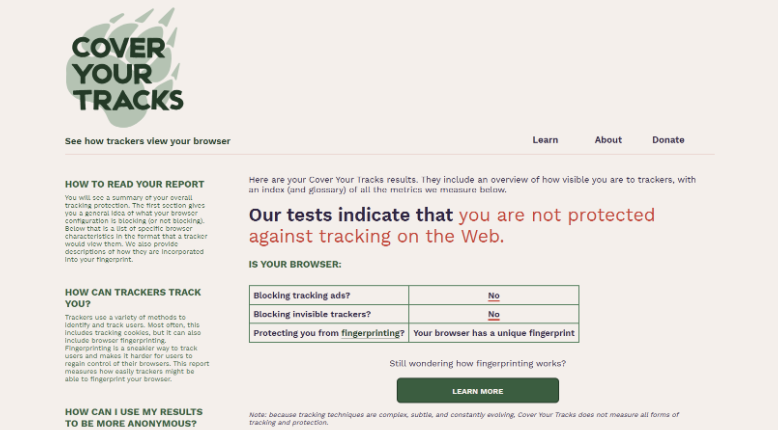
Cover Your Tracks checks browser fingerprint uniqueness
3.9. IPhey
IPhey is a browser fingerprint and anonymity testing tool that evaluates multiple aspects of a browser environment, including browser, location, IP address, hardware, and software signals. It also provides separate checks for VPNs, bots, DNS leaks, and IP blacklists.
- Advantages: Summarizes multiple browser and network signals into a clear trust assessment, making it easy to spot inconsistencies between your fingerprint, IP, location, hardware, and software.
- Limitations: The overall assessment is broader than a pure fingerprint test, so users looking for a field-by-field technical fingerprint analysis may find tools such as CreepJS more detailed.
You can run a browser fingerprint and anonymity check with IPhey (iphey.com).
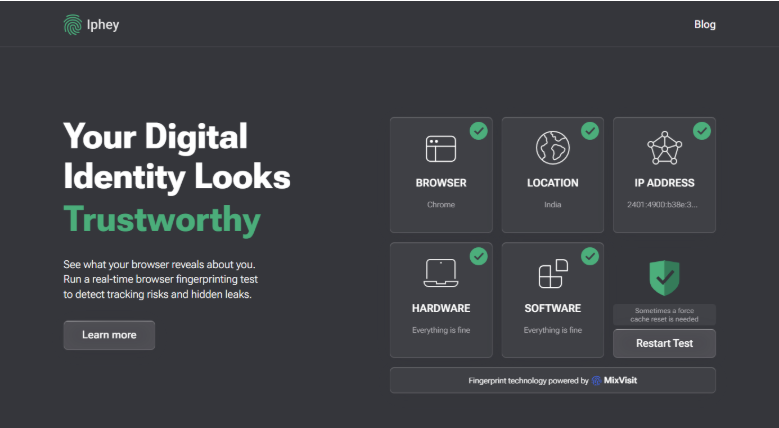
IPhey checks browser fingerprint and anonymity signals
3.10. AmIUnique
AmIUnique is a browser fingerprint research project that lets users inspect their fingerprint and see how unique their browser configuration is compared with fingerprints in its dataset. It collects characteristics such as the operating system, browser, timezone, language, HTTP headers, and JavaScript attributes.
- Advantages: Particularly useful for understanding fingerprint uniqueness, with statistics showing how common individual browser characteristics are within its dataset. It also provides historical tracking through its browser extension.
- Limitations: Its focus is more research- and uniqueness-oriented than detection-oriented, so it does not provide the same level of automation or spoofing analysis as some newer fingerprint testing tools.
You can check your browser's fingerprint and uniqueness with AmIUnique (amiunique.org).
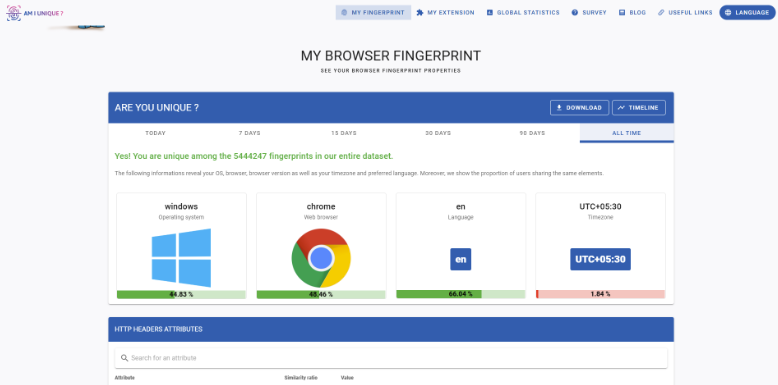
AmIUnique checks browAmIUnique checks browser fingerprint uniqueness
4. Comparing the top browser fingerprint testing tools
Across all five, the right pick depends on what you actually need: a fast consistency check, a technical deep dive, or a combined IP and fingerprint audit in one place.. Here's how the five tools stack up on the basics:
|
Tool |
Free to use |
Checks IP/proxy too |
Depth of fingerprint detail |
|
IPFighter |
Yes |
Yes |
High, with score + 4 indicators + 11 signal groups |
|
Pixelscan |
Yes |
Yes |
Moderate, antidetect-focused |
|
BrowserScan |
Yes |
Yes |
High, with fingerprint + trust analysis |
|
Fingerprint |
Free demo |
Partial |
High, with some features paywalled |
|
CreepJS |
Yes |
No |
Very high, highly technical |
|
BrowserLeaks |
Yes |
Yes |
Very high, split across detailed tests |
|
Whoer |
Yes |
Yes |
Moderate, focused on quick checks |
|
Cover Your Tracks |
Yes |
No |
Moderate, focused on uniqueness |
|
IPhey |
Yes |
Yes |
High, with broader anonymity analysis |
|
AmIUnique |
Yes |
No |
High, focused on fingerprint uniqueness |
5. Common browser fingerprint problems
A browser fingerprint test can reveal more than just the browser and device you are using. Depending on the tool, the results may highlight inconsistencies between browser settings, location signals, and other fingerprint attributes.
Common issues include a timezone that does not match your IP location, a browser language that looks unusual for the selected region, conflicting browser or device parameters, or a fingerprint that appears unusually unique. Some testing tools may also flag signals associated with browser automation or spoofing, such as an exposed navigator.webdriver property.
These issues do not always mean that a browser environment is unsafe or detectable on their own. Their significance depends on the combination of signals and how consistently they match one another.
6. How to improve your browser fingerprint
If a browser fingerprint test reveals inconsistencies, improving the overall consistency of your browser environment is usually more important than trying to change individual fingerprint attributes in isolation.
A few factors can make a difference. A reliable proxy can help align your IP-based location with the rest of your browsing environment, while an antidetect browser like BitBrowser, Hidemyacc, Gologin,etc. can provide greater control over fingerprint parameters and keep them consistent within a profile. Other settings, such as timezone, language, and geolocation, should also make sense for the IP location you are using.
The goal is not necessarily to make your fingerprint look completely generic. Instead, a well-configured browser environment should avoid obvious contradictions between its different signals. For detailed guidance on checking these signals and identifying potential spoofing issues, see how to check browser fingerprint.
How to improve your browser fingerprint
Read more:
-
Is Tor browser safe? The biggest myths about Tor privacy
-
How to change the display language in Windows 10 and Google Chrome browser
7. Conclusion
The best pick among today's browser fingerprint testing tools depends on what you need it for. IPFighter is a strong all-in-one pick if you want fingerprint, IP, and leak checks together in one place. CreepJS suits anyone who wants maximum technical depth, while Pixelscan and Whoer are solid, fast options for a general consistency check. Whichever tool you use, make it a habit to test whenever you rotate a proxy, launch a new browser profile, or configure an antidetect setup.
Check your IP reputation and grab the best deals today! Get started with IPFighter
8. FAQ
What is a browser fingerprint test?
A browser fingerprint test analyzes your browser and device characteristics to determine how unique and identifiable your browser appears online.
Is browser fingerprint testing free?
Yes. Most of the tools in this guide, including IPFighter, offer free browser fingerprint analysis.
Which browser fingerprint testing tools are the most accurate?
There's no single "most accurate" tool since each one weighs signals differently. CreepJS offers the deepest technical detail, while IPFighter is a good pick if you also want IP and leak data alongside the fingerprint check.
Can a browser fingerprint identify me personally?
Not directly, but it can uniquely distinguish your browser from others and be used to track it across sessions.
Can my browser be fingerprinted?
Yes. Most modern browsers expose enough information about your device, software, and browser settings to create a unique or near-unique fingerprint. Websites can use these signals to distinguish your browser from others, even when cookies are disabled.
Does a VPN change my browser fingerprint?
No. A VPN changes your IP address but doesn't modify your browser fingerprint on its own.
How often should I test my browser fingerprint?
It's worth testing whenever you change proxies, create a new browser profile, update browser settings, or configure an antidetect browser.
Read more
What is anonymous browsing and how does it work?

Is Pixelscan any good? A full review and alternative
How to check browser fingerprint for spoofing signs with IPFighter

How to pass bot detection test and avoid getting flagged
What is a virtual machine? How it works and when to use one
What is a spoofer? How identity masking actually works