

With a diverse proxy lineup covering residential, mobile, ISP, and datacenter proxies, backed by more than 10 years of experience, does Geonix actually deliver the quality it claims? With more than 15 million IPs across 200+ countries and locations, the provider offers a wide range of proxy options and features for different use cases.
In this review, IPFighter takes a closer look at Geonix’s proxy types, key features, pricing, setup process, and real-world performance to help you determine whether Geonix is the right fit for your needs.
1. General information
Before looking at each proxy type in detail, here is a quick overview of Geonix and its current service offering.
|
Field |
Information |
|
Website |
|
|
Founded |
2014 |
|
Proxy types |
Residential, ISP, Mobile, Datacenter (IPv4 / IPv6) |
|
IP pool |
15M+ residential IPs in 200+ locations |
|
Coverage |
200+ locations |
|
Protocol |
HTTP, HTTPS, SOCKS5 |
|
Pricing model |
Per GB (Pay-as-you-go/Fixed plans), Monthly subscription, Per IP |
|
Payment |
Visa, Mastercard, PayPal, Cryptocurrency (USDT, USDC, TUSD) |
|
Trial |
None |
|
Refund |
Non-refundable, except for confirmed proxy issues reported within the first 24 hours. Orders with a rental period of 3 days or less and trial orders are not eligible for refunds. |
|
Best for |
Web scraping, social media automation, SEO, and multi-account management |
Discover more:
-
Best proxy providers in 2026: Compare top 6 services
-
What is a Proxy? Benefits, usage, and everything you need to know about proxies
2. Proxy types available at Geonix
To comprehensively meet user needs, Geonix offers 5 core proxy solutions: Residential, ISP, Mobile, IPv4, and IPv6. Whether your goal is web scraping, multi-account management, or ad verification, each product line is fine-tuned to deliver optimal performance for specific tasks.
2.1. Residential proxies
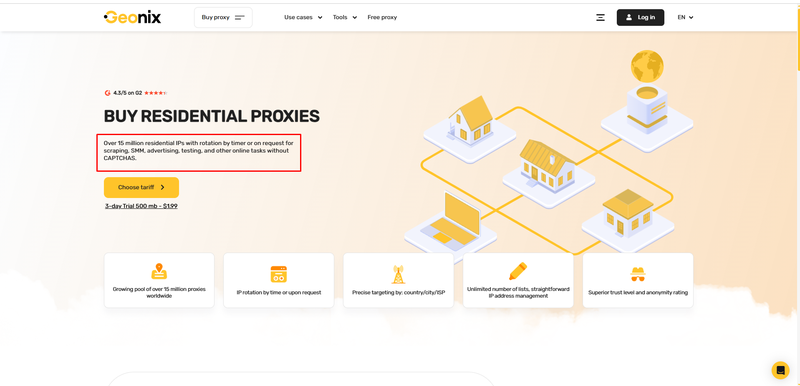
Geonix residential proxies provide access to more than 15 million real residential IPs across 200+ countries and territories, with IP addresses associated with real users’ networks. The service supports both automatic IP rotation and sticky sessions, along with location targeting and multiple connection protocols.
-
IP pool: 15M+ residential IPs
-
Coverage: 200+ countries and territories
-
Targeting: Country
-
Rotation: Automatic IP rotation after each request or at intervals ranging from 5–60 minutes; sticky sessions supported
-
Concurrent sessions: Unlimited
-
Protocols: HTTP, HTTPS, SOCKS5
-
Billing: Pay-as-you-go or fixed plans
Proxy residents
The combination of a large residential IP pool, broad coverage, and flexible rotation makes Geonix Residential Proxies suitable for tasks such as web scraping, social media management, SEO, and market research. However, its targeting options are primarily focused on the country level and are less granular than providers offering region, city, ISP, or ASN targeting.
2.2. ISP proxies
Combining the speed of datacenter infrastructure with the reputation of residential IPs, ISP proxies provide stable performance for tasks that require long-term connections.
-
Coverage: 24 countries
-
Targeting: Country; city/state selection is available based on the options displayed on the website
-
Rotation & sessions: Static IPs; no rotation. Rental periods range from 7 to 360 days
-
Protocols: HTTP(S), SOCKS5
-
Best use cases: Ad verification, social media management, SEO scraping, and tasks requiring stable long-term connections
Geonix ISP Proxies are a good fit for workflows that require long-term connections and minimal IP changes. However, Geonix does not clearly disclose the pool size, actual bandwidth limits, or concurrent connection limits, so users should verify these specifications before deploying the proxies at scale.
2.3. Mobile proxies
Geonix mobile proxies use real 4G/5G/LTE IPs from mobile carriers and are offered as dedicated proxies with dynamic IP rotation. Users can select the country, carrier, rotation method, and rental period, making the service suitable for workflows that require real mobile IPs and flexible IP changes.
-
Network: 4G/5G/LTE mobile IPs
-
Coverage: 17 countries
-
Targeting: Country and carrier; specific carrier availability varies by location
-
Rotation & sessions: Per request or every 5–30 minutes
-
Protocols: HTTP(S), SOCKS5
-
Best use cases: SERP scraping, ad automation, multi-account registration, social media management, offer and promotion campaigns, and anonymous browsing
The combination of real mobile IPs, carrier targeting, and flexible rotation makes Geonix Mobile Proxies suitable for tasks that require trusted IPs and frequent location changes. However, rotation intervals and carrier availability vary by country, while the number of concurrent connections is not clearly disclosed by Geonix.
2.4. IPv4
Geonix offers static, dedicated IPv4 datacenter proxies with location and subnet targeting options to accommodate different use cases.
-
Coverage: 38 countries
-
Filtering: Country, city, state, network, and subnet
-
Rotation: Static
-
Protocols: HTTP(S), SOCKS5
-
Traffic: Unlimited
-
Bandwidth: Up to 1 Gbps
Static datacenter proxies are suitable for workflows that require a stable IP over an extended period, such as social media management, SEO, online gaming, and other tasks that benefit from a consistent IP address. However, these proxies may be easier to detect than residential or ISP proxies on platforms with strict anti-bot systems.
2.5. IPv6
Geonix offers static IPv6 datacenter proxies designed for workflows that require a large number of IPs at a lower cost and support multiple parallel processes.
-
Coverage: 13 countries
-
Filtering: Country
-
Rotation: Static
-
Protocols: HTTP(S), SOCKS5
IPv6 datacenter proxies can be a cost-effective option for workflows that require a large number of IPs, such as web scraping, SEO, and automation. However, their usability depends on whether the target website or software supports IPv6, so compatibility should be verified before large-scale deployment.
3. Key features of Geonix
Geonix provides IP rotation, session persistence, and geo-targeting features, along with multiple authentication methods and connection protocols. Key features include:
-
IP rotation: Residential proxies support rotation after each request or at intervals of 0-3600 seconds, while Mobile proxies support timer-based rotation depending on the carrier or rotation via a link.
-
Sticky sessions: Residential proxies can maintain the same IP for extended periods, with session duration depending on the device sharing the IP.
-
Geo-targeting: Residential proxies support country, state, city, and ISP targeting. Other proxy types primarily support country-level targeting, while Mobile proxies also offer carrier targeting.
-
Authentication: Supports username/password authentication and IP whitelisting.
-
Protocols: Supports HTTP(S) and SOCKS5 across IPv4, IPv6, ISP, and Mobile proxies.
-
Free proxy: Provides a free proxy section along with free proxy testing tools.
Overall, Geonix focuses on flexible IP and location management, with different rotation and targeting options depending on the proxy type.
4. Geonix pricing overview
Geonix adopts a flexible and varied pricing approach to accommodate its diverse product lineup. Unlike providers with a single unified system, Geonix uses different billing models and starting prices depending on the specific proxy type you select.
|
Proxy Type |
Starting Price |
Traffic |
Billing model |
|
Residential |
$0.49/GB |
Per plan |
Per GB |
|
ISP |
$1.35/IP |
Unlimited |
Per IP + rental period |
|
Mobile |
$14/IP |
Unlimited |
Per IP + rental period |
|
IPv4 |
$0.72/IP |
Unlimited |
Per IP + rental period |
|
IPv6 |
$0.07/IP |
None |
Per IP + rental period |
If you're planning to purchase proxies from Geonix, don't miss the Geonix promo code available on IPFighter. You can save on your proxy purchase with an exclusive discount while choosing the plan that best suits your needs.
5. Performance test
To evaluate the quality of Geonix proxies, IPFighter tested three key aspects: IP quality using IPFighter.com, connection speed using Fast.com, and geolocation accuracy through Google Search. We tested IPs from five different locations: Brazil, Egypt, Canada, Hong Kong, and Japan.
5.1. Preparation
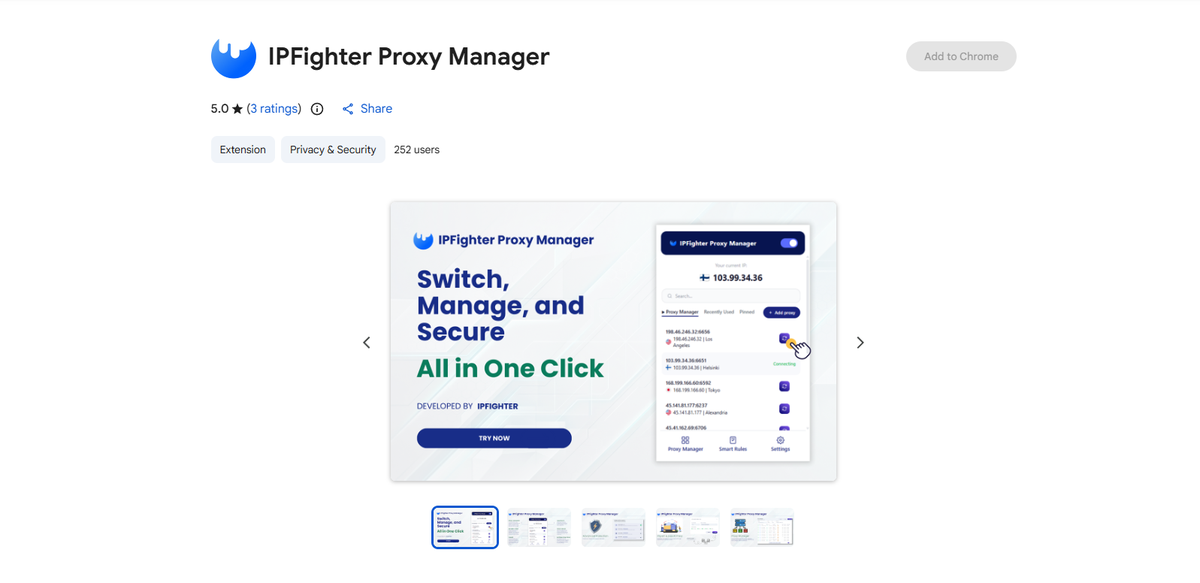
Before evaluating the proxies, we first added them to our browser using the IPFighter Proxy Manager extension. This extension makes it easy to import, manage, and switch between multiple proxies directly within your browser, eliminating the need for manual proxy configuration.
IPFighter Proxy Manager extension on Chrome
If you'd like to learn how to set it up, check out our detailed guide: A complete guide to the IPFighter Proxy Manager extension.
5.2. Test results
Based on the methodology outlined above, here is the detailed performance breakdown for each of the five selected IPs.
|
IP |
Score |
Proxy |
Blacklist |
Download |
Upload |
Ping |
Location note |
|
Brazil |
90% |
Not detected |
Clean |
7.7 Mbps |
15 Mbps |
549 ms |
Venezuela |
|
Egypt |
85% |
Not detected |
Clean |
11 Mbps |
21 Mbps |
383 ms |
Giza, Egypt |
|
Canada |
90% |
Not detected |
Clean |
90 Mbps |
40 Mbps |
366 ms |
Chelsea, Canada |
|
Hong Kong |
95% |
Not detected |
Clean |
6.8 Mbps |
26 Mbps |
571 ms |
Kwai Chung, Hong Kong |
|
Japan |
85% |
Not detected |
Clean |
28 Mbps |
2.4 Mbps |
530 ms |
Nagano, Japan |
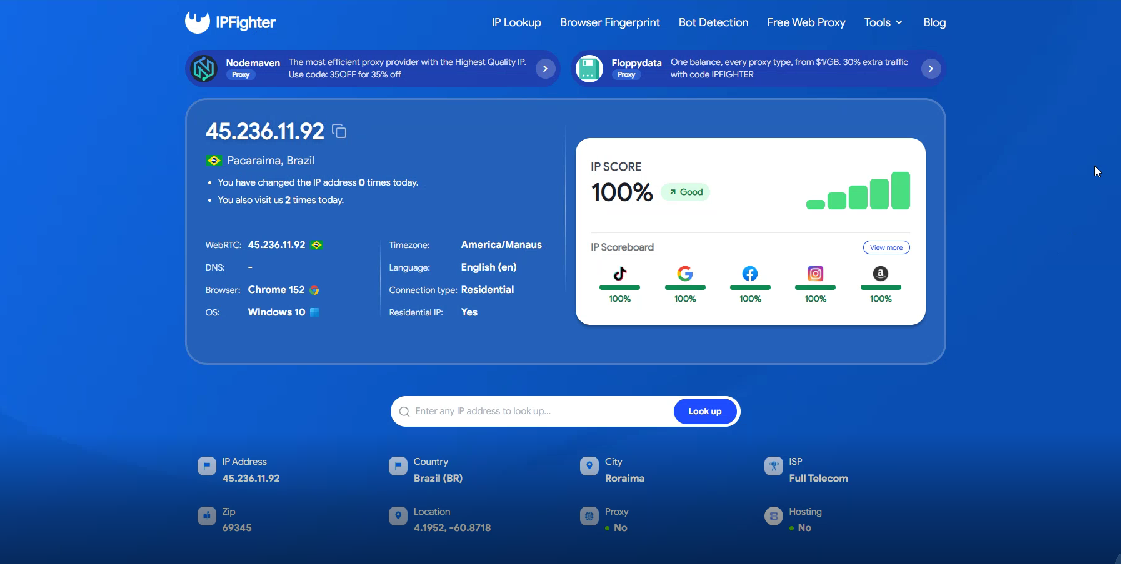
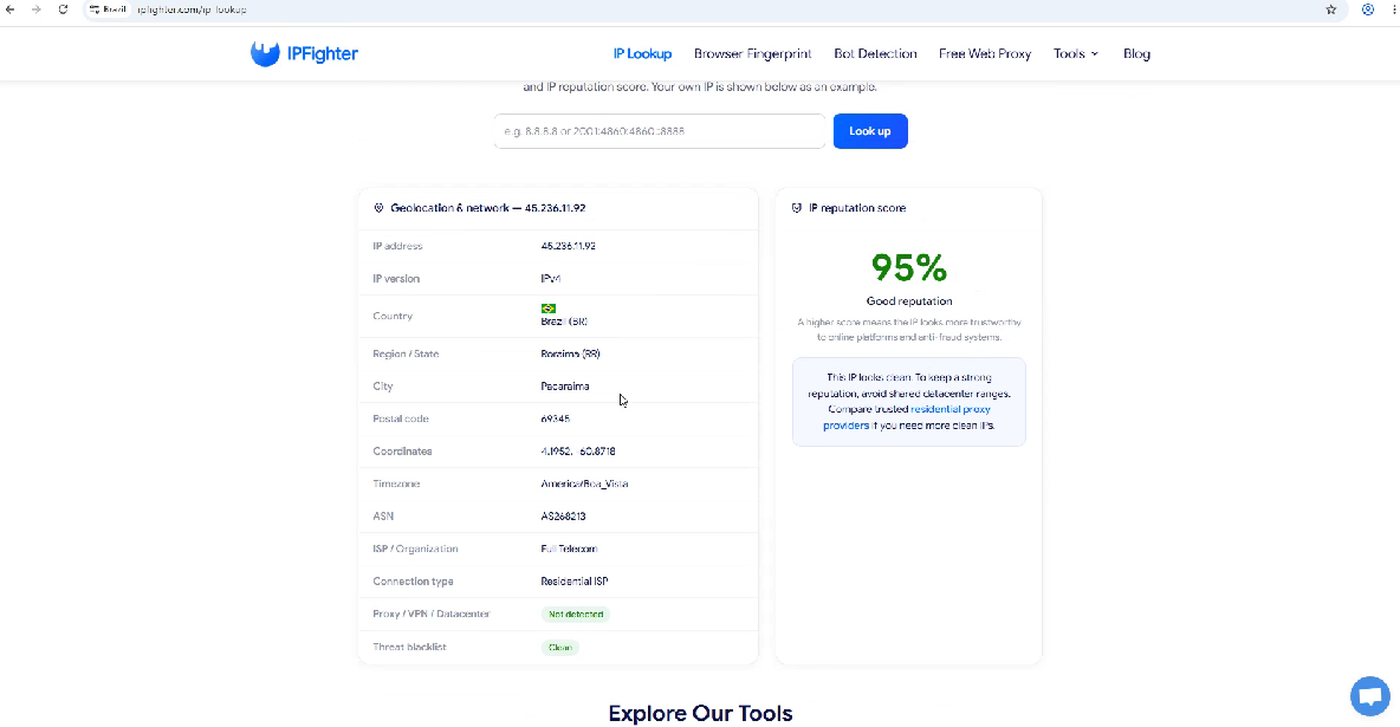
Across the five randomly selected Geonix IPs, the overall IP quality was fairly strong. IPFighter scores ranged from 85% to 95%, with all tested IPs showing no proxy detection and a Clean blacklist status.
In terms of performance, download speeds ranged from 6.8 to 90 Mbps, while latency was relatively high, ranging from 366 to 571 ms. Performance varied significantly between locations, but the tested proxies were generally sufficient for basic tasks. However, the high latency may be a limitation for workflows that require fast response times.
Geolocation accuracy was relatively good but not completely consistent. Four out of five IPs were identified in the target country, while the Brazil IP was identified by Google as being located in Venezuela. Overall, Geonix delivered fairly good IP quality, but users should still test individual locations before using them for tasks that require high geolocation accuracy.
Brazil rotating residential IP test results
IP Lookup results on IPFighter
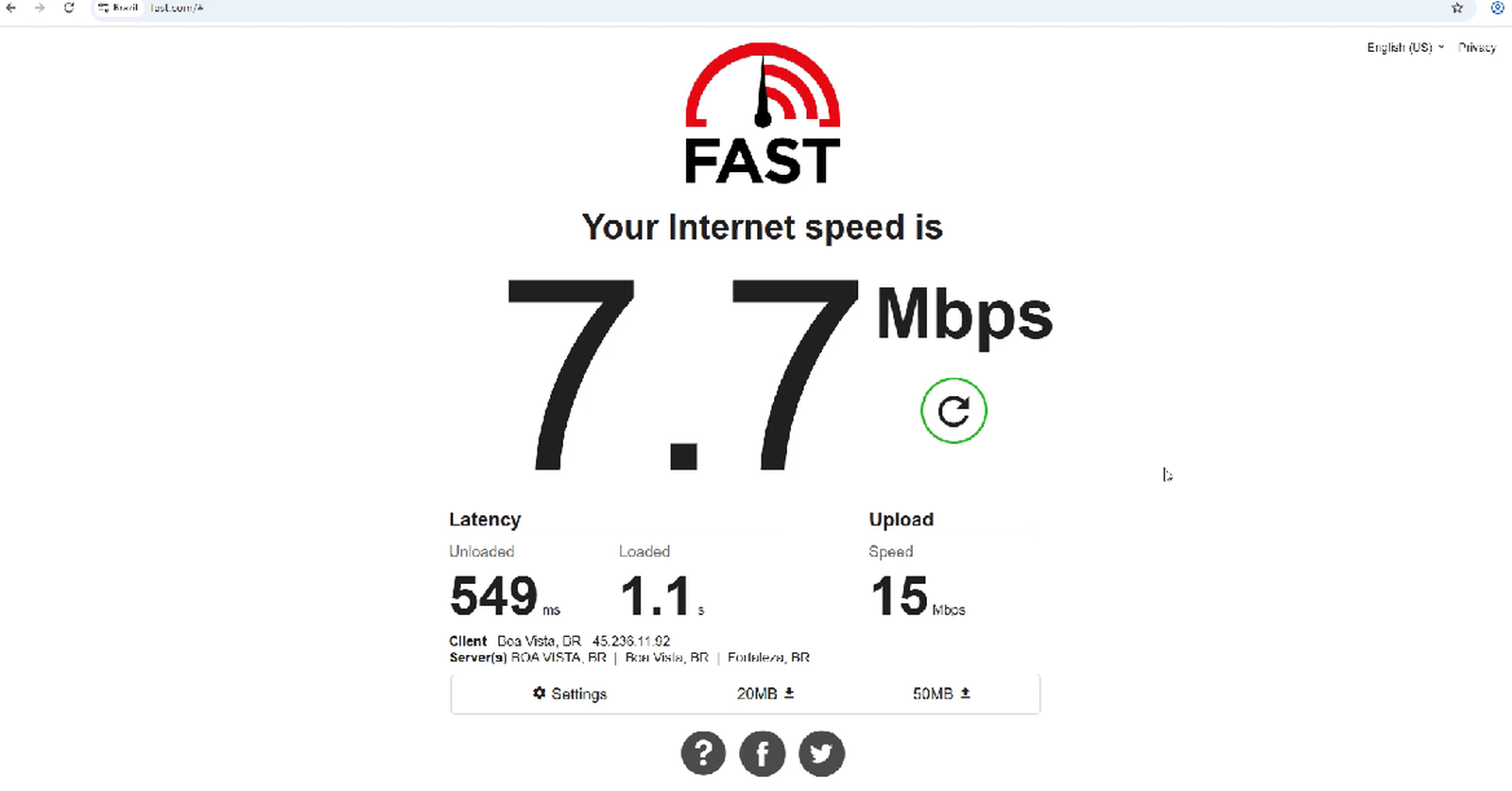
Proxy speed test on Fast.com
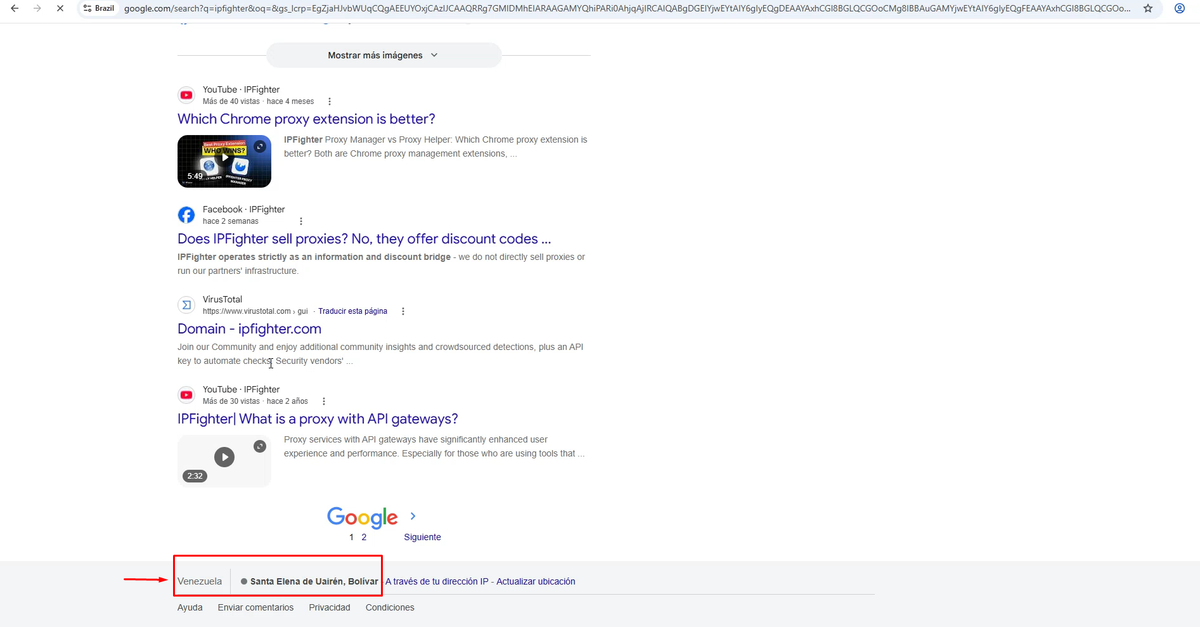
Location check on Google Search
Read more:
-
IP reputation check: How IPFighter scores your IP
-
How to use web proxy safely: A practical guide
-
How to check if a proxy is working and read your results
6. How to get a proxy from Geonix
Getting started with Geonix is relatively straightforward: create an account, choose a proxy type, configure the location and rental period, complete the payment, and retrieve your proxy credentials.
Step 1. Create or log in to your account
Visit the Geonix website and create an account or log in if you already have one. After logging in, you can choose the proxy type that best fits your needs, including IPv4, IPv6, ISP, Mobile, and Residential proxies.
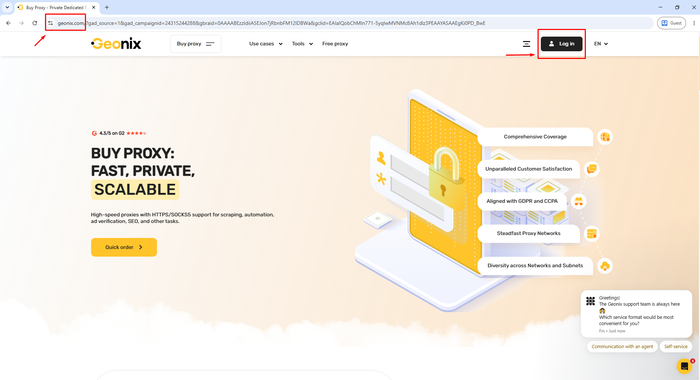
Create or log in to your account
Step 2. Choose and purchase a proxy
Select the proxy type you want to use and configure the required options. Depending on the proxy type, you may be able to choose the country, number of IPs, rental period, and other settings before reviewing the total cost.
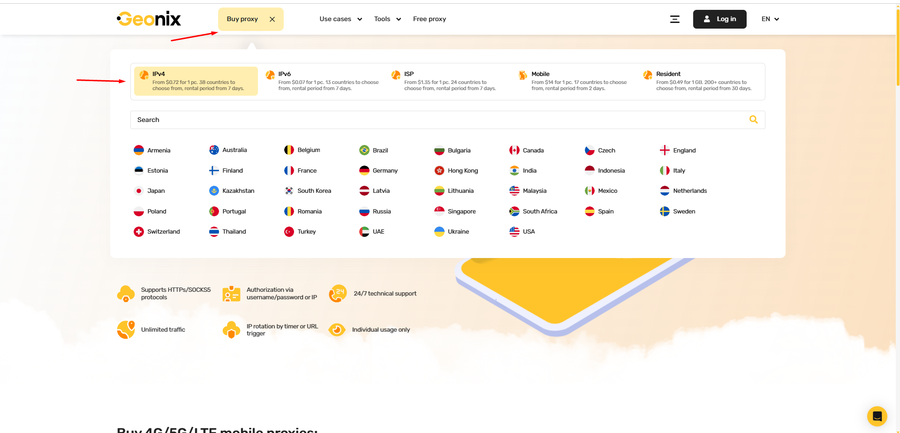
Select the proxy type you want to purchase
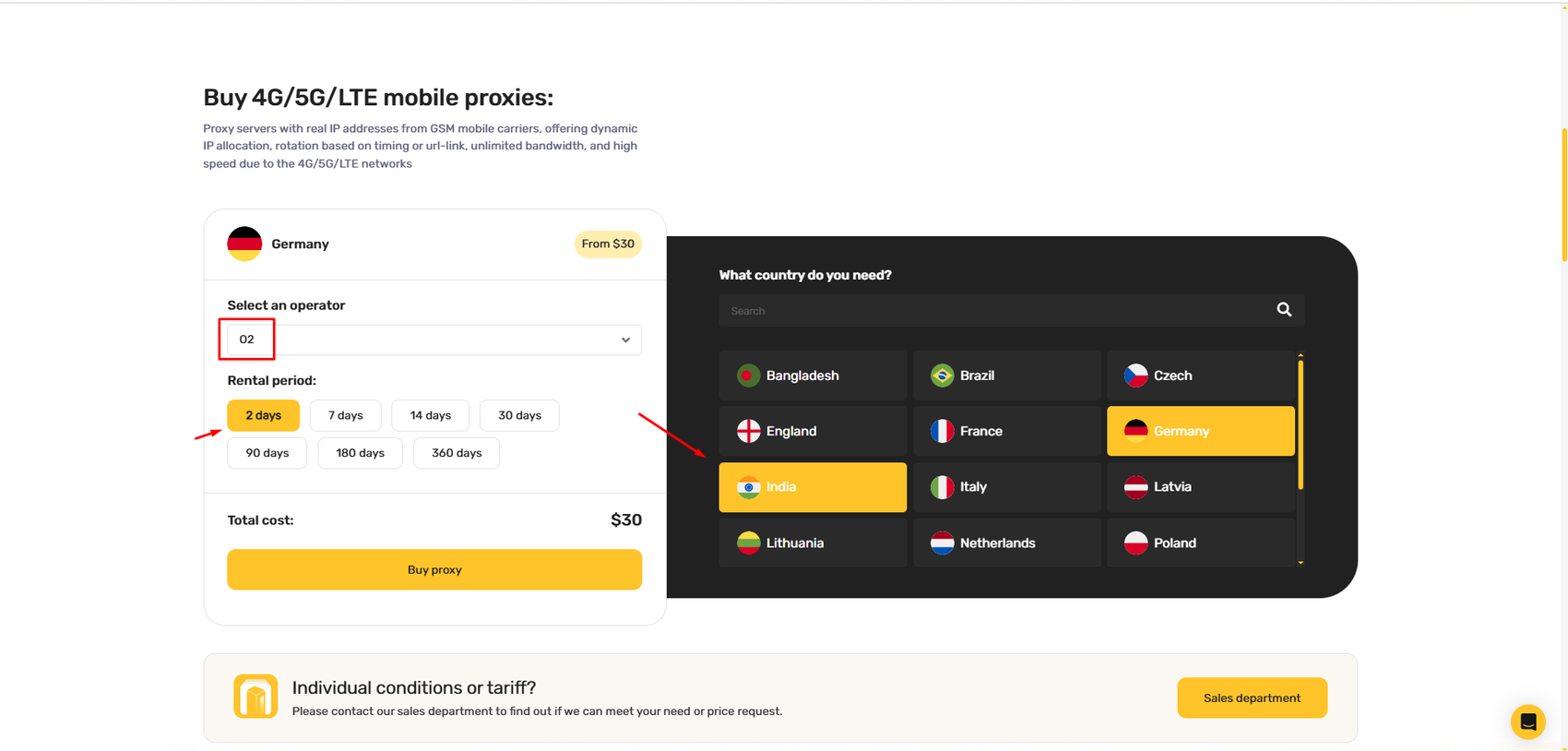
Purchase a proxy plan
Step 3. Complete the payment
Review your proxy configuration and total cost, then proceed with the payment method that works best for you. Geonix supports payments via Visa/Mastercard, PayPal, and cryptocurrency.
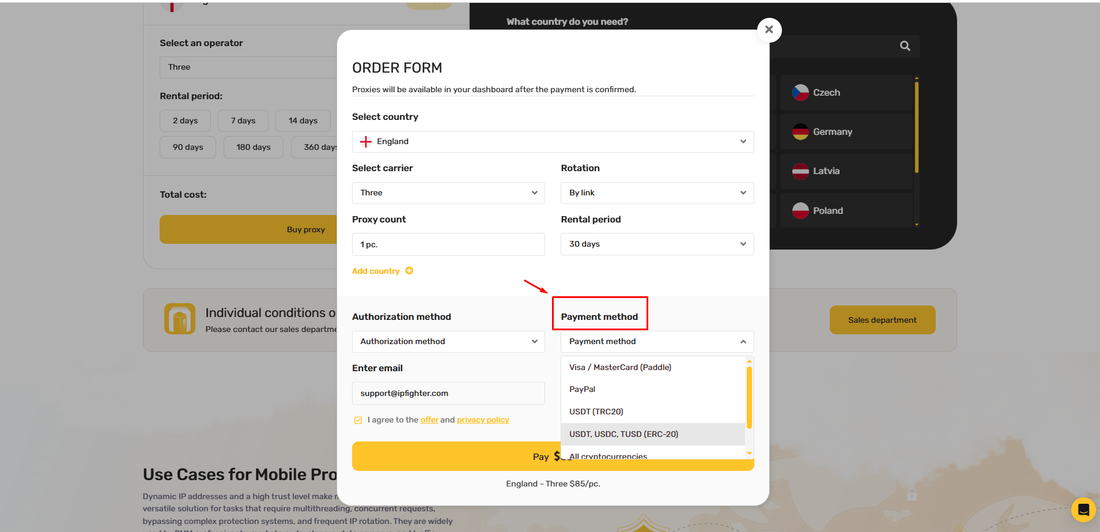
Proceed with payment
Step 4. Retrieve and copy your proxy credentials
Once the payment is confirmed, the proxy will become available in your Geonix account. Open your proxy list to view the connection details, including the IP address, port, username, and password.
You can also download your proxy list in TXT or CSV format, making it easier to use with browsers, scraping tools, automation software, and other applications.
7. Alternatives
If you're looking for alternative providers with similar pricing and feature sets, check out these detailed reviews on IPFighter:
-
Novada: Offers a diverse range of proxy solutions with optimized connection speeds for web scraping.
-
Quick Proxy: A residential proxy provider with a solid IP pool and global coverage. It focuses on rotating proxies with bandwidth-based pricing, making it a good option for scraping and ad verification.
-
B2Proxy: A budget-friendly provider offering residential, ISP, mobile, and datacenter proxies across 220+ countries, suited for scraping and automation.
You can also check out reviews of our other partners here:
-
Byteful review: An AI-driven proxy network powered by Smartpath technology
-
Proxy001 review: Exploring its 100M+ residential proxy network
-
Sx.org review: A closer look at its global proxy network
-
Rapidproxy review: A closer look at its residential proxy network
8. Conclusion
Geonix is a provider worth considering thanks to its long track record, broad proxy lineup-from residential and ISP to mobile and datacenter proxies-and flexible pricing models. One of its main strengths is the quality of its IPs, with tested IPFighter scores ranging from 85% to 95%.
However, relatively high latency and performance variations across different locations mean users should test individual locations carefully before deploying Geonix proxies for demanding workflows.
If you're planning to try Geonix, check out the Geonix promo code on the IPFighter page to get up to 20% off your purchase.
9. FAQ
What proxy types does Geonix offer?
Geonix offers a wide range of proxy types, including Residential, ISP, Mobile, and Datacenter proxies (IPv4/IPv6).
Does Geonix support sticky sessions?
Yes. Geonix supports sticky sessions for Residential proxies, allowing users to maintain the same IP for an extended period. Its proxy products also offer different IP rotation options depending on the proxy type.
Does Geonix offer an API?
Yes. Geonix provides API access for managing accounts and proxies through its API interface.
Does Geonix offer a free trial or free proxies?
Geonix provides a free proxy section and free proxy testing tools. Trial availability may vary depending on the proxy product and current offer.
What is Geonix best for?
Geonix is well suited for web scraping, automation, SEO, social media management, ad verification, and multi-account workflows.
Read more

Geonix review: What makes its proxy services stand out?

Floppydata review: A closer look at its proxy network

Japan proxy: Find the right provider for Japanese IPs

Best proxy Vietnam providers: Compare 10 services

Best India proxy providers in 2026: Find the right Indian IP

Korean proxy service: How to choose one and compare the top providers