

Could a different IP address actually make your gaming connection better? A gaming proxy routes your game traffic through an intermediary server, which can change the IP and route seen by the game server. However, it does not automatically mean lower ping or smoother gameplay.
In this article, IPFighter explains how a proxy for gaming works, whether you can use one in real games, what gamers use it for, which proxy types fit different needs, and what to consider before choosing a free or paid proxy. This guide covers network proxies, not tabletop proxy models or in game strategies.
1. What is a gaming proxy?
A proxy for gaming, usually called a gaming proxy, is an intermediary server that routes game related traffic through another IP address before it reaches the game server. Instead of connecting directly from your normal public IP, the game server may see the IP address associated with the proxy.
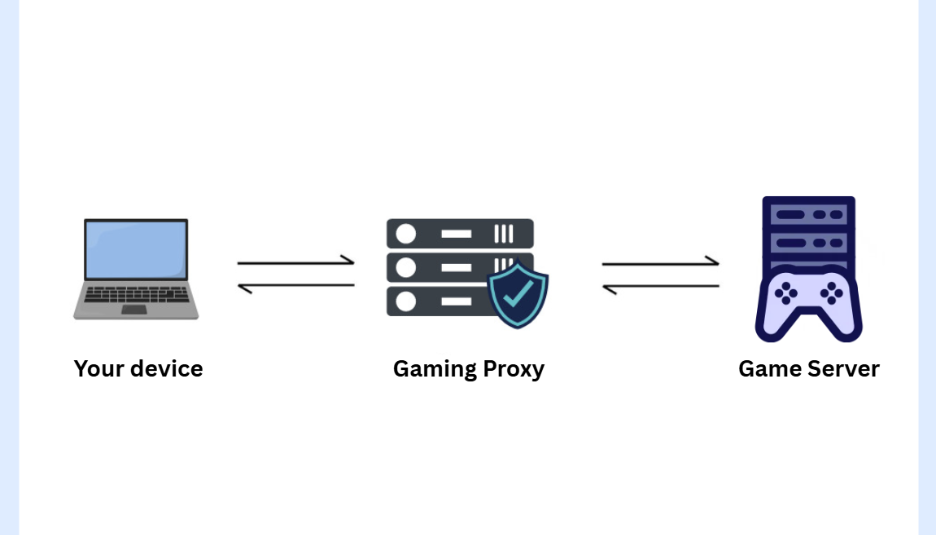
The basic connection can be simplified as:
Your device → Gaming proxy → Game server
When a supported game or application sends traffic through the proxy, the proxy receives it and forwards it to the game server. The proxy's location can also change the route between your device and the server. A proxy on a suitable route may offer a different path from your ISP's default route, but adding another network hop can also increase latency.
For this reason, a gaming proxy is not automatically optimized for lower ping. Its performance depends on the proxy's location, routing, server load, and compatibility with the game.
Definition of gaming proxy
Discover more:
-
What is a Proxy? Benefits, usage, and everything you need to know about proxies
-
Proxy server for streaming: Can it improve your experience?
-
Difference between VPN and proxy: What’s the difference?
2. Can you use a proxy in games?
Sometimes, but it is less straightforward than using a proxy in a browser. Most games do not include a proxy setting, and a proxy configured in your operating system or browser often affects only part of the traffic a game produces. The sections below explain what goes through the proxy, why the protocol matters, and how to check whether your setup works.
2.1. Which game traffic goes through a proxy?
A game usually creates several kinds of traffic. The launcher, store, and login pages normally use web traffic, while the live match connection goes to a game server, often through a different protocol. A system or browser proxy may cover the first group but not the second.
In practice, this means you might see a store page load from another region while the match connection still uses your direct IP. What actually goes through the proxy depends on the game, the launcher, and the tool you use to route traffic.
2.2. Why the protocol matters: TCP and UDP
HTTP and HTTPS proxies are built for web traffic and generally cannot relay UDP. Many real time games use UDP for gameplay because it favors speed over delivery checks, so an HTTP proxy is unlikely to carry that traffic.
A SOCKS5 proxy can relay both TCP and UDP traffic in principle, but it needs support from both the proxy provider and the app or tool you use to connect. Phones and consoles add another limit, because their built in proxy settings commonly support only HTTP proxies and may not apply to game traffic.
2.3. How to check whether your game uses the proxy
There is no single setup that works for every game, so verify each step instead of assuming the proxy is active. Follow these steps:
-
Confirm the proxy works: Use the Proxy Checker to check that the proxy is live and that the IP and location match what you expect. See how to check if a proxy is working for how to read the result.
-
Confirm the protocol: Ask the provider whether the proxy supports SOCKS5 with UDP if your game needs it.
-
Route the game or launcher: Use a tool that can send an application's traffic through a SOCKS5 proxy, and follow the provider's and the tool's instructions, because steps differ by game and device.
-
Verify the result: Use IP Lookup from the same connection to confirm the IP, then compare the region and ping the game shows with and without the proxy.
-
Read the game rules: Check the game's terms before playing online through a proxy, as explained in section 8.
If the in game region, ping, or IP does not change, the game is probably not using the proxy for its match traffic.
How does a proxy for gaming work
3. What can a gaming proxy be used for?
Gaming proxies can serve several networking purposes beyond changing an IP address. The most suitable use depends on the game, the platform, and the rules that apply to your account.
-
Accessing region locked games or stores: A proxy can provide an IP from another region, which some users try for games or content that is restricted by location. This may conflict with platform rules, so read section 8 first.
-
Testing regional content: Developers, testers, and users may need to check how game content, stores, or services appear from different locations.
-
Developing and testing games: Game developers also use the term game proxy server for a server that relays or manages player connections, which is a different setup from the proxies players use.
-
Separating connections: A dedicated proxy can give a particular gaming setup its own IP instead of sharing your main public IP.
-
Limiting exposure of your home IP: In some peer to peer games, other players may be able to see your IP address. A proxy can show them the proxy's IP instead, but it is not complete protection and can add latency.
These uses do not mean every game supports proxy connections or allows every activity. Using proxies to run bots, hide automation, or evade bans breaks the rules of most games, and this guide does not cover it.
4. Can a gaming proxy reduce ping or lag?
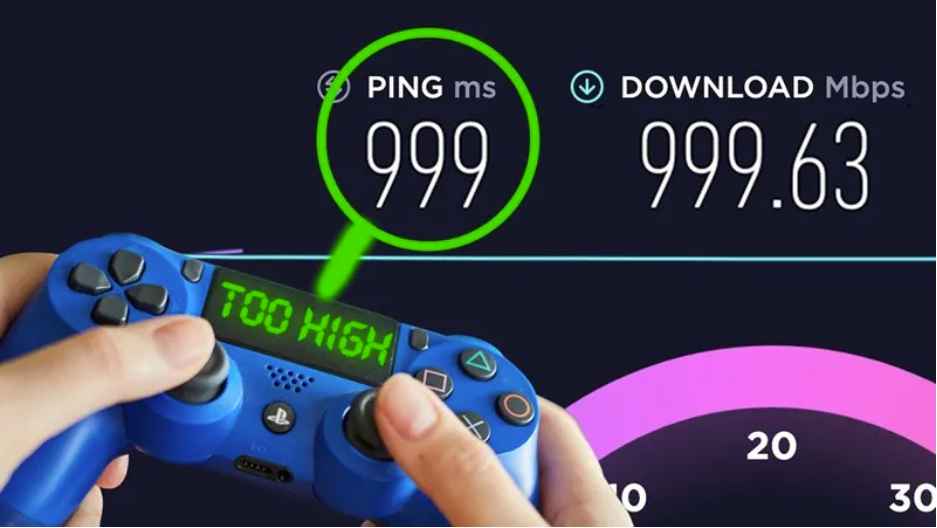
A gaming proxy can sometimes change your latency, but it does not automatically lower ping. Because the proxy adds another network hop, it may increase latency if the route is longer or the proxy server is congested.
In some cases, however, a proxy may provide a more efficient route than the default path used by your ISP. The result depends on the distance between each endpoint, network routing, server load, and connection quality. It is also useful to distinguish between ping and lag:
-
Ping: The round-trip time for data to travel between your device and the game server, usually measured in milliseconds.
-
Lag: A broader gaming experience involving delayed responses, stuttering, rubber-banding, or desynchronization, which can be influenced by latency, jitter, packet loss, and connection instability.
This means a proxy with slightly higher but consistent latency can feel better than a connection with unstable ping and frequent packet loss. The table below shows how common situations tend to affect the result.
|
Situation |
Likely effect on gameplay |
|
Proxy sits on a better route to the game server |
Latency may drop |
|
Proxy is far from you or from the game server |
Latency usually increases |
|
Proxy is shared and congested |
Higher jitter and packet loss |
|
Proxy does not relay the game's UDP traffic |
Connection fails or the game ignores the proxy |
These are general tendencies, and the actual effect needs to be checked for your own game and route.
Can a gaming proxy reduce ping or lag
5. What type of proxy is best for gaming?
There is no single proxy that is best for every game. Two separate choices matter: the type of IP, which affects stability and how platforms treat the connection, and the protocol, which decides what kind of traffic the proxy can carry.
5.1. Proxy types compared
The table below compares the main IP types for gaming. These are general tendencies, and providers differ.
|
Type |
Strengths for gaming |
Limits |
Fits when |
|
ISP |
Static IP, usually fast and consistent |
Hosted on proxy infrastructure |
You need a stable IP and steady latency |
|
Datacenter |
Fast and low cost |
Some platforms treat hosting IPs differently |
Raw speed and cost matter and the game accepts it |
|
Residential |
IP looks like a home connection |
Often rotating, billed per GB, speed varies |
IP trust matters more than speed, such as store or login testing |
For real time gameplay, ISP proxies are usually the first type to consider because of their stable IPs, while residential proxies are better suited to location or account related tasks than to live matches. If you want to compare providers, see our guides to the best ISP proxy providers and the best residential proxy providers.
5.2. SOCKS5 or HTTP: which protocol do you need?
SOCKS5 is a flexible proxy protocol that can handle different types of application traffic, not only web requests. This makes it the usual choice for games and apps that support SOCKS5 configuration. An HTTP or HTTPS proxy is enough for browsers and web based launchers, but it generally cannot carry UDP game traffic.
SOCKS5 does not guarantee lower ping, and UDP support depends on both the provider and the tool you use. Read SOCKS5 proxy for more detail. Overall, the right choice depends more on latency, stability, location, protocol support, and game compatibility than on the proxy category alone.
6. What makes a good gaming proxy?
A good gaming proxy provides a consistent connection rather than advertising a high maximum speed. Multiplayer games are particularly sensitive to changes in latency and packet delivery. Look for these qualities:
-
Low, steady latency: Choose a proxy with a sensible route to the game server to avoid unnecessary delay.
-
Low packet loss: Lost packets can cause interruptions, rubber banding, or delayed actions.
-
Suitable server location: A proxy close to the relevant game server or on an efficient route may give better latency.
-
Protocol support: SOCKS5 with UDP support matters if your game or tool needs it.
-
Clean, less shared IP: A dedicated IP with no history of abuse reduces congestion and the chance of extra restrictions.
-
Game compatibility: Not every game or client handles proxy connections in the same way.
In other words, proxy quality is not just speed. For gaming, consistency, packet loss, and compatibility often matter just as much.
7. Is there a free proxy service for gaming?
Yes, free and public proxies are available, but finding one that stays fast and stable enough for gaming is much harder than finding one for basic browsing. Gaming sessions need consistent connectivity, while public free proxies are shared by many users. Congestion, limited bandwidth, changing availability, and unstable routes can all affect gameplay.
Security is another concern. Free proxies from unknown providers may offer limited reliability and privacy protection, and untrusted networking apps can introduce security risks.
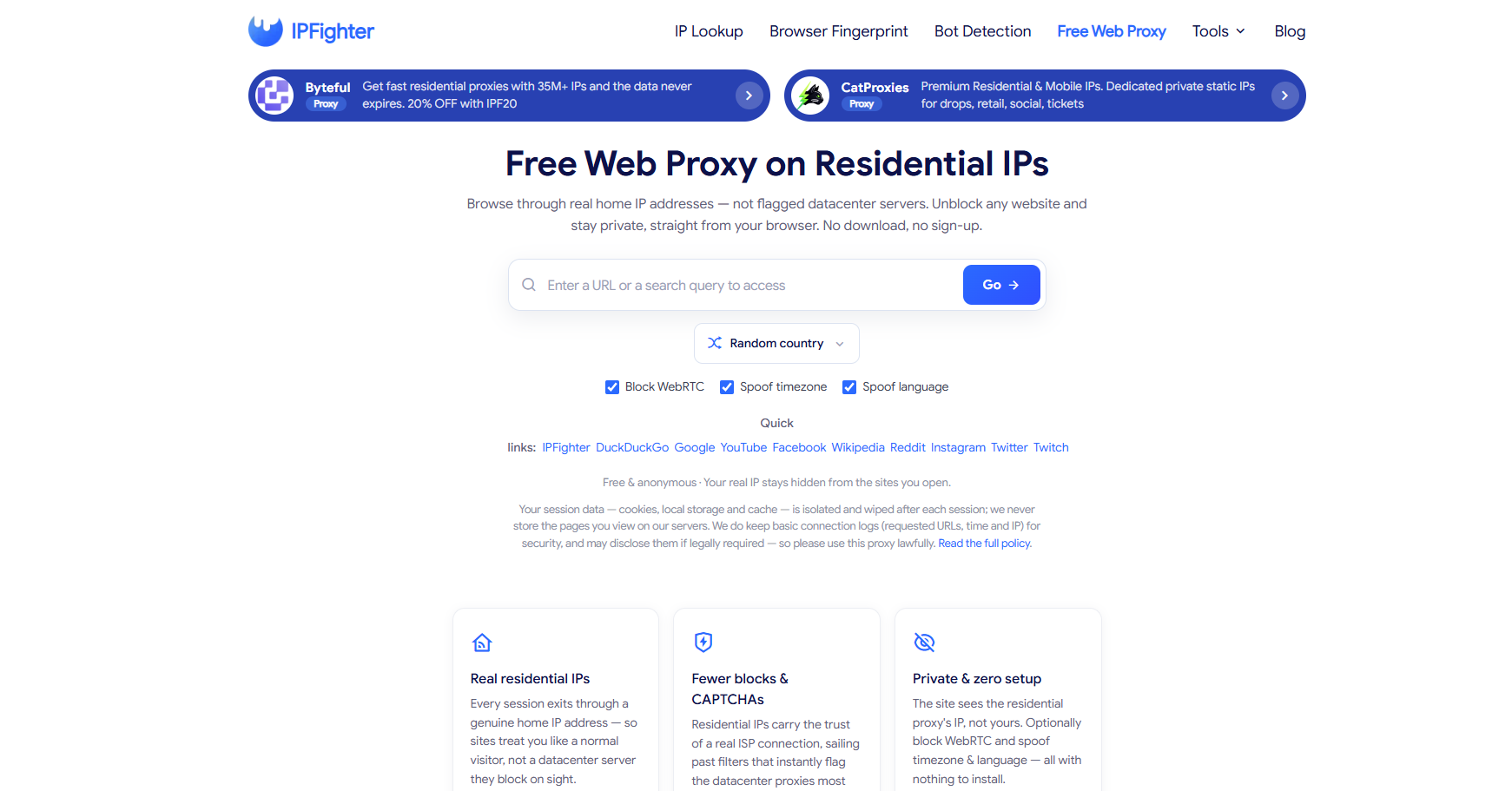
IPFighter's Free Web Proxy lets you open websites such as game stores, forums, or YouTube from another location without setting up a proxy manually. It works for web pages only and cannot route a game's connection, so it is not a substitute for a proxy used in games. If you are looking for proxy websites rather than a proxy server, see our list of the best free proxy sites.
Free web proxy tool on IPFighter
Read more:
-
How to check if a proxy is working and read your results
-
How to use web proxy safely: A practical guide
-
1TamilMV proxy: How it works and what to know before using one
8. Is using a proxy server illegal for gaming?
Using a proxy server is not automatically illegal, but the rules depend on local laws and on how you use the proxy. This is general information, not legal advice. Games and platforms can also restrict how proxies are used, even when the law does not. Keep these points in mind:
-
Local laws: Rules about internet access and proxy use vary between countries.
-
Game and platform rules: Bypassing geographic limits or changing regional pricing can break the terms of a game or store.
-
Multiple accounts and automation: Multi accounting and bots are restricted by many games, and a proxy does not make them permitted.
-
Account action: Platforms can restrict or ban accounts that break their rules, and an IP with a poor reputation can draw extra attention.
Steam provides a clear example. Its Subscriber Agreement prohibits using IP proxying or other methods to disguise your place of residence to circumvent geographic restrictions or to buy content at prices not applicable to your region, and Valve states that it may terminate access to accounts that do so.
Therefore, the important question is not only whether proxies are legal, but how you use one and which rules apply to the game or platform.
9. Gaming proxy vs VPN: what is the difference?
Gaming proxies and VPNs can both route traffic through another server and change the IP address a destination sees, but they differ in how much traffic they cover and how they handle privacy.
|
Factor |
Gaming proxy |
VPN |
|
IP masking |
Yes |
Yes |
|
Encryption |
Usually not by default |
Typically yes |
|
Traffic covered |
Often one app or browser, depending on setup |
Usually the whole device |
|
UDP game traffic |
Only with SOCKS5 UDP support |
Usually carried |
|
Setup |
Per app or tool |
One app for the device |
|
Latency |
Depends on the route and provider |
Depends on the route and provider |
A VPN generally provides broader routing and encryption, while a proxy forwards selected traffic through another IP. Neither automatically improves latency, because the result depends on the route, server location, network conditions, and the game. Game and platform rules apply to both, and using a VPN or proxy does not override a game's Terms of Service. For a fuller comparison, read the difference between a VPN and a proxy.
10. How do I test a proxy for gaming?
Testing a proxy before gaming helps you spot latency, location, and connection issues early. Instead of relying on a provider's advertised performance, check the actual IP and connection, then compare it with your direct connection. Follow these steps:
-
Check the proxy status: Run the proxy through the Proxy Checker to confirm it is live and that the detected IP is the proxy's IP.
-
Look up the IP: Use IP Lookup to review the location, connection type, and whether the IP is flagged as a proxy or hosting.
-
Review IP quality: Check the IP's reputation and blacklist signals, which can affect how a platform treats the connection.
-
Compare latency: Use the game's own ping display or an appropriate network test, with and without the proxy, and repeat it at different times of day.
-
Watch stability: Play a short session and note disconnects, rubber banding, or sudden ping spikes.
Consistent results across several checks are a better sign than one fast result.
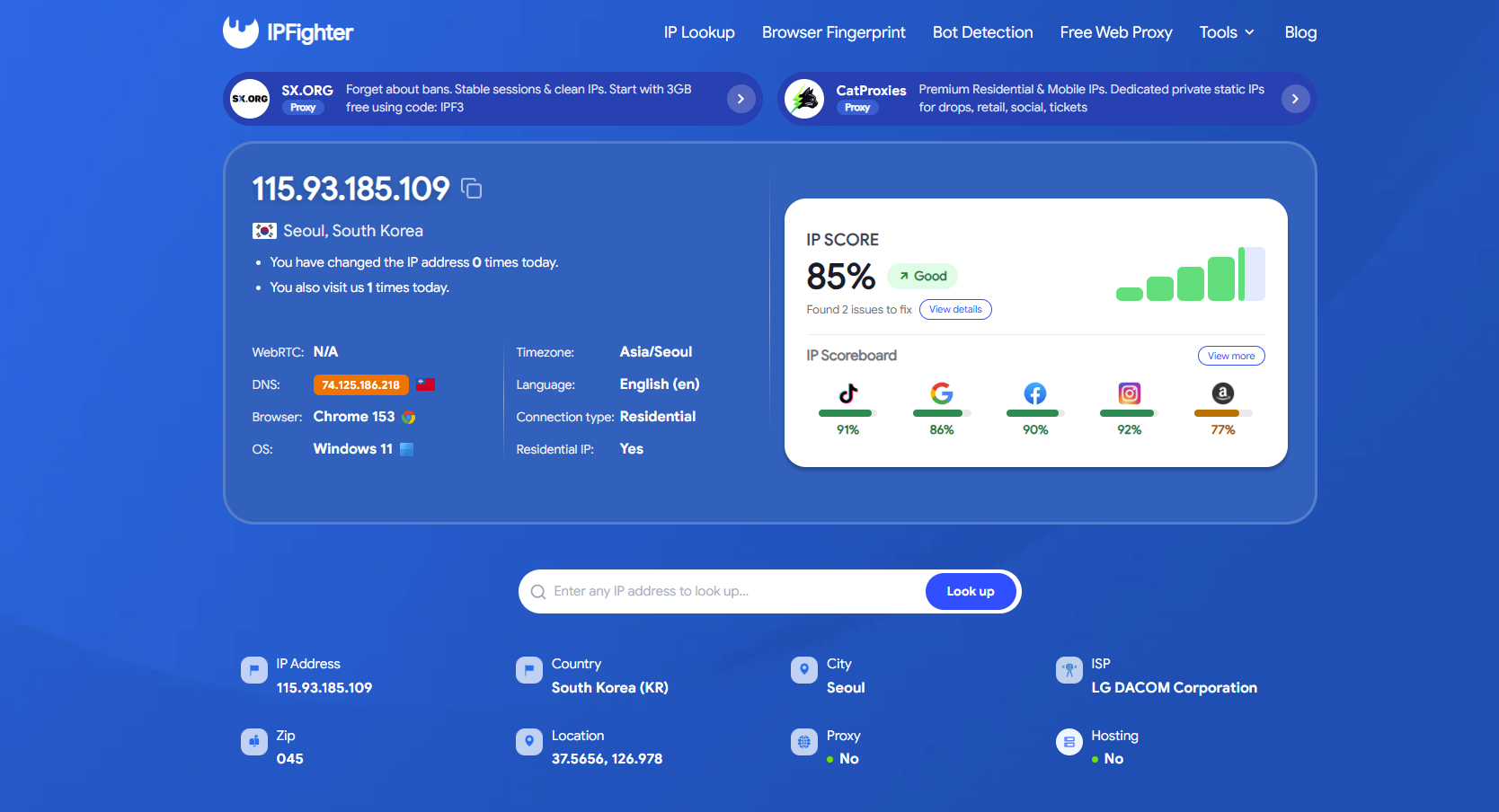
Check proxy on IPFighter
11. Conclusion
A gaming proxy routes game traffic through another IP and can be useful for location specific testing, separating permitted gaming connections, or other networking needs. However, it does not automatically reduce ping or eliminate lag, and many games will not use a proxy unless you route their traffic through a tool that supports the right protocol.
Gaming performance depends on the route between you and the game server, along with latency, jitter, packet loss, server location, and stability. Free proxies are available, but their reliability varies, so test the proxy before longer or competitive sessions and read the game's rules first.
12. FAQ
What is the best proxy for gaming?
There is no single best proxy for every game. ISP proxies are a common starting point for stable gameplay, while SOCKS5 support matters if the game uses UDP. Consider latency, stability, location, IP quality, and game compatibility before choosing.
Can a proxy lower ping in games?
Sometimes, but not by default. A proxy may offer a better route than your ISP in certain cases, but the extra network hop can also increase latency. Testing the proxy against your direct connection is the best way to see the actual effect.
Do I need SOCKS5 for gaming?
Often, yes. Many real time games use UDP, and HTTP proxies generally cannot relay it, while SOCKS5 can if both the proxy and your tool support UDP. Check with the provider before you buy.
Can a proxy get you banned in games?
It can, if you use it in ways the game forbids, such as bypassing regional restrictions, running bots, or multi accounting. An IP with a poor reputation can also attract extra scrutiny. Read the game's Terms of Service before using a proxy.
Can I use a proxy for multiple game accounts?
Some users assign separate IPs to different accounts, but whether that is allowed depends on the game's rules. Check the Terms of Service first, because a proxy does not make multi accounting permitted.
Can I use a proxy on a console or phone?
It depends on the device. Many consoles and phones offer limited or no proxy settings, and those that do commonly support only HTTP proxies, which may not carry game traffic. Check your device's network options before buying a plan.
Read more
Aproxy review: Proxy options, pricing, and performance


AstroProxy review: Uncovering real speeds & IP quality

FlashProxy review: Is this proxy network worth it?

PrivateProxy review: Is it worth your investment?

IPFoxy review: Are its pure rotating residential proxies worth it?

CatProxies review: What do its five proxy types offer?