

Fixed, unchanging IP assigned to a device.
Your IP address is a unique identifier that allows your device to connect to the internet. But not all IPs work the same way. The two main types are static IP addresses and dynamic IP addresses - each with its own pros and cons.A static IP address stays fixed, offering stability, while a dynamic IP changes over time. This article will break down everything you need to know about static IP addresses and how to choose the right one for your needs.
Understanding IP addresses
Before discussing static and dynamic IP addresses, let’s understand what an IP address is.An IP address (Internet Protocol address) is a unique numerical label assigned to every device that connects to the internet. It functions like a home address, ensuring that data reaches the correct destination.There are two ways an IP address can be assigned: static (permanent) or dynamic (changing). Understanding the difference between these two types is crucial when managing network configurations or choosing an internet plan.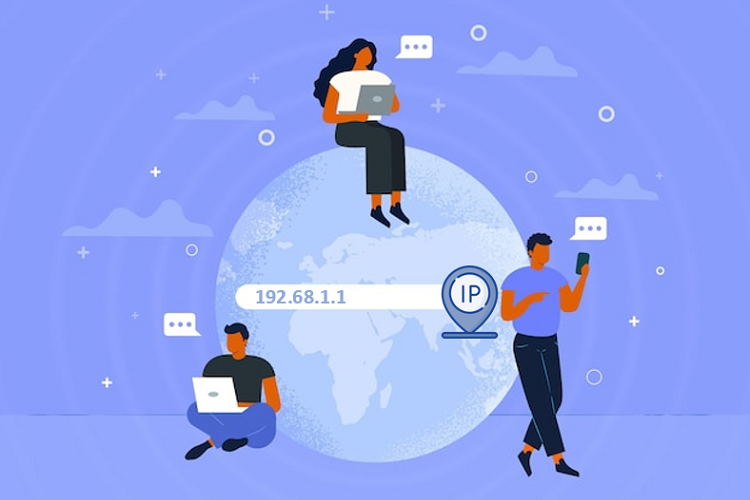
What is a static IP address?
A static IP address is a fixed network address assigned to a device by an Internet Service Provider (ISP) that remains unchanged throughout its usage. Unlike dynamically assigned IPs, a static IP is preconfigured rather than being automatically allocated each time the device connects to the network.
1. How static IP addresses work
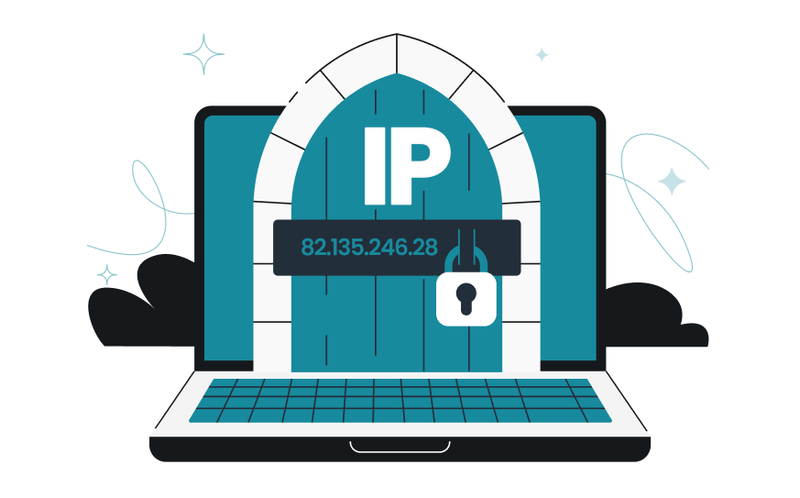
With a static IP, your device always retains the same address, ensuring stable connectivity for services like remote access, web hosting, security cameras, and VPNs. This prevents disruptions caused by changing IP addresses, allowing seamless access to these services.
Additionally, static IPs simplify firewall configuration and security policy management, enabling better access control and enhanced network protection.
2. Common use cases for static IPs
A static IP address is essential in many situations where a stable and reliable connection is required:
- Web hosting: Servers that host websites require static IPs so users can reliably access them.
- Remote access: Businesses and IT professionals often use static IPs for remote desktop access.
- VPN: Static IPs provide a stable and secure connection for Virtual Private Networks (VPNs).
- Email servers: Companies hosting their own email servers benefit from having a fixed IP to prevent communication issues.
- CCTV & Security systems: Many security camera setups require a static IP to allow remote monitoring.
- Access to secure websites & platforms: Some websites, such as banking services and admin portals, restrict access by IP, and a static IP helps prevent frequent reauthentication and login issues.
Using a static IP address can improve security, stability, and accessibility, making it a valuable choice for businesses and advanced users.
What is a dynamic IP address?
A dynamic IP address is a temporary IP assigned to a device that changes periodically. Most home internet users have dynamic IPs, which are provided by their Internet Service Provider (ISP) rather than being permanently fixed.
1. How dynamic IP addresses work
Unlike static IPs, which remain the same, dynamic IP addresses are assigned from a shared pool and may change each time a user reconnects. This process is managed by the Dynamic Host Configuration Protocol (DHCP), which automatically allocates and recycles IPs based on availability. ISPs use this method to efficiently manage their limited pool of IP addresses.

2. Common use cases for dynamic IPs
Dynamic IP addresses are widely used because they offer flexibility, efficiency, and better security for everyday internet users. Most ISPs assign dynamic IPs by default, making them suitable for various common scenarios:
- Home internet connections: Most residential users don’t need a fixed IP, making dynamic IPs a cost-effective solution.
- Improved security & privacy: Regularly changing IPs makes it harder for hackers and websites to track user activity.
- Efficient IP allocation: ISPs can serve more users by recycling IPs instead of assigning a unique one to each customer.
- Load balancing for ISPs: Dynamic IPs help ISPs distribute network traffic efficiently without assigning fixed resources.
- Guest wi-fi & public networks: Hotels, cafés, and airports use dynamic IPs to simplify network access for multiple users.
Since dynamic IPs change automatically, they are ideal for general browsing, streaming, and everyday online activities without requiring manual configuration.
Static vs dynamic IP address: Key differences
To better understand the differences between static and dynamic IP addresses, here’s a quick comparison:
| Feature | Static IP Address | Dynamic IP Address |
| Definition |
|
Changes periodically, assigned from a pool. |
| Security |
Can be tracked more easily but secure with proper configuration. |
Less predictable, but not inherently more secure. |
| Reliability | DStable and consistent, ideal for hosting and remote access. |
May change, causing occasional reconnection issues. |
| Cost | Often costs extra from ISPs. |
Typically included in standard plans. |
|
Best for |
Businesses, servers, VPNs, remote access, VoIP. |
Home users, casual browsing, streaming, gaming. |
While static IPs provide stability and control, dynamic IPs are more flexible and cost-effective for everyday users. Choosing the right type depends on your specific needs.

Discover more:
- How to improve IP score: A complete guide
- How to pass bot detection test and avoid getting flagged
How to set up a static IP address
If you need a static IP address, there are two ways to set it up: requesting one from your Internet Service Provider (ISP) or configuring it manually within your local network.
1. Get a static IP from your ISP
The easiest way to obtain a static IP address is through your Internet Service Provider (ISP).Once assigned, your ISP will provide the IP address, subnet mask, gateway, and DNS settings. Here’s how to set it up:
- Contact your ISP to request a static IP plan (often comes with additional cost).
- Once assigned, your ISP will provide the IP address, subnet mask, gateway, and DNS settings.
- Configure these details on your router or device to ensure it uses the static IP.
2. Set up a static IP on your local network
For internal network devices (like printers, servers, or security cameras), you can assign a private static IP manually:
- Open network settings on your router or device.
- Locate the IP settings and switch from DHCP to Manual (Static).
- Enter the static IP, subnet mask, gateway, and DNS.
- Save and restart the device to apply changes.
Using a static IP address ensures stability and easy access for remote connections, but it’s important to secure your network properly to avoid security risks.
Conclusion
A static IP address is best for businesses, hosting, and remote access, while a dynamic IP is more affordable, flexible, and private for everyday use. The right choice depends on what you need – static for stability, dynamic for ease of use.
Whichever you choose, knowing how it affects your connection will help you get the best internet experience.
Read more

What is a CAPTCHA? The check that separates people from bots
Whether it is selecting traffic lights in an image grid or simply clicking "I'm not a robot", CAPTCHAs are the ultimate digital security checkpoints standing between users and automated bots. Designed to analyze browser signals and distinguish human behavior from scripts, these verification challenges help platforms block spam, protect login gateways, and mitigate automated abuse.
In this article, IPFighter explores the mechanics behind CAPTCHA technology, the primary reasons websites enforce extra verification steps, and how different CAPTCHA variants function. We also share actionable methods to complete challenges efficiently and troubleshoot persistent verification loops. Show more

What is a mesh network and when should you use one?
Have you ever wondered why traditional WiFi routers struggle to cover every corner of your home, leaving you with frustrating dead zones? That is precisely where a mesh network comes in - connecting multiple nodes to create a seamless, resilient network that eliminates coverage gaps without relying on a single central hub.
In this guide, IPFighter explains what a mesh network does, how it works, its main types and applications, key benefits, potential limitations, and how mesh WiFi compares to a traditional router or WiFi extender. Show more
What is an IP2 network? How it works, uses, and benefits
If you search for IP2 network, you may find different explanations. Some describe it as a decentralized, privacy-focused network, while others use “IP2” to refer to unrelated IP services or live-streaming communities. In technical contexts, however, the term is often associated with I2P (Invisible Internet Project), a decentralized and encrypted peer-to-peer network designed for private communication and services.
In this guide, IPFighter explains what an IP2 network can mean, why it is often linked to I2P, how I2P works, its main use cases, benefits and limitations, and how it compares with privacy technologies such as VPNs and Tor. Show more
Explaining how to know if you have a DNS leak
Running a DNS leak test and seeing a table full of server addresses can be hard to make sense of without knowing what to compare it against. This guide walks you through how to know if you have a DNS leak by reading IPFighter's DNS leak test results in detail, and what to do depending on what you find. Show more


How to know if you have a WebRTC leak: Reading your results
Running a WebRTC leak test and seeing a wall of server names and IP addresses can be confusing if you don't know what you're looking at. This guide walks you through exactly how to know if you have a WebRTC leak by reading IPFighter's test results in detail, and what to do depending on what you find. Show more
How to improve IP score: A complete guide
If your IP score on IPFighter shows anything below "Good", it's easy to see the number and not know what to do with it. This guide walks you through exactly what your IP Score results mean from the overall percentage to the platform-by-platform breakdown and what steps to take depending on what's actually causing your score to be low. Show more