

In the early days of the internet, a single connection was usually enough. You had one IP address, and you browsed the web. But as the digital landscape shifted toward automation, high-frequency data collection, and privacy-conscious browsing, the limitations of a single IP became a massive bottleneck.
To overcome blocks, rate limits, and detection, businesses now rely on a strategic IP pool. In this article, IPFighter will help you understand how an ip pool actually works, why size isn't the only factor to consider, and how to verify the operational health of these digital repositories
1. What is an IP pool?
An IP pool is a centralized collection of IP addresses managed and distributed by a service provider. Instead of routing all traffic through a single point, an IP pool allows a system to spread requests across thousands or even millions of different addresses.
While they are the backbone of the proxy industry, IP pools are utilized across various tech sectors:
-
Proxy providers: The most common use case, offering IPs to users for scraping or anonymity.
-
VPN services: Ensuring that thousands of users don't all appear to be coming from the exact same server.
-
Corporate networks: Managing internal traffic and external security.
-
Cloud infrastructure: Providers like AWS or Google Cloud maintain massive pools to assign to new virtual instances instantly.
For proxy users, the IP pool is the inventory. A larger, more diverse pool provides the versatility needed to bypass regional restrictions and security filters.
If you are new to the topic, it may help to first understand what is an ip address and how IPs are used online before diving deeper into the concept of IP pools.
What is an IP pool
2. How does an IP pool work?
The workflow of an IP pool is a masterpiece of backend logic. It acts as a middle layer between the user’s request and the destination server. Below will be the basic working process of IP pool:
-
Connection: The user initiates a request through the proxy gateway.
-
Assignment: The provider’s load balancer looks into the pool and picks an available IP based on the user's specific criteria (e.g., location, type).
-
Transmission: The request is sent to the target website using the assigned IP.
-
Recycling: Once the task is done (or the session expires), the IP is returned to the pool for another user.
How an IP is pulled from the pool depends on your configuration:
-
Rotating (dynamic): The system gives you a brand new IP for every single request. This is the ultimate "stealth mode" for scraping.
-
Sticky sessions: You are assigned an IP from the pool and stuck to it for a specific duration (e.g. 10 to 30 minutes). This is essential for tasks like managing social media accounts or filling out multi-page forms.
-
Static allocation: In some cases, you are assigned what is a static ip address that never changes. This is less about a pool and more about dedicated ownership.
The efficiency of an IP pool depends entirely on the provider's ability to intelligently assign and rotate these addresses without causing connection drops.
3. What types of IP pools exist?
Not all IP pools are the same. The source of the IP determines its trust level and price.
3.1. Residential IP pool
These addresses are assigned by Internet Service Providers (ISPs) to real home users. When you use a residential pool, you are essentially borrowing the IP of a real person's home Wi-Fi. Highest reliability. It is very difficult for websites to block these without risking blocking real customers.
3.2. Datacenter IP pool
These are generated in bulk by secondary corporations (hosting companies and cloud providers). The reliability is quite low. Many websites can easily detect that these IP addresses belong to servers, not people.
3.3. Mobile IP pool
Coming from 3G, 4G, or 5G mobile networks, this is the "gold standard". Because mobile IP addresses are shared by thousands of real users, mobile proxies with extremely high credibility are often the most expensive option.
3.4. ISP IP pool
A hybrid between Datacenter and Residential. These are hosted in datacenters but registered under an ISP. They offer the speed of a datacenter and the reputation of a residential line.
Choosing the right pool type is a balance between your budget and the ip trust score required to access your target website.
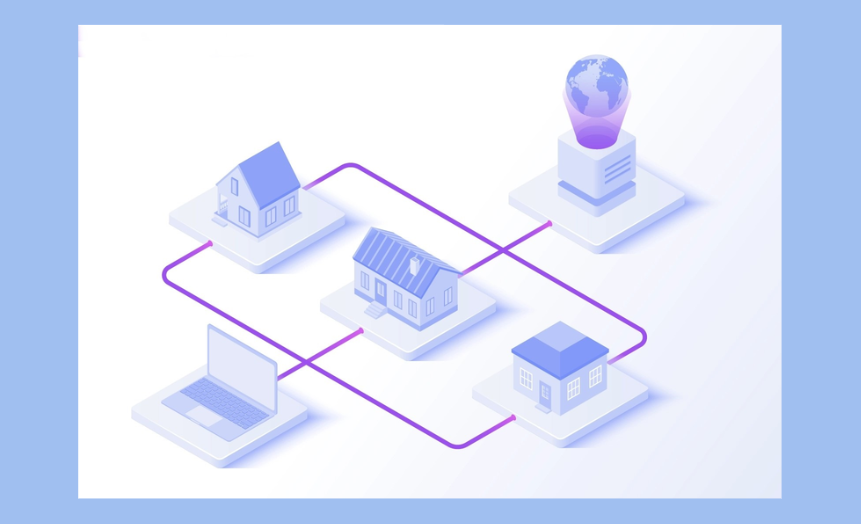
Residential IPs belong to one category within the IP pool
4. Why does IP pool size matter?
Many proxy providers promote their services by highlighting huge numbers such as 50 million IPs or 90 million IPs. While those numbers sound impressive, what do they actually mean?
In simple terms, a larger IP pool gives the provider more addresses to rotate between. This matters because the larger the pool, the lower the chance of reusing the same IP address repeatedly. So how important is a large ip pool:
-
Avoid overuse: If a pool is small, you will eventually be assigned the same IP again. If that IP was recently flagged or blocked by a site, your project fails.
-
Geographic coverage: A pool of 10 million IPs doesn't mean much if 9 million of them are in one country. A large, diverse pool ensures you can target specific cities and regions.
-
Reducing CAPTCHAs: High-reputation sites track how many requests come from a single IP. A massive pool allows you to spread your requests so thinly that no single IP ever triggers a rate limit.
A large pool size is a prerequisite for scaling, but the actual health of those IPs is what determines your project's success.
5. What makes a good IP pool?
If you are evaluating a provider, look past the marketing. A high-quality IP pool should meet these five criteria:
-
IP reputation: It is vital that each address maintains a clean IP reputation, meaning it must not be associated with any previous spam, fraud, or bot activity.
-
Geographic granularity: Can you target by city? By ZIP code? By provider?
-
Rotation flexibility: Not every task needs the same type of rotation. A good provider should let you choose between: Static IPs, rotating IPs, sticky sessions. The more control you have, the easier it becomes to adapt the IP pool to your specific needs.
-
Refresh rate: How often is the pool updated? Dead IPs should be purged and replaced daily.
-
Session stability: Even in a rotating pool, when you need a sticky session, the IP shouldn't drop halfway through your task.
A good pool is one that is invisible to the target site, appearing as a chaotic but legitimate flow of human traffic.
6. A guide to choosing the right IP pool
Choosing a pool depends on your specific use case. Use the following checklist to match your needs to the right pool type:
|
Task type |
Recommended pool |
Key reason |
|
Simple web scraping |
Datacenter |
High speed, cost-effective |
|
Amazon/E-commerce |
Residential |
High trust, bypasses anti-bot |
|
Social media management |
ISP / Static res |
Stability and human-like reputation |
|
Mobile app testing |
Mobile (4G/5G) |
Accurate cellular environment |
|
Massive scale/high thread |
Large residential pool |
Avoids rate limits across millions of requests |
7. How to check the quality of an IP pool
Before committing to a large plan, you must audit the IPs yourself. This is where professional diagnostic tools become essential. Using IPFighter for quality control for your proxies. When you pull an IP from a new provider's pool, run it through the check to see:
-
IP reputation & trust scores: Instantly see how platforms perceive the IP. This includes a breakdown of its trust level and fingerprint score to determine if it’s flagged as risky or secure.
-
Leak tests (DNS & WebRTC): Ensure your true identity is shielded. These tests detect if your real IP is leaking through technical vulnerabilities, which would otherwise compromise your anonymity.
-
Blacklist status: Check if the IP is currently listed on blacklist databases of IPFighter. Knowing this status beforehand helps you avoid using addresses that are already restricted or banned.
Running these quick checks before starting a project reveals whether a provider's "massive pool" is actually a high-quality asset or just a collection of burned addresses.
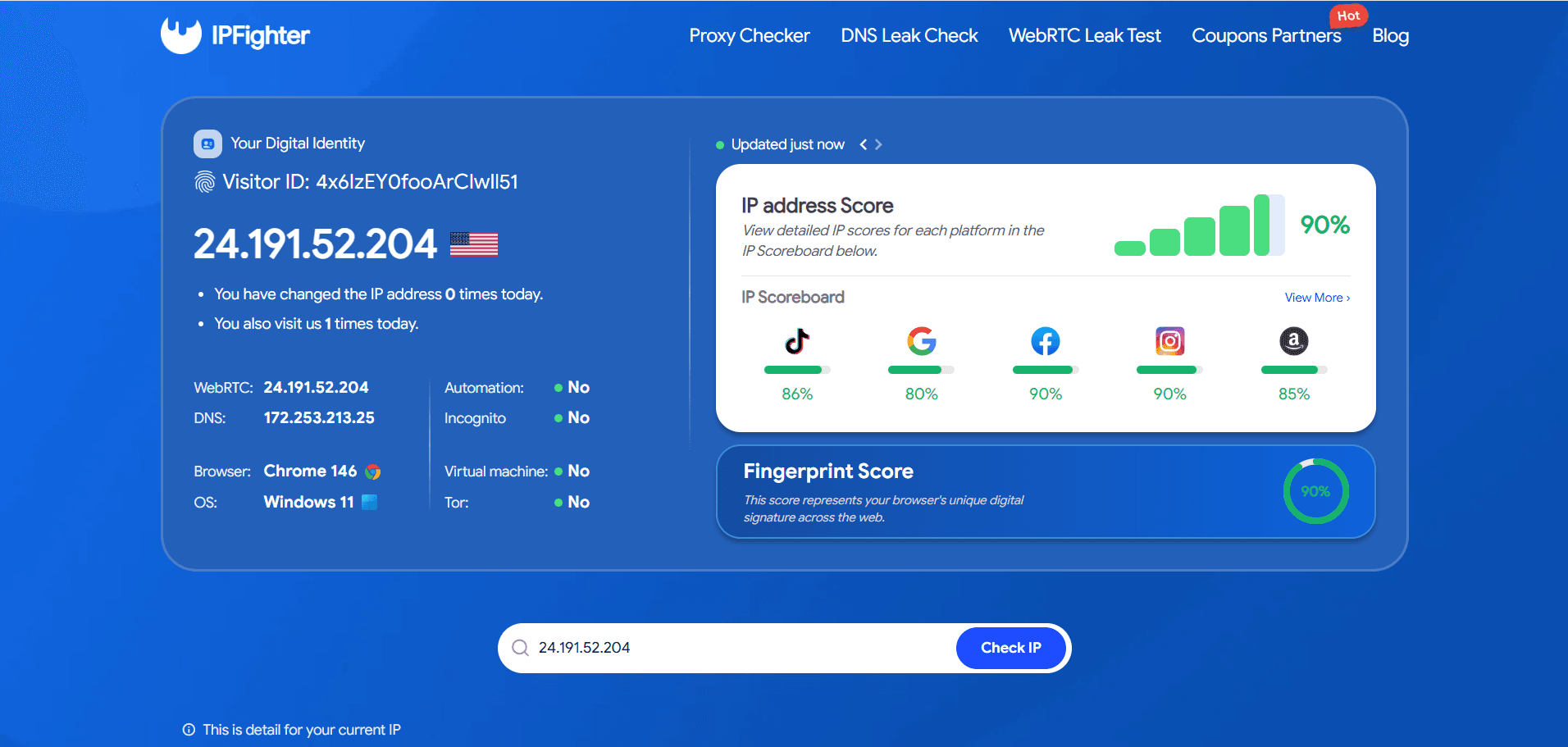
IP check on IPFighter
Read more:
-
What is WebRTC? Exploring its architecture, use cases, and benefits
-
What is DNS? How the DNS System Works on the Internet
- How to improve IP score: A complete guide
8. Conclusion
An IP pool is the engine behind any successful proxy setup. It’s not just about the raw number of addresses a provider claims to have, but how clean and diverse those IPs are across different regions. To ensure your automation remains undetected, you must prioritize quality and reputation over mere scale.
Before committing to any service, always trust but verify by testing the IPs yourself. Using IPFighter allows you to audit an IP’s health instantly spotting leaks and blacklists before they derail your project. It’s also the perfect place to snag exclusive proxy promo codes from top-tier providers, helping you secure high-quality pools at the best possible price.
9. FAQ
What is an IP pool in proxy services?
It is a large collection of diverse IP addresses that a provider manages and rotates for its users to ensure anonymity and bypass rate limits.
Why does IP pool size matter?
A larger pool reduces the chance of using a flagged IP twice, allows for better geographic targeting, and helps avoid IP bans on high-security websites.
What is the difference between a residential and datacenter IP pool?
Residential IPs come from home internet users (high trust), while datacenter IPs come from servers (fast but easily detected).
Can an IP pool become bad over time?
Yes. If many users use the same pool for aggressive spamming, the IPs can become blacklisted. This is why "pool refreshing" is vital.
Do all proxy providers have the same IP pool quality?
Absolutely not. Some providers offer "premium" clean pools, while others provide "recycled" pools that are often heavily blacklisted.
Read more
What is an IP2 network? How it works, uses, and benefits

Explaining how to know if you have a DNS leak

How to know if you have a WebRTC leak: Reading your results
How to improve IP score: A complete guide
What is an IP fraud score? Reading the 0-100 scale
Mastering WebRTC control to prevent browser privacy leaks