

The new version of IPFighter introduces more than just a visual upgrade. With a cleaner interface, clearer data structure, and additional tools for proxy checking and leak detection, it aims to become a more practical platform for anyone working with IPs and network environments. In this review, we’ll walk through everything you need to know about the new IPFighter and how it improves compared to the previous version.
1. What’s new in the latest IPFighter?
IPFighter has long been a familiar tool for checking IP addresses and browser fingerprints. However, in its new version, the platform comes with a more modern and user-friendly UI/UX, making it easier for users to read and understand technical data.
At the same time, user needs have evolved. Today, it’s no longer enough to simply check an IP. Users also need to verify proxies, detect leaks, and optimize the cost of the tools they use daily.
That’s why the new IPFighter is not just a redesign. It’s gradually expanding into a platform that helps users both monitor and optimize their network environment.

2. Overview of the new IPFighter
Before diving into the specific features, let’s take a quick look at what the new IPFighter is and how it fits into your overall workflow.
2.1. What is IPFighter?
IPFighter is a platform designed to display and analyze IP, proxy, and browser fingerprint data. It provides a set of technical diagnostic tools that allow users to verify their network environment and detect potential issues.
IPFighter's scoring mechanism is based on collecting information from your IP address and browser (such as IP type, device, operating system, browser configuration, etc.), then analyzing and comparing it to the behavior of a normal internet user.
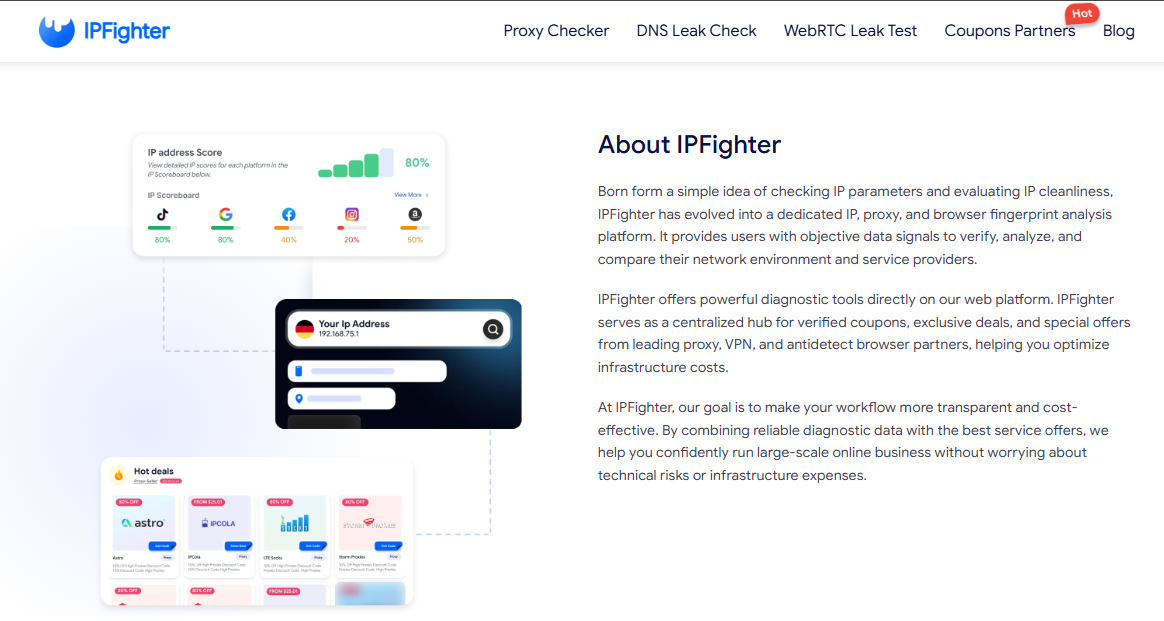
In addition, the platform integrates a coupon system from various providers, including proxy services, VPNs, and antidetect browsers, helping users reduce operational costs.
2.2. How IPFighter fits into your workflow
In practice, IPFighter plays a supporting role in many workflows involving proxies and online accounts.
It can be used to check your environment before using a proxy, ensuring that your IP and setup are correctly configured. It also helps detect technical issues such as DNS or WebRTC leaks, which could expose your real identity. Beyond that, IPFighter helps users optimize costs by providing access to deals and promo codes from trusted service providers.
Overall, it works as both a checking tool and a decision-support platform.
3. Key features of the new IPFighter
Now, let’s explore the key features of the new IPFighter and see how each of them improves the overall experience compared to the previous version.
3.1. IP lookup and trust evaluation
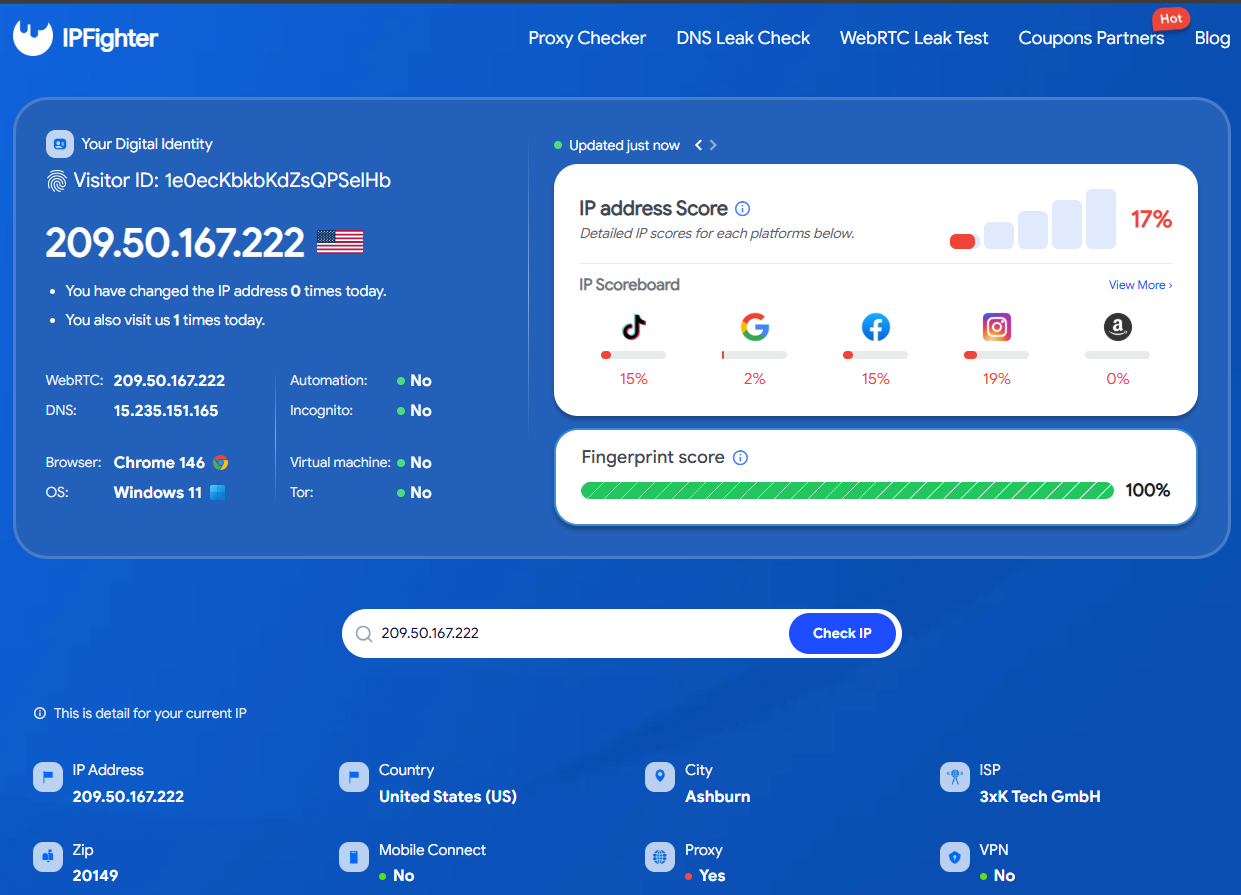
The new IPFighter provides a detailed overview of your IP information directly on the main interface. This includes location data such as country and city, ISP details, and other related parameters.
More importantly, the platform now introduces a clearer trust evaluation system. To make the evaluation more intuitive, IPFighter groups the data into three main scoring blocks:
-
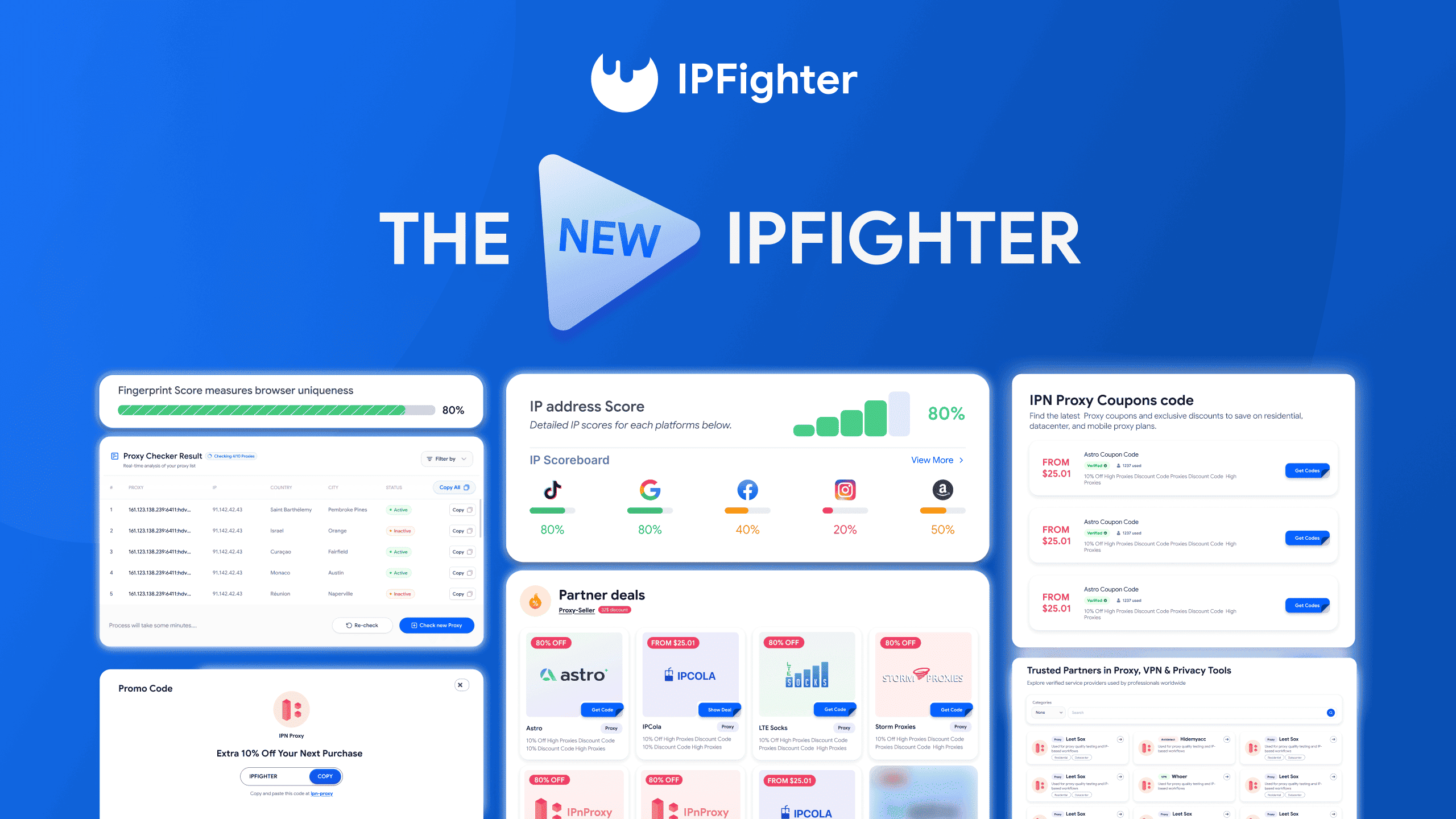
IP address score: This is an overall IP quality score that reflects the reliability and stability of the IP address. This section breaks down your IP’s trust level across different platforms (such as Google, Facebook, Instagram, etc.). The reliability score for each platform indicates the ability of the IP address and browser to pass the verification systems of these services.
-
Fingerprint score: This score represents how your browser fingerprint appears across the web. It checks whether the device and connection resemble a real user; the more similar it is, the higher the score.
Compared to the previous version, which mainly displayed raw IP data, the new interface presents this information in a more structured and visual way. This makes it easier for users to quickly assess whether an IP is “clean” and suitable for use.
3.2. Your detailed information: structured and easier to read
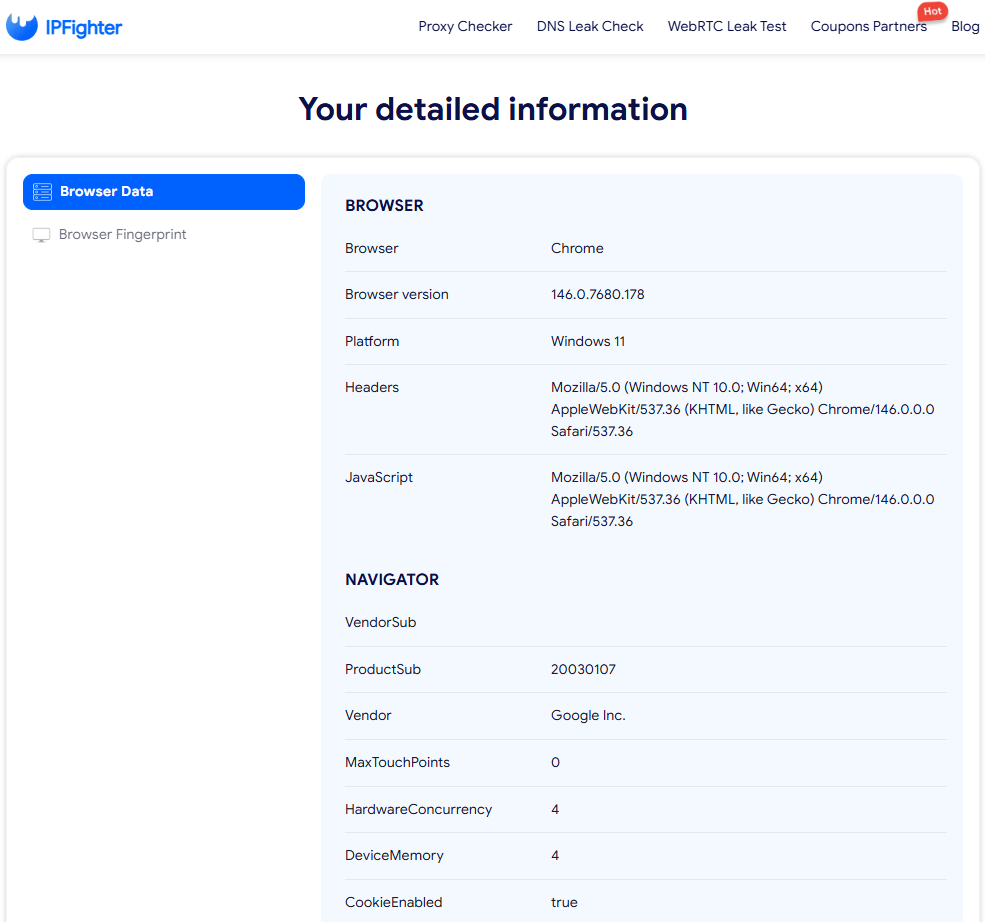
The new IPFighter groups technical data into a dedicated section called “Your detailed information”, which includes Browser data and Browser fingerprint.
Previously, these details were available but often scattered and harder to interpret. In the new version, each category is clearly separated, making the overall structure more organized and user-friendly.
This change significantly improves the experience of checking your environment, especially for users who are not deeply technical.
3.3. Proxy checker
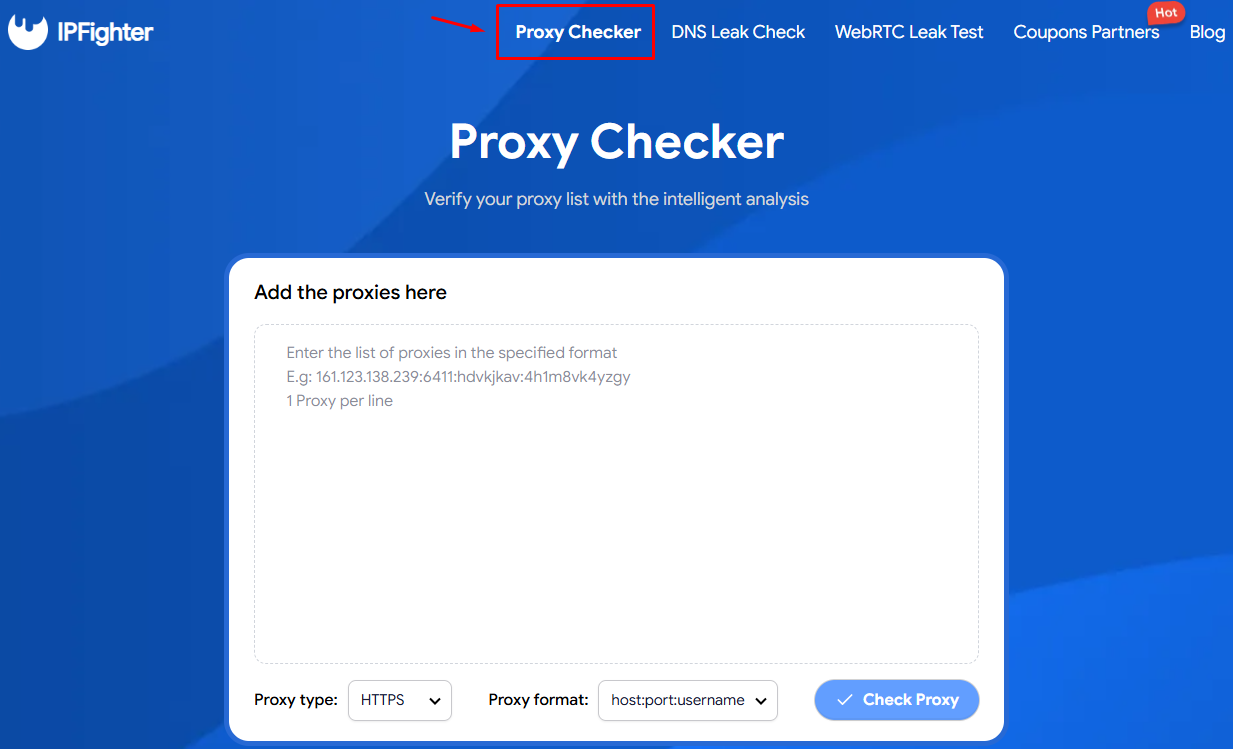
The Proxy checker in the new IPFighter allows users to quickly verify a list of proxies in a simple and practical way. You can paste multiple proxies into the input box, select the proxy type and format, and run a check to validate their status and basic information.
Once the check is completed, IPFighter displays the results in a clear table format. Each proxy is analyzed in real time and shows key details such as the proxy IP, country, city, and current status (active or not). This makes it easy to quickly scan your list, filter working proxies, and identify any that are not usable.
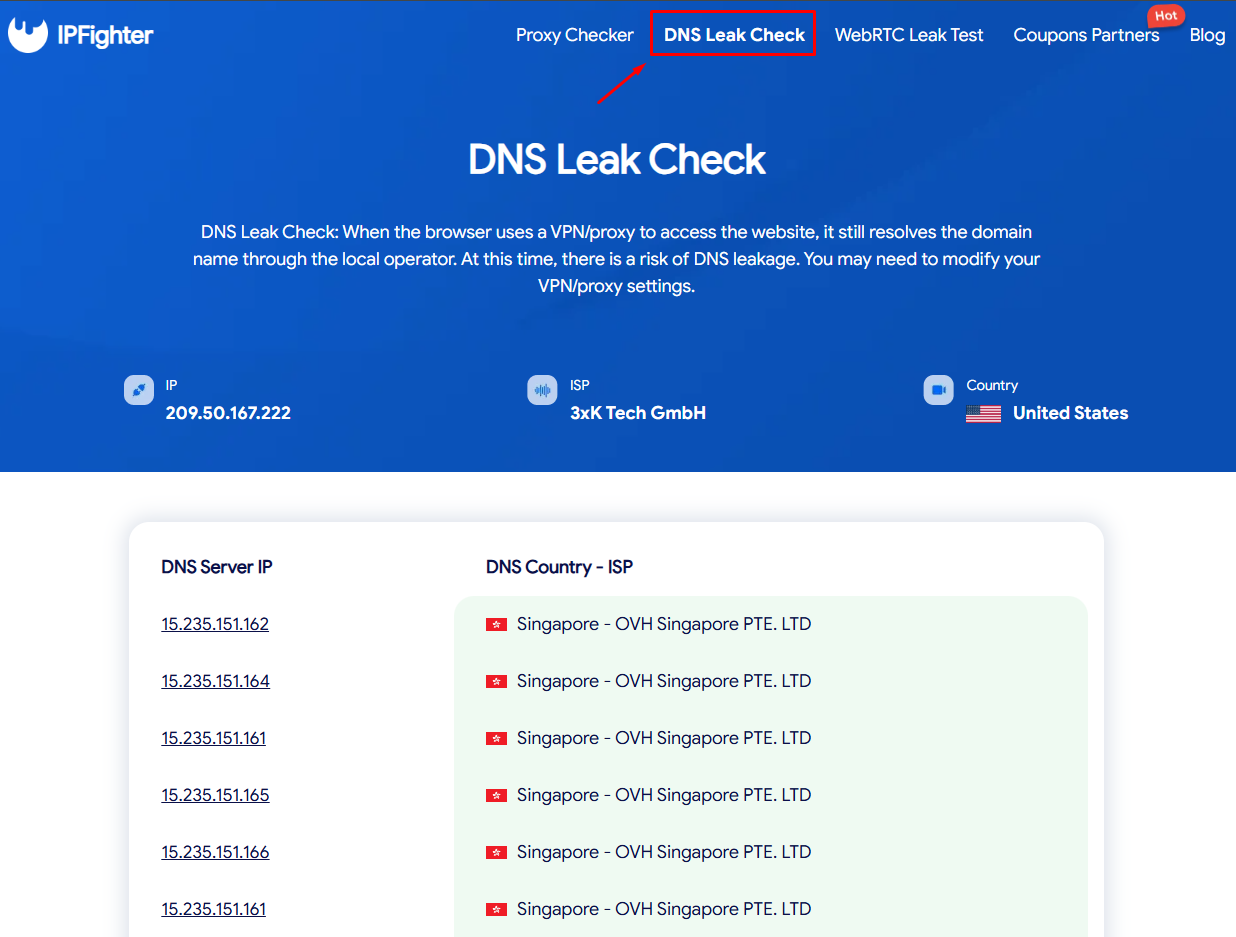
3.4. DNS leak check
The DNS leak check allows users to verify whether their DNS requests are exposing real network information.
When you run this test, IPFighter shows which DNS servers your browser is using to resolve domains, along with their locations and associated providers. This helps you determine whether your DNS traffic is properly routed through your proxy or VPN, or if it is leaking outside.
In the previous version, this functionality was not clearly separated as an independent tool. Now, with a dedicated section, it becomes much easier to run the test and interpret the results.
3.5. WebRTC leak test
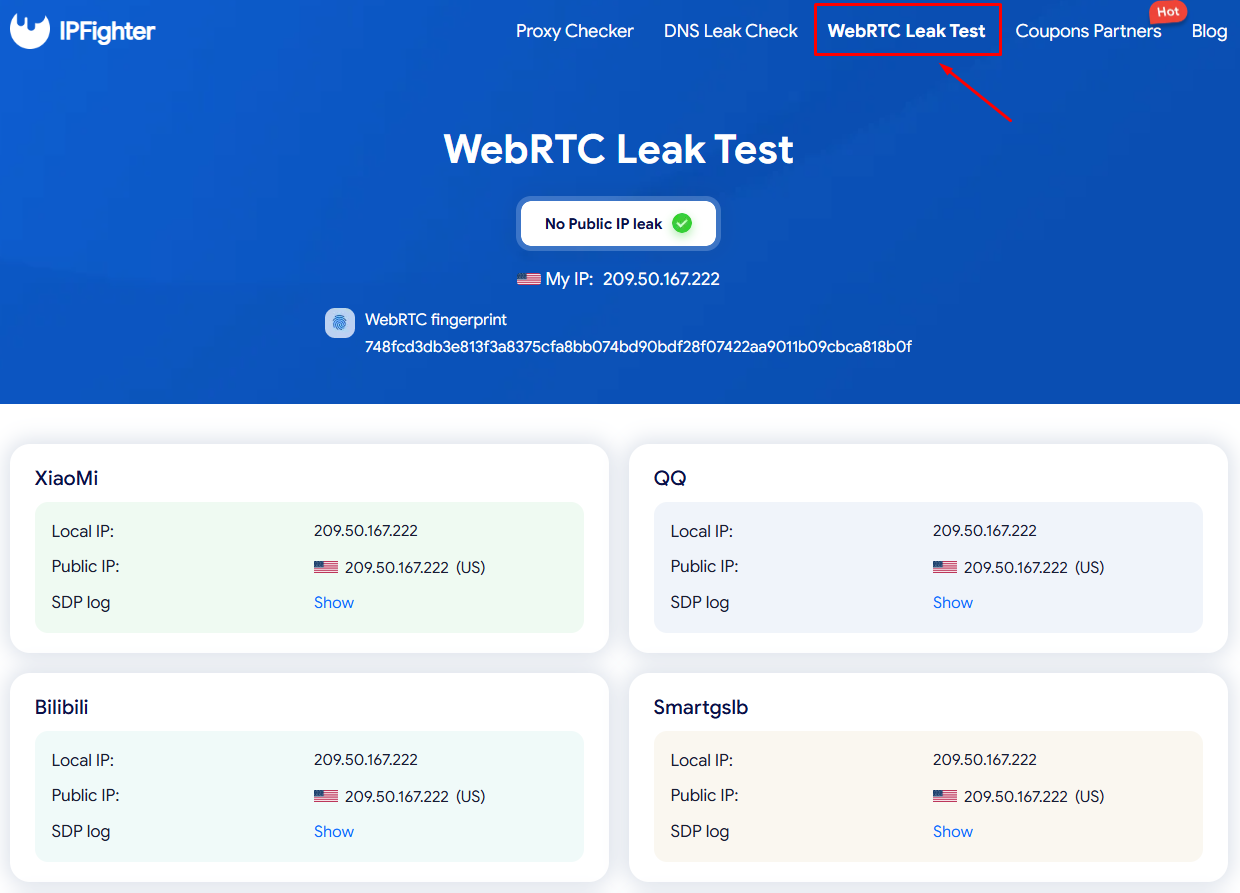
WebRTC leaks are one of the most common issues when using proxies or VPNs, as they can reveal your real IP address through the browser.
The new IPFighter includes a separate WebRTC leak test module. It checks your IP against multiple servers such as Google, Cloudflare, and others. If all results return the same IP, it indicates that your setup is safe and not leaking.
By presenting this information clearly, the new version makes it much easier to detect and understand potential issues compared to the older version.
3.6. Coupons and partner deals (a key upgrade)
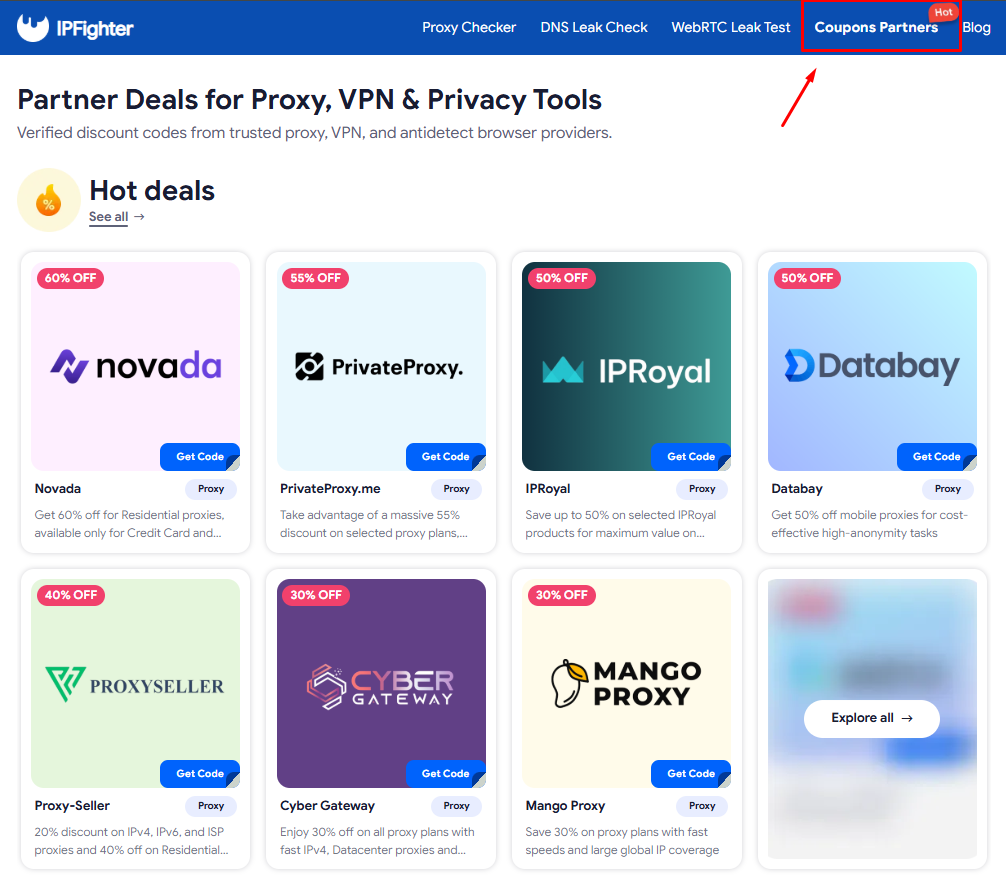
One of the most notable additions in the new IPFighter is the integration of a coupon and deals system.
The platform aggregates proxy promo codes from major providers in the proxy, VPN, and antidetect browser space. This allows users to access better pricing and reduce their overall tool costs.
We partner with over 200+ different partners, and you can find countless hot deals from proxy providers, VPNs, antidetect browsers, and related tools in our Coupon Partners section
This feature did not exist in the previous version, making it one of the clearest differences between the old and new IPFighter.
4. Conclusion
The new IPFighter may not completely change what the tool does at its core, but it significantly improves how users interact with it. With a cleaner interface, more structured data, and clearly separated tools like proxy checking and leak detection, it offers a smoother and more practical experience for both beginners and experienced users.
More importantly, the addition of the coupons system adds real value beyond technical checking, helping users save costs when working with proxies, VPNs, and related tools. If you’re looking for a more efficient way to monitor your network environment while also optimizing your expenses, the new IPFighter is definitely worth exploring.
Let IPFighter make your work simpler and more cost-effective. Discover our new feature ecosystem and enjoy exclusive privileges just for you today!
5. FAQ
What’s the difference between the new IPFighter and the old version?
The new version offers a more intuitive interface, better data organization, and additional features such as dedicated leak tests and a coupon system. It focuses on improving both usability and practical value.
Who should use the new IPFighter?
It is suitable for beginners who need an easy way to check their setup, as well as advanced users who regularly work with proxies and need to monitor and optimize their environment.
Is IPFighter free to use?
IPFighter provides core checking tools such as IP lookup, fingerprint analysis, and leak detection without requiring payment. It also helps users save costs through integrated coupons.
When should you use IPFighter?
You can use it before setting up a proxy, after configuring your environment, or whenever you suspect issues with your IP or network setup.
Can IPFighter replace proxy or VPN tools?
No. IPFighter does not replace proxy or VPN services. Instead, it works as a supporting tool to help you verify, troubleshoot, and optimize those services.
Read more
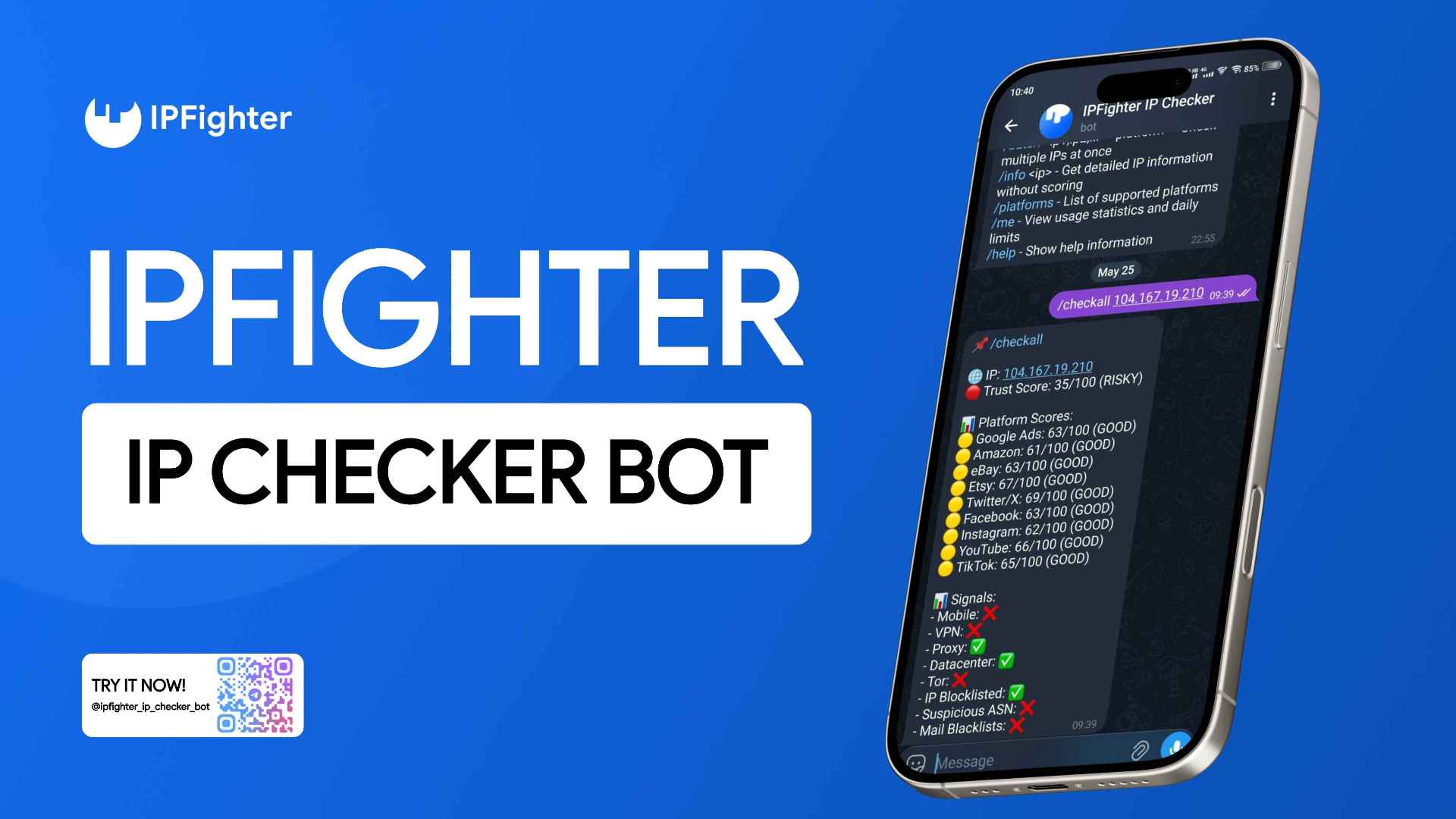
How to use the IPFighter IP checker bot on Telegram

A full guide to IPFighter Proxy Manager extension
IP reputation check: How IPFighter scores your IP
Review everything about the new IPFighter: A new look, new power