

Twitter is one of the most popular social media platforms, allowing users to share ideas, images, and videos. However, downloading Twitter videos directly to your device can be challenging, especially if you want the video without a logo or watermark. In this guide, we’ll introduce you to simple and effective methods to download Twitter videos on both computers and phones. With step-by-step instructions, you can effortlessly save your favorite moments from Twitter without worrying about copyright issues or compromising video quality.
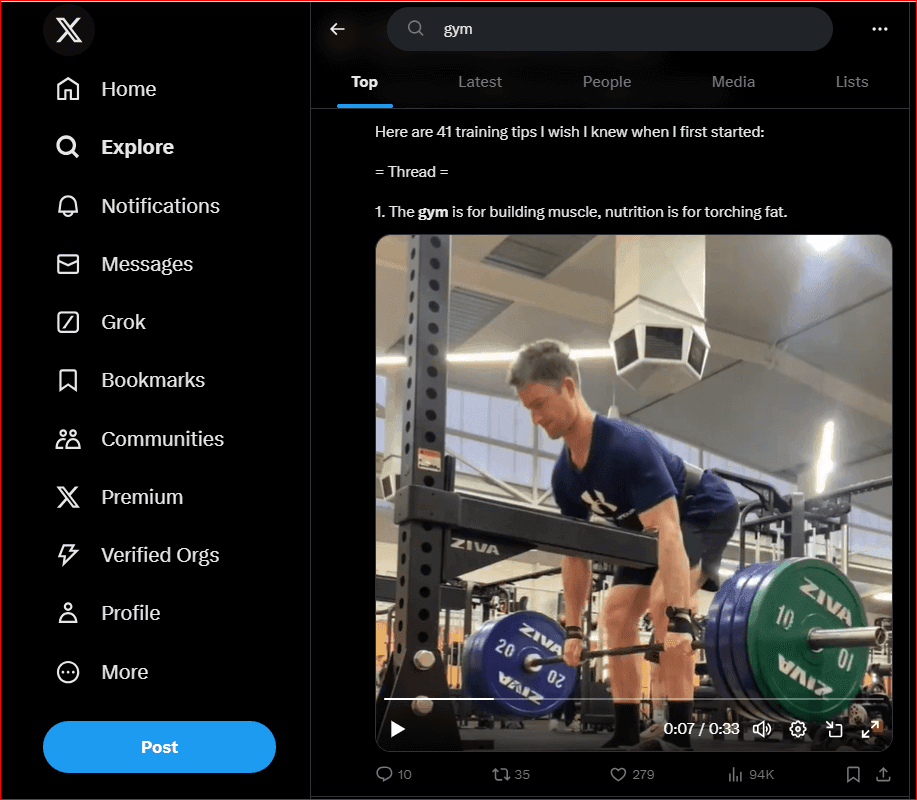
Why do you need to download videos from Twitter without logo to your device?
Saving videos from Twitter to your device allows you to watch them anytime, anywhere, without requiring an internet connection. This is incredibly convenient for saving favorite clips or important content for work and entertainment. Additionally, downloading videos without logos ensures better video quality and a distraction-free viewing experience. Let’s dive into the key reasons:
1. Maintain video quality
Downloading videos with logos from Twitter often results in larger file sizes and degraded quality due to the compression of the original file. On the other hand, if you download Twitter videos without logos, you’ll receive videos in their original quality and resolution.
2. Sharing is easier
Sharing videos on other platforms or with friends looks more professional when they are logo-free. It also reduces the risk of copyright infringement since branded logos are often associated with ownership rights.
3. Create your own content
For content creators, having logoless videos makes editing and repurposing content much easier. By referencing videos from multiple sources, creators can save time and produce richer, customized content. This strategy is similar to how creators apply 8 effective ways to boost YouTube views to increase their channel's visibility.
4. Long-term storage
If you plan to save Twitter videos for future use, downloading them without logos helps maintain a clean and distraction-free collection, ensuring your storage is well-organized and visually appealing.
Simple steps to download videos from Twitter using computer
Downloading videos from Twitter to your computer is straightforward when you know the correct process. Here are two simple methods that many users have found successful:
Method 1: Use a website to download Twitter videos
There are numerous websites and tools available to help you download Twitter videos directly to your computer. Most of these options are free and user-friendly.
Software introduction
A popular website for this purpose is “DownloadTwitterVideo”. It features an intuitive interface, allowing you to download videos in just a few clicks. Additionally, it supports various video formats, giving you flexibility in choosing the format that suits your needs. For power users who manage multiple accounts or devices, using this software alongside top tools for managing multiple phones can greatly enhance productivity.

Steps to Use DownloadTwitterVideo:
- Step 1: Open your Twitter account and locate the video you want to download.
- Step 2: Right-click on the video and select “Copy video link”.
- Step 3: Open a web browser and visit the homepage of DownloadTwitterVideo.
- Step 4: Paste the copied video link into the input box provided on the website.
- Step 5: Choose your preferred video quality and click the “Download” button.
- Step 6: Wait a few moments for the process to complete, and the video will be saved to your device without a watermark.
Method 2: Download software that supports video downloading
Aside from online websites, you can install software to download Twitter videos directly to your computer. One widely used and highly recommended software is “4K Video Downloader”.

Software introduction
4K Video Downloader is a powerful tool that allows you to download high-quality videos from various platforms, including Twitter. It features a simple interface and supports downloading videos without logos, making the process fast and convenient. With this software, you don’t need to rely on a browser each time you want to download a video.
Steps to use 4K video downloader:
- Step 1: Download and install 4K Video Downloader on your computer.
- Step 2: Open Twitter and find the video you want to download.
- Step 3: Right-click on the video and select “Copy video link”.
- Step 4: Launch the software and click the “Paste Link” button.
- Step 5: Choose your desired video quality and click “Download”.
- Step 6: The video will be saved to your computer without a watermark.
Steps to download videos from Twitter using Android phones
On Android devices, there are many applications available to help you download videos from Twitter. A popular and highly trusted app is “Twitch Video Downloader”.

Introducing the application
Twitch Video Downloader is a free application designed to make downloading Twitter videos simple and efficient. Its user-friendly interface ensures that even those with minimal technical skills can operate it easily.
Steps to download twitter videos using twitch video downloader
- Step 1: Download and install Twitch Video Downloader from the Google Play Store.
- Step 2: Open the Twitter app and locate the video you want to download.
- Step 3: Click on the video, select “Share“, and then choose “Copy Link“.
- Step 4: Open the Twitch Video Downloader app and paste the link into the input box.
- Step 5: Select your preferred video quality and press the “Download” button.
- Step 6: The video will be downloaded to your device without a watermark or logo.
Steps to download videos from Twitter on iPhone
For iPhone users, downloading Twitter videos is a straightforward process. On iPhone, a popular application for this task is MyMedia.

Introducing the application
MyMedia is a versatile file management app that allows you to download videos from various sources on the internet, including Twitter. It also helps you store and organize your downloaded videos efficiently.
Steps to download twitter videos using MyMedia:
- Step 1: Search for MyMedia in the App Store and install it on your device.
- Step 2: Open the Twitter app and locate the video you want to download.
- Step 3: Tap on the video, select “Share”, and then choose “Copy Link”.
- Step 4: Open the MyMedia app and navigate to the “Browser” tab.
- Step 5: Paste the copied video link into the address bar and press “Go”.
- Step 6: Choose the desired video quality and select “Download”.
- Step 7: The video will be saved to your device without a watermark or logo.
Things to master before downloading videos from Twitter
To ensure a smooth and legal process when you download Twitter videos, it’s essential to consider the following points:
1. Copyright and video ownership
When downloading videos from Twitter, always be mindful of intellectual property rights. Many videos on Twitter are copyrighted, and downloading them without the creator’s consent could lead to copyright violations.
2. Absolutely do not use original content for commercial purposes without consent
Respect the creator’s work by refraining from using downloaded videos for commercial purposes without explicit permission. This helps you comply with community guidelines, avoid legal issues, and show appreciation for the content creator’s efforts.
3. Avoid downloading videos from Twitter accounts that violate the law.
Refrain from downloading videos from accounts that you suspect are engaged in illegal activities or violate Twitter’s policies. Such actions could expose you to legal risks or unwanted consequences.
4. Use trusted applications
Not all websites and apps are safe for downloading videos. To avoid scams, malware, or poor-quality downloads, choose reputable apps and services specifically designed to download Twitter videos securely.
5. Check storage capacity
Before starting the download process, verify that your device has sufficient storage space to save the video. Running out of storage can interrupt the process or prevent the file from saving properly.
6. Carefully review the final video format and quality
Carefully select the format and quality of the video before downloading. Ensure it meets your requirements, whether it’s for personal viewing, sharing, or other purposes.
Conclusion
Downloading videos from Twitter is easier than you might think. By following the tips outlined above, you can confidently download your favorite Twitter videos to your computer or phone in no time. Downloading videos from Twitter is easier than you might think. By following the tips outlined above, you can confidently download your favorite Twitter videos to your computer or phone in no time. If you are interested in other platforms, you can also explore ways to make money on TikTok to expand your digital reach.
Always prioritize respecting copyright and original content while using safe and reliable methods. Best of luck, and enjoy your favorite videos with ease!
Read more

Unblocked movies: Best free and legal streaming sites in 2026


What happened to TorrentGalaxy? Status, risks and alternatives

Guide to Playing Axie Infinity for the fastest earning in 2026

What is Tensor? Enjoy the world of NFTs with outstanding features on Solana

Should you mine bitcoin using VPS? All you need to know before starting

Earn money with crypto bounties: What you need to know